
Mobile Tech
Fortify Your Digital Presence: 10 Essential Tips for Securing Your Online Accounts

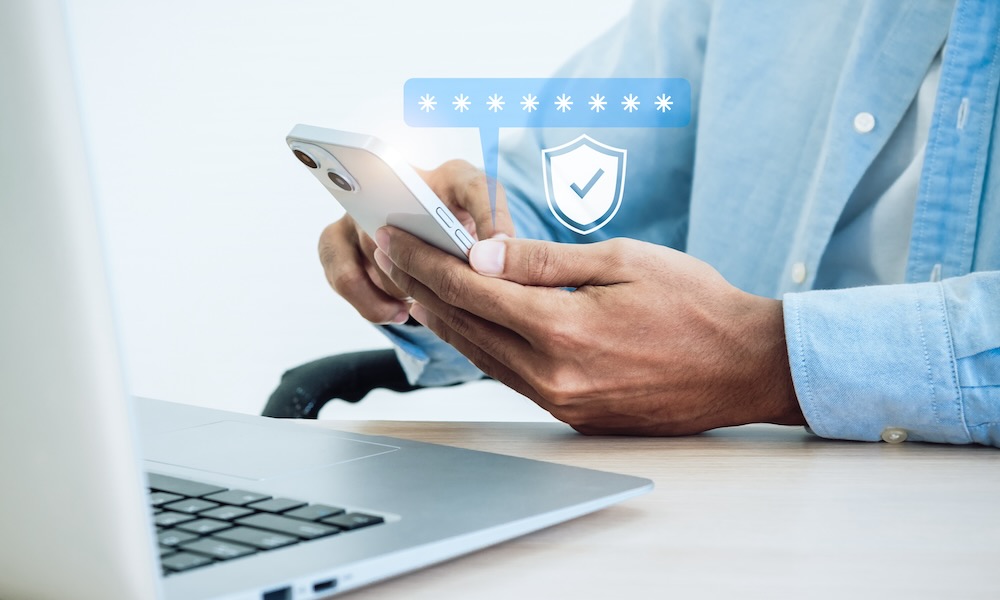
Let’s be honest: most people don’t get hacked because a big Hollywood villain brute-forced their firewall. They get hacked because they reuse the same password across multiple sites, or because they tap a fake “your account has been locked” link, thinking it’s real.
The bad news is that no one is unhackable. The good news is that you can still safely browse online without worrying about losing all your data.
Taking a few steps to secure your online accounts won’t take much time out of your day, but it can be a lifesaver if you’re ever the target of a scam or a cyberattack. There are many ways to stay safe online, but we’ve gathered some of the most practical, easy-to-follow methods you can get started with.
Turn on Two-Factor Authentication (Everywhere)
Passwords get leaked all the time. From social networks to small forums, and even services you forgot you signed up for. Two-factor authentication (2FA) is the safety net that prevents someone from logging in with a password they found after your credentials were leaked online. Even if a hacker has your password, they can’t access your account without that second code.
Cyber attackers have gotten really good at credential stuffing (trying your email + old password on dozens of sites) and at phishing for 2FA codes using AI-generated emails that look legit. That’s why you should enable 2FA on all your most important accounts, including your email, Apple Account, social media profiles, and your bank accounts.
Most platforms will walk you through enabling 2FA to secure your account. We recommend you start by securing your email and work your way to your other essential platforms.
A word of caution: When setting up 2FA, you’ll be shown a set of backup codes. Ensure you save these backup codes, as they’re the easiest (and often the only) way to get back into your account if you lose your 2FA device.
It’s Time to Use Strong Passwords
They say that a chain is as strong as its weakest link, which means it doesn’t matter how much security Meta or Apple implements on your account if your password is “password.”
Using a strong, alphanumeric password with some unique characters is a must in this day and age. In fact, some platforms won’t even let you use weak passwords like “123456” anymore, so you need to come up with a strong password that only you would know.
Instead of using things like birthdays or anniversaries, use random letters, words, and numbers. Something like “d32%x0s%9” will be a pain to remember, but it will also be harder to crack than “december25.”
You also don’t need to try coming up with these random passwords yourself — let your computer do it…
Start Using a Password Manager
Reusing passwords is still the number one way people’s accounts get hacked. A password manager fixes that by creating long, unique passwords for every single site and remembering them for you. That way, if any website gets breached, the attacker can’t reuse that password on your PayPal or Venmo accounts.
Apple users already have a good option with the new Apple Passwords app, but tools like 1Password and Bitwarden make it easier to manage your passwords, share them with family, and store 2FA codes in the same place.
Start Changing Your Reused Passwords
Even if you start using a password manager today, you still have a history of reused passwords. Most password managers have a feature that will tell you which sites are using the same password or which ones are weak. Some will even tell you if your password has been compromised and suggest that you change it.
If your password manager doesn’t have a feature like that, you’ll need to do it manually. Start with accounts that have your money or identity attached to them, like your bank account, Apple ID, or email. Then, continue with less critical accounts.
The goal is to have a unique password on all your online accounts. It sounds tough, but it’ll be worth it.
Choose App-Based Codes Over SMS Codes
Text-message codes are still widely used because they’re easier to work with, but they’re not the safest. If someone takes over your phone number, they can get your codes.
App-based codes live on your device and aren’t tied to your carrier. Instead of a text message, you’ll get a notification on your device letting you know someone is trying to access your account. If you have an iPhone, you’ll still need to use Face ID or your passcode to let people into your account, which gives you even more security.
Turn on Passkeys Wherever You Can
Passkeys are the future, and Apple, Google, and Microsoft have been pushing them hard for a good reason: they work.
Instead of passwords, platforms use passkeys to let you log in to your account using Face ID or a fingerprint sensor. They’re also built to be phishing-resistant, because your device won’t hand over a passkey to a fake website.
So if you see “Use a passkey” on Google, PayPal, eBay, or even some banking sites, say yes. Next time you try to log in, the platform will ask for your Face ID or fingerprint to let you in. It’s faster and safer.
Split Your Email Addresses
Using the same public email for everything (social media, bank accounts, newsletters, random app websites) is convenient, but it means any phisher who knows that address can target your essential accounts.
A simple fix is to create different email addresses for different purposes. For instance, you can create an address for social media, one for financial-related stuff, and another one for personal use. If you’re an iCloud+ subscriber, you can use Hide My Email to create as many alternative addresses as you like that forward to your main address, and other services like Fastmail offer similar features.
If you really want to split things up, you can go with entirely separate email accounts. That may seem like a lot of work (because it is), but it will ensure that if one of your email accounts gets hacked, the bad actor won’t be able to mess around with all your online accounts. Still, it’s probably easier to ensure your main email address is as secure as possible.
Protect your phone number from SIM Swaps
Because SMS is still the default 2FA and account recovery method, your phone number is an attractive target.
SIM-swapping attacks have decreased in frequency in recent years but remain a threat, especially for individuals with cryptocurrency accounts or a significant online presence. To protect yourself, the first step is to contact your mobile carrier and set up a port-out PIN or lock. This added security measure makes it much more difficult for a malicious actor to transfer your phone number to another device by impersonating you.
It is also advisable to refrain from sharing your personal phone number publicly, particularly on social media platforms. If necessary, consider obtaining a second phone number for online activities, excluding two-factor authentication (2FA).
Furthermore, it is crucial to discontinue the use of SMS-based 2FA methods and instead transition to app-based 2FA wherever possible.
For individuals with high-risk accounts, such as business owners, data managers, influencers, or individuals handling large sums of money online, utilizing hardware security keys, like Google’s Titan Security Key, is recommended. These physical devices require authentication through a USB port or NFC reader, ensuring that no one can access your credentials without the key.
Keeping your devices and applications updated is essential to safeguard against modern attacks that target operating systems through web browsers. Promptly installing security updates from Apple, Google, and Microsoft is crucial to reducing vulnerability to cyber threats.
Enhance your ability to identify phishing emails and AI scams by scrutinizing messages for typos, unusual logos, and suspicious domain names. Avoid clicking on login links in emails and manually access websites like PayPal through a separate browser window. Exercise caution with messages that create a sense of urgency, as reputable organizations rarely communicate emergencies via email.
Overall, prioritizing the security of essential accounts by utilizing strong passwords, unique email addresses, and 2FA is paramount. Consider using a password manager to simplify password management. Avoid oversharing personal information online and remain vigilant against requests for sensitive data from unverified sources.
By following these steps and staying informed about online security best practices, you can mitigate the risk of falling victim to cyber threats and protect your digital assets and privacy effectively.













iBeer: How One App Took the App Store by Storm

Apple’s Innovative Approach to Fitness Tracking: A Screenless Solution in the Works

Rolls-Royce Cullinan Dominates Russian Luxury Car Market, Outselling Spectre, Ghost & Phantom Combined

Microsoft Appoints Brad Smith as Head of Corporate Communications

The Lord of the Rings: War in the North Legacy Edition – Patch One: The Beginning of a New Journey

Revolutionizing Android: 5 Innovative Features That Will Transform User Experience

Xiaomi 18 Pro: Global Launch Set for 2026, Confirmed by Tech Advisor

Comparing Farmtech Solutions: Poly Tape vs Electric Fence Wire

Unbeatable Deals on Top-tier Apps: Own Them Forever at a Fraction of the Cost

EU Takes Action Against Instagram and Facebook for Violating Illegal Content Rules

Warning: Facebook Creators Face Monetization Loss for Stealing and Reposting Videos

Facebook’s New Look: A Blend of Instagram’s Style

Facebook Compliance: ICE-tracking Page Removed After US Government Intervention

Facebook and Instagram to Reduce Personalized Ads for European Users

InstaDub: Meta’s AI Translation Tool for Instagram Videos

Reclaim Your Account: Facebook and Instagram Launch New Hub for Account Recovery

Meta discontinues Messenger apps for Windows and macOS

Breaking Updates: Meta Connect 2025 Unveils Latest Developments

Does a Cheap 2018 Smartphone beat a 2013 Flagship?

Samsung Galaxy S9 & S9+ UNBOXING!

Samsung Galaxy S9 Plus vs iPhone X

The BEST $300 Phone (2018) ft. MKBHD, Technical Guruji, iJustine + More

Samsung Galaxy S9 Plus Gaming Review! (vs OnePlus 5T)

THE BEST PHONE HTC EVER MADE?

The Truth about Google?

Samsung S9/ S9+ vs iPhone X vs Galaxy Note 8 Battery Life DRAIN TEST

Samsung S9 / S9+ vs Mate 10 Pro vs iPhone X Charging SPEED Test
-
 Facebook11 months ago
EU Takes Action Against Instagram and Facebook for Violating Illegal Content Rules
-
 Facebook12 months ago
Warning: Facebook Creators Face Monetization Loss for Stealing and Reposting Videos
-
 Facebook10 months ago
Facebook’s New Look: A Blend of Instagram’s Style
-
 Facebook12 months ago
Facebook Compliance: ICE-tracking Page Removed After US Government Intervention
-
 Facebook10 months ago
Facebook and Instagram to Reduce Personalized Ads for European Users
-
 Facebook12 months ago
InstaDub: Meta’s AI Translation Tool for Instagram Videos
-
 Facebook10 months ago
Reclaim Your Account: Facebook and Instagram Launch New Hub for Account Recovery
-
 Apple11 months ago
Meta discontinues Messenger apps for Windows and macOS
