
Gadgets
Aqara Smart Heating System Review: Radiator Thermostat W600 and Climate Sensor W100

Any links to online stores should be assumed to be affiliates. The company or PR agency provides all or most review samples. They have no control over my content, and I provide my honest opinion.
I previously reviewed the Aqara Smart Radiator Thermostat E1 and thought it was an excellent, relatively affordable radiator valve for anyone invested in the Aqara ecosystem.
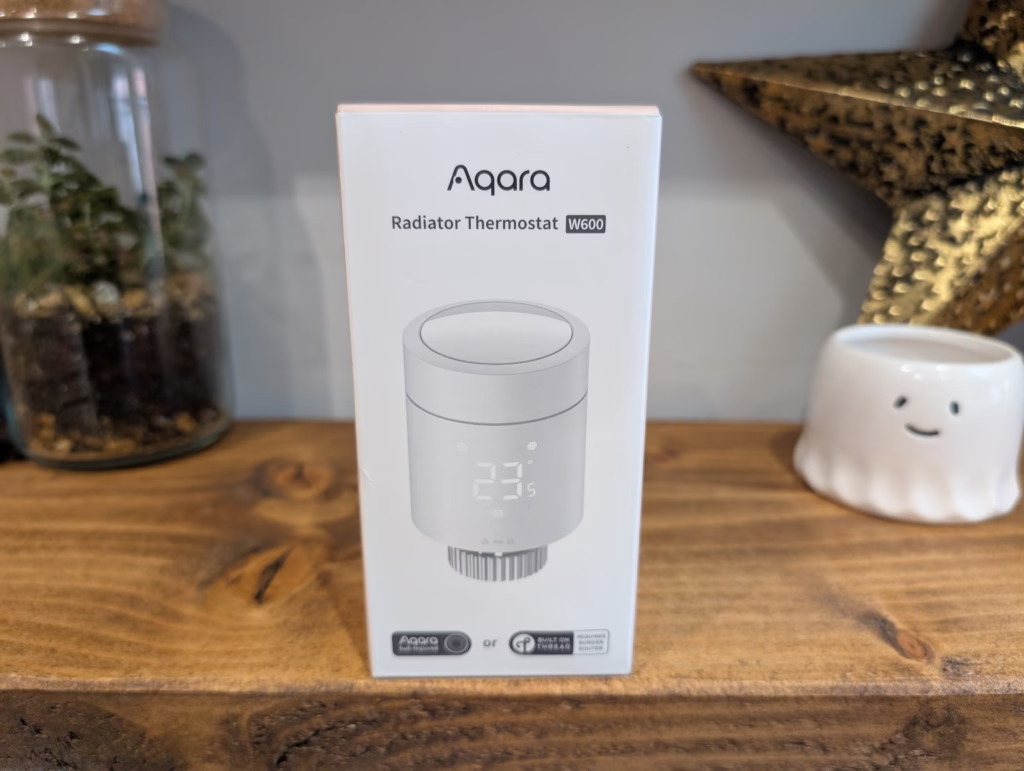
Aqara has now launched the W600 thermostat, with the main selling point being that it supports both Zigbee for native Aqara integration and Matter over Thread, allowing you to integrate it with third-party systems directly.
Related Reviews
Aqara Radiator Thermostat W600 Features
The Radiator Thermostat W600 combines smart automation with energy savings. Compatible with popular valve types (RA, RAV, RAVL, Caleffi, Giacomini, M28×1.5), it supports Thread and Zigbee and offers:
- Smart scheduling and automations
- Extended 2-year battery life
- Power monitoring for insights and automations
- Overheat & overload protection
- RGB LED status light
- Child lock button lock
- Power-off memory
Aqara Climate Sensor W100 Features
Dual-Protocol with Matter Compatibility
The sensor supports both Matter over Thread and Zigbee protocols. Matter compatibility allows for integration with third-party ecosystems, including Apple Home, Amazon Alexa, and Google Home. Using the Zigbee protocol with an Aqara hub provides access to exclusive Aqara Home features. Users can switch between these protocols as required.
3 Smart Button Customisation
The device is equipped with three customisable buttons that support single, double, and long press actions. These can be configured to trigger up to nine different automations or scenes, such as activating a comfort mode or controlling other connected devices wirelessly.
Precision Sensor with LCD Display
This device includes a sensor for temperature and humidity with a precision of plus or minus 0.2 degrees Celsius and plus or minus 2 percent relative humidity. It displays real-time environmental data on an 8.6 cm LCD screen. The sensor is suitable for monitoring conditions in various settings, including living spaces, storage areas, and greenhouses.
External Sensor Integration
When operating in Zigbee mode, the device can connect to an external Aqara temperature and humidity sensor. Data from the external sensor is then shown in a secondary area on the screen, enabling the monitoring of two locations at once. If no external sensor is connected, this secondary area displays the local temperature and humidity information by default.
HVAC Remote Control Integration
The sensor can be paired with an Aqara thermostat via an Aqara hub, or with a third-party infrared-controlled air conditioner via the Aqara Hub M3. This integration allows for wireless remote control of the HVAC system, providing the ability to adjust settings such as temperature, humidity, and operational mode directly from the device.
Long Battery Life with Configurable Performance
The device is powered by two CR2450 batteries, providing an estimated battery life of up to 2.4 years in Zigbee mode and 2.3 years in Thread mode under standard usage conditions. The sensor’s sampling and reporting frequency can be adjusted, allowing the user to balance performance with power consumption.
Unboxing / Design
The W600 is not much different from most other smart radiator valves. Though the design has changed from the E1.
The main difference is that the display is now moved from the top to the side of the valve. Then, top of the valve is white, making it stand out less than the E1.
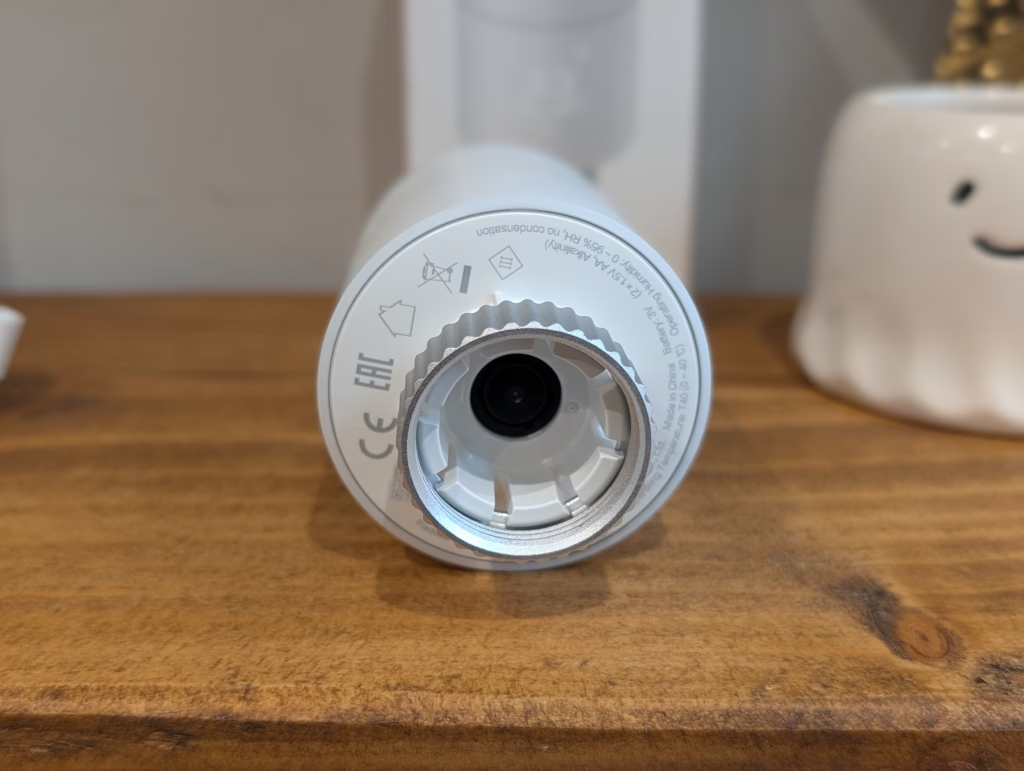
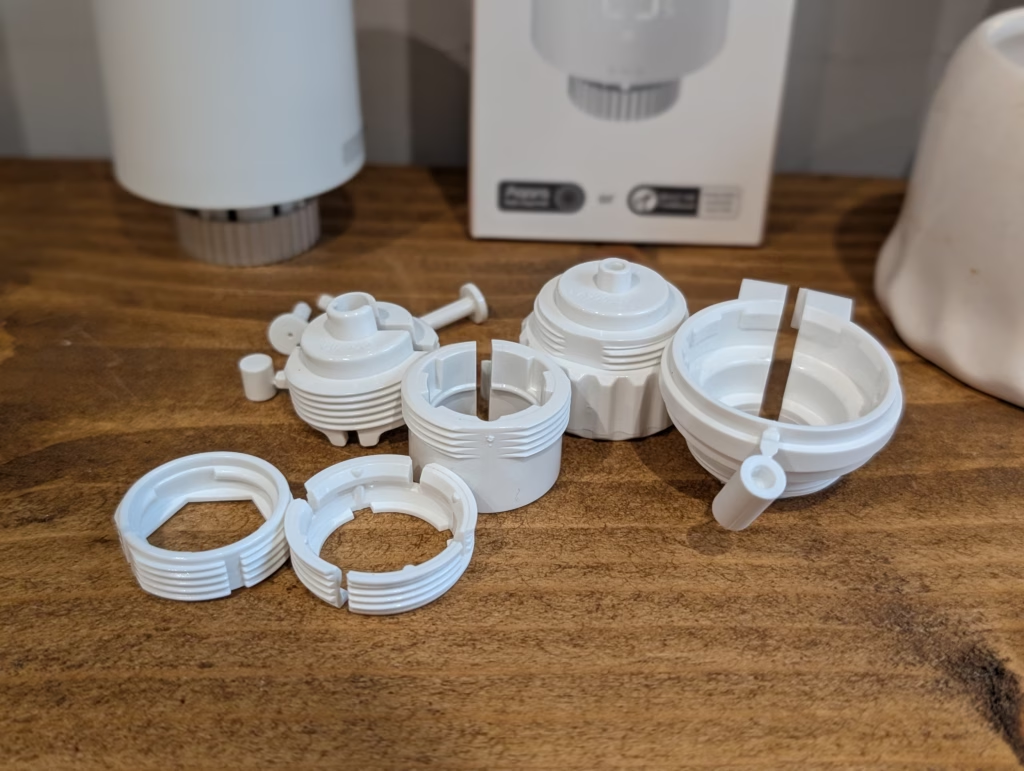
While the display is not easily visible when the power is off, when you power it on, it will show you the temperature or the status code if it has not been set up.
The top of the valve features a button that is used to put the valve into pairing mode.
Build quality is decent enough, but it feels cheaper than my Tado X valves (which cost much more)
Included in the packaging is various adaptors for differing valve types.
Aqara Radiator Thermostat W600 Installation
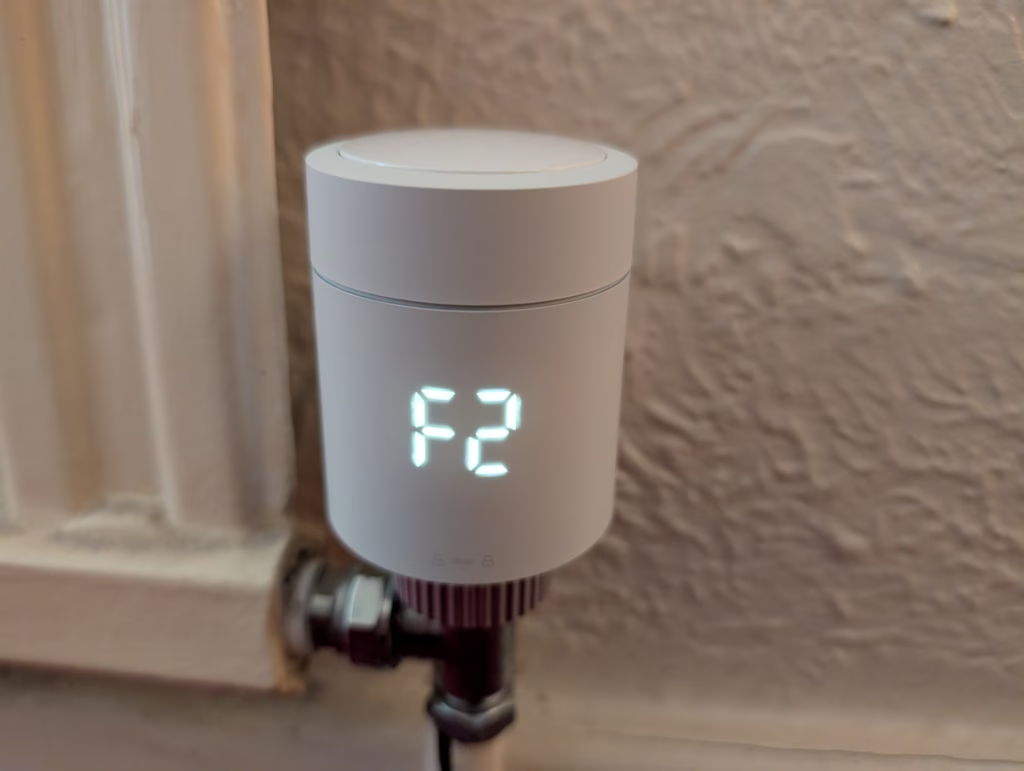
The W600 installation is essentially the same as that of most radiator valves. I fortunately have standard connectors, so I was able to screw the W600 directly onto the radiator without needing all the additional adapters.
Set Up
When you pull the battery tabs out, the W600 will show F1 on the display, which indicates that it is in pre-installation status. You then press the top of the valve three times to enter set-up mode, and the display will switch to F2.
From there, it is the same as all other Aqara products. I have used Zigbee with all my recent Aqara reviews, as this normally exposes more functionality within the Aqara app.
However, for this purpose, I opted to go with Thread.
I have encountered some difficulties in the past with setting up Thread devices; they can be finicky, but this time they paired up smoothly.
Out of curiosity, since Tado X supports Matter over Thread, I attempted to pair it directly with Tado, but unfortunately, the QR code was not recognized.
Furthermore, when I disconnected the valve and tried to switch to Zigbee, I encountered repeated errors indicating that the download failed (Code: 30204). A similar issue occurred with the FP300, suggesting that the problem was due to the Zigbee drivers not being fully implemented.
I have had this valve for a few weeks, and my struggles with switching it to Zigbee persisted. About two weeks ago, I checked again. There was a firmware update available for the valve, so I installed it, and after resetting it, I successfully converted it to Zigbee.
The issue was likely resolved with the firmware update, but it could also be attributed to user error.
Zigbee vs Thread Functionality
Despite Thread being considered a superior protocol to Zigbee and its successor, it is disappointing that some Aqara products’ functionalities are limited to Zigbee only.
Features like power monitoring on light switches require Zigbee, which is a key selling point of Aqara switches (with earth).
One of Thread’s main selling points, smart schedules, is absent in Zigbee.
Therefore, if you opt for Thread, you will need to create automations manually. If you intend to control it solely within Home Assistant, the functionality difference may not be noticeable.
The variance in functionality could be attributed to Thread being in its early stages, and it is hoped that Aqara will eventually align the features of both protocols.
Smart Climate Sensor W100
Aqara kindly provided me with the Smart Climate Sensor W100 to pair with this setup. Within the settings, there is an option to select the temperature and humidity source. By choosing the W100 sensor, you can obtain more precise temperature readings.
Using an external sensor allows for more accurate temperature readings, as the valve’s proximity to the radiator can skew the temperature. Placing the sensor near where you typically sit can provide more reliable performance.
This has been a significant issue for me with smart radiator valves. In my TV room, where I have Tado X, the temperature readings are accurate, but I often feel colder than indicated, leading me to frequently adjust the temperature for comfort.
Aqara App, Smart Schedules, and Automation
When the W600 is connected to Aqara via Zigbee, you have access to all the features. During the initial setup, Aqara will prompt you to configure the smart schedule.
By default, it sets up Home, Away, Home, Wind Down, and Sleep modes to mirror a typical day for most users.
Since my schedule is unconventional, I had to adjust the settings immediately to align with my routine. However, the process is straightforward.
You also have the option to use manual modes, allowing you to set it to home mode with the choice to remain in that mode for specific durations until the next scheduled change or indefinitely.
Matter and Home Assistant Integration
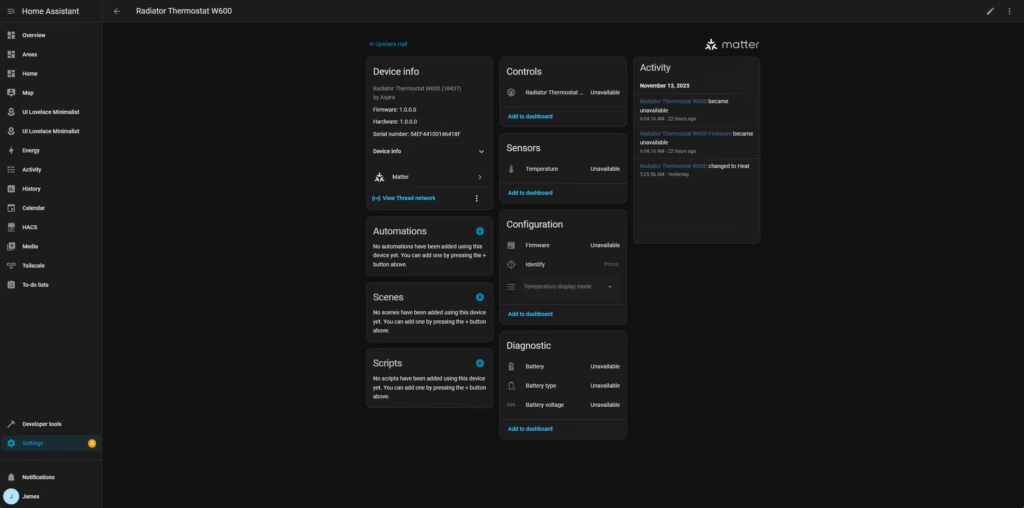
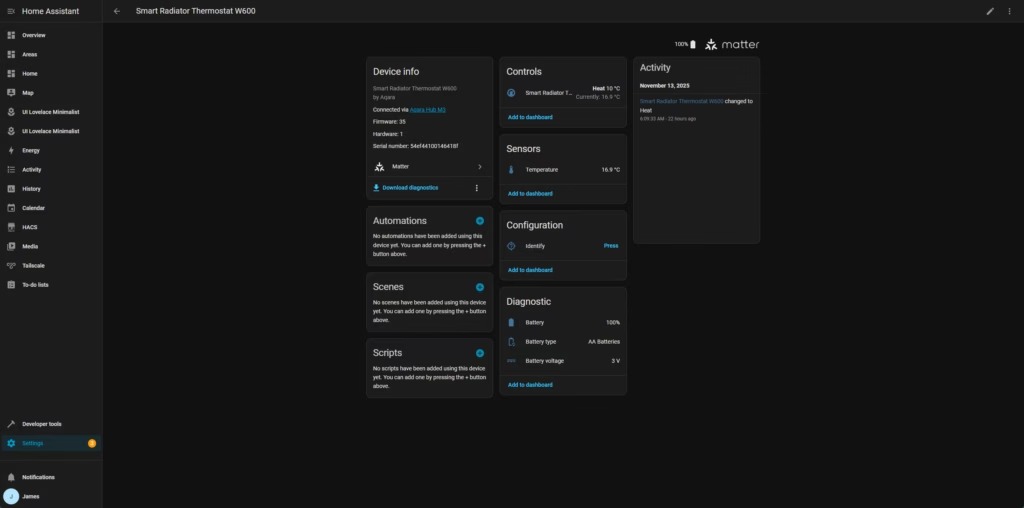
In Zigbee mode, this device can be integrated into third-party ecosystems through Matter Over Bridge using Aqara gateways that support Matter (excluding Camera Hub G2H Pro).
In Thread mode, this device can be connected to third-party ecosystems by directly scanning the Matter code on the device body. The ecosystem must include a border router that supports Matter & Thread. Initially, I paired the device with my Aqara Hub M3 and then integrated it into Home Assistant, but later I connected it directly to Home Assistant. Within Home Assistant, you can easily control the valve and temperature, with a variety of triggers and actions available for automation.
Additionally, pairing this with the Aqara Climate Sensor W100 allows for setting triggers based on temperature and humidity. Switching between Thread and Zigbee seemed to have little impact on functionality in Home Assistant, but there are differences to consider. In Zigbee mode, actions are limited to changing HVAC mode and pressing the Identify button, while Thread mode offers more options for control.
I have only used the device for a few weeks, so battery life is yet to be determined. Performance has been reliable, and the option to view historical data for adjustments is beneficial. Pricing for the Aqara Radiator Thermostat W600 is around £43.39, making it a competitive option in the market.
Overall, despite some initial issues, the device has performed well after a firmware update. Thread support is advantageous for integration with ecosystems like Home Assistant. While there may be limitations with Aqara products in Thread mode, the Matter over Thread support offers a convenient solution for smart heating control. When it comes to smart home technology, some people may hesitate to commit to a specific brand like Tado or others. The fear of being locked into a product that may be discontinued, have changes in functionality, or introduce subscription fees is valid. For those seeking more control over their radiator valves and prefer local control, the Aqara valves offer an attractive option.
With a potential price of £44, the Aqara valves present a cost-effective solution for individuals looking to implement smart heating without being restricted to expensive brands like Tado.
As a tech enthusiast based in the UK, I am James, the Editor and Owner of Mighty Gadget since 2007. My passion for technology ranges from computers and networking to mobile devices, wearables, and smart home gadgets. Additionally, I have a keen interest in fitness-related technology, which I cover extensively on my blog.
My academic background includes a BSc in Information Systems Design from UCLAN and a Master’s Degree in Computing, along with Cisco CCNA accreditation. This expertise enables me to provide a unique perspective on tech blogging, integrating lifestyle, fitness, and the latest tech trends.
Vuelio consistently ranks Mighty Gadget as one of the top technology blogs in the UK, reflecting my dedication to technology and commitment to sharing valuable insights with my readers. Through engaging and informative content, I strive to continue delivering valuable information to my audience. Transform the following:
“Today is a beautiful day to go for a walk in the park.”
into:
“Today’s weather is perfect for a stroll in the park.”










Chinese Brand’s Newest Small Electric Hatch Sets Safety Standard with Anticipated Five-Star Rating

The Unforeseen Lessons: A Microsoft VP’s Journey from India to the Age of AI

Cloudflare Evasion: How Phishing Targets TikTok Business Accounts Through Turnstile Tactics

The Unfair Boundaries of Genre: A Conversation with the Original Stalker Designer on Eurojank in International Games

Sequoia’s Confidence in Harvey’s $11B Valuation Triples

Troubleshooting HDMI Audio: Essential Fixes & More Tips

Unveiling the Powerhouse: Mercedes-AMG GT Black Series with Dynamic Aero System Spotted at Nurburgring

iPhone 12 Pro Max Unboxing & Review!

European Commission Launches Investigation into Amazon Cloud Account Breach

EU Takes Action Against Instagram and Facebook for Violating Illegal Content Rules

Warning: Facebook Creators Face Monetization Loss for Stealing and Reposting Videos

Facebook Compliance: ICE-tracking Page Removed After US Government Intervention

Facebook’s New Look: A Blend of Instagram’s Style

Facebook and Instagram to Reduce Personalized Ads for European Users

InstaDub: Meta’s AI Translation Tool for Instagram Videos

Reclaim Your Account: Facebook and Instagram Launch New Hub for Account Recovery

Meta discontinues Messenger apps for Windows and macOS

Breaking Updates: Meta Connect 2025 Unveils Latest Developments
iPhone 12 Pro Max Unboxing & Review!

iPhone 12 Pro Max vs Samsung Note 20 Ultra / Huawei Mate 40 Pro Camera Test Comparison.

iPhone 12 Pro Max vs Samsung Note 20 Ultra / Huawei / Xiaomi / OnePlus Battery Life DRAIN Test.

The BEST Smartphone of 2020 🏆

The Self-Healing Smartphones!

Apple is not what it used to be.

Smartphones are Boring now.

The Fastest Android Phone Ever.

Unboxing the $122,000 Smartphone. 🤯
-
 Facebook5 months ago
EU Takes Action Against Instagram and Facebook for Violating Illegal Content Rules
-
 Facebook6 months ago
Warning: Facebook Creators Face Monetization Loss for Stealing and Reposting Videos
-
 Facebook6 months ago
Facebook Compliance: ICE-tracking Page Removed After US Government Intervention
-
 Facebook4 months ago
Facebook’s New Look: A Blend of Instagram’s Style
-
 Facebook4 months ago
Facebook and Instagram to Reduce Personalized Ads for European Users
-
 Facebook6 months ago
InstaDub: Meta’s AI Translation Tool for Instagram Videos
-
 Facebook4 months ago
Reclaim Your Account: Facebook and Instagram Launch New Hub for Account Recovery
-
 Apple5 months ago
Meta discontinues Messenger apps for Windows and macOS
