
Mobile Tech
Effective Solutions for Common Problems


Spam calls are among the most annoying issues individuals face on a daily basis. They waste time, break focus, and put those affected at risk of scams. These calls are everything from automated messages to scammers pretending to be your bank. Worst of all, you are at risk of receiving unwanted calls just by owning a phone number.
Fortunately, there are actions you can take to cut down these daily interruptions. Here we will explore how to stop spam calls on both iPhone and Android. But first, let’s understand why spam calls are so prominent and how we can easily identify them.
Why Spam Calls Are Getting Worse
Spam calls are widespread despite total reports dropping since 2021 by about 50%. While this is significant, there are still millions of complaints each year from affected individuals. This large amount is attributed to automated dialing technology because it’s cheap and widespread.
Scammers utilize it to spoof legitimate numbers from well-known businesses and local areas to make scams more believable. Most spam callers dial thousands of people at once and hope the receiving end picks up. If this happens, the number is marked as active in their system, and they will see its spam calls increasing.
How to Recognize a Spam or Scam Call in Seconds
Spam calls usually have a distinct pattern that is very easy to identify. You just have to know and watch out for these red flags:
- Suspicious caller ID – Local numbers you don’t recognize, or businesses you don’t use, are suddenly calling you.
- Brief silence on pickup – This usually indicates an auto-dial system often used by spammers.
- The call is always urgent – Spam calls claim urgency and try to prey on panic in the moment to extort valuable data.
- The caller asks for personal info – While it’s okay for some callers to identify you, information such as your Social Security Number is excessive and an immediate red flag.
- Conversation that breaks the mold – If you receive a call from your “bank” and the standard procedure is off, it’s likely a scammer spoofing the company.
Ultimately, if anything feels off during any call, hang up immediately, as you can call the real company directly to be safe. Most of the same applies to spam or scam texts, with just a few additional parameters.
How Do Spam Callers Get Your Number
Many individuals ask themselves, “Why am I getting so many spam calls?” especially if a massive wave starts out of nowhere. In most cases, your number got leaked from:
- Data breaches
- Online sign-ups
- Publicly available data
- Random number generation
- Old mailing lists and resumes
Once your number leaks and begins circulating across spam lists, stopping unwanted calls becomes more difficult, which is why effective blocking tools matter. Tools like Robokiller, Scam Shield, and No Caller ID blocking can help, but before we get to them, let’s start with the built-in protections on your iPhone and Android devices.
How To Stop Spam Calls On iPhone
Source: Pexels
On iPhones, users have several built-in tools to stop spam calls. By combining these tools, you can significantly reduce interruptions throughout the day.
Block Individual Numbers
Here’s how to block private numbers if you get spam from them:
- Open the Phone app
- Go to Recents
- Tap the info icon next to the number
- Scroll down and select Block Contact
This won’t stop spoofed numbers, but will eliminate less dedicated repeat offenders.
Silence Unknown Callers on iPhone
Here’s how to send spam calls to voicemail directly:
- Open up Settings
- Go to Apps and select Phone
- Select Silence, Unknown Callers
- Toggle it on
Just note that you will still see the calls in your call log, just without the interruption.
Use Focus / Do Not Disturb Smartly
Here’s how to stop spam calls with iOS focus modes:
- Go to Settings
- Select Focus
- Create a unique focus mode
- Make sure to only allow calls from Contacts, Favorites, or specific groups
This can be a lifesaver during work hours, late at night, or whenever most spam calls occur.
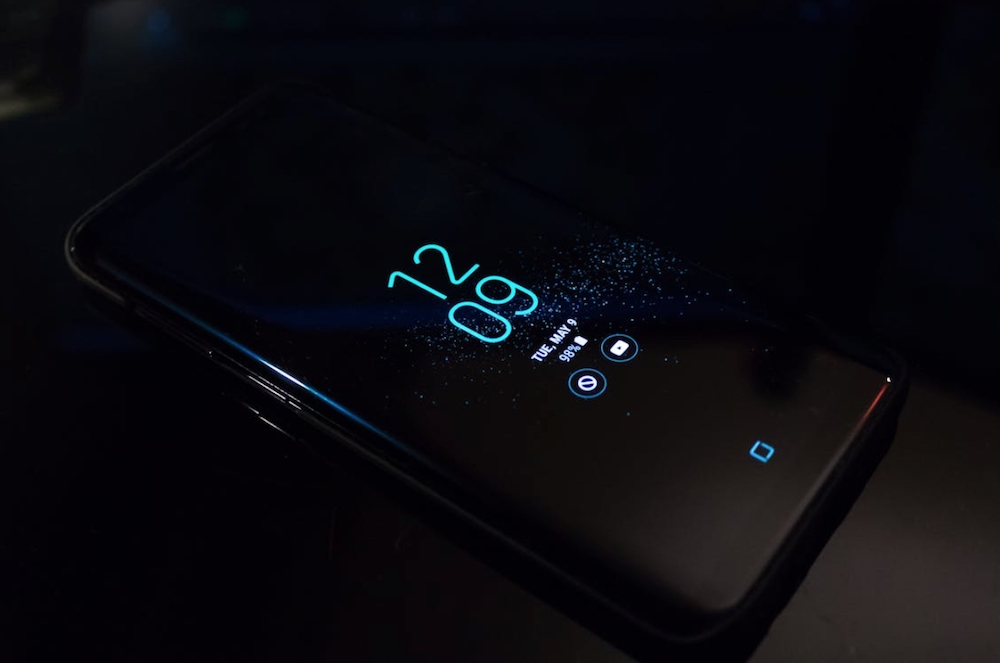
How To Stop Spam Calls On Android
Source: Pexels
To stop spam calls on Android, you can use the integrated spam protections. It is important to note that these steps may vary based on your Android device brand.
Block Individual Numbers on Android
Here’s how to block spam calls on Android:
- Open the Phone app
- Go to Recents
- Select the spam number
- Select Block or Report Spam
By learning how to report spam calls, you help automated systems mark spam numbers and deal with them effectively.
Silence Unknown Callers
Here’s how to reduce phone scam calls with silence:
- Open the Phone app
- Go to Settings under the three dots
- Choose Blocked Numbers
- Toggle on Block calls from unknown numbers.
This is a great way to significantly reduce spam on your device.
Turn On Android Spam Protection / Call Screening
Here’s how to stop spam calls with integrated spam protection:
- Open Phone
- Go to Settings under the three dots
- Select Bixby text call on Samsung devices
- Turn the feature on and enjoy your peace of mind.
It is important to note that the brand of Android device you have determines how call screening is called and enabled. If you own a Google Pixel device, you can use Google Assistant call screening. This system stops almost all spam before your phone ever rings.
Use Do Not Disturb for High-Spam Times
Most people receive spam calls only during certain hours; here, Do Not Disturb is the best option.
To activate the Do Not Disturb feature and block unknown callers on your device, follow these simple steps:
1. Open your device’s Settings.
2. Navigate to Notifications.
3. Select the Do Not Disturb option.
4. Choose to allow calls and messages only from your Contacts.
5. If necessary, set a schedule for the hours when spam calls are most prevalent.
If you want to enhance your phone’s spam protection, consider using third-party apps in addition to the built-in features. Some popular options include:
– Call Control: A free app that crowdsources data to help block spam calls.
– RoboKiller: A subscription-based app that blocks spam calls and messages, and even responds to spammers with pre-recorded messages.
– Hiya: A free app that warns you about robocalls and scam calls based on known databases.
– Firewall: An iOS-only app that uses a whitelist approach to block unwanted calls and texts.
These apps can be effective tools in preventing unwanted calls and maintaining peace of mind.
To protect yourself from future spam calls, consider adopting these long-term habits:
1. Limit the availability of your personal data.
2. Make use of all available spam filtering tools.
3. Keep your phone’s software updated.
4. Register your number with “Do Not Call” lists.
5. Avoid engaging with spam callers.
By taking proactive steps and staying informed about spam call trends, you can reduce the impact of unwanted calls on your daily life.
In conclusion, while it may not be possible to completely eliminate spam calls, combining built-in and third-party tools can significantly reduce their frequency. Remember to stay vigilant and prioritize your peace of mind when dealing with spam calls.
If you have any further questions about stopping spam calls, refer to the following FAQs:
– How do I stop spam calls easily?
– Why do I keep getting spam calls?
– Is it safe to answer a spam call?
– How do I stop spam calls permanently?
– Can I block spam calls on third-party apps like WhatsApp?
Please note that integrated and third-party spam blocking apps may not work within certain messaging apps like WhatsApp, as they have their own blocking mechanisms. Transform the following:
Original: The cat is sleeping on the couch.
Transformed: The couch is being slept on by the cat.












Unveiling the Dark Secrets of VoidStealer: How the Malware Steals Chrome Master Key with a Clever Debugger Trick

AI Artistry: Unveiling the Mystery of Crimson Desert’s Suspiciously Generated Creations

Revolutionizing Coding: The Moonshot AI Kimi Integration with Cursor
![Apple pushing back on 'vibe coding' iPhone apps, developers say [U]](https://bennetttechinnovation.com/wp-content/uploads/2026/03/Apple-Stands-Firm-Against-Vibe-Coding-iPhone-Apps-Defying-Developers-80x80.jpg)
Apple Stands Firm Against ‘Vibe Coding’ iPhone Apps, Defying Developers

Secure APK Sideloading: Harnessing the Power of Advanced Flow for Safe Android Installation

Gunvolt Chronicles: Luminous Avenger iX – The Complete Dual Collection

K2 Launches Groundbreaking High-Powered Satellite for Advanced Space Computing

The End of Security: iOS 13 and 14 Vulnerabilities in 2026

Exclusive Look: The 2027 Chevrolet Corvette Grand Sport Unleashed at Sebring

EU Takes Action Against Instagram and Facebook for Violating Illegal Content Rules

Warning: Facebook Creators Face Monetization Loss for Stealing and Reposting Videos

Facebook Compliance: ICE-tracking Page Removed After US Government Intervention

Facebook’s New Look: A Blend of Instagram’s Style

Facebook and Instagram to Reduce Personalized Ads for European Users

InstaDub: Meta’s AI Translation Tool for Instagram Videos

Reclaim Your Account: Facebook and Instagram Launch New Hub for Account Recovery

Meta discontinues Messenger apps for Windows and macOS

Breaking Updates: Meta Connect 2025 Unveils Latest Developments

DON’T buy a Screen Protector before watching this.

Beware of Fake Reviewers! ⚠️

Xiaomi Mi 11 Unboxing & Review.

The Galaxy S21 Ultra is Better than you think.

Samsung Galaxy S21 Ultra vs iPhone 12 Pro Max Camera Test Comparison.

Samsung S21 Ultra vs iPhone Battery Life Test!

The Truth about Xiaomi “Air Charging”

DON’T buy this Smartphone.

Galaxy S21 Ultra – Exynos vs Snapdragon.
-
 Facebook5 months ago
EU Takes Action Against Instagram and Facebook for Violating Illegal Content Rules
-
 Facebook5 months ago
Warning: Facebook Creators Face Monetization Loss for Stealing and Reposting Videos
-
 Facebook5 months ago
Facebook Compliance: ICE-tracking Page Removed After US Government Intervention
-
 Facebook3 months ago
Facebook’s New Look: A Blend of Instagram’s Style
-
 Facebook3 months ago
Facebook and Instagram to Reduce Personalized Ads for European Users
-
 Facebook5 months ago
InstaDub: Meta’s AI Translation Tool for Instagram Videos
-
 Facebook4 months ago
Reclaim Your Account: Facebook and Instagram Launch New Hub for Account Recovery
-
 Apple5 months ago
Meta discontinues Messenger apps for Windows and macOS
