
Mobile Tech
Enhanced iOS 26.2: Elevating User Experience with Liquid Glass Enhancements and CarPlay Updates

![Apple releases iOS 26.2 with Liquid Glass tweaks, CarPlay changes, more [Release notes]](https://bennetttechinnovation.com/wp-content/uploads/2025/12/Enhanced-iOS-262-Elevating-User-Experience-with-Liquid-Glass-Enhancements.jpg)
Apple has officially rolled out iOS 26.2 for iPhone, introducing Liquid Glass design enhancements, new customization options for CarPlay, and more. This latest version is now accessible to all users, including developer and public beta testers.
Release notes
Apple Music
- Favorite Songs playlist now appears in Top Picks on the home tab
- Offline lyrics for downloaded songs allow you to view them without an internet connection
Podcasts
- Automatically generated chapters make it easier to navigate episodes
- Links to mentioned podcasts enable you to see and follow other podcasts mentioned in the episode you’re listening to directly from the player and transcript
Games
- Filters in the Games library help you find games by category, size, and more
- In-game challenge score banners provide real-time updates when someone new has taken the lead
- Improved support for connected controllers such as Backbone and Razer
This update also includes various enhancements and bug fixes:
- Additional Lock Screen time customization option allows you to further adjust its appearance, giving the Liquid Glass material more or less opacity
- Enhanced Safety Alerts can notify you about imminent threats like floods, natural disasters, and other emergencies, with rich information such as a map of affected areas and links to additional safety guidance (available in the U.S.)
- Alarms for Reminders help you stay on top of urgent tasks and provide snooze and Live Activity support if you’re not ready to check off the reminder
- AirDrop codes offer an extra layer of verification when using AirDrop with unknown contacts by providing a code on the receiver’s device that the sender must enter to complete the transfer
- Apple News Section links at the top of the Today feed offer easy navigation to popular topics like Sports, Politics, Business, and Food
- Multipack accessory pairing in the Home app allows you to use the same setup code to easily enroll multiple accessories when sold together
- Flash for alerts in Accessibility Settings offers the additional option to have the device screen flash when you receive a notification
- Tables in Freeform can hold text, images, documents, and drawings, with cells that intelligently resize to fit, bringing structure to the infinite canvas
- Fixes an issue where pre-release albums in the Apple Music library were not immediately playable at their release time
- Fixes an issue where a Privacy and Security setting may incorrectly be marked as managed by an enterprise organization
Meanwhile, these are the changes observed during the beta period.
AirDrop codes
As previously reported, Apple is working on a new AirDrop capability that enables users to AirDrop between devices without being saved contacts for 30 days. iOS 26.2 beta 3 is the first version to reveal early signs of the feature in the AirDrop section of Settings.
Learn more about the upcoming AirDrop codes feature here.
Liquid Glass Level
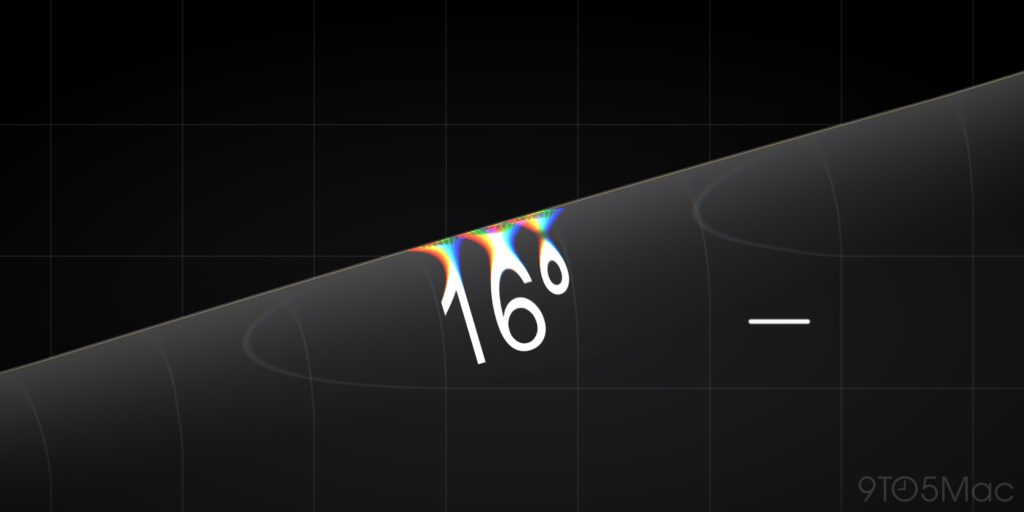
Last week, Apple introduced an all-new Liquid Glass-inspired Level design inside the Measure app in iOS 26.2 beta 2. In iOS 26.2 beta 3, Apple has further refined the design to avoid obscuring the displayed numbers in certain situations.
Read more about the new design here.
iPadOS Split View and Slide Over
Apple brought back Slide Over in iPadOS 26.1 and is now enhancing another multitasking feature that was left behind from iOS 18. Beginning with iPadOS 26.2 beta 3, you can now drag an app icon out of the Dock to enter Slide Over or Split View during multitasking.
Read more about the multitasking changes here.
Default voice assistant code
Leaked code indicates that Apple is developing the ability to replace invoking Siri as the default action when holding the side button. This feature will only be available in Japan as a regulatory requirement.
Read more about the leaked code references here.
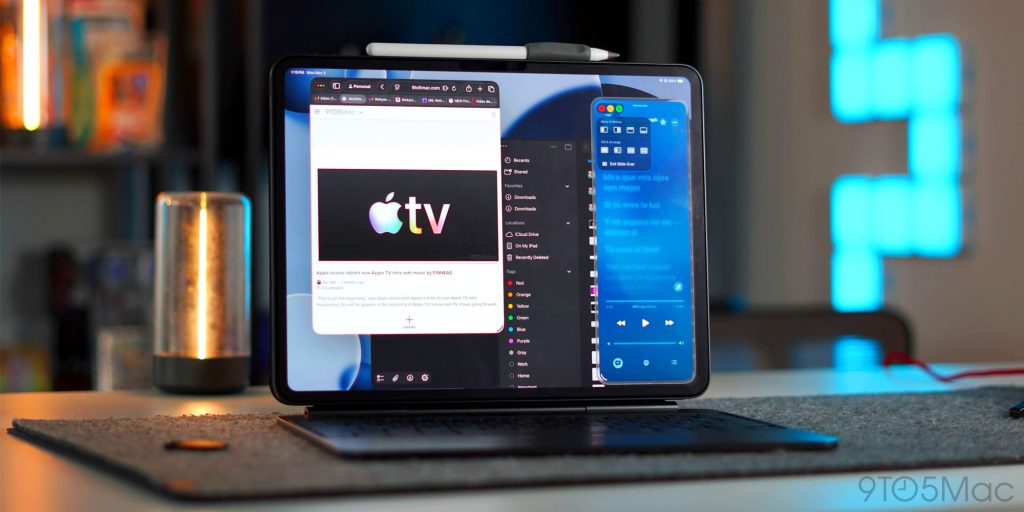
Games app navigation
The Games app now offers sorting and filtering in the library, controller navigation, and real-time score updates during playback.

Measure redesign
The Level inside the Measure app now incorporates a Liquid Glass design.
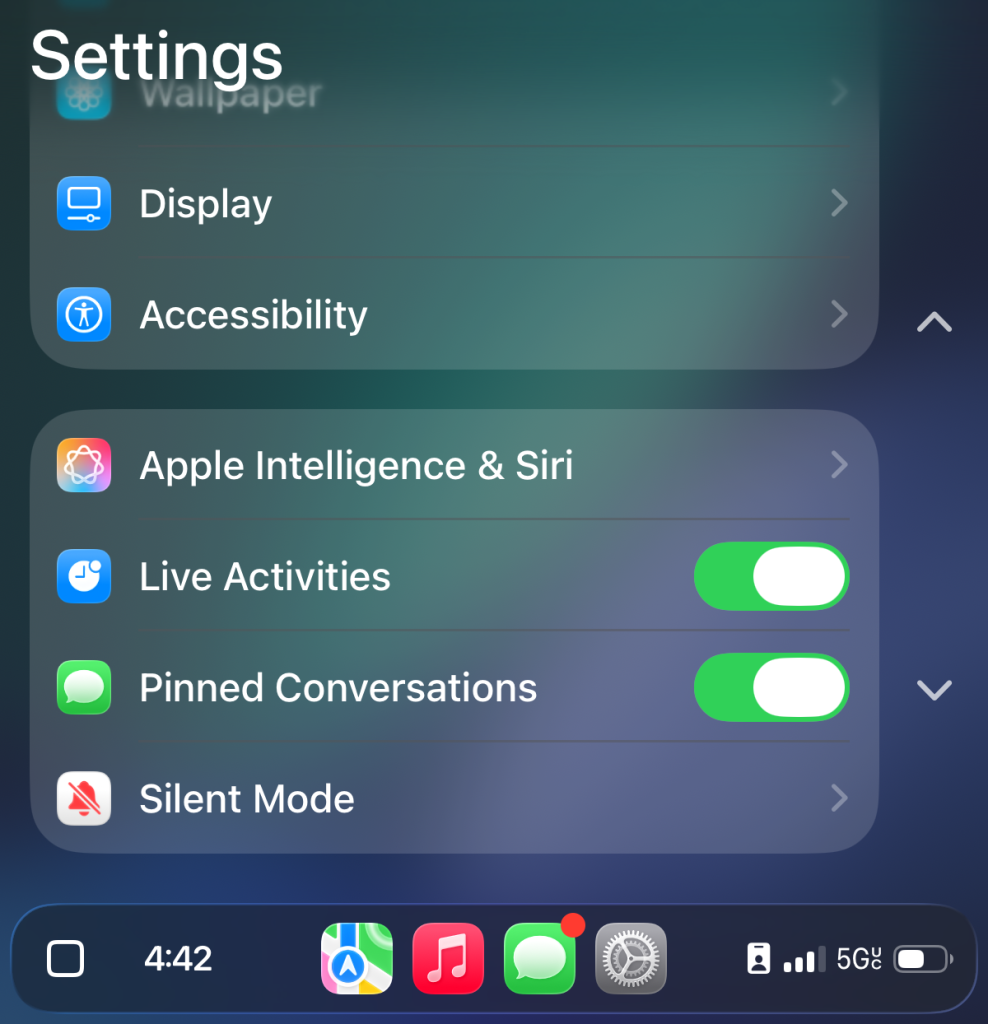
Messages CarPlay update
Pinned conversations for Messages can now be disabled in CarPlay Settings.
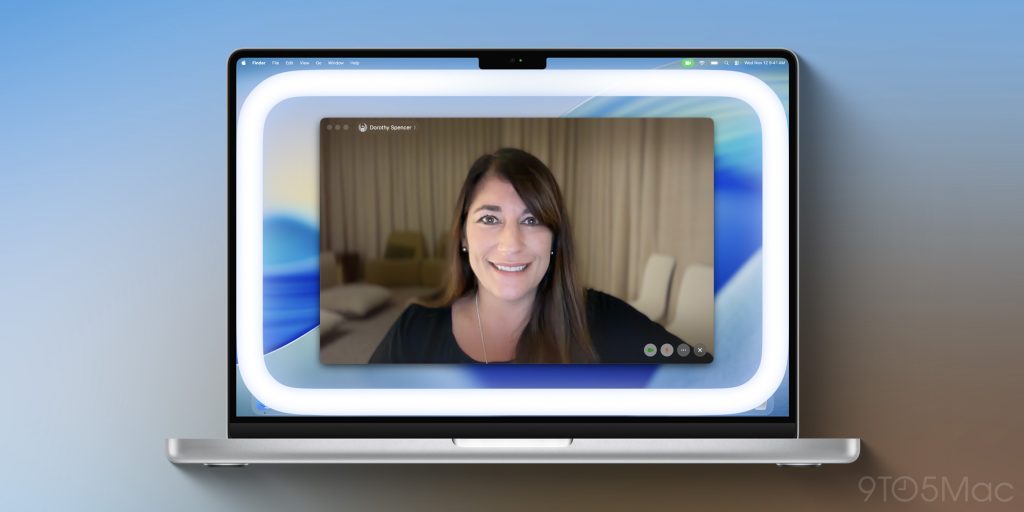
Edge Light feature on macOS 26 Tahoe
Apple is introducing a new built-in feature for Mac called Edge Light. It creates a virtual ring light using your Mac’s screen to enhance lighting on video calls.
Read more about Edge Light on the Mac and how it works here.







Secure APK Sideloading: Harnessing the Power of Advanced Flow for Safe Android Installation

Gunvolt Chronicles: Luminous Avenger iX – The Complete Dual Collection

K2 Launches Groundbreaking High-Powered Satellite for Advanced Space Computing

The End of Security: iOS 13 and 14 Vulnerabilities in 2026

Exclusive Look: The 2027 Chevrolet Corvette Grand Sport Unleashed at Sebring

DON’T buy a Screen Protector before watching this.

Exploiting Vulnerable Drivers: How EDR Killers Use BYOVD to Disable Security

Alphabet’s X Unveils Innovative Spinout Targeting Costly Bureaucratic Challenges

Lawsuit: Halide co-founder accuses Sebastiaan de With of code theft for Apple

EU Takes Action Against Instagram and Facebook for Violating Illegal Content Rules

Warning: Facebook Creators Face Monetization Loss for Stealing and Reposting Videos

Facebook Compliance: ICE-tracking Page Removed After US Government Intervention

Facebook’s New Look: A Blend of Instagram’s Style

Facebook and Instagram to Reduce Personalized Ads for European Users

InstaDub: Meta’s AI Translation Tool for Instagram Videos

Reclaim Your Account: Facebook and Instagram Launch New Hub for Account Recovery

Meta discontinues Messenger apps for Windows and macOS

Breaking Updates: Meta Connect 2025 Unveils Latest Developments
DON’T buy a Screen Protector before watching this.

Beware of Fake Reviewers! ⚠️

Xiaomi Mi 11 Unboxing & Review.

The Galaxy S21 Ultra is Better than you think.

Samsung Galaxy S21 Ultra vs iPhone 12 Pro Max Camera Test Comparison.

Samsung S21 Ultra vs iPhone Battery Life Test!

The Truth about Xiaomi “Air Charging”

DON’T buy this Smartphone.

Galaxy S21 Ultra – Exynos vs Snapdragon.
-
 Facebook5 months ago
EU Takes Action Against Instagram and Facebook for Violating Illegal Content Rules
-
 Facebook5 months ago
Warning: Facebook Creators Face Monetization Loss for Stealing and Reposting Videos
-
 Facebook5 months ago
Facebook Compliance: ICE-tracking Page Removed After US Government Intervention
-
 Facebook3 months ago
Facebook’s New Look: A Blend of Instagram’s Style
-
 Facebook3 months ago
Facebook and Instagram to Reduce Personalized Ads for European Users
-
 Facebook5 months ago
InstaDub: Meta’s AI Translation Tool for Instagram Videos
-
 Facebook4 months ago
Reclaim Your Account: Facebook and Instagram Launch New Hub for Account Recovery
-
 Apple5 months ago
Meta discontinues Messenger apps for Windows and macOS
