
Gadgets
Exploring the Ugreen DH2300 NAS: A Comprehensive Review


Any links to online stores should be assumed to be affiliates. The company or PR agency provides all or most review samples. They have no control over my content, and I provide my honest opinion.
A few weeks ago, I reviewed the Ugreen NASync DH4300 Plus. I had relatively low expectations due to the Rockchip RK3576 chipset and Ugreen being relatively new to the world of NAS devices.
However, I came away pleasantly surprised. It is not perfect, UGOS is limited in functionality compared to the likes of Synology or self-built options running Unraid, but overall, I have found it to be an excellent, affordable, and power-efficient NAS.
Ugreen recently sent me the Ugreen DH2300, which, after a passing glance, appeared to be identical to the DH4300, but with two drive bays, less RAM and slower gigabit Ethernet.
However, Ugreen has also tweaked UGOS on this model, removing Docker, which severely limits some of the advanced functionality that is possible on the DH4300, such as running Home Assistant or Jellyfin media server.
While that is disappointing, you should factor in the price. This is pretty much the cheapest 2-bay NAS on the market, less than half the price of the DH4300. So, while less appealing than the DH4300, the DH2300 does end up being a great little NAS. The features are very basic, but it is incredibly affordable and very power efficient.
Related Reviews
Specification
| Specification | UGREEN NASync DH2300 |
| SKU | 95480 |
| Drive Bays | 2-Bay (SATA) |
| Operating System | UGOS Pro |
| CPU Model | RK3576 8-Core |
| CPU Brand & Architecture | Rockchip RK3576, 8 Cores @ 2.2 GHz |
| Memory (RAM) | 4 GB LPDDR4X |
| Flash Memory (System Disk) | 32 GB eMMC |
| SATA Drive Bays | 2 |
| RAID Support | JBOD / Basic / RAID 0 / RAID 1 |
| Maximum Storage Capacity | 60 TB (2 × 30 TB) |
| LAN Ports (RJ45) | 1 × 1 GbE |
| PCIe Expansion | – |
| High-Speed USB Ports (Front Panel) | 1 × USB-C (5 Gb/s), 2 × USB-A (5 Gb/s each) |
| HDMI Output | 4K @ 60 Hz |
| Product Dimensions | 151 × 98 × 213.7 mm (L × W × H) |
| Power Consumption | 12 V / 4.2 A |
Unboxing
The DH2300 arrives in typical Ugreen packaging – clean, minimal, and well-protected. Inside the box, you get the NAS unit itself, an external power adapter, an Ethernet cable, mounting screws for the drive bays, and a quick start guide. The setup documentation is straightforward enough, though I would have appreciated more detail on network configuration options for users unfamiliar with NAS devices.
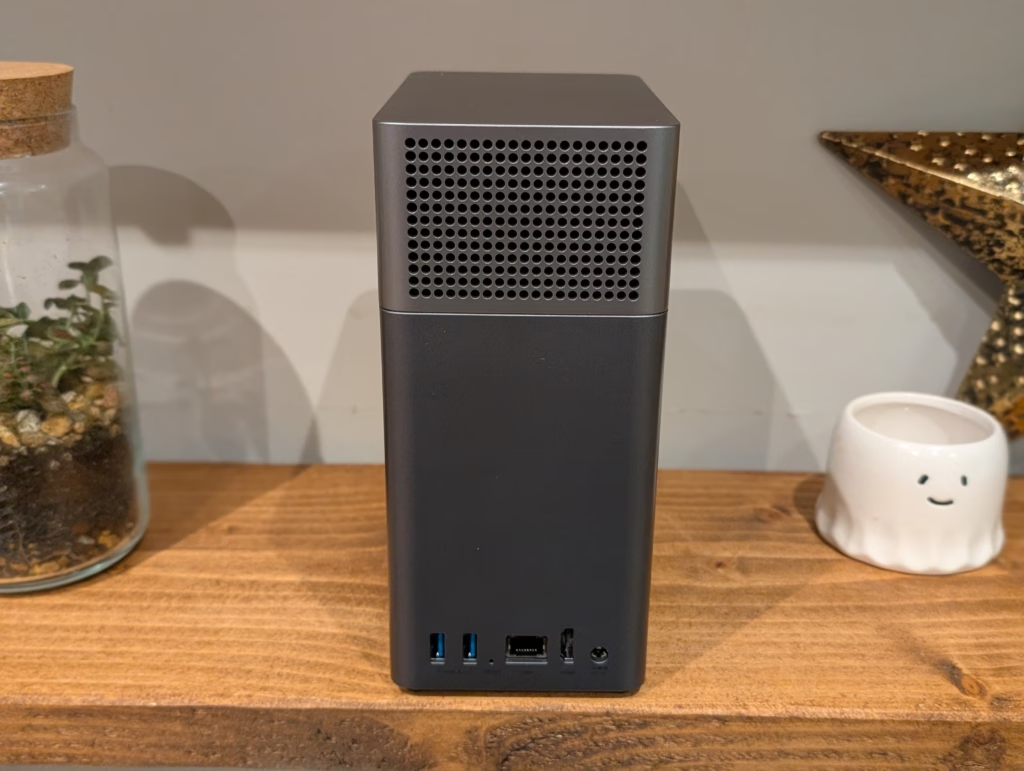
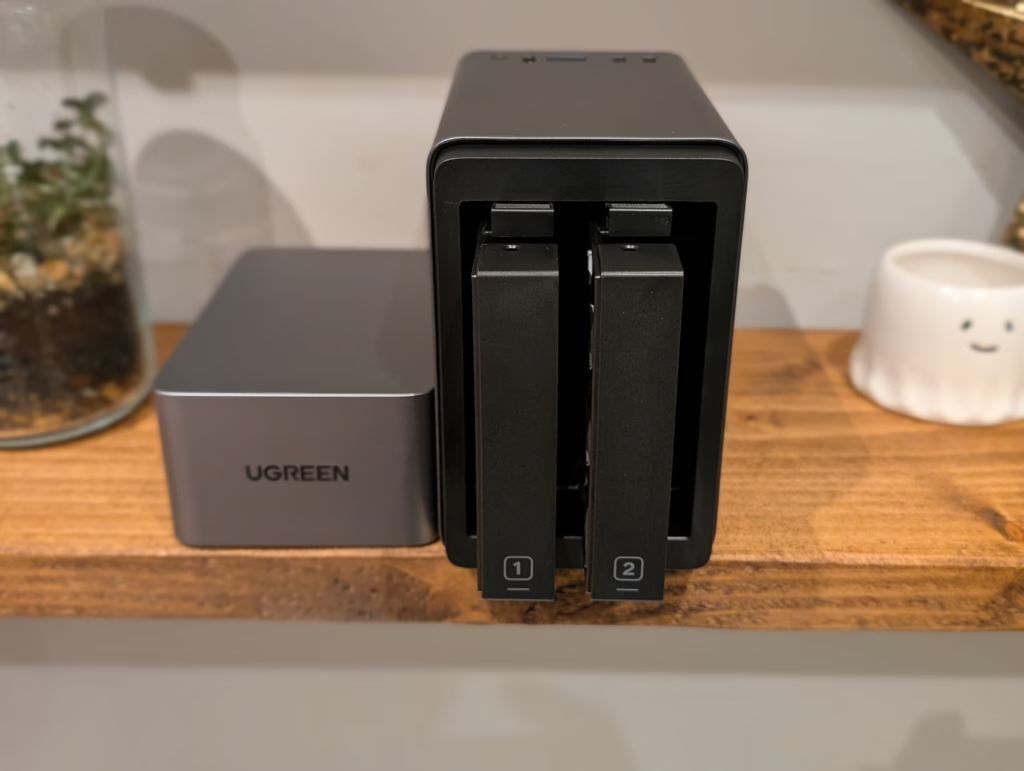
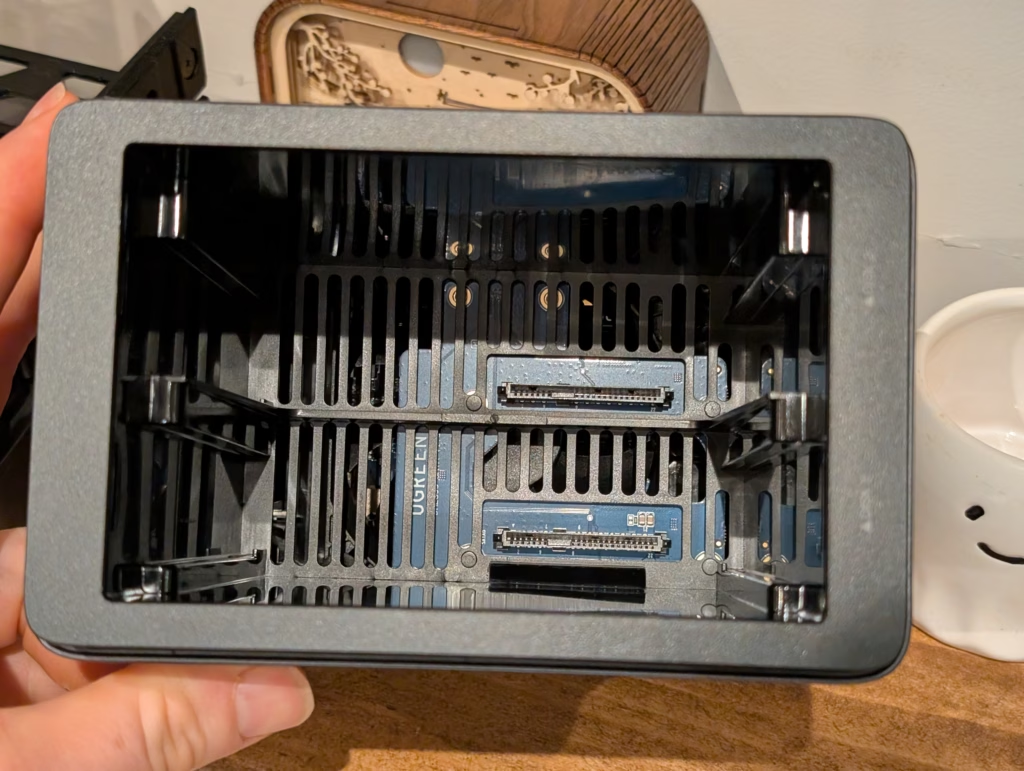
The unit itself feels reasonably well-built despite the plastic chassis. The ventilation is generous, with slotted openings on the top panel and sides to promote airflow. The front panel is clean with a single power button and status LEDs that indicate drive activity and network connectivity. The drive bays are accessible from the top by removing the magnetic cover, which makes installation simple but does mean you need to power down the unit for drive changes – hot-swapping is not officially supported, though some users have reported success with it.











OnePlus 8T vs Google Pixel 5 – The Brutal Truth.

Enhanced Google Drive Security: Ransomware Detection Now Included for Premium Users

Toyota’s Woven Capital Accelerates Search for the Future of Mobility with New CIO and COO Appointments

Stay Connected on the Go with ChatGPT on Apple CarPlay

Revolutionizing In-Car Communication: ChatGPT Integration with CarPlay on iOS 26.4

Why Aren’t Petrol and Diesel Prices Reflecting the Fuel Excise Cut?

Code Chaos: The Unintentional NPM Leak

Operation Zero Parades: The Spy’s Last Stand

Mercor’s Cyberattack: The Fallout of the Open-Source LiteLLM Project Compromise

EU Takes Action Against Instagram and Facebook for Violating Illegal Content Rules

Warning: Facebook Creators Face Monetization Loss for Stealing and Reposting Videos

Facebook Compliance: ICE-tracking Page Removed After US Government Intervention

Facebook’s New Look: A Blend of Instagram’s Style

Facebook and Instagram to Reduce Personalized Ads for European Users

InstaDub: Meta’s AI Translation Tool for Instagram Videos

Reclaim Your Account: Facebook and Instagram Launch New Hub for Account Recovery

Meta discontinues Messenger apps for Windows and macOS

Breaking Updates: Meta Connect 2025 Unveils Latest Developments
OnePlus 8T vs Google Pixel 5 – The Brutal Truth.

iPhone 12 / 12 Pro Unboxing – ft MKBHD!

iPhone 12 Pro vs iPhone 12 vs iPhone 11 Pro Camera Test Comparison.

Huawei Mate 40 Pro Unboxing – WHAT.

iPhone 12 vs iPhone 12 Pro / 11 Pro Max / 11 Pro / 11 / XR / SE Battery Life DRAIN Test.

19 Smartphone Gadgets that Blew me Away.

iPhone 12 Pro Max Unboxing & Review!

iPhone 12 Pro Max vs Samsung Note 20 Ultra / Huawei Mate 40 Pro Camera Test Comparison.

iPhone 12 Pro Max vs Samsung Note 20 Ultra / Huawei / Xiaomi / OnePlus Battery Life DRAIN Test.
-
 Facebook5 months ago
EU Takes Action Against Instagram and Facebook for Violating Illegal Content Rules
-
 Facebook6 months ago
Warning: Facebook Creators Face Monetization Loss for Stealing and Reposting Videos
-
 Facebook6 months ago
Facebook Compliance: ICE-tracking Page Removed After US Government Intervention
-
 Facebook4 months ago
Facebook’s New Look: A Blend of Instagram’s Style
-
 Facebook4 months ago
Facebook and Instagram to Reduce Personalized Ads for European Users
-
 Facebook6 months ago
InstaDub: Meta’s AI Translation Tool for Instagram Videos
-
 Facebook4 months ago
Reclaim Your Account: Facebook and Instagram Launch New Hub for Account Recovery
-
 Apple5 months ago
Meta discontinues Messenger apps for Windows and macOS
