
Mobile Tech
Maximizing MacBook Battery Life: Tips for Charging Slowly and Setting Charge Limits

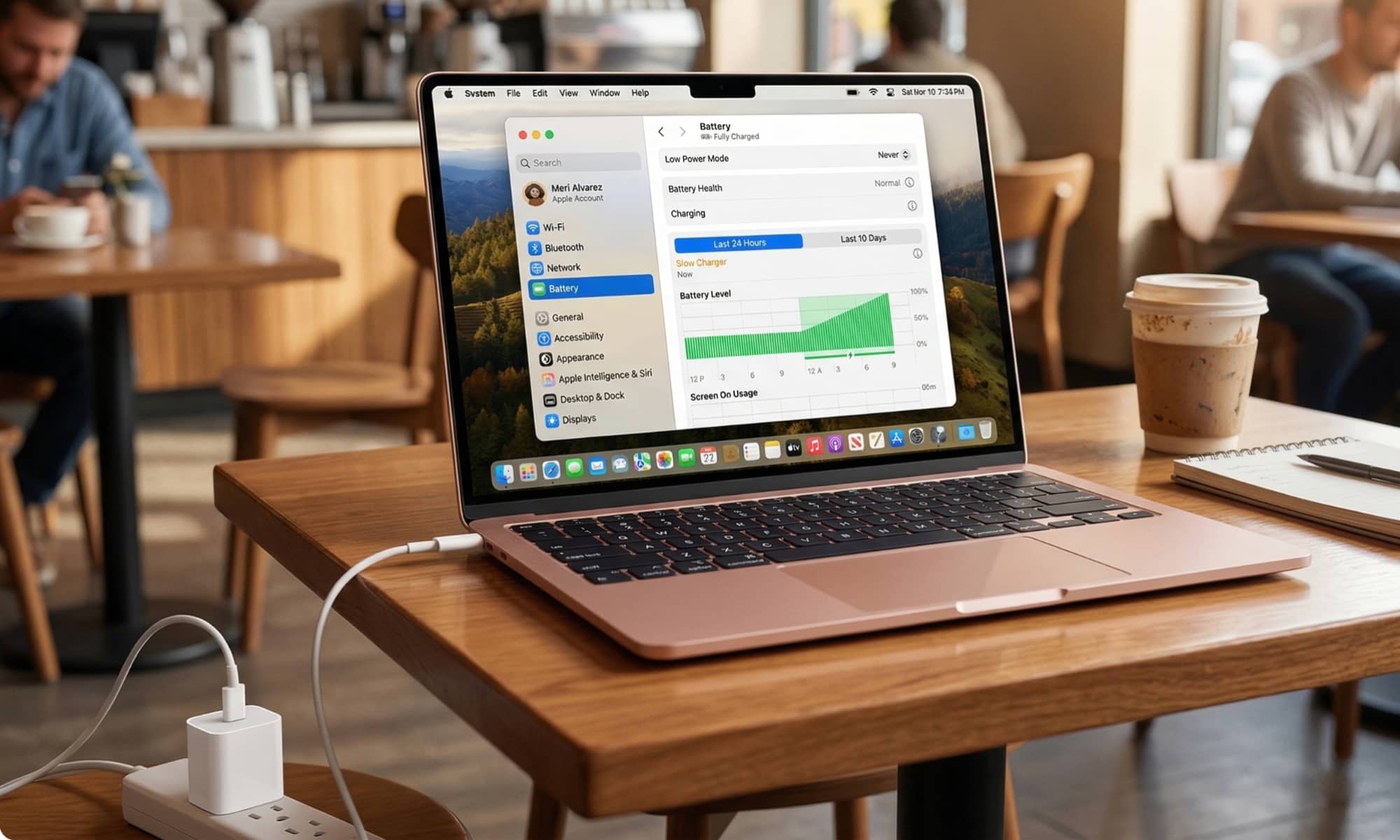
The latest OS 26.4 updates may not have introduced many new features, but there’s more to them than meets the eye. While the release notes for macOS 26.4 only mentioned new emoji and the usual bug fixes and performance enhancements, there’s actually a hidden gem in the form of the Charge Limit feature.
The Charge Limit feature, first seen on the iPhone 15, allows users to set a maximum charge level for their MacBook. This feature is crucial for lithium-ion batteries as it helps prevent unnecessary wear and prolongs the overall battery life. To access the Charge Limit, users can navigate to the System Settings app, select “Battery,” and click on the “i” next to the “Charging” option. From there, a slider allows users to choose a charge percentage between 80 and 100 in five-percent increments.
Unlike Optimized Battery Charging, which delays charging to preserve battery health, the Charge Limit sets a hard cap that the MacBook will not exceed. Apple mentions that the MacBook may occasionally charge to 100% for accurate battery state-of-charge estimates.
Aside from the Charge Limit, macOS 26.4 also introduces Slow Charger warnings, a feature borrowed from iOS 18. This warning is particularly useful for MacBooks, as they have specific power requirements. Apple recommends different power adapters for each MacBook model, with varying minimum power requirements.
- 16-inch MacBook Pro: 140W
- 14-inch MacBook Pro: 67W
- MacBook Air: 30W
- MacBook Neo: 20W
While MacBooks can still charge with lower-wattage adapters, using a lower power adapter will result in slower charging. The Slow Charger warning notifies users when the MacBook is connected to a charger that provides insufficient power, leading to slower charging rates. This warning appears in the battery status menu and the Battery Level graph.
It’s important to note that using higher-wattage adapters is safe, as devices only draw the power they need. This feature is especially beneficial for MacBook users in Europe, where chargers are no longer included in the box due to EU regulations.
Overall, the macOS 26.4 updates bring essential power-related features to MacBooks, enhancing user experience and battery health.













Maximizing MacBook Battery Life: Tips for Charging Slowly and Setting Charge Limits

Lost Legacy: The Disappearance of AC Schnitzer and the Changing Automotive Landscape

Cyber Warfare: The Battlefront of the Digital Age

Monster Hunter Stories 3: The Challenge of Twisted Reflection

Revolutionizing Cash-Pay Clinic Prescribing: VITL Secures $7.5M Amid GLP-1 Boom

Balancing Act: The Decision to Shut Down Sora

Exclusive Arrival: Cupra Born VZ Lands in Australia – But There’s a Twist!

iPhone 12 Pro Max vs Samsung Note 20 Ultra / Huawei Mate 40 Pro Camera Test Comparison.

ClickFix: The New Threat to macOS Security

EU Takes Action Against Instagram and Facebook for Violating Illegal Content Rules

Warning: Facebook Creators Face Monetization Loss for Stealing and Reposting Videos

Facebook Compliance: ICE-tracking Page Removed After US Government Intervention

Facebook’s New Look: A Blend of Instagram’s Style

Facebook and Instagram to Reduce Personalized Ads for European Users

InstaDub: Meta’s AI Translation Tool for Instagram Videos

Reclaim Your Account: Facebook and Instagram Launch New Hub for Account Recovery

Meta discontinues Messenger apps for Windows and macOS

Breaking Updates: Meta Connect 2025 Unveils Latest Developments
iPhone 12 Pro Max vs Samsung Note 20 Ultra / Huawei Mate 40 Pro Camera Test Comparison.

iPhone 12 Pro Max vs Samsung Note 20 Ultra / Huawei / Xiaomi / OnePlus Battery Life DRAIN Test.

The BEST Smartphone of 2020 🏆

The Self-Healing Smartphones!

Apple is not what it used to be.

Smartphones are Boring now.

The Fastest Android Phone Ever.

Unboxing the $122,000 Smartphone. 🤯

Are Linux Smartphones about to KILL Android?
-
 Facebook5 months ago
EU Takes Action Against Instagram and Facebook for Violating Illegal Content Rules
-
 Facebook5 months ago
Warning: Facebook Creators Face Monetization Loss for Stealing and Reposting Videos
-
 Facebook6 months ago
Facebook Compliance: ICE-tracking Page Removed After US Government Intervention
-
 Facebook4 months ago
Facebook’s New Look: A Blend of Instagram’s Style
-
 Facebook4 months ago
Facebook and Instagram to Reduce Personalized Ads for European Users
-
 Facebook6 months ago
InstaDub: Meta’s AI Translation Tool for Instagram Videos
-
 Facebook4 months ago
Reclaim Your Account: Facebook and Instagram Launch New Hub for Account Recovery
-
 Apple5 months ago
Meta discontinues Messenger apps for Windows and macOS
