
Mobile Tech
Maximizing Your Fitness with AirPods Pro: A Comprehensive Guide

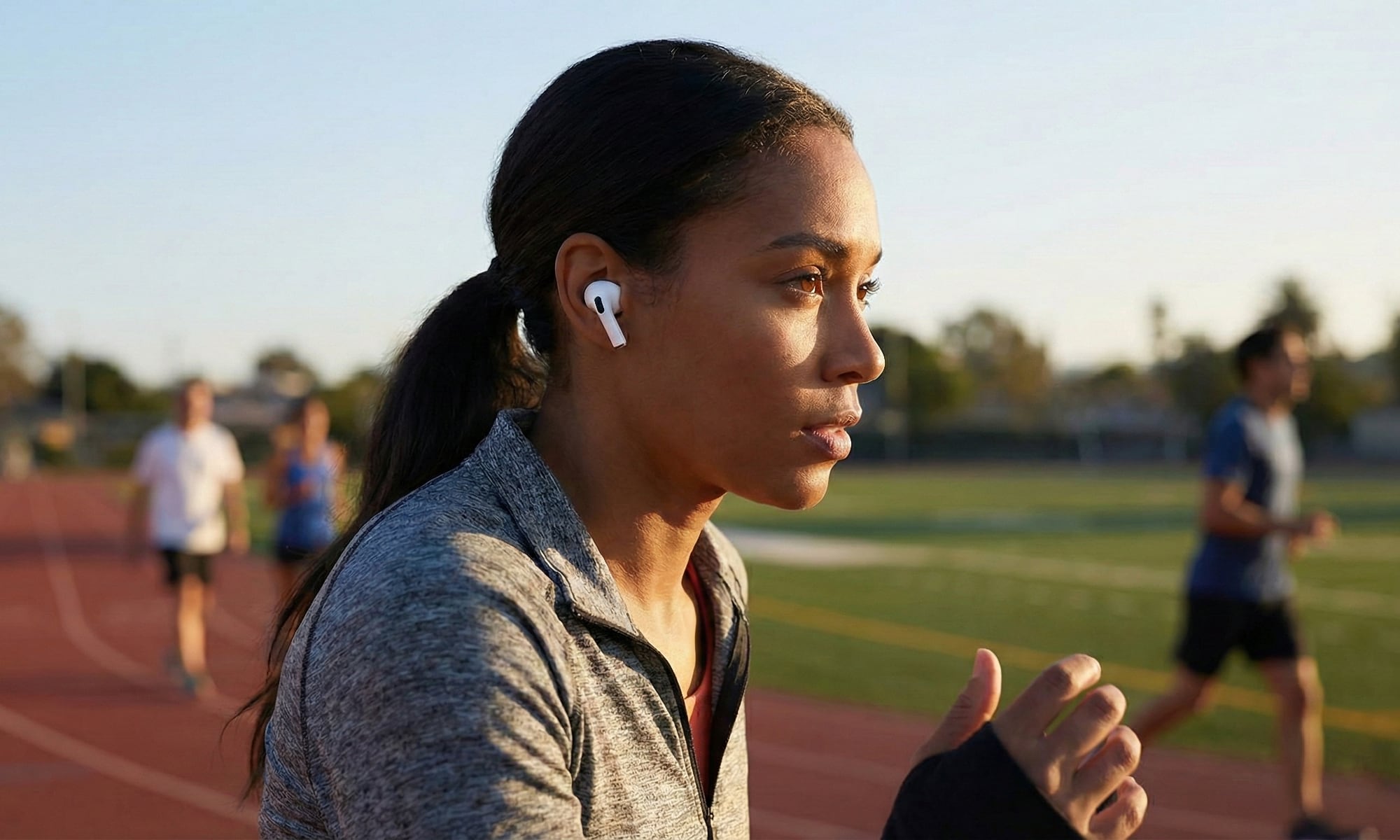
When Apple unveiled its latest generation of AirPods Pro in September, it showed off new features ranging from Live Translation to improved Noise Cancellation, but by far the most exciting — and exclusive — feature in the AirPods Pro 3 are the new heart rate sensors.
It’s the one feature that’s actually new and unique to the AirPods Pro 3. The other marquee feature, Live Translation, was a software update that also came to Apple’s 2024 AirPods, while everything else is basically the iterative improvements we’d expect from an update.
There’s a reason the AirPods Pro 3 were named one of TIME’s Best Inventions of 2025. It’s fair to say that the heart rate monitoring feature is an absolute game changer for fitness enthusiasts — especially those who aren’t fans of the Apple Watch. Whether that’s because you’re not a watch person at all or you’d rather wear something else on your wrist, the AirPods Pro now fill that fitness gap by letting you close your rings with wireless earbuds that you’ll likely already be using during your workouts.
To be clear, the iPhone Fitness and Health apps have never required you to use Apple’s own hardware to log workout information. Apple allows any third-party developer can write data to the health app, including heart rate and workout data that will be show in the Fitness app alongside workouts recorded from the Apple Watch. However, third-party health trackers typically have to use their own apps to act as a software bridge: the app collects data from its own device over Bluetooth, Wi-Fi, or a wired connection, and then writes that information into the Apple Health database.
That’s fine if you’re already invested in another fitness ecosystem like Strava, but it’s a bit clunky if you want to primarily use Apple’s first-party apps. That’s where the AirPods Pro 3 come in. Apple’s latest earbuds interface with the Health and Fitness apps just as smoothly as an Apple Watch, and while they don’t provide as much data, they give you everything you need to track your exercise routines.
How the AirPods Pro 3 Track Your Workouts
That first thing to keep in mind is that the AirPods Pro 3 can only record your heart rate during workouts, so they don’t provide the holistic health experience of the Apple Watch.
The earbuds’ health features are designed to track active exercise, not daily activity. They won’t track your resting heart rate when you’re sitting at your desk, nor even if you’re running or walking without an active workout running in the Fitness app. Along the same lines, they don’t feed data into the blue Stand ring, nor do they add calories to the red Move ring when you’re not working out (although the iPhone in your pocket still can, as long as it’s running iOS 26).
Still, they’re more than sufficient if your aim is to hit new exercise goals this year. Apple has updated the iPhone Fitness app in iOS 26 to let you start and manage workouts directly, whether you have an Apple Watch or not, and there are even advantages to using the AirPods Pro 3 and an Apple Watch at the same time.
The AirPods Pro 3 use more stable photoplethysmography (PPG) sensors that pulse infrared light into the ear canal to measure your pulse 256 times every second. These tend to provide more accurate readings during high-intensity movement like HIIT, since the ear canal doesn’t move around as much as your wrist does, and the H2 chip inside is designed to filter out the kind of “motion artifacts” that can sometimes affect watch measurements.
The good news is that as long as you have an iPhone with iOS 26 installed, there’s nothing else required to add the AirPods Pro 3 to your exercise regimen beyond making sure that heart rate tracking has been enabled. You’re normally asked to turn this on when you pair them with your iPhone for the first time, but if you’re not sure, you can check this in the iPhone Settings app:
- Connect your AirPods Pro 3 to your iPhone by opening the case or putting them in your ears.
- Open the Settings app on your iPhone.
- Choose your AirPods Pro 3 near the top of the screen.
- Scroll to the bottom and ensure Heart Rate is toggled on.
Once that’s done, put your AirPods in your ears, open the Fitness app, and select Workouts from the menu at the bottom. You should see your AirPods paired in the top right corner. Once you choose and start a workout, your heart rate data will appear in the app as you work out, and you can even close the app and keep an eye on it using the Live Activity that appears on your iPhone’s Dynamic Island or Lock Screen.
Since you’re already wearing your AirPods, you can also just ask Siri to start a workout and your AirPods will begin monitoring your pulse and recording your workout data immediately without ever touching your iPhone. Apple’s new Workout Buddy will also kick in to give you real-time feedback in the voice of an actual Apple Fitness+ trainer so you can keep your iPhone in your pocket.
If you’re already wearing an Apple Watch, the process is even more seamless. Start a workout the same way you normally would — from your Apple Watch — and your AirPods Pro 3 will also be used to contribute heart rate data.
To avoid confusing things in this case, Apple doesn’t merely try to average the data; instead, it’s developed a “Sensor Fusion” machine learning technique that takes the data from both the wrist and the ear and determines which one has the highest confidence level at any given millisecond. That data gets recorded to the Health app, while the lower-confidence data is discarded.
Expert Tip — The “Midnight Sync” Strategy: For those who use their Apple Watch irregularly but want to maintain their activity streaks, it’s crucial to ensure that your Apple Watch syncs with your iPhone by midnight. This ensures that your Activity Rings accurately reflect the combined data.
It’s not necessary to wear both AirPods simultaneously or even listen to audio from your iPhone. According to Apple, you can connect your AirPods to an Apple TV 4K and watch your favorite show while working out, with heart rate data still being recorded on your iPhone. The AirPods Pro 3 offer sufficient battery life for typical workouts, with 6.5 hours of ANC listening when the heart rate sensor is active.
While the AirPods Pro 3 provide heart rate tracking during workouts, they do not replace an Apple Watch entirely. Certain workout types, such as water-based activities like swimming, surfing, and scuba diving, still require an Apple Watch due to the need for limb movement tracking. The AirPods Pro 3 are more water-resistant but not waterproof. Additionally, activities like kickboxing, rowing, golf, and tennis rely on limb movement tracking, which the AirPods Pro 3 cannot provide.
The AirPods Pro 3 also lack the ability to monitor health in the same comprehensive manner as an Apple Watch. While Apple offers hearing health features for the AirPods Pro in some regions, functions like high and low heart rate detection, blood oxygen tracking, and hypertension notifications depend on the more accurate and always-on sensors found in Apple’s wrist wearable devices.













OnePlus 8T vs Google Pixel 5 – The Brutal Truth.

Enhanced Google Drive Security: Ransomware Detection Now Included for Premium Users

Toyota’s Woven Capital Accelerates Search for the Future of Mobility with New CIO and COO Appointments

Stay Connected on the Go with ChatGPT on Apple CarPlay

Revolutionizing In-Car Communication: ChatGPT Integration with CarPlay on iOS 26.4

Why Aren’t Petrol and Diesel Prices Reflecting the Fuel Excise Cut?

Code Chaos: The Unintentional NPM Leak

Operation Zero Parades: The Spy’s Last Stand

Mercor’s Cyberattack: The Fallout of the Open-Source LiteLLM Project Compromise

EU Takes Action Against Instagram and Facebook for Violating Illegal Content Rules

Warning: Facebook Creators Face Monetization Loss for Stealing and Reposting Videos

Facebook Compliance: ICE-tracking Page Removed After US Government Intervention

Facebook’s New Look: A Blend of Instagram’s Style

Facebook and Instagram to Reduce Personalized Ads for European Users

InstaDub: Meta’s AI Translation Tool for Instagram Videos

Reclaim Your Account: Facebook and Instagram Launch New Hub for Account Recovery

Meta discontinues Messenger apps for Windows and macOS

Breaking Updates: Meta Connect 2025 Unveils Latest Developments
OnePlus 8T vs Google Pixel 5 – The Brutal Truth.

iPhone 12 / 12 Pro Unboxing – ft MKBHD!

iPhone 12 Pro vs iPhone 12 vs iPhone 11 Pro Camera Test Comparison.

Huawei Mate 40 Pro Unboxing – WHAT.

iPhone 12 vs iPhone 12 Pro / 11 Pro Max / 11 Pro / 11 / XR / SE Battery Life DRAIN Test.

19 Smartphone Gadgets that Blew me Away.

iPhone 12 Pro Max Unboxing & Review!

iPhone 12 Pro Max vs Samsung Note 20 Ultra / Huawei Mate 40 Pro Camera Test Comparison.

iPhone 12 Pro Max vs Samsung Note 20 Ultra / Huawei / Xiaomi / OnePlus Battery Life DRAIN Test.
-
 Facebook5 months ago
EU Takes Action Against Instagram and Facebook for Violating Illegal Content Rules
-
 Facebook6 months ago
Warning: Facebook Creators Face Monetization Loss for Stealing and Reposting Videos
-
 Facebook6 months ago
Facebook Compliance: ICE-tracking Page Removed After US Government Intervention
-
 Facebook4 months ago
Facebook’s New Look: A Blend of Instagram’s Style
-
 Facebook4 months ago
Facebook and Instagram to Reduce Personalized Ads for European Users
-
 Facebook6 months ago
InstaDub: Meta’s AI Translation Tool for Instagram Videos
-
 Facebook4 months ago
Reclaim Your Account: Facebook and Instagram Launch New Hub for Account Recovery
-
 Apple5 months ago
Meta discontinues Messenger apps for Windows and macOS
