
Tech News
Navigating the Shift: Mastering the Transition from Legacy Apps

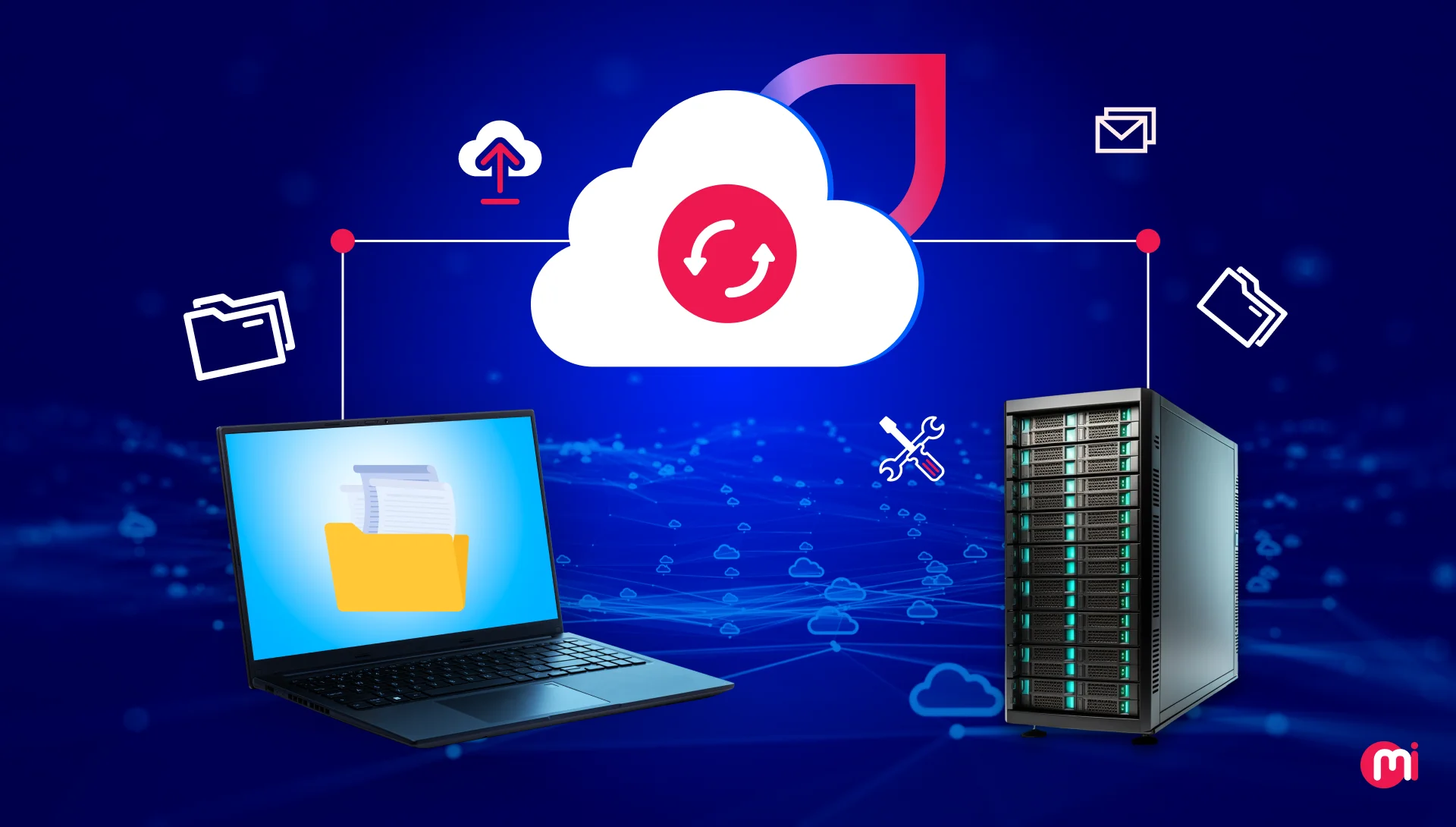
SaaS migration has emerged as a reliable strategy for businesses to boost performance and establish a scalable foundation. This shift aligns with the global trend of the Software as a Service (SaaS) market, valued at USD 266.23 billion in 2024.
According to Fortune Business Insights, the SaaS market is projected to reach USD 315.68 billion in 2025 and USD 1,131.52 billion by 2032, with a steady CAGR of 20.00%.
However, the process of transitioning to SaaS goes beyond selecting a new platform. It necessitates meticulous planning, precise evaluation, and a methodical approach that ensures continuity while enabling improvement.
This article delves into the SaaS migration process with clarity and precision. It delineates the crucial decisions, technical considerations, and organizational steps involved in a successful migration. It offers a realistic view of what to anticipate, what to avoid, and how to ensure that each phase contributes to a secure, efficient, and future-ready environment.
Key Takeaways
- SaaS migration allows modernizing legacy apps into faster, scalable, cloud-driven products without carrying old infrastructure limitations.
- Migrating to SaaS unlocks significant benefits like lower costs, higher uptime, automatic updates, better integrations, and improved agility.
- Successful SaaS adoption hinges on selecting features such as multi-tenancy, robust security, easy integrations, and reliable disaster recovery.
- Choosing the right migration model—siloed, layered, data-first, or parallel—determines the smoothness and safety of the transition.
- A structured migration plan is most effective when you assess, redesign, prepare teams, build, test, move data, then launch and optimize.
- The main challenges often stem from complex data, outdated architectures, and resistance to change, all of which can be managed with proper planning.
What is SaaS Migration?
SaaS migration involves transferring data, workflows, applications, or entire business systems from on-premise or legacy software to a cloud-based Software-as-a-Service platform. Instead of running software on local servers or maintaining complex infrastructure, organizations transition to vendor-managed applications accessed over the internet.
A typical SaaS migration includes:
- Assessing existing systems to determine what should be migrated or replaced.
- Selecting a SaaS solution that aligns with business, technical, and security requirements.
- Transferring data and configurations from current environments to the new platform.
- Integrating the SaaS application with other tools and processes.
- Training teams to effectively adopt the new system.
The primary objective is to enhance reliability, reduce operational overhead, and access continuously updated, scalable technology without the burden of maintaining physical infrastructure.
Key Benefits of SaaS Migration
SaaS cloud migration offers a range of advantages, including centralized data management, faster deployment cycles, reduced IT workload, cost-effectiveness, and automatic updates. Additionally, it ensures better performance, uptime, easier integrations, enhanced security, and operational agility.
Centralized Data Management
SaaS platforms consolidate data from multiple systems into a unified environment, reducing inconsistencies and facilitating decision-making based on real-time, accurate data.
Faster Deployment Cycles
SaaS solutions in the cloud enable significantly quicker deployment compared to traditional on-premise installations, allowing businesses to launch new tools or features in hours instead of weeks.
Reduced IT Workload
SaaS providers handle routine software maintenance like patching, upgrades, and infrastructure monitoring, allowing internal IT teams to focus on strategic activities such as cloud migration strategy and innovation.
Cost-Effectiveness
SaaS eliminates the need for expensive hardware, licensing complexity, and large upfront investments. Subscription models make costs predictable and budgeting more flexible.
Automatic Updates
Providers deliver software updates, security fixes, and new features automatically, ensuring the system is always up-to-date without downtime or manual effort.
Better Performance and Uptime
Leading SaaS platforms operate on robust cloud infrastructure, offering high availability, optimized performance, and built-in disaster recovery capabilities surpassing what most organizations can achieve internally.
Easier Integrations
Modern SaaS applications are designed for easy connectivity with other tools through APIs and native integrations, reducing data silos and supporting cohesive workflows.
Enhanced Security
SaaS vendors invest in enterprise-grade security, including encryption and continuous monitoring, enhancing protection with less internal overhead.
Operational Agility
Teams gain flexibility to scale, adapt, and implement new capabilities swiftly. SaaS enables faster experimentation, smoother collaboration, and rapid response to changing business needs.
Popular SaaS Migration Models for Modernization
Common SaaS migration models for legacy applications include siloed migration, layered migration, data migration, and parallel migration. Here is a brief overview of each:
1. Siloed Migration Model
In this model, each component or module of the legacy system is migrated independently, creating isolated “silos” during the transition. It allows parallel work without affecting the rest of the system, reducing risk but necessitating strong coordination for alignment post-migration.
2. Layered Migration Model
The layered approach focuses on migrating the legacy software layer by layer, such as UI, business logic, and data, instead of moving everything simultaneously. Ideal for complex systems with tightly coupled components, it maintains stability while transforming the application into a SaaS-ready architecture gradually.
3. Data Migration Model
This model prioritizes migrating data before modifying the application itself, especially when data storage, structure, or access is a primary bottleneck in the legacy system. Modernizing data in the cloud allows rebuilding or reconfiguring the application for SaaS functionality.
4. Parallel Migration Model
In parallel migration, both the legacy and new SaaS versions run concurrently for a period, enabling gradual user transition and comparative behavior analysis. This minimizes risk, ensures minimal disruption, and facilitates early issue detection before retiring the old system.
Features That Influence SaaS Migration Success
Key features influencing SaaS cloud migration success include multi-tenancy support, scalability, robust identity and access management, smooth data migration and portability, among others. Additionally, strong integration capabilities, flexible customization options, reliable disaster recovery and backup, and mature deployment and DevOps capabilities play crucial roles.
Multi-Tenancy Support
A robust multi-tenant architecture enables efficient resource sharing, consistent performance, and simplified maintenance, facilitating scalability without separate infrastructure for each user or client.
Scalability
Successful SaaS migration hinges on the platform’s ability to accommodate growing user demands, increased data volume, and expanding workloads. Scalability ensures seamless adaptation as the business evolves without operational disruptions or major modifications.
Identity & Access Management
Strong IAM features like SSO, MFA, and role-based access controls ensure secure, streamlined authentication, reducing security risks and simplifying user onboarding during and post-migration.
Data Migration & Portability
The ease of extracting, transferring, validating, and importing data significantly impacts migration success. Platforms with robust data portability capabilities minimize downtime, errors, and support clean transitions from legacy systems.
Integration Capabilities
SaaS solutions must seamlessly integrate with existing tools, APIs, and third-party systems to maintain continuity, reduce manual work, and support cohesive, automated workflows across the organization.
Customization & Configuration
The ability to customize workflows, user interfaces, permissions, and automation paths ensures the SaaS platform aligns with business needs without extensive custom development. Effective configuration options enhance adoption and long-term usability.
Disaster Recovery & Backup
Built-in disaster recovery tools such as automated backups, redundancy, and failover mechanisms are crucial for data protection and ensuring business continuity. A reliable disaster recovery strategy minimizes risk and enhances overall resilience.
Deployment & DevOps Capabilities
Support for CI/CD pipelines, automated testing, version control, and environment management accelerates deployment cycles, enhancing collaboration between development and operations teams for smoother updates and faster innovation.
How to Migrate Legacy Applications to SaaS
Migrating legacy apps to SaaS follows a structured approach encompassing planning, architecture redesign, team preparation, building, testing, data migration, and launching. Here’s how the process unfolds:
1. Assess and Roadmap
Thoroughly evaluate your existing application and infrastructure to grasp the current state. Examine features, dependencies, data flows, and architectural constraints, identifying outdated or redundant components.
Simultaneously, conduct market research (for external product offerings) and define migration goals, such as scalability, multi-tenancy, enhanced security, etc. Conduct a gap analysis comparing the current app state to SaaS product design requirements.
Build a detailed migration roadmap, incorporating roles, tasks, timelines, resources, and risk mitigation strategies, while integrating new features or updates based on SaaS trends.
2. Redesign the Architecture
Select how to adapt your application for SaaS based on complexity, business goals, and long-term vision. Options range from minimal changes (re-hosting or re-platforming) to full re-architecture or refactoring.
Rehosting/Re-platforming: Move the app as-is or with minimal tweaks to a cloud or managed infrastructure. Refactoring/Re-architecting: Reform monolithic components, introduce tenancy, and redesign database models to leverage cloud benefits.
Introduce SaaS-specific features like user management, subscription/billing infrastructure, API support, and cloud services to differentiate from traditional applications.
3. Prepare for Change Management
Involve key stakeholders from the start to align on goals and expectations. Develop a change management plan covering user training, documentation, support structure, and communication.
Define success metrics and post-migration KPIs to measure impact effectively. Post-migration KPIs include user adoption rate, support ticket reduction, uptime improvements, and performance gains.
4. Build and Configure
Modify and build the application to meet SaaS requirements, including refactoring code, modularizing components, introducing tenancy, and building or integrating features for user management.
Configure CI/CD pipelines, build/deploy flows, and environment configurations to ensure efficient and consistent updates. Adapt integrations and connect to third-party services, supporting modular additions and scalability.
5. Test End-to-End
Conduct thorough testing across functional, integration, performance, and security aspects before migrating data or transitioning to the SaaS version. Include user acceptance testing and pilot runs to catch issues early.
6. Migrate Data
Cleanse and normalize data before migration to ensure accuracy and validity. Map data fields carefully, migrate data using ETL tools, and validate completeness and correctness post-migration.
Perform migration in phases or during low-traffic windows to minimize disruption, and run old and new systems in parallel temporarily for a smoother transition.
7. Deploy and Maintain
Plan a controlled deployment using strategies like blue-green deployment or phased rollout to limit risk and enable rollback if necessary. Monitor performance, security, user activity, and system health post-deployment.
Maintain proper documentation and adopt iterative improvement practices to ensure the system remains maintainable long-term.
Challenges of Migrating Legacy Apps to SaaS
Common challenges in migrating legacy apps to SaaS include complex architectures, data quality issues, integration hurdles, interoperability problems, team resistance, security and compliance concerns, downtime risks, technical debt, hidden costs, skill gaps, and potential vendor lock-in.
Complex Legacy Architectures
Outdated, tightly coupled components in legacy systems pose challenges for extracting functionalities without substantial redevelopment.
Data Compatibility and Quality Issues
Migrating data is complicated when legacy databases contain inconsistent formats, redundant records, or obsolete structures, necessitating detailed planning and rigorous QA testing.
Integration with Existing Systems
Legacy applications often lack modern APIs, complicating their connection with SaaS platforms and requiring modernization, middleware building, or component re-architecture.
Interoperability Challenges
Ensuring seamless operation with existing tools, external systems, and future technologies can be challenging due to differences in standards, data formats, or communication protocols, often necessitating custom integration.
Change Resistance from Teams
User resistance to SaaS adoption can hinder migration progress without proper communication, training, and support, impacting productivity.
Security and Compliance Concerns
Data privacy, encryption, identity management, and compliance pose concerns during cloud migration, requiring assurance that the SaaS provider meets industry standards and internal policies.
Downtime and Business Continuity Risks
Poorly executed migrations can lead to service interruptions or workflow disruptions, emphasizing the need for careful planning to maintain stable operations.
Technical Debt
Years of quick fixes and outdated code create obstacles during migration, necessitating extensive refactoring for effective modernization.
Cost Overruns Due to Hidden Complexity
Unforeseen technical risks, extended testing cycles, or additional integration needs can exceed migration budgets, highlighting the importance of transparent scoping and ongoing monitoring.
Skill Gaps
Lack of experience in cloud-native development, DevOps practices, or API design slows progress, requiring training, hiring, or collaboration with external experts.
Vendor Lock-In
Overreliance on a single SaaS provider limits flexibility, making platform switching expensive and complex if not evaluated early on.
Conclusion
Embracing SaaS migration revolutionizes business operations and competitiveness, offering organizations that meticulously plan, select the right migration strategy, and prioritize agility far more than efficiency. Challenges encountered present opportunities to rethink processes, empower teams, and future-proof operations. Thoughtful SaaS migration becomes a catalyst for growth, resilience, and lasting success.
How MindInventory Helps You Migrate Legacy Apps to SaaS
MindInventory is a distinguished software development company specializing in modernizing and transforming legacy applications for businesses. We assist organizations in upgrading, re-architecting, and updating outdated systems to meet contemporary business and technological demands.
Our cloud migration services facilitate the seamless transition of legacy applications to modern SaaS platforms, enhancing uptime, fortifying security, and centralizing data management for operational continuity and efficiency gains.
Beyond technical upgrades, MindInventory emphasizes a strategic approach to modernization, integrating modern tools, automating processes, and optimizing infrastructure to reduce IT overhead, enhance deployment speed, and achieve operational agility.Beyond technical upgrades, MindInventory emphasizes a strategic approach to modernization, integrating modern tools, automating processes, and optimizing infrastructure to reduce IT overhead, enhance deployment speed, and achieve operational agility.


![Apple pushing back on 'vibe coding' iPhone apps, developers say [U]](https://bennetttechinnovation.com/wp-content/uploads/2026/03/Apple-Stands-Firm-Against-Vibe-Coding-iPhone-Apps-Defying-Developers-400x240.jpg)
![Apple pushing back on 'vibe coding' iPhone apps, developers say [U]](https://bennetttechinnovation.com/wp-content/uploads/2026/03/Apple-Stands-Firm-Against-Vibe-Coding-iPhone-Apps-Defying-Developers-80x80.jpg)







Apple WWDC 2026: The Ultimate Guide to What’s Coming Next

Unleashing the Beast: The 2027 Mercedes-AMG GT Black Series

15 Smartphone FAILS to ruin your day 😂

Data Breach at Mazda: Employee and Partner Information Exposed

City of Legends: Wartales Expansion – Choose Your Fate

Xiaomi 17 vs 17 Ultra Comparison: Why You Should Consider the Standard Model

Insight Partners Investigates ‘Fake Compliance’ Allegations, Delays Demos and Scrubs Investment Plans

Wuthering Heights: A Tale of Love and Loss Streaming Now

The Evolution of Apple’s AirPods Max: Unveiling the AirPods Max 2

EU Takes Action Against Instagram and Facebook for Violating Illegal Content Rules

Warning: Facebook Creators Face Monetization Loss for Stealing and Reposting Videos

Facebook Compliance: ICE-tracking Page Removed After US Government Intervention

Facebook’s New Look: A Blend of Instagram’s Style

Facebook and Instagram to Reduce Personalized Ads for European Users

InstaDub: Meta’s AI Translation Tool for Instagram Videos

Reclaim Your Account: Facebook and Instagram Launch New Hub for Account Recovery

Meta discontinues Messenger apps for Windows and macOS

Breaking Updates: Meta Connect 2025 Unveils Latest Developments
15 Smartphone FAILS to ruin your day 😂

World’s Biggest Smartphone Collection?

I switched to iPhone – This is what I found out.

What happened to Beats by Dre?

DON’T buy a Screen Protector before watching this.

Beware of Fake Reviewers! ⚠️

Xiaomi Mi 11 Unboxing & Review.

The Galaxy S21 Ultra is Better than you think.

Samsung Galaxy S21 Ultra vs iPhone 12 Pro Max Camera Test Comparison.
-
 Facebook5 months ago
EU Takes Action Against Instagram and Facebook for Violating Illegal Content Rules
-
 Facebook5 months ago
Warning: Facebook Creators Face Monetization Loss for Stealing and Reposting Videos
-
 Facebook5 months ago
Facebook Compliance: ICE-tracking Page Removed After US Government Intervention
-
 Facebook3 months ago
Facebook’s New Look: A Blend of Instagram’s Style
-
 Facebook4 months ago
Facebook and Instagram to Reduce Personalized Ads for European Users
-
 Facebook5 months ago
InstaDub: Meta’s AI Translation Tool for Instagram Videos
-
 Facebook4 months ago
Reclaim Your Account: Facebook and Instagram Launch New Hub for Account Recovery
-
 Apple5 months ago
Meta discontinues Messenger apps for Windows and macOS
