
Mobile Tech
Optimizing Wireless Phone Charging for Maximum Power

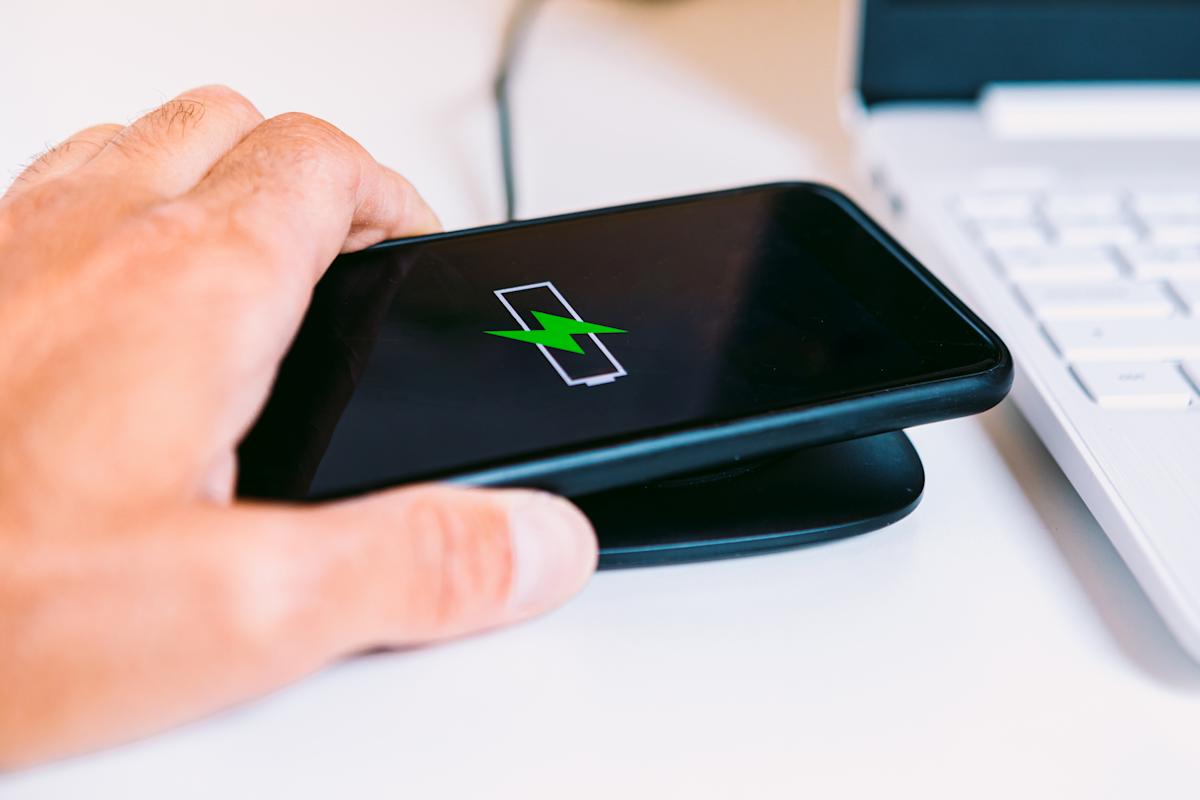
Wireless charging has become one of those small but satisfying conveniences of modern smartphones. You drop your device on a pad and watch the battery percentage climb without fiddling with cables or ports. Yet for many users, that effortless charge doesn’t always come at the speed they expect. Sometimes the phone warms up, the percentage barely rises or charging takes far longer than it would if you plugged it in.
Getting the fastest possible wireless charge requires more than just setting your phone on a pad. It depends on using the right equipment, like one of the best wireless chargers or the best multi-device wireless charging pads, plus the latest standards and a setup that makes the most of your phone’s capabilities. Here’s everything you need to know about getting the maximum wireless charging speeds for your smartphone.
How wireless charging actually works
Wireless charging relies on electromagnetic induction. When you place your phone on a compatible pad, electricity flows through a coil inside the charger, creating an electromagnetic field. Another coil inside your phone captures that energy and converts it back into electricity to refill the battery. It sounds simple, but efficiency depends on how precisely those two coils align, how much power the charger can deliver and how well the phone can handle the heat that builds up during the process.
For years, the Qi standard from the Wireless Power Consortium defined how most wireless chargers worked. Nearly every major smartphone brand supports Qi, and you can mix and match chargers and phones from different manufacturers with little trouble.
But the new Qi2 standard, which began rolling out in 2024 and has expanded in 2025, changes how well that power is transferred. Qi2 uses magnetic alignment to snap the phone and charger into the ideal position automatically, reducing wasted energy and heat. It also allows for higher charging speeds, with Qi2 chargers now supporting 15 to 25 watts of output depending on the device.
Understanding what “max power” really means
Each smartphone has a built-in limit to how much power it can receive wirelessly. The iPhone 12 models and later, for instance, support up to 15 watts with MagSafe, and Samsung’s S25 Galaxy series can handle similar speeds through Qi2. If you use a charger that delivers less power than your phone’s maximum, it’ll charge slower. For example, if you use a 10W wireless charger on an iPhone 17, the max speeds will top out at 10W. But even if you buy the most powerful pad on the market, you won’t get results beyond what your phone’s receiver can manage.
The phone’s software also plays a role. Some Android models include a “Fast Wireless Charging” setting that must be enabled to reach full speed. Others may automatically adjust charging rates to prevent overheating, especially if the phone gets too warm. Checking your device’s specifications and settings is an easy way to make sure it’s configured to draw the most power possible.
Picking the right charger and adapter
Wireless chargers vary widely in quality and performance. Qi2 certification is the best way to ensure that a product meets the latest safety and efficiency standards. Certified chargers have been tested to deliver power consistently and to protect against overheating and overcharging. While uncertified or budget pads may still work, they often fall short of their advertised wattage.
The wall adapter that powers the charger is just as important. Many people plug their charging pad into an old 5-watt or 10-watt power brick, which limits the output before the phone ever sees it. To achieve maximum speed, use a high-output USB-C adapter rated at 20 watts or higher, ideally one designed for fast charging like any of those included in our guide to the best fast chargers.
The cable connecting the adapter to the charger matters too. Short, high-quality cables help minimize resistance and power loss, while longer or cheaper cables can slow things down noticeably. Most of the newest USB cables will also list a max wattage they support in their specs; generally, the higher the better when you’re picking up a new one, so it can support charging as many of your devices as possible.
Will Lipman Photography for Engadget
Setting up for maximum efficiency
Even with the right hardware, proper placement and environment make a big difference. Wireless charging works best when the phone’s coil is perfectly aligned with the coil in the charging pad. If the two are slightly off-center, energy transfer drops and more heat builds up which slows charging further.
Qi2’s magnetic alignment largely fixes this issue by snapping the phone into the right position, but older Qi chargers still rely on manual placement.
Tips for Faster Wireless Charging
Taking a moment to ensure that your phone is properly centered on the charging pad can significantly reduce the overall charging time.
It’s important to note that cases and accessories can impact the charging process. Thick protective cases, wallet covers, or items with metal components can obstruct or weaken the electromagnetic field, leading to slower charging speeds. Even magnets that are not specifically designed for Qi2 alignment can disrupt the connection. Opting for a slim, wireless-compatible case or using no case at all can help maintain a strong link between the charging coils. Additionally, keeping the charging area clean and free from dust or small metal objects is essential to prevent signal disruption or heat spots on the charging pad.
Effective heat management is crucial for optimal wireless charging. Wireless charging generates more heat compared to wired charging, and if the phone becomes too warm, the charging system will automatically slow down to protect the battery. Placing the charger on a flat, hard surface in a well-ventilated area can help prevent overheating. Avoid charging on soft fabrics or in enclosed spaces that can trap heat. Some of the top Qi2 chargers now include features like small fans or heat-dissipating materials to maintain stable temperatures during fast charging sessions.
Troubleshooting Slow Charging Speeds
If your phone is still charging slower than expected, it’s advisable to double-check every component of your setup. Ensure that both your charger and phone support the same standard, as Qi2 chargers are most effective with Qi2 phones. Verify that the power adapter delivers enough wattage to match your phone’s maximum wireless charging rate. If the charger uses a replaceable cable, consider using a certified USB-C cable with a high-power output rating.
Software updates can also impact charging performance. Manufacturers frequently fine-tune charging algorithms through firmware updates to enhance heat control and overall efficiency. Keeping your phone and charger up to date ensures that you benefit from these improvements. If your phone feels excessively hot or the charging indicator flickers, removing the case or cleaning the charging pad can often resolve the issue.
The Future of Rapid Wireless Charging
The introduction of Qi2 technology has significantly narrowed the performance gap between wireless and wired charging. While wired charging remains faster in most scenarios, a properly configured Qi2 setup can now approach wired charging speeds. Wireless charging has evolved from a slow, convenient feature to a dependable daily solution for many users. As more devices adopt the new magnetic alignment and charger manufacturers enhance their designs, achieving maximum power wireless charging is becoming increasingly effortless.
Wireless charging not only offers convenience but also delivers impressive speed. With a combination of a Qi2-certified charger, a suitable power adapter, precise alignment, and efficient heat management, it is possible to reach close to your phone’s peak charging speeds every time you place it on the charging pad.











Lost Legacy: The Disappearance of AC Schnitzer and the Changing Automotive Landscape

Cyber Warfare: The Battlefront of the Digital Age

Monster Hunter Stories 3: The Challenge of Twisted Reflection

Revolutionizing Cash-Pay Clinic Prescribing: VITL Secures $7.5M Amid GLP-1 Boom

Balancing Act: The Decision to Shut Down Sora

Exclusive Arrival: Cupra Born VZ Lands in Australia – But There’s a Twist!

iPhone 12 Pro Max vs Samsung Note 20 Ultra / Huawei Mate 40 Pro Camera Test Comparison.

ClickFix: The New Threat to macOS Security

Kingdom Come: Deliverance 2 – The Rise of Artificial Intelligence

EU Takes Action Against Instagram and Facebook for Violating Illegal Content Rules

Warning: Facebook Creators Face Monetization Loss for Stealing and Reposting Videos

Facebook Compliance: ICE-tracking Page Removed After US Government Intervention

Facebook’s New Look: A Blend of Instagram’s Style

Facebook and Instagram to Reduce Personalized Ads for European Users

InstaDub: Meta’s AI Translation Tool for Instagram Videos

Reclaim Your Account: Facebook and Instagram Launch New Hub for Account Recovery

Meta discontinues Messenger apps for Windows and macOS

Breaking Updates: Meta Connect 2025 Unveils Latest Developments
iPhone 12 Pro Max vs Samsung Note 20 Ultra / Huawei Mate 40 Pro Camera Test Comparison.

iPhone 12 Pro Max vs Samsung Note 20 Ultra / Huawei / Xiaomi / OnePlus Battery Life DRAIN Test.

The BEST Smartphone of 2020 🏆

The Self-Healing Smartphones!

Apple is not what it used to be.

Smartphones are Boring now.

The Fastest Android Phone Ever.

Unboxing the $122,000 Smartphone. 🤯

Are Linux Smartphones about to KILL Android?
-
 Facebook5 months ago
EU Takes Action Against Instagram and Facebook for Violating Illegal Content Rules
-
 Facebook5 months ago
Warning: Facebook Creators Face Monetization Loss for Stealing and Reposting Videos
-
 Facebook5 months ago
Facebook Compliance: ICE-tracking Page Removed After US Government Intervention
-
 Facebook4 months ago
Facebook’s New Look: A Blend of Instagram’s Style
-
 Facebook4 months ago
Facebook and Instagram to Reduce Personalized Ads for European Users
-
 Facebook6 months ago
InstaDub: Meta’s AI Translation Tool for Instagram Videos
-
 Facebook4 months ago
Reclaim Your Account: Facebook and Instagram Launch New Hub for Account Recovery
-
 Apple5 months ago
Meta discontinues Messenger apps for Windows and macOS
