
Gadgets
Plaud Desktop: AI-Powered Meeting Transcription for Windows and Mac

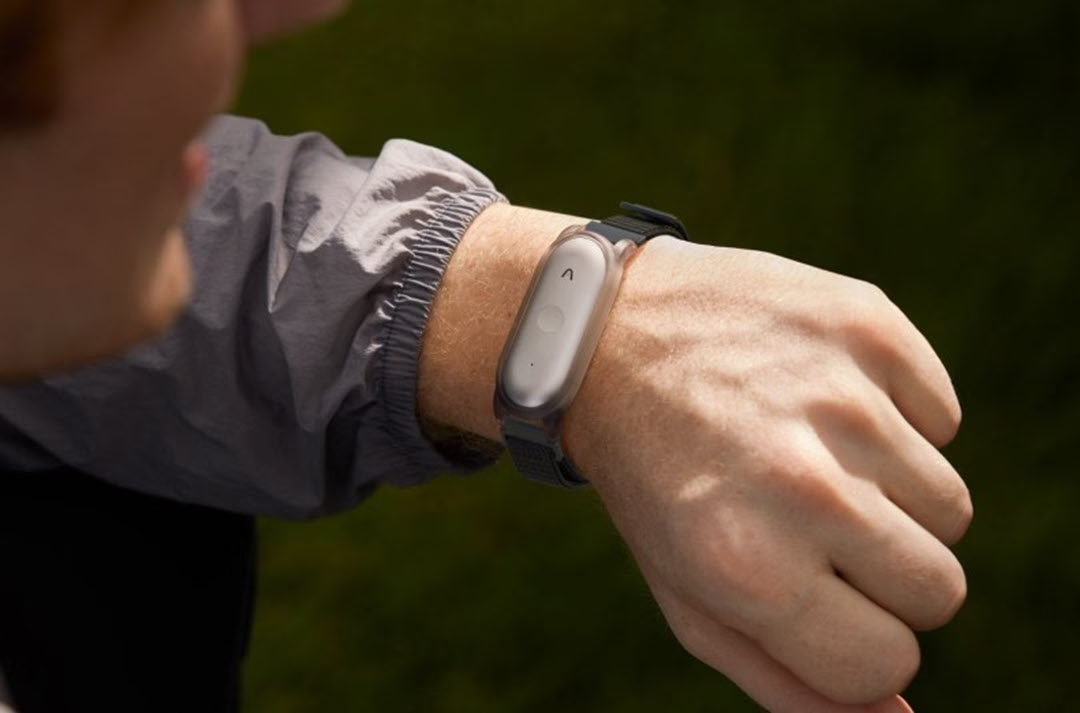
Plaud has announced the launch of Plaud Desktop, a new application designed to capture and transcribe online meetings directly from a computer without requiring meeting bots to join video calls. The software represents an expansion of the company’s existing AI note-taking ecosystem, which previously focused on dedicated hardware devices for in-person recording.
The San Francisco-based company positions Plaud Desktop as a solution that bridges the gap between capturing face-to-face conversations and recording online meetings, all within a single unified platform. The application is currently available in beta for existing Plaud device owners, with support for Windows immediately available and macOS support listed as coming soon.
Understanding the Problem Plaud Aims to Solve
Modern professional work increasingly depends on conversations across multiple formats. Team meetings happen on Zoom, client calls take place on Microsoft Teams, and important discussions occur in person without any digital record. The challenge for many professionals is that critical information shared during these conversations often gets lost or inadequately documented.
Traditional approaches to capturing online meetings typically involve AI meeting assistants that join calls as visible participants. While functional, these meeting bots can create friction in professional settings. They appear in participant lists, often announce their presence, and many organisations have policies that block such third-party bots from joining meetings entirely.
Plaud Desktop takes a different approach by capturing audio directly from the computer’s system audio and microphone, eliminating the need for any bot to join the actual meeting. This means the recording happens locally and invisibly, though the company does recommend informing other participants when recording is taking place.
How Plaud Desktop Works
The application operates through what Plaud describes as smart audio capture. Once installed and configured with the appropriate permissions, the software can detect when a video meeting begins and either automatically start recording or prompt the user to begin capture.
Three recording modes are available to accommodate different preferences and situations. The automatic recording mode begins capture the moment a supported meeting application starts. The prompt-before-recording mode detects meetings but waits for user confirmation before beginning. Manual recording allows users to start and stop capture at any time, regardless of whether a meeting is detected.
The software supports major video conferencing platforms including Zoom, Microsoft Teams, Google Meet, Webex, and Slack. When a meeting is detected on any of these platforms, Plaud Desktop can capture both the system audio from the meeting and the user’s microphone input simultaneously.
Beyond meeting capture, the system-wide audio recording capability means users can also record audio from video playback, live streams, webinars, and other audio sources playing through their computer. This extends the utility beyond scheduled meetings to include on-demand content that professionals might want to reference later.
Multimodal Capture Features
One of the distinguishing aspects of Plaud Desktop is its multimodal input system, which allows users to supplement audio recordings with additional context during a meeting. This feature is marked as coming soon in the current documentation but represents a significant part of the product’s planned functionality.
The audio highlight feature lets users mark specific moments during a recording as particularly important. These timestamps are then flagged for the AI system, which incorporates them as priority cues when generating summaries. Rather than relying entirely on algorithmic importance detection, this gives users direct input into what the AI should emphasise.
Text notes can be typed directly into the application during a recording. These notes are added to the AI’s context when processing the meeting, allowing the generated summaries to incorporate information that might not be audible in the recording itself. For example, a user could note the name of a client being discussed or add context about a project that would help the AI produce more relevant output.
Screenshot capture provides a way to include visual information in the meeting record. When a presenter shares slides containing charts, diagrams, or specific figures, users can capture these images and have them processed alongside the audio. The AI then incorporates this visual information into its understanding of the meeting content.
AI Transcription and Summary Generation
The core intelligence features of Plaud Desktop are powered by what the company calls Plaud Intelligence, its backend AI processing system. This handles transcription, summary generation, and the conversational Ask Plaud feature.
Transcription supports 112 languages and uses a combination of Whisper Large V3 and Azure models for speech-to-text conversion. Speaker labels can be applied to transcripts, distinguishing between different voices in a conversation. Custom vocabulary support allows users to define industry-specific terminology, proper nouns, or technical terms that the transcription system should recognise correctly.
The summary generation system draws on multiple large language models including GPT, Claude, and Gemini. Rather than producing a single summary style, Plaud offers what it calls multidimensional summaries. This means a single recording can generate multiple summary formats tailored to different purposes or roles.
For example, a product meeting might generate an action item list for the development team, a strategic overview for leadership, and a detailed technical summary for documentation purposes. The system includes over 10,000 pre-built templates covering various use cases, and users can create custom templates for their specific needs.
The AI recommends appropriate templates based on the content of the recording, the user’s role, and their previous usage patterns. This automatic template selection aims to reduce the friction of choosing the right summary format for each recording.
Ask Plaud Conversational Interface
Beyond static transcripts and summaries, Plaud Desktop recordings are accessible through a conversational interface called Ask Plaud. This feature allows users to query their recorded content using natural language questions.
Users can ask questions about specific recordings or search across their entire library of captured conversations. The system offers reference-based answers with citations to specific parts of recordings for verification. Smart suggestions prompt follow-up questions based on context. A global search function allows users to find information across all recordings. Deep thinking mode provides structured responses. AutoFlow Automation integrates with the system for automatic processing pipelines. Connected Workspace Architecture syncs recordings across platforms. Security and Compliance features ensure data protection. Pricing Structure includes free and paid plans with various features. Practical Applications target professionals in different industries. Availability and Access are currently limited to existing Plaud device users.
Accessing the download is made easy through the Plaud Web interface located at app.plaud.ai. Users can simply navigate to the Explore section and choose Plaud Apps to download the desktop application.
Currently, Windows support is available, while macOS support is expected to be added soon. To begin using the application, users will need to either create a new Plaud account or log into an existing one, granting the necessary system permissions for the audio capturing process to start.











Is BMW Ready to Challenge the Dominance of the Escalade?

19 Smartphone Gadgets that Blew me Away.

Critical Flaw in Smart Slider Plugin Puts 500K WordPress Sites at Risk

Exclusive Deal: PS5 Pro Price Jumping to £789 Next Week!

Lunar Love: How Watch Club Aims to Dominate the Werewolf Romance Market

Revolutionizing Technology: How the Macintosh Forever Transformed the World of Computers

Tech Savvy Heroes: AirTag Child Rescue, DarkSword Hack, and More Adventures

Chinese Brand’s Newest Small Electric Hatch Sets Safety Standard with Anticipated Five-Star Rating

The Unforeseen Lessons: A Microsoft VP’s Journey from India to the Age of AI

EU Takes Action Against Instagram and Facebook for Violating Illegal Content Rules

Warning: Facebook Creators Face Monetization Loss for Stealing and Reposting Videos

Facebook Compliance: ICE-tracking Page Removed After US Government Intervention

Facebook’s New Look: A Blend of Instagram’s Style

Facebook and Instagram to Reduce Personalized Ads for European Users

InstaDub: Meta’s AI Translation Tool for Instagram Videos

Reclaim Your Account: Facebook and Instagram Launch New Hub for Account Recovery

Meta discontinues Messenger apps for Windows and macOS

Breaking Updates: Meta Connect 2025 Unveils Latest Developments
19 Smartphone Gadgets that Blew me Away.

iPhone 12 Pro Max Unboxing & Review!

iPhone 12 Pro Max vs Samsung Note 20 Ultra / Huawei Mate 40 Pro Camera Test Comparison.

iPhone 12 Pro Max vs Samsung Note 20 Ultra / Huawei / Xiaomi / OnePlus Battery Life DRAIN Test.

The BEST Smartphone of 2020 🏆

The Self-Healing Smartphones!

Apple is not what it used to be.

Smartphones are Boring now.

The Fastest Android Phone Ever.
-
 Facebook5 months ago
EU Takes Action Against Instagram and Facebook for Violating Illegal Content Rules
-
 Facebook6 months ago
Warning: Facebook Creators Face Monetization Loss for Stealing and Reposting Videos
-
 Facebook6 months ago
Facebook Compliance: ICE-tracking Page Removed After US Government Intervention
-
 Facebook4 months ago
Facebook’s New Look: A Blend of Instagram’s Style
-
 Facebook4 months ago
Facebook and Instagram to Reduce Personalized Ads for European Users
-
 Facebook6 months ago
InstaDub: Meta’s AI Translation Tool for Instagram Videos
-
 Facebook4 months ago
Reclaim Your Account: Facebook and Instagram Launch New Hub for Account Recovery
-
 Apple5 months ago
Meta discontinues Messenger apps for Windows and macOS
