
Gadgets
Review: Huion Kamvas Slate 11 – Affordable Android Drawing Tablet with 11″ Display

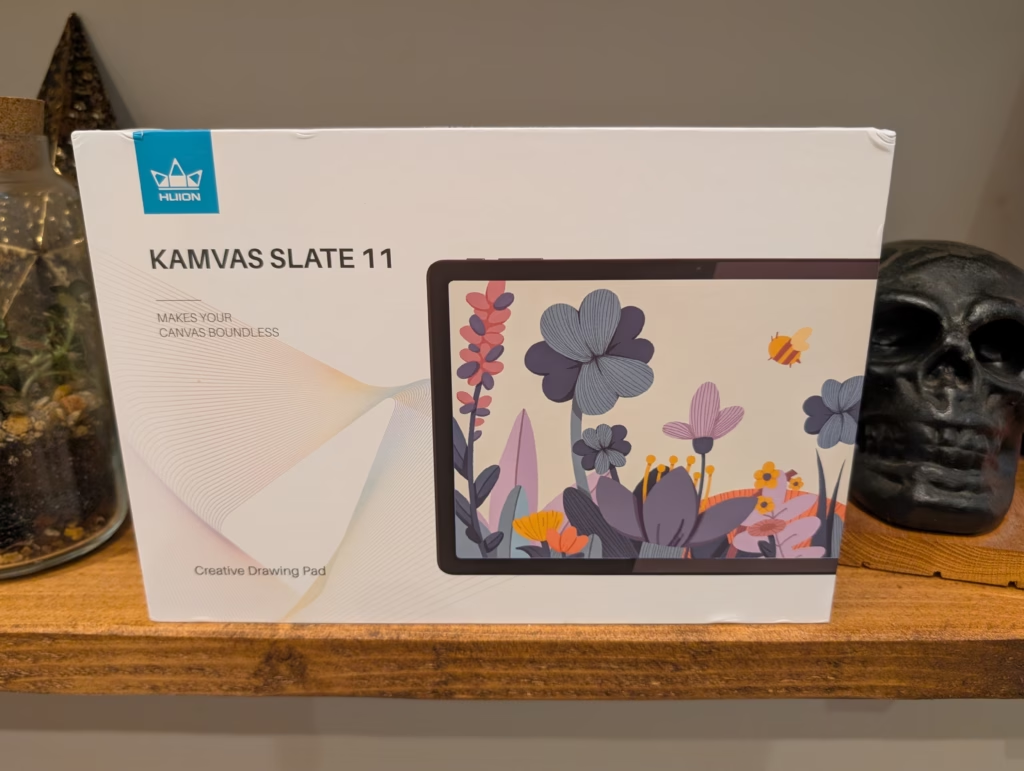
Any links to online stores should be assumed to be affiliates. The company or PR agency provides all or most review samples. They have no control over my content, and I provide my honest opinion.
I’ve been testing the Huion Kamvas Slate 11 for several weeks now, and it’s an interesting proposition in the drawing tablet market. This is Huion’s attempt at creating a standalone Android drawing tablet that bridges the gap between a traditional graphics tablet and a consumer Android tablet. At around £240, it’s positioning itself as an affordable entry point for digital artists who want something portable without needing a computer connection.
The key selling point here is independence – this runs Android 14 and works entirely on its own, unlike traditional drawing tablets that need to be tethered to a PC or Mac. I was curious to see whether this could actually deliver a decent drawing experience at this price point, or if the compromises would be too significant.
Related Reviews
Specification
| Specification | Details |
| Product Name | Kamvas Slate 11 |
| Product Model | KT1101 |
Set Up Problems
Unfortunately, when I first tried to set up the tablet, I got a “dm-verity corruption” error, stating that the device can’t be trusted.
Design, Display, Pen and Build Quality
Android OS
Running Android 14 gives you access to the full Google Play Store ecosystem, which is both a strength and weakness. The positive is that you can install any Android drawing app – Infinite Painter, ArtFlow, Concepts, and many others work well. You also get split-screen multitasking, which is genuinely useful for reference images or tutorials while drawing.
Despite its affordability and portability, the Huion Kamvas Slate 11 falls short in certain areas. While it offers decent value for beginners or casual digital artists, its display is dim with poor viewing angles, and the pen input lacks subtlety. Additionally, performance may suffer when dealing with complex projects. Other options like the Kamvas 13 or the Wacom MovinkPad 11 may offer a better drawing experience for a similar price point. Ultimately, the Kamvas Slate 11 is a solid entry-level option, but may not meet the needs of more advanced users. Are you in the market for a standalone drawing tablet priced under £250? The Huion Kamvas Slate 11 could be a suitable option, offering a convenient entry point into digital drawing with its portable design and standalone Android functionality. However, it’s essential to manage your expectations as there are some compromises to consider, especially when compared to more expensive PC-based alternatives.
The Huion Kamvas Slate 11 boasts good build quality, excellent battery life, and smooth performance for casual drawing activities. It’s a great option for beginners or younger artists who prefer an all-in-one tablet without the need for a computer. However, experienced creators may find its limitations in display quality, pen performance, and overall speed noticeable, particularly for more advanced or professional work.
Pros of the Huion Kamvas Slate 11 include its portable design, standalone Android 14 tablet with full app support, smooth performance for light to moderate drawing, and impressive battery life. On the other hand, some cons to consider are its dim display with muted colors and poor viewing angles, the pen’s high activation force and inconsistent line quality, performance slowdowns with complex projects, and its unsuitability for color-critical work.
In summary, the Huion Kamvas Slate 11 offers fair value for those seeking a budget-friendly drawing tablet with standalone capabilities. It may not be the best option for advanced or professional use, but it serves as a solid entry-level device for beginners or casual artists. Consider your specific needs and preferences before making a purchase decision.
About the Author:
James, a UK-based tech enthusiast and the Editor and Owner of Mighty Gadget, has been running the blog since 2007. With a passion for all things technology, he covers a wide range of topics from computers and networking to mobile devices, wearables, and smart home gadgets. His diverse interests in fitness-related technology also shine through in his blog content. James holds a BSc in Information Systems Design from UCLAN and a Master’s Degree in Computing, along with Cisco CCNA accreditation, demonstrating his commitment to staying ahead in the tech world. Mighty Gadget has been consistently recognized as one of the top technology blogs in the UK by Vuelio. James aims to continue providing engaging and informative content to his readers.
Remember, all information provided is subject to change. Last updated on 2025-11-24. Transform the following sentence into a question:
She went to the store to buy groceries.
Did she go to the store to buy groceries?













Oppo Find X9 Ultra: Release Date Revealed with 10x Telephoto Camera Confirmation

Apple WWDC 2026: The Ultimate Guide to What’s Coming Next

Unleashing the Beast: The 2027 Mercedes-AMG GT Black Series

15 Smartphone FAILS to ruin your day 😂

Data Breach at Mazda: Employee and Partner Information Exposed

City of Legends: Wartales Expansion – Choose Your Fate

Xiaomi 17 vs 17 Ultra Comparison: Why You Should Consider the Standard Model

Insight Partners Investigates ‘Fake Compliance’ Allegations, Delays Demos and Scrubs Investment Plans

Wuthering Heights: A Tale of Love and Loss Streaming Now

EU Takes Action Against Instagram and Facebook for Violating Illegal Content Rules

Warning: Facebook Creators Face Monetization Loss for Stealing and Reposting Videos

Facebook Compliance: ICE-tracking Page Removed After US Government Intervention

Facebook’s New Look: A Blend of Instagram’s Style

Facebook and Instagram to Reduce Personalized Ads for European Users

InstaDub: Meta’s AI Translation Tool for Instagram Videos

Reclaim Your Account: Facebook and Instagram Launch New Hub for Account Recovery

Meta discontinues Messenger apps for Windows and macOS

Breaking Updates: Meta Connect 2025 Unveils Latest Developments
15 Smartphone FAILS to ruin your day 😂

World’s Biggest Smartphone Collection?

I switched to iPhone – This is what I found out.

What happened to Beats by Dre?

DON’T buy a Screen Protector before watching this.

Beware of Fake Reviewers! ⚠️

Xiaomi Mi 11 Unboxing & Review.

The Galaxy S21 Ultra is Better than you think.

Samsung Galaxy S21 Ultra vs iPhone 12 Pro Max Camera Test Comparison.
-
 Facebook5 months ago
EU Takes Action Against Instagram and Facebook for Violating Illegal Content Rules
-
 Facebook5 months ago
Warning: Facebook Creators Face Monetization Loss for Stealing and Reposting Videos
-
 Facebook5 months ago
Facebook Compliance: ICE-tracking Page Removed After US Government Intervention
-
 Facebook3 months ago
Facebook’s New Look: A Blend of Instagram’s Style
-
 Facebook4 months ago
Facebook and Instagram to Reduce Personalized Ads for European Users
-
 Facebook5 months ago
InstaDub: Meta’s AI Translation Tool for Instagram Videos
-
 Facebook4 months ago
Reclaim Your Account: Facebook and Instagram Launch New Hub for Account Recovery
-
 Apple5 months ago
Meta discontinues Messenger apps for Windows and macOS
