
Mobile Tech
Securing Your Data: Navigating the Transfer to Android and Protecting Carrier Privacy

It’s becoming easier to see why Apple chose to unify its OS version numbers across all of its products last year. This week, we saw the release of its latest updates for the iPhone, iPad, Mac, Apple Watch, and more, and it’s nice to be able to just refer to them as “OS 26.3” updates rather than having to spell out half a dozen different version numbers.
Of course, the individual operating systems still have unique names: iOS, iPadOS, macOS, watchOS, tvOS, and visionOS (not to mention the “HomePod Software,” which was also updated this week), but at least the numbering is all the same. However, now that we’re into the third point release, that unified feel may be one of the most exciting things about it.
That’s not to say that iOS 26.3 et al don’t have some new features, but we’ve begun to enter niche territory. As we saw from the first beta in December, the latest update is more about complying with regulatory agencies — particularly in the European Union — with some side benefits for the rest of us.
What’s New in iOS 26.3 and the Gang
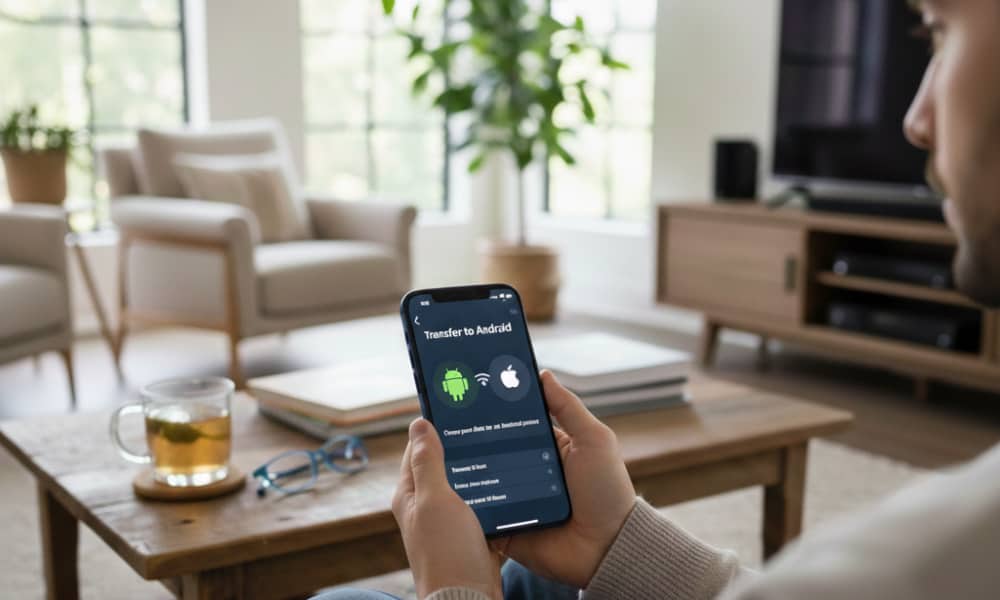
One of the biggest additions in iOS 26.3 is iPhone-Android Transfer, which offers a much smoother way to hop between platforms than the clunky tools of the past. That’s a nice bonus for anyone who is thinking of leaving or joining Apple’s smartphone ecosystem, but it won’t mean much to the contented fans like us. Still, if you’re thinking of leaving, you can find Transfer to Android under Settings > General > Transfer or Reset iPhone.
Google released a corresponding feature in an Android update last year, although it’s currently limited to Samsung Galaxy and its own Pixel devices. The feature relies on a complementary high-bandwidth Wi-Fi “handshake” between the two devices that Apple and Google co-developed to accomplish the transfer. Those moving from Android to iPhone will initiate the transfer from that end, but the new iPhone will still need to be running iOS 26.3 to cooperate.
This is something both companies are clearly doing to comply with Europe’s Digital Markets Act (DMA), but it’s good to see that Apple isn’t locking it down to only that region. Still, not everything will be transferred due to compatibility and security reasons. For example, Health data is out, as are protected items like locked notes and journal entries.
Some of the other features seen in the iOS 26.3 betas related to DMA compliance may have been either pushed off or restricted to the EU, such as Notification Forwarding and Proximity Pairing. These are intended to put third-party smartwatches on a level playing field with the Apple Watch. The options appeared globally in the iOS 26.3 betas, but it’s possible they’ve been gated to EU users in the final release.
The other changes in iOS 26.3 are smaller or even more niche. The most notable of these is Offline Lyrics in Apple Music, a minor but handy change for folks who regularly listen off the grid.
There are also three new Weather wallpapers for the Lock Screen, which now get their own section distinct from Astronomy. These aren’t so much new wallpapers as new layouts, with different pre-set widget arrangements to help users get started.
Lastly, there’s a very promising carrier tracking privacy feature that Apple quietly announced last month that would help prevent mobile network operators from determining your precise location over the cellular network. It’s a fantastic privacy play — and undoubtedly a sign of things to come — but for now, it’s exclusive to devices sporting Apple’s custom C-series modem chips: the iPhone Air, iPhone 16e, and M5 iPad Pro.
That’s somewhat understandable as this likely requires some magic that Apple has baked into its own silicon, but even if you were seduced by the ultra-sleek iPhone Air last year, you’ll also have to be on one of the six carriers that support it: Germany’s Telekom, EE or BT in the UK, Boost Mobile in the US, or Thailand’s AIS and True. Other carriers will undoubtedly come on board, and we’ve heard reports that both Verizon and T-Mobile are trialing it, but there’s no word on when we’ll see this launch.
If you meet this rather narrow list of requirements, you’ll find the Limit Precise Location setting under Cellular > Cellular Data Options and your specific SIM (if you have more than one) in the Settings app. You may also need to restart your device to enable it.
For the rest of Apple’s OS 26.3 updates, iPadOS inherits some of the same changes from iOS 26.3, while macOS, watchOS, tvOS, and visionOS are devoid of any notable new features, with release notes listing only the usual bug fixes, performance improvements, and security updates.
Security: The Real Reason to Update
Don’t be too quick to gloss over those last two words in the release notes. Security Updates are often the main reason to update to the latest OS releases, and that gets more important every year as cybercrooks look for new ways to separate you from your money or even your very identity.
We’ve said this before, but it bears repeating: Nearly every new OS update includes security fixes that are published online. That’s responsible software engineering, but it also means that if there were any vulnerabilities in iOS 26.2 and the rest that hackers and criminals hadn’t discovered, that ship has now sailed; Apple has just provided a complete laundry list of what to look for, and you can bet all the bad actors are now hard at work on finding ways to exploit devices for those who haven’t updated.
This isn’t a scare tactic; merely a reality. While Apple’s operating systems aren’t nearly as vulnerable as Windows, I recently had a family member who stayed on Windows 10 a little bit too long after it reached end-of-life. It took only one day after a Windows 11 security patch came out for his computer to become infected by kernel-level malware.
Hackers successfully took advantage of a vulnerability mentioned in the Windows 11 release notes due to the shared kernel code with Windows 10. Malicious developers seized this opportunity to create malware targeting this weakness.
Apple recently released a list of 37 security flaws addressed in iOS 26.3 and iPadOS 26.3. Devices running iOS 26.2.1 or earlier remain vulnerable to these threats, including three at the kernel level. Exploiting these vulnerabilities could grant hackers full access to the data on iPhones and iPads. Additionally, a security gap enables unauthorized access to photos from the lock screen, emphasizing the importance of both physical and digital security measures.
While Apple does not disclose specific methods to exploit these flaws for customer safety, transparency requires acknowledgment of their existence and crediting the researchers who discovered them. This disclosure inadvertently provides insight for malicious actors seeking loopholes to infiltrate iPhones.
The ongoing battle between cybersecurity measures and cyber threats ensures that new vulnerabilities will be identified and addressed in future OS updates. Uncovered flaws pose a lesser risk when undisclosed, and Apple, alongside security researchers, strives to proactively patch as many vulnerabilities as possible to prevent any potential harm.













Apple’s 2026 Product Launches Hindered by Stupidity: A Delayed Release

Volvo EX30 EV: Urgent Fix Needed for Fire Risk Recall

Rapid Increase in Device Code Phishing Attacks: A 37x Surge as Kits Spread Online

Xenonauts 2: A Modder’s Dream – Official Release Brings Endless Possibilities
ClassPass and Mindbody Join Forces in $7.5B Merger to Dominate Fitness Industry

7 Classic Retro Games for iPhone and iPad: A Nostalgic Trip Down Memory Lane in 2026

Breaking Records: The Ford GT Mk IV’s Nurburgring Triumph

Why Samsung’s Transparent Phone will fail.

Qilin Ransomware Breach Confirmed by Die Linke German Political Party

EU Takes Action Against Instagram and Facebook for Violating Illegal Content Rules

Warning: Facebook Creators Face Monetization Loss for Stealing and Reposting Videos

Facebook Compliance: ICE-tracking Page Removed After US Government Intervention

Facebook’s New Look: A Blend of Instagram’s Style

Facebook and Instagram to Reduce Personalized Ads for European Users

InstaDub: Meta’s AI Translation Tool for Instagram Videos

Reclaim Your Account: Facebook and Instagram Launch New Hub for Account Recovery

Meta discontinues Messenger apps for Windows and macOS

Breaking Updates: Meta Connect 2025 Unveils Latest Developments
Why Samsung’s Transparent Phone will fail.

6G – Explained!

Is Samsung about to take over?

The Problem with Fast Chargers.

if smartphone commercials were honest.

iPhone 12 – What were Apple thinking?

OnePlus 8T vs Google Pixel 5 – The Brutal Truth.

iPhone 12 / 12 Pro Unboxing – ft MKBHD!

iPhone 12 Pro vs iPhone 12 vs iPhone 11 Pro Camera Test Comparison.
-
 Facebook5 months ago
EU Takes Action Against Instagram and Facebook for Violating Illegal Content Rules
-
 Facebook6 months ago
Warning: Facebook Creators Face Monetization Loss for Stealing and Reposting Videos
-
 Facebook6 months ago
Facebook Compliance: ICE-tracking Page Removed After US Government Intervention
-
 Facebook4 months ago
Facebook’s New Look: A Blend of Instagram’s Style
-
 Facebook4 months ago
Facebook and Instagram to Reduce Personalized Ads for European Users
-
 Facebook6 months ago
InstaDub: Meta’s AI Translation Tool for Instagram Videos
-
 Facebook4 months ago
Reclaim Your Account: Facebook and Instagram Launch New Hub for Account Recovery
-
 Apple6 months ago
Meta discontinues Messenger apps for Windows and macOS
