
Mobile Tech
The Ultimate Guide to Splitting Payments Between Two Cards on Amazon

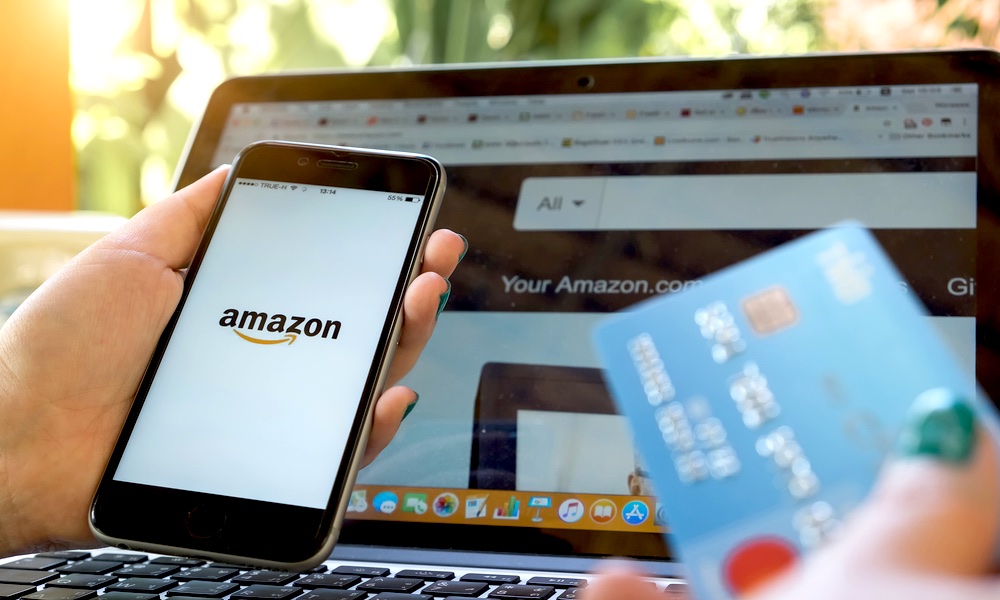
Are you finding yourself with a collection of prepaid gift cards after the 2025 holiday season? If so, you’re not alone. Many of us receive these cards from friends and family who may have been hesitant to brave the chaos of Christmas shopping or simply didn’t know what to buy us. While these gift cards are great for small purchases like lattes, they may not be so useful when it comes to buying bigger ticket items like an iPhone or iPad.
The challenge arises when trying to make a payment with these prepaid gift cards, as vendors often treat them like regular credit cards. This can be particularly problematic when shopping on Amazon, where splitting payments across multiple credit cards is not allowed. However, there is a clever workaround that allows you to use your prepaid gift cards on Amazon: converting them into Amazon gift cards.
To do this, simply follow these steps:
1. Visit Amazon and search for “eGift Cards” or click on the provided link.
2. Enter the balance available on your prepaid VISA/MasterCard in the “Enter amount” box.
3. Select “Email” as your delivery method.
4. Enter your own email address in both the TO and FROM lines.
5. Click “Buy Now.”
6. Add your prepaid VISA/MasterCard gift card as a new payment method.
7. Complete the purchase.
Within a few minutes, you should receive an email containing a gift card code and a “Redeem now” button. Use this code to load the gift card into your Amazon account. You can then make your purchase, and Amazon will automatically offer to apply your gift card balance to your payment. If this option doesn’t appear, look for the “Use my Gift Card Balance of $XXX” checkbox or enter the gift card code manually during checkout.
Additionally, you can combine multiple Amazon gift cards for a single purchase, making it a convenient way to use up smaller gift card amounts or share the cost of a purchase with others.
If you don’t have an Amazon gift card, there are ways to get one for free. Consider signing up for a credit card from Amazon or participating in a gift card giveaway on a website.
By following these tips, you can make the most of your prepaid gift cards and enjoy hassle-free shopping on Amazon. Remember, it’s always wise to utilize all available resources to maximize your savings and convenience.












Tech Savvy Heroes: AirTag Child Rescue, DarkSword Hack, and More Adventures

Chinese Brand’s Newest Small Electric Hatch Sets Safety Standard with Anticipated Five-Star Rating

The Unforeseen Lessons: A Microsoft VP’s Journey from India to the Age of AI

Cloudflare Evasion: How Phishing Targets TikTok Business Accounts Through Turnstile Tactics

The Unfair Boundaries of Genre: A Conversation with the Original Stalker Designer on Eurojank in International Games

Sequoia’s Confidence in Harvey’s $11B Valuation Triples

Troubleshooting HDMI Audio: Essential Fixes & More Tips

Unveiling the Powerhouse: Mercedes-AMG GT Black Series with Dynamic Aero System Spotted at Nurburgring

iPhone 12 Pro Max Unboxing & Review!

EU Takes Action Against Instagram and Facebook for Violating Illegal Content Rules

Warning: Facebook Creators Face Monetization Loss for Stealing and Reposting Videos

Facebook Compliance: ICE-tracking Page Removed After US Government Intervention

Facebook’s New Look: A Blend of Instagram’s Style

Facebook and Instagram to Reduce Personalized Ads for European Users

InstaDub: Meta’s AI Translation Tool for Instagram Videos

Reclaim Your Account: Facebook and Instagram Launch New Hub for Account Recovery

Meta discontinues Messenger apps for Windows and macOS

Breaking Updates: Meta Connect 2025 Unveils Latest Developments
iPhone 12 Pro Max Unboxing & Review!

iPhone 12 Pro Max vs Samsung Note 20 Ultra / Huawei Mate 40 Pro Camera Test Comparison.

iPhone 12 Pro Max vs Samsung Note 20 Ultra / Huawei / Xiaomi / OnePlus Battery Life DRAIN Test.

The BEST Smartphone of 2020 🏆

The Self-Healing Smartphones!

Apple is not what it used to be.

Smartphones are Boring now.

The Fastest Android Phone Ever.

Unboxing the $122,000 Smartphone. 🤯
-
 Facebook5 months ago
EU Takes Action Against Instagram and Facebook for Violating Illegal Content Rules
-
 Facebook6 months ago
Warning: Facebook Creators Face Monetization Loss for Stealing and Reposting Videos
-
 Facebook6 months ago
Facebook Compliance: ICE-tracking Page Removed After US Government Intervention
-
 Facebook4 months ago
Facebook’s New Look: A Blend of Instagram’s Style
-
 Facebook4 months ago
Facebook and Instagram to Reduce Personalized Ads for European Users
-
 Facebook6 months ago
InstaDub: Meta’s AI Translation Tool for Instagram Videos
-
 Facebook4 months ago
Reclaim Your Account: Facebook and Instagram Launch New Hub for Account Recovery
-
 Apple5 months ago
Meta discontinues Messenger apps for Windows and macOS
