
Mobile Tech
Unlocking the Latest Features: A Guide to iOS 26.3 Updates for Your iPhone

Apple recently rolled out the third iOS 26.3 beta for iPhone users, concentrating on enhancing interoperability between iPhone and Android devices, along with support for third-party smartwatches. Here’s an overview of all the new iOS 26.3 features introduced so far.
Updated January 27, 2026 with added location privacy features.
iOS 26.3 new features
Android transfer
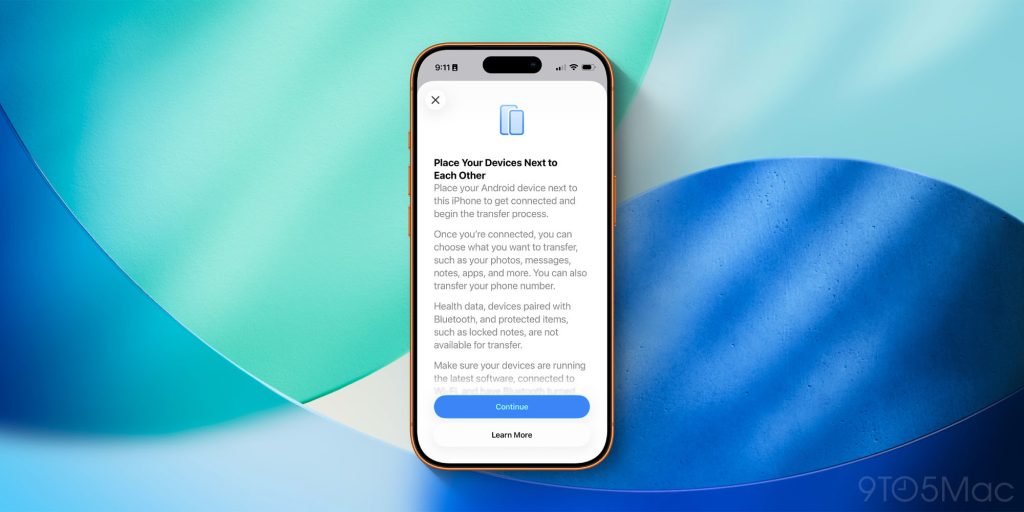
The most significant change in iOS 26.3 is the introduction of a new “Transfer to Android” system, simplifying the process for iPhone users to switch to an Android device. This system is a result of collaboration between Apple and Google.
The latest Android beta now includes a similar system for switching from Android to iPhone, aiming to enhance compatibility between the two platforms.
According to Apple, users can “Place your Android device next to this iPhone to get connected and begin the transfer process.” Once connected, users can wirelessly transfer photos, messages, notes, apps, and more to their new Android device.
However, sensitive information like Health data, Bluetooth devices, locked notes, and more are not transferred to the Android device as part of this process.
Apple and Google have indicated that additional data types will be added as they continue beta testing.
Limit location data sharing
iOS 26.3 introduces a new privacy feature called “limit price location,” allowing users to restrict certain information used by cellular networks to determine their location.
For instance, carriers may only be able to identify the neighborhood where the device is located, rather than a specific address.
To utilize this feature, users will need:
- iPhone Air, iPhone 16e, or iPad Pro (M5) Wi-Fi + Cellular
- iOS 26.3 or later
- A supported carrier:
- Germany: Telekom
- United Kingdom: EE, BT
- United States: Boost Mobile
- Thailand: AIS, True
The toggle for this feature can be found in the Settings app, under Cellular and Cellular Data Options.
Notification forwarding
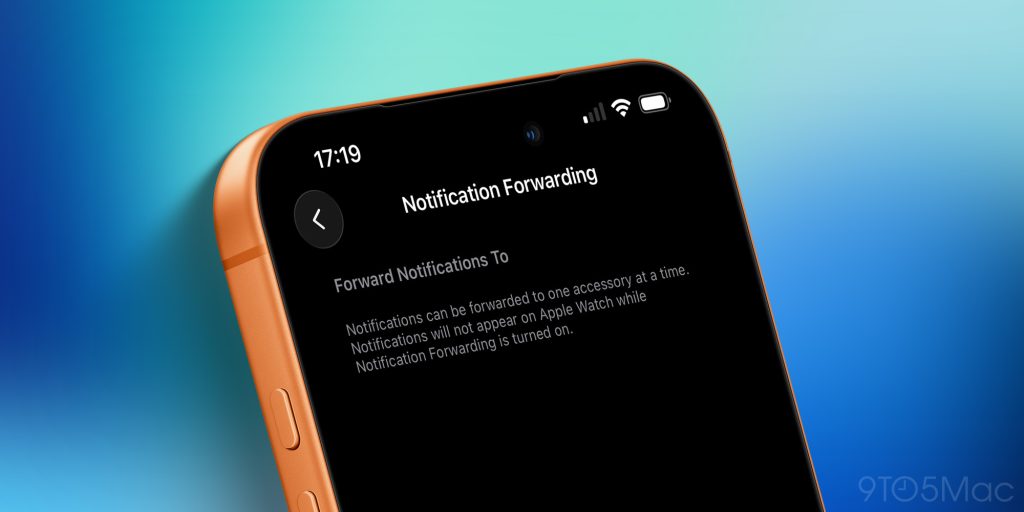
iOS 26.3 also introduces a new “Notification Forwarding” system, enabling iPhone notifications to appear on a third-party smartwatch or other wearable devices.
Apple specifies that notifications can only be forwarded to one accessory at a time, and they will not display on Apple Watch while Notification Forwarding is active.
This feature is currently limited to the European Union, as Apple prepares for upcoming DMA regulations that will mandate the display of notifications on third-party devices forwarded from the iPhone.
While Apple expresses concerns about user privacy, the company is compelled to comply with the regulations for the time being.
More EU features
In addition to Notification Forwarding, the EU has confirmed several other changes in iOS 26.3:
- Proximity pairing similar to AirPods for third-party accessories: More info
- New NFC features for initiating connected devices with an iPhone without the iPhone’s presence: More info
- High-bandwidth Wi-Fi connection for peer-to-peer usage: More info
- This technology also supports the new Android-iPhone switching features.
In response to these features, the European Union stated:
New opportunities are presented to European users as a result of DMA implementation work. The Commission welcomes the updates introduced by Apple.
Developers now have the chance to test interoperability with two new features outlined in last March’s specification decision on connected device interoperability with iOS (such as smartwatches, headphones, or TVs). The functionalities released by Apple in the iOS 26.3 beta version are anticipated to be fully accessible in Europe during 2026.
DMA creates new avenues for developers to launch innovative products and services in Europe.
This marks another step towards a more interconnected digital ecosystem for the benefit of all EU citizens.
Wallpapers
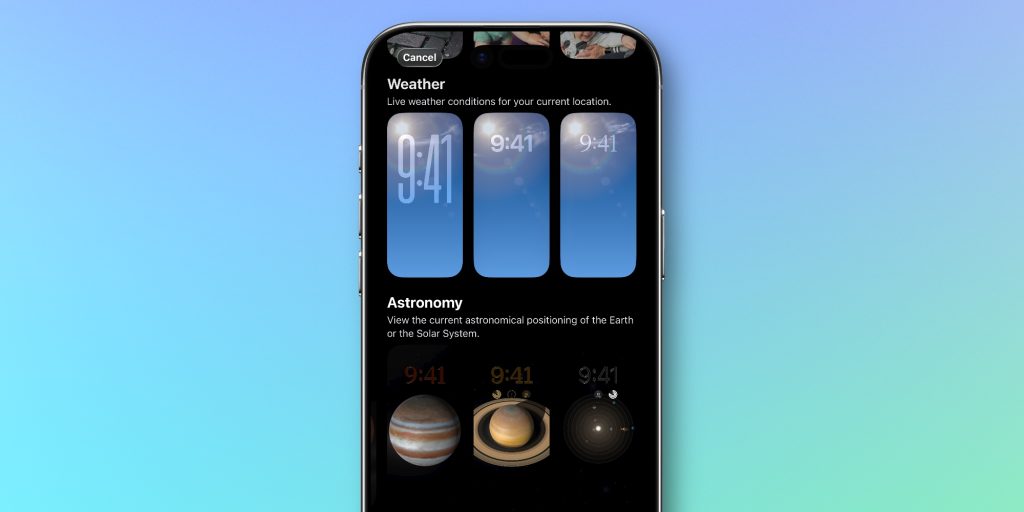
Lastly, Apple has made minor adjustments to the wallpapers menu on iPhone with iOS 26.3. The Weather and Astronomy wallpapers, previously combined in one category, are now separated into two distinct sections.
While the wallpapers remain the same, Apple has added a few new pre-built wallpapers in the Weather category. Weather wallpapers display live weather conditions for the current location, while Astronomy wallpapers showcase the current astronomical positioning of the earth or the Solar System.
iOS 26.3 release date
The anticipated release date for iOS 26.3 is late January or early February. For reference, iOS 18.3 was launched on January 27, and iOS 17.3 on January 22.
iOS 26.3 wrap up
While iOS 26.3 may be a smaller update compared to iOS 26.2, it still brings several beneficial changes for iPhone users.
If you’ve discovered any new features in iOS 26.3, feel free to share them in the comments below. We’ll continue to update this guide throughout the beta phase.
My favorite iPhone accessories:
Follow Chance: Threads, Bluesky, Instagram, and Mastodon.


FTC: We use income earning auto affiliate links. More.











The Future of iPhone Cameras: Is a 200 MP Lens Coming Soon?

Celebrating the First iX3 Delivery at BMW’s Debrecen Factory

iPhone 12 Pro Max vs Samsung Note 20 Ultra / Huawei / Xiaomi / OnePlus Battery Life DRAIN Test.

Stealthy Malware: The Hidden Threat Within Telnyx PyPI Package

Harvest of Suspicion: Grave Seasons Murder Mystery Farming Sim Arrives in August

Tech Giants Clash: OpenAI Halts Sora as Meta Faces Legal Setback

Apple’s AI Playlist Playground: Where Music Goes to Die

Beyond the Stars: For All Mankind Season 5 Unveiled in Liminal Film Expose

Top 10 Fuel-Efficient Cars for Less Than $50,000

EU Takes Action Against Instagram and Facebook for Violating Illegal Content Rules

Warning: Facebook Creators Face Monetization Loss for Stealing and Reposting Videos

Facebook Compliance: ICE-tracking Page Removed After US Government Intervention

Facebook’s New Look: A Blend of Instagram’s Style

Facebook and Instagram to Reduce Personalized Ads for European Users

InstaDub: Meta’s AI Translation Tool for Instagram Videos

Reclaim Your Account: Facebook and Instagram Launch New Hub for Account Recovery

Meta discontinues Messenger apps for Windows and macOS

Breaking Updates: Meta Connect 2025 Unveils Latest Developments
iPhone 12 Pro Max vs Samsung Note 20 Ultra / Huawei / Xiaomi / OnePlus Battery Life DRAIN Test.

The BEST Smartphone of 2020 🏆

The Self-Healing Smartphones!

Apple is not what it used to be.

Smartphones are Boring now.

The Fastest Android Phone Ever.

Unboxing the $122,000 Smartphone. 🤯

Are Linux Smartphones about to KILL Android?

15 Smartphone FAILS to ruin your day 😂
-
 Facebook5 months ago
EU Takes Action Against Instagram and Facebook for Violating Illegal Content Rules
-
 Facebook5 months ago
Warning: Facebook Creators Face Monetization Loss for Stealing and Reposting Videos
-
 Facebook5 months ago
Facebook Compliance: ICE-tracking Page Removed After US Government Intervention
-
 Facebook4 months ago
Facebook’s New Look: A Blend of Instagram’s Style
-
 Facebook4 months ago
Facebook and Instagram to Reduce Personalized Ads for European Users
-
 Facebook5 months ago
InstaDub: Meta’s AI Translation Tool for Instagram Videos
-
 Facebook4 months ago
Reclaim Your Account: Facebook and Instagram Launch New Hub for Account Recovery
-
 Apple5 months ago
Meta discontinues Messenger apps for Windows and macOS
