
Gadgets
Unlocking Your Android Phone Potential with Google Gemini

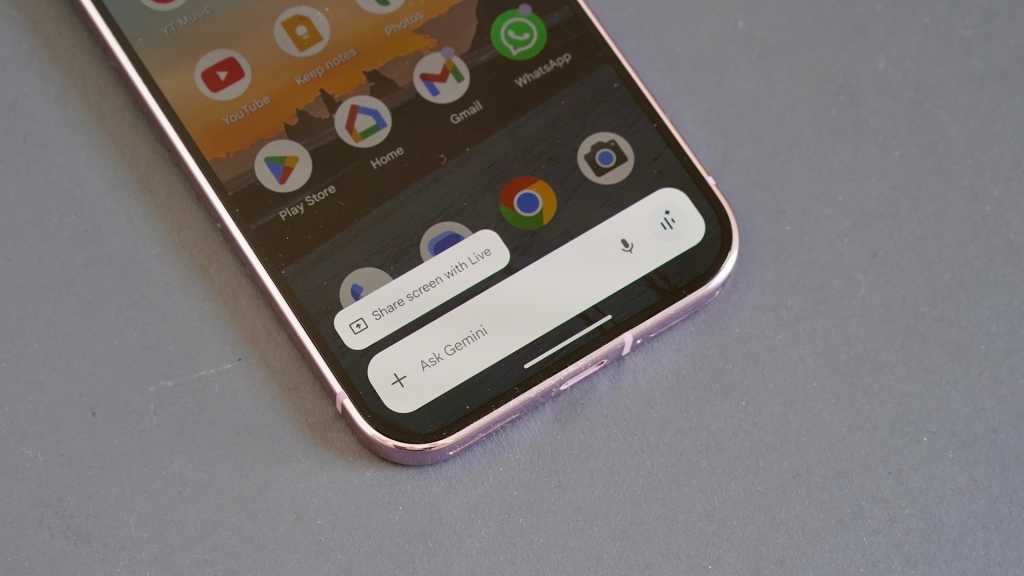
Google Gemini: Transforming Android Phones into Productivity Powerhouses
Google Gemini, the chatbot that seems to be everywhere these days, can run in a browser or as an app on any smartphone. If you have a new Android phone like the Google Pixel 10 Pro, chances are it’s already installed by default. This AI-powered chatbot is incredibly helpful in sharing tips and tricks that can boost your productivity.
1. Create a Custom Ringtone
Want a ringtone that’s unique and personalized? Just ask Gemini to create one for you. By selecting the “Create Music” option in Gemini settings, you can have the bot generate a custom ringtone for you. This can help you easily identify your phone’s ringtone amidst a sea of generic tones.
Creating custom ringtones for specific contacts can also be done effortlessly with the help of AI.
2. Find a Destination and Start Navigation
Gemini goes beyond just providing tips and advice. It seamlessly integrates with Android systems, offering navigation assistance. You can ask Gemini to find the nearest library, and it will show you the available Google Maps destinations, helping you kickstart your journey with ease.
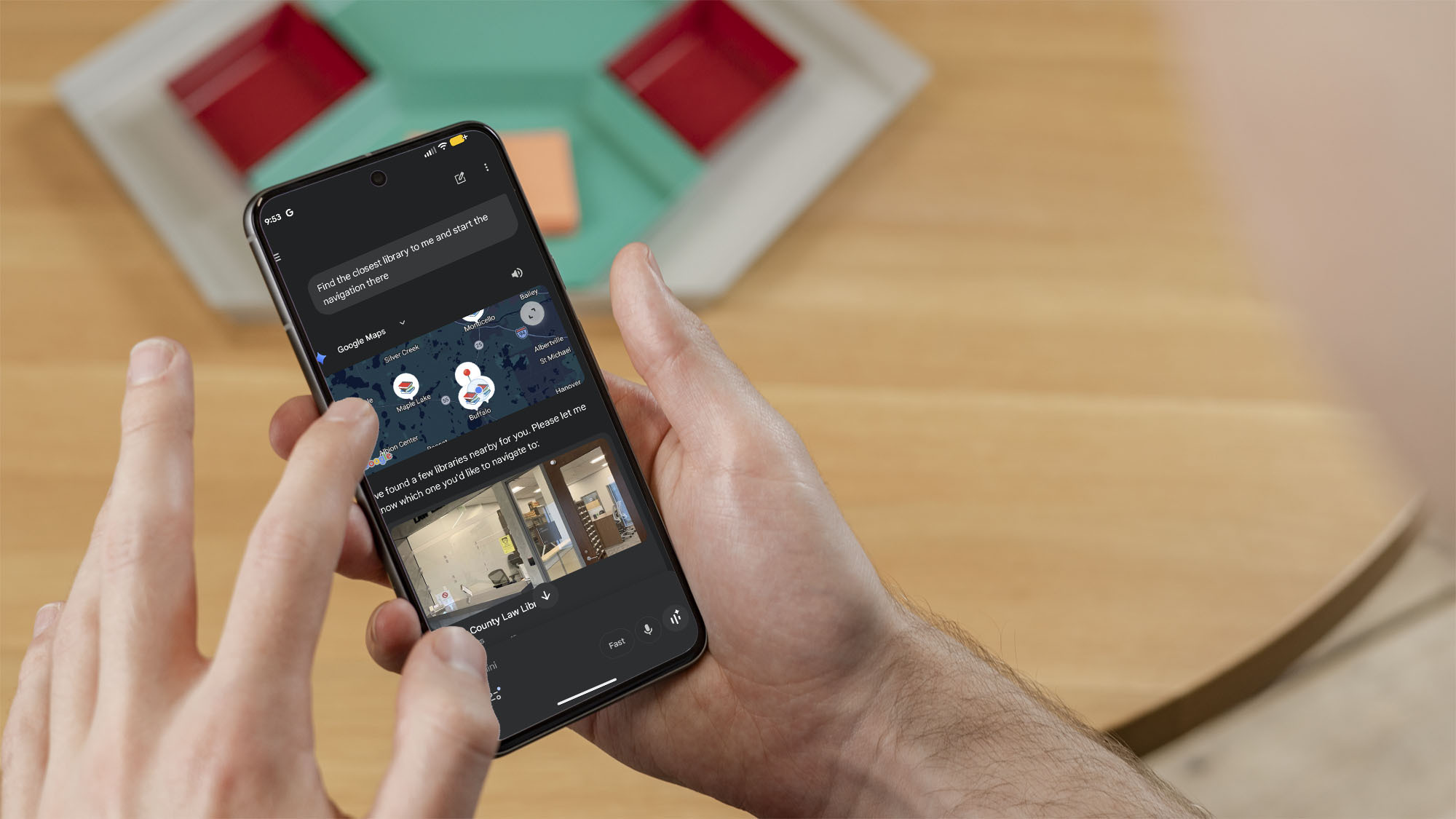
With Gemini’s navigation features, finding your way around is a breeze, making it a valuable tool for staying productive on the go.
3. Use the “Do Not Disturb” Feature
Enabling the “do not disturb” mode can significantly enhance your productivity by minimizing distractions. With Gemini, you can easily activate this feature by typing in a simple prompt, allowing you to stay focused without interruptions.
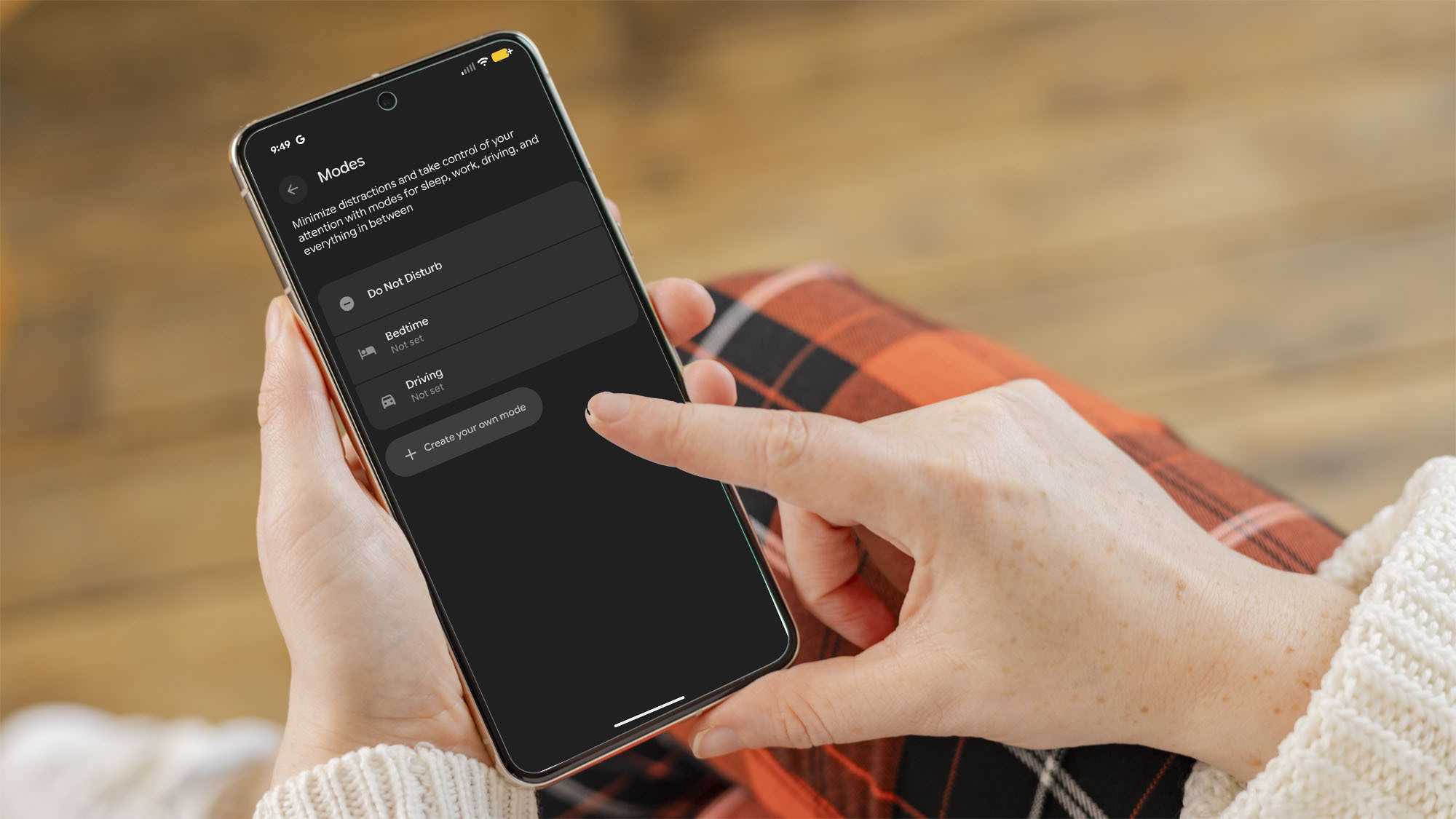
By silencing notifications and apps, you can concentrate on your tasks without being constantly distracted by incoming alerts.












Ayaneo discontinues sale of Windows gaming handheld due to lack of sustainability

Are Linux Smartphones about to KILL Android?

Zoox’s Robotaxis Roll into Austin and Miami

Enhanced Privacy: Firefox’s Free VPN Offering 50GB Monthly Data Limit

Unlocking Your Android Phone Potential with Google Gemini

The Essential Guide to Product UX for SaaS Founders
Future-Proofing AI Security: Safeguarding Systems in Today’s Evolving Landscape

Apple Unveils iOS 26.4: Introducing 8 New Emoji and 12 Exciting Updates for Your iPhone
Enhancing Finance Operations with Multimodal AI Automation

EU Takes Action Against Instagram and Facebook for Violating Illegal Content Rules

Warning: Facebook Creators Face Monetization Loss for Stealing and Reposting Videos

Facebook Compliance: ICE-tracking Page Removed After US Government Intervention

Facebook’s New Look: A Blend of Instagram’s Style

Facebook and Instagram to Reduce Personalized Ads for European Users

InstaDub: Meta’s AI Translation Tool for Instagram Videos

Reclaim Your Account: Facebook and Instagram Launch New Hub for Account Recovery

Meta discontinues Messenger apps for Windows and macOS

Breaking Updates: Meta Connect 2025 Unveils Latest Developments
Are Linux Smartphones about to KILL Android?

15 Smartphone FAILS to ruin your day 😂

World’s Biggest Smartphone Collection?

I switched to iPhone – This is what I found out.

What happened to Beats by Dre?

DON’T buy a Screen Protector before watching this.

Beware of Fake Reviewers! ⚠️

Xiaomi Mi 11 Unboxing & Review.

The Galaxy S21 Ultra is Better than you think.
-
 Facebook5 months ago
EU Takes Action Against Instagram and Facebook for Violating Illegal Content Rules
-
 Facebook5 months ago
Warning: Facebook Creators Face Monetization Loss for Stealing and Reposting Videos
-
 Facebook5 months ago
Facebook Compliance: ICE-tracking Page Removed After US Government Intervention
-
 Facebook3 months ago
Facebook’s New Look: A Blend of Instagram’s Style
-
 Facebook4 months ago
Facebook and Instagram to Reduce Personalized Ads for European Users
-
 Facebook5 months ago
InstaDub: Meta’s AI Translation Tool for Instagram Videos
-
 Facebook4 months ago
Reclaim Your Account: Facebook and Instagram Launch New Hub for Account Recovery
-
 Apple5 months ago
Meta discontinues Messenger apps for Windows and macOS
