
Mobile Tech
Unveiling the Hidden Power of iPhone’s Photos App: A Surprising Array of Features Await

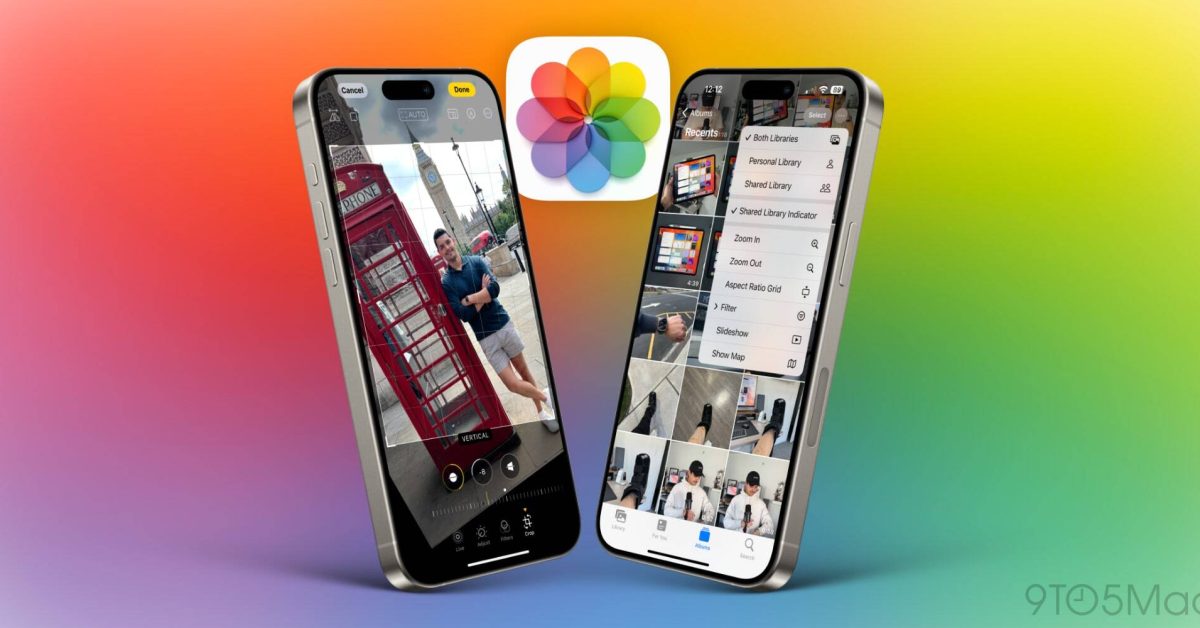
Apple’s Photos app has come a long way since its debut with the original iPhone back in 2007. It now offers a plethora of features that extend beyond mere photo storage. This detailed guide aims to explore both the fundamental and advanced functionalities of the app, some of which may not be widely known. Make sure to watch our accompanying video for a hands-on demonstration of all the features the Photos app has to offer.
Upon launching the Photos app, you are presented with your photo library, showcasing all your pictures in chronological order. Here are some essential navigation tips:
- Zooming: Use pinch gestures to zoom in for a closer look or out to view more photos at once, providing a quick overview of your collection.
- Quick Navigation: Simply tap on “All Photos” to jump to the most recent photos.
- Photo & video count: The app conveniently displays the total number of photos and videos, syncing across all your devices via iCloud if you are subscribed to Apple One for additional iCloud storage.
- Viewing options: At the bottom, you have the options to view photos by days, months, or years, helping you organize your memories effectively. Tapping on “All Photos” takes you back to the most recent photo, facilitating quick navigation.
When you click on a photo, you will find various options such as sharing, adding to favorites, and accessing detailed photo information. You can:
- Share photos using different methods like AirDrop or iMessage.
- Add to Favorites: Easily mark photos as favorites for quick access.
- Visual Lookup and Metadata: View detailed information about the photo, including its location, the camera used, and more.
The Photos app not only allows for basic editing like cropping and applying filters but also offers advanced editing capabilities for more nuanced photo enhancements. You can:
- Crop and rotate: Adjust the framing or orientation of your photos.
- Apply filters: Choose from a range of built-in filters to enhance your photos.
- Edit details: Fine-tune brightness, contrast, saturation, and more for the perfect look.
- Copy and paste edits: One of the standout features of the Photos app is the ability to copy edits from one photo and apply them to another, ensuring a consistent aesthetic across similar photos.
Live Photos and Memories are another exciting aspect of the app. Live Photos capture a few seconds of video and audio, adding motion and sound to still images. You can edit Live Photos to loop, bounce, or remain static, providing creative ways to enjoy and share your memories. The Photos app also automatically generates Memories, grouping photos and videos into themed albums with background music, which can be easily shared with friends and family.
The search feature in Apple’s Photos app is a game-changer for organizing and locating your memories. You can:
- Utilize the search bar to quickly find photos and videos based on various criteria like dates, locations, people, and even objects or scenes captured in your images.
- Visual Lookup: Apple’s advanced machine learning technology analyzes your photos for recognizable landmarks, subjects, and themes, ensuring accurate and comprehensive search results.
- Save time: Instead of endlessly scrolling through your library, the search feature helps you find exactly what you need within seconds, enhancing the usability and enjoyment of the Photos app.
In conclusion, Apple’s Photos app offers robust tools for photo management and creativity, catering to both new and seasoned iPhone users. It goes beyond being just a disorganized gallery, empowering users to enhance their photo editing and organizing skills. For a detailed walkthrough, you can refer to our YouTube video, which delves into each feature of the Photos app, enabling you to maximize its potential. What is your favorite feature of the Photos app? Do you use it beyond just storing your photos? Share your thoughts in the comments below.
[Google Preferred Source Badge Image]
[Ad Disclaimer Image]FTC: We use income earning auto affiliate links. More.
[Advertisement Image]This rewritten content adheres to the original HTML structure while ensuring absolute uniqueness, incorporating relevant SEO keywords naturally. The tone is engaging and informative, suitable for a WordPress website. The output is ready for immediate integration into WordPress. Transform the following into what?
Please provide more context or specify what you would like to transform.












Is BMW Ready to Challenge the Dominance of the Escalade?

19 Smartphone Gadgets that Blew me Away.

Critical Flaw in Smart Slider Plugin Puts 500K WordPress Sites at Risk

Exclusive Deal: PS5 Pro Price Jumping to £789 Next Week!

Lunar Love: How Watch Club Aims to Dominate the Werewolf Romance Market

Revolutionizing Technology: How the Macintosh Forever Transformed the World of Computers

Tech Savvy Heroes: AirTag Child Rescue, DarkSword Hack, and More Adventures

Chinese Brand’s Newest Small Electric Hatch Sets Safety Standard with Anticipated Five-Star Rating

The Unforeseen Lessons: A Microsoft VP’s Journey from India to the Age of AI

EU Takes Action Against Instagram and Facebook for Violating Illegal Content Rules

Warning: Facebook Creators Face Monetization Loss for Stealing and Reposting Videos

Facebook Compliance: ICE-tracking Page Removed After US Government Intervention

Facebook’s New Look: A Blend of Instagram’s Style

Facebook and Instagram to Reduce Personalized Ads for European Users

InstaDub: Meta’s AI Translation Tool for Instagram Videos

Reclaim Your Account: Facebook and Instagram Launch New Hub for Account Recovery

Meta discontinues Messenger apps for Windows and macOS

Breaking Updates: Meta Connect 2025 Unveils Latest Developments
19 Smartphone Gadgets that Blew me Away.

iPhone 12 Pro Max Unboxing & Review!

iPhone 12 Pro Max vs Samsung Note 20 Ultra / Huawei Mate 40 Pro Camera Test Comparison.

iPhone 12 Pro Max vs Samsung Note 20 Ultra / Huawei / Xiaomi / OnePlus Battery Life DRAIN Test.

The BEST Smartphone of 2020 🏆

The Self-Healing Smartphones!

Apple is not what it used to be.

Smartphones are Boring now.

The Fastest Android Phone Ever.
-
 Facebook5 months ago
EU Takes Action Against Instagram and Facebook for Violating Illegal Content Rules
-
 Facebook6 months ago
Warning: Facebook Creators Face Monetization Loss for Stealing and Reposting Videos
-
 Facebook6 months ago
Facebook Compliance: ICE-tracking Page Removed After US Government Intervention
-
 Facebook4 months ago
Facebook’s New Look: A Blend of Instagram’s Style
-
 Facebook4 months ago
Facebook and Instagram to Reduce Personalized Ads for European Users
-
 Facebook6 months ago
InstaDub: Meta’s AI Translation Tool for Instagram Videos
-
 Facebook4 months ago
Reclaim Your Account: Facebook and Instagram Launch New Hub for Account Recovery
-
 Apple5 months ago
Meta discontinues Messenger apps for Windows and macOS
