
Gadgets
Unveiling the Top 10 Hidden Gems of Android 16: Unexpected Twists and Surprises

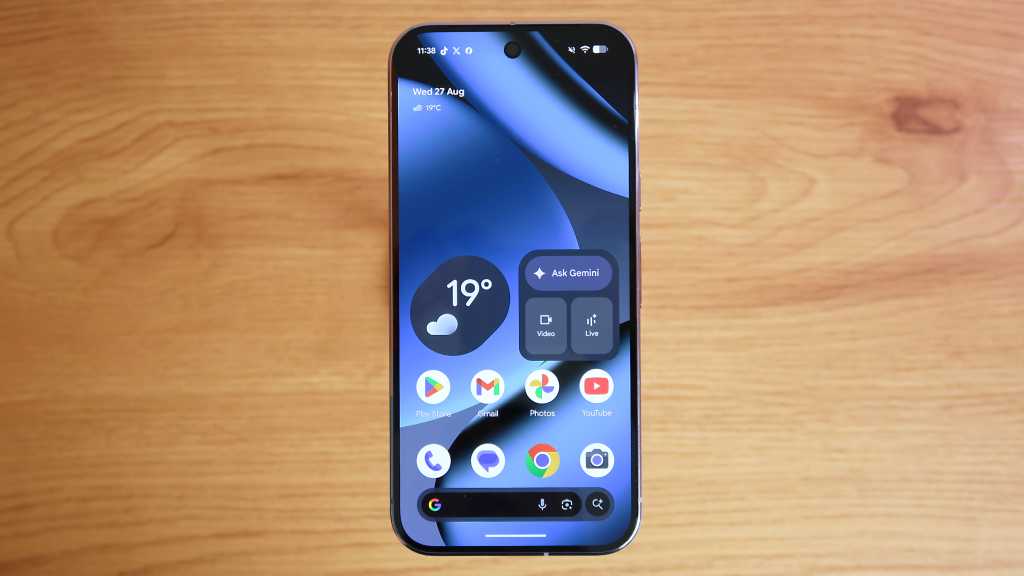
Uncovering Hidden Gems in Android 16: A Detailed Overview
Have you ever stopped to explore the full potential of your everyday smartphone? The release of Android 16 by Google in the summer of 2025 brought a wave of new features that may have gone unnoticed by many users. While some may have focused on the major updates related to Gemini AI and grouped notifications, there are several hidden features that can significantly enhance your productivity and overall user experience. It’s worth noting that Google has continued to release quarterly updates for Android 16, with the most recent ones in September and December.
1. Desktop Mode Enhancements
One of the standout features of Android 16 is the enhanced Desktop Mode, which allows you to connect your phone to an external display and transform it into a desktop-like interface. The latest update now lets you resize windows, similar to a Mac or Windows computer, providing a more efficient multitasking experience.
How to Use Desktop Mode
To activate Desktop Mode, you’ll first need to enable Developer Mode by tapping on the Build number in the Settings>About phone section. Make sure you have a USB-C cable that supports display output or an HDMI adapter. Once connected, you’ll have the option to use Desktop Mode or mirror your phone’s display.
2. Gemini’s Remix Feature in Google Messages
Android 16 introduces a fun and creative feature called Remix in Google Messages. With Remix, you can ask Gemini AI to edit images in unique ways, such as adding objects or captions, and send them directly in your chat conversations.
How to Use Remix
Ensure you have the latest version of Google Messages and have enabled Gemini. Long-press on an image in a chat, select Remix, describe the changes you want, add a caption, and send the edited image.
3. Multi-Device Bluetooth Audio Sharing
Android 16 now allows you to stream audio to multiple Bluetooth devices simultaneously, perfect for sharing music or podcasts with friends during road trips. This feature, previously in beta, is now officially supported on Pixel devices.
How to Share a Bluetooth Audio Stream
Enable Audio sharing in the Connected devices settings and connect a second Bluetooth device to start sharing audio. You can adjust the volume for each connected device individually.
4. Enhanced Text Scam Protection
Protecting users from text scams is a top priority in Android 16, with features like Circle to Search that help identify potential scam messages in real-time. By circling the text message, Android will alert you to any potential dangers.
How to Use Text Scam Protection
Activate the Advanced Protection feature in the Security & privacy settings to benefit from real-time text scam detection. Long-press on a suspicious text message to use Circle to Search and verify its authenticity.
5. Real-Time Live Updates
Live Updates on the home screen provide real-time information from compatible apps like Google Maps and Uber Eats, giving you instant updates on directions or delivery status even when your phone is locked.
How to Use Live Updates
Live Updates appear automatically on the home screen when using supported apps. Simply tap on the update to view more details.
6. Notification Cooldown Feature
To prevent notification overload, Android 16 introduces a Notification Cooldown option that pauses all notifications for up to one minute, allowing you to take a breather and manage interruptions more effectively.
How to Enable Notification Cooldown
Access the Notification Cooldown setting in the Settings menu to activate this feature. Notifications will be paused for a brief period to give you a moment of respite before resuming.
7. Discover the Hidden Spaceship Game
As a delightful Easter egg, Google engineers added a retro spaceship game in a recent quarterly update for Android 16. This fun diversion lets you pilot a spaceship, land on planets, and plant flags using vector graphics reminiscent of classic gaming.
How to Find the Spaceship Game
Unlock the spaceship game by accessing the Android version section in Settings>About phone and tapping multiple times on the Android version until the game launches. Hold down on the screen to start playing.
8. Personal Safety App for Emergencies
Android 16 introduces a Personal Safety app with features like safety checks and emergency contact notifications. Set a timer to confirm your safety, and if you don’t respond within a specified time, your key contacts will receive emergency information.
How to Access the Personal Safety App
Open the Personal Safety app in the Safety & emergency settings to configure the service and set up emergency contact notifications.
9. Custom Icon Shapes
For a touch of personalization, Android 16 allows you to change the shape of app icons from the traditional circles to squares or unique shapes like Pac-Man figures, adding a fun twist to your home screen.
How to Change Icon Shapes
In the Wallpaper & style settings, navigate to the Icons section to choose a new shape for your app icons and customize your device’s appearance.
10. Monitor Your Battery Health
Android 16 includes a Battery Health feature that displays your battery’s capacity, helping you monitor any deterioration over time. This feature is especially useful for older devices to prevent overcharging and prolong battery lifespan.
How to Check Battery Health
Find the Battery Health option in the Battery settings to view an estimate of your battery’s capacity and ensure optimal performance.
Exploring these hidden features in Android 16 can enhance your user experience and make the most of your smartphone. Stay tuned for more tips and tricks to maximize your Android device’s potential.











The Anticipated Arrival of the Entry-Level iPad

The Future of Brand Discovery: AEO vs. GEO in the Age of AI (2026)

Government Announces Crackdown on Gouging Amid Record Fuel Prices

iPhone 12 vs iPhone 12 Pro / 11 Pro Max / 11 Pro / 11 / XR / SE Battery Life DRAIN Test.

TeamPCP Releases Telnyx Versions on PyPI, Conceals Malicious Stealer in WAV Files

The Sunday Gazette: Gaming News and Reviews

Y Combinator Graduate Glimpse Secures $35M Funding Round with a16z Leading Investment

Upgrade to iOS 26.4: The Latest and Greatest Features

Koenigsegg Gemera Hits the Production Line: A 6-Year Journey from Unveiling to Reality

EU Takes Action Against Instagram and Facebook for Violating Illegal Content Rules

Warning: Facebook Creators Face Monetization Loss for Stealing and Reposting Videos

Facebook Compliance: ICE-tracking Page Removed After US Government Intervention

Facebook’s New Look: A Blend of Instagram’s Style

Facebook and Instagram to Reduce Personalized Ads for European Users

InstaDub: Meta’s AI Translation Tool for Instagram Videos

Reclaim Your Account: Facebook and Instagram Launch New Hub for Account Recovery

Meta discontinues Messenger apps for Windows and macOS

Breaking Updates: Meta Connect 2025 Unveils Latest Developments
iPhone 12 vs iPhone 12 Pro / 11 Pro Max / 11 Pro / 11 / XR / SE Battery Life DRAIN Test.

19 Smartphone Gadgets that Blew me Away.

iPhone 12 Pro Max Unboxing & Review!

iPhone 12 Pro Max vs Samsung Note 20 Ultra / Huawei Mate 40 Pro Camera Test Comparison.

iPhone 12 Pro Max vs Samsung Note 20 Ultra / Huawei / Xiaomi / OnePlus Battery Life DRAIN Test.

The BEST Smartphone of 2020 🏆

The Self-Healing Smartphones!

Apple is not what it used to be.

Smartphones are Boring now.
-
 Facebook5 months ago
EU Takes Action Against Instagram and Facebook for Violating Illegal Content Rules
-
 Facebook6 months ago
Warning: Facebook Creators Face Monetization Loss for Stealing and Reposting Videos
-
 Facebook6 months ago
Facebook Compliance: ICE-tracking Page Removed After US Government Intervention
-
 Facebook4 months ago
Facebook’s New Look: A Blend of Instagram’s Style
-
 Facebook4 months ago
Facebook and Instagram to Reduce Personalized Ads for European Users
-
 Facebook6 months ago
InstaDub: Meta’s AI Translation Tool for Instagram Videos
-
 Facebook4 months ago
Reclaim Your Account: Facebook and Instagram Launch New Hub for Account Recovery
-
 Apple5 months ago
Meta discontinues Messenger apps for Windows and macOS
