
Mobile Tech
Enhanced Tech Solutions: Keyboard Fix, AI Playlists, and More

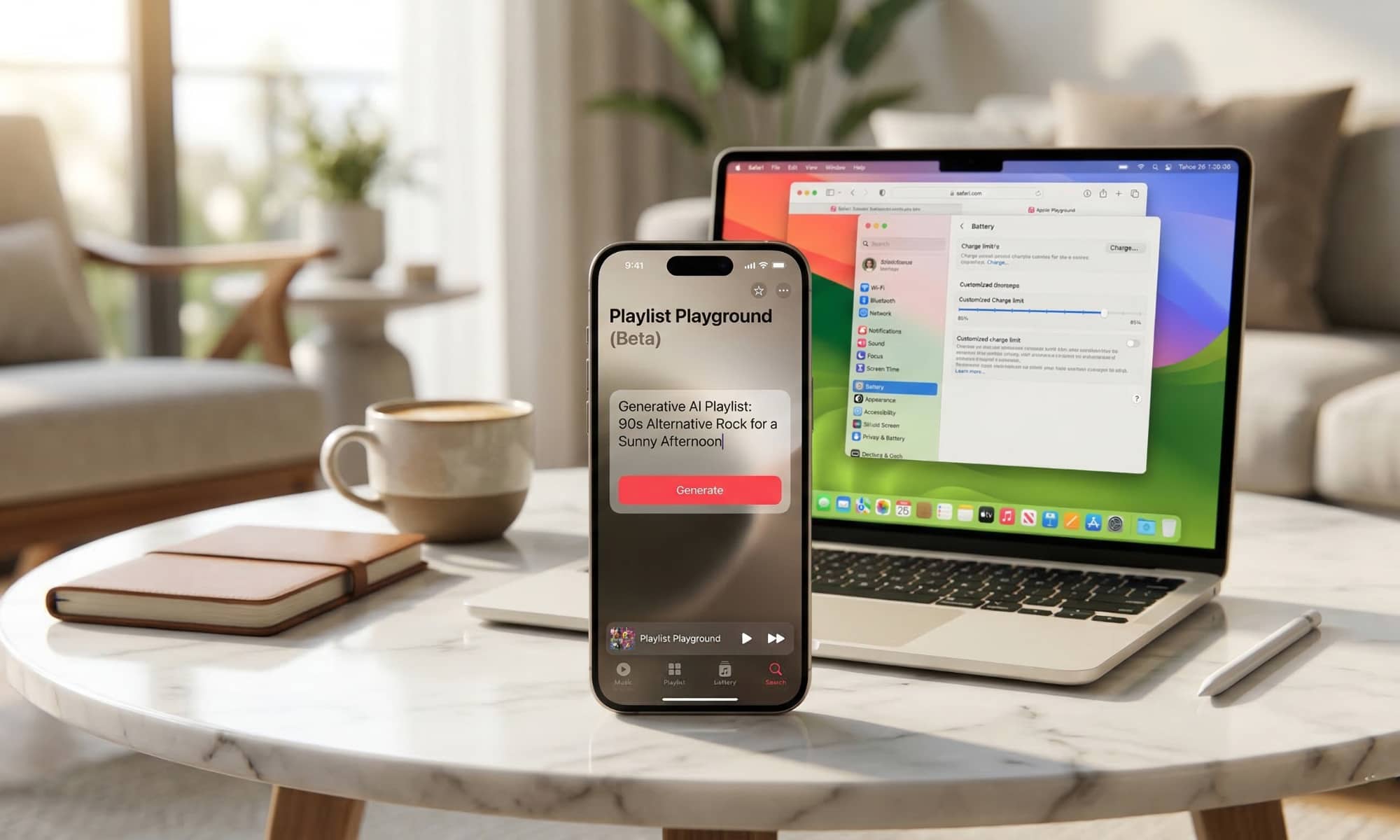
Apple has just pushed out the Release Candidates of its latest batch of operating system updates, including iOS 26.4, iPadOS 26.4, and macOS 26.4. While these “RC builds” rarely add any new features — most of those were locked down by the time beta 3 landed a couple of weeks ago — they typically give us a peek at Apple’s actual release notes, and the latest batch are no exceptions.
As you’re probably aware by now, iOS 26.4 will not be bringing the promised “Siri 2.0” improvements, as they aren’t quite ready for prime time yet. The other big feature that showed up in the iOS 26.4 betas, RCS encryption, also won’t be coming just yet. Apple had made it clear from the start that it merely turned the feature on for testing, and that it “is not shipping in this release.”
Instead, the new iPhone, iPad, and Mac updates are mostly about doing a bit of housekeeping and adding a few smaller features, but that’s not to say we aren’t seeing some welcome changes. Here’s what’s coming.
New Emoji
As we’ve seen the past “.4” releases, the OS 26.4 updates are adding the new emoji we’ve been hearing about for the past couple of years. The Unicode Consortium’s Emoji Working Group, which is responsible for defining these characters to ensure they work across all platforms, published the first proposal in late 2024, and ratified it last September, as per its usual schedule. However, that just defines the spec; Apple’s design teams still need to create the necessary glyphs, which takes time.
While the list originally included nine unique new emoji — Apple Core, Ballet Dancer, Distorted Face, Fight Cloud, Hairy Creature, Landslide, Orca, Trombone, and Treasure Chest — the apple core was pulled from the spec in early 2025 and never made it back in, leaving us with the remaining eight unique emojis. There are 150 more in the OS 26.4 updates, but those are combinations of the three genders and five skin tone variations for the existing People With Bunny Ears and People Wrestling emoji.
Apple Music: AI Playlists, Concerts + More
With Siri improvements and RCS encryption pushed back, the most significant user-facing changes in the new releases are focusing on Apple Music.
At the top of the list is Playlist Playground, an Apple Intelligence feature that will let you build AI-generated playlists from a generative prompt. It still carries a “beta” tag, which is Apple’s way of saying it may not always produce the results you expect, and it also appears to be limited to US English for now.
Music Recognition in Control Center — Apple’s built-in version of Shazam — can now be used when offline. Apple says it “identifies songs without an internet connection and delivers results automatically when you’re back online.”
A new Concerts section will help “discover nearby shows from artists in your library and recommends new artists based on what you listen to.” Apple is also enhancing the Ambient Music feature from last year’s iOS 18.4 update with a new widget to provide easier access to the selection of curated playlists for Sleep, Chill, Productivity, and Wellbeing. Lastly, albums can now show full-screen backgrounds for a more immersive look on album and playlist pages.
Independent Payment Methods for Family Sharing Members
One significant change that we hadn’t heard anything about before today’s release notes is Apple’s decision to loosen the reins on Family Sharing.
Since its inception, Family Sharing has required that everyone bill their purchases to a single payment method — whichever credit card or debit card the Family Organizer has set up. The only workaround was to either turn off purchase sharing entirely, or have other family members purchase gift cards, which took priority for purchases. However, anything exceeding the available credit would still go to the shared payment method.
This was arguably a convenient way to discourage sharing with folks who weren’t at least close enough to be “like family.” After all, you might have no problem letting your buddy at work use your Netflix password, but you’re much less likely to add them to a sharing group that lets them charge App Store purchases to your credit card.
It looks like Apple may now be loosening this up, as per this line in the release notes:
Purchase Sharing lets adult members in Family Sharing groups use their own payment method when making purchases, without relying on the family organizer.
Apple has also already updated its Support Document on how this works, adding “or other adult family members use their own payment method to make purchases” as an exception to the family organizer paying for their purchases.
Other Changes
Apple’s release notes list several other smaller changes, including some user interface improvements that fall into the Accessibility category, and updates to Freeform, and a tweak to Reminders.
- Reduce bright effects setting minimizes bright flashes when tapping on elements like buttons
- Subtitle and caption settings are available from the captions icon while viewing media, making them easier to find, customize, and preview
- Reduce Motion setting more reliably reduces the animations of Liquid Glass for users sensitive to on screen motion
- Freeform gains advanced image creation and editing tools, and a premium content library, joining Apple Creator Studio
- Mark reminders as urgent from the Quick Toolbar or by touching and holding, and filter for urgent reminders in your Smart Lists
- Compact tab bar option in Safari gives you more space to browse and lets you search directly from the active tab (iPadOS 26.4)
- Open window indicator appears when you switch to an app with hidden or minimized windows (iPadOS 26.4)
What could be the most significant fix is buried in a note at the bottom of the release notes: “Improved keyboard accuracy when typing quickly.” This suggests that iOS 26.4 will finally resolve some of the complaints folks have had about the keyboard since the first release of iOS 26.
The future developments of Apple’s macOS 26.4 Tahoe release are uncertain, but the inclusion of new emoji is a positive indication that Apple is starting to address issues. While the release notes for macOS 26.4 are brief, they hint at potential changes for Mac users. The introduction of a charge limit feature and a compact tab bar option in Safari are expected updates. Additionally, users of legacy Intel-only apps are advised to start looking for replacements before macOS 28 is released.
The release notes do not mention support for voice-based conversational apps in CarPlay, which could allow the use of ChatGPT and Gemini while driving. Although this feature is listed in Apple’s CarPlay Developer Guide for iOS 26.4, it may not be accessible to end users until third-party developers implement it. The competition between Google and OpenAI to bring these features to CarPlay remains to be seen.
In conclusion, the future of macOS updates and CarPlay features is uncertain, but there are promising developments on the horizon. Stay tuned for further updates on Apple’s progress in addressing user needs and enhancing user experience.













Securing the Future: Nvidia’s Agentic AI Stack Leads the Way in Platform Security, Despite Lingering Governance Challenges

Enhanced Tech Solutions: Keyboard Fix, AI Playlists, and More

Revolutionizing the Honda Civic Type R: Liberty Walk’s Bold Transformation

Starfield: PS5 Edition – April Updates Unleashed

DON’T buy this Smartphone.

ScreenConnect Vulnerability Patched by ConnectWise After Hijacking Threat

Galactic Exodus: The Unfortunate Adventures of Biggs ‘The Bolt’ Keil

Stay Connected and Catch ‘Em All with Garmin Smartwatches Featuring WhatsApp and Pokémon Sleep Support

2026’s Top Commercial Cleaning Services in Atlanta: The Ultimate Leaderboard

EU Takes Action Against Instagram and Facebook for Violating Illegal Content Rules

Warning: Facebook Creators Face Monetization Loss for Stealing and Reposting Videos

Facebook Compliance: ICE-tracking Page Removed After US Government Intervention

Facebook’s New Look: A Blend of Instagram’s Style

InstaDub: Meta’s AI Translation Tool for Instagram Videos

Facebook and Instagram to Reduce Personalized Ads for European Users

Reclaim Your Account: Facebook and Instagram Launch New Hub for Account Recovery

Meta discontinues Messenger apps for Windows and macOS

Breaking Updates: Meta Connect 2025 Unveils Latest Developments
DON’T buy this Smartphone.

Galaxy S21 Ultra – Exynos vs Snapdragon.

I bought the strangest smartphones ever.

The REAL reason you don’t get a charger anymore.

What you didn’t know about Xiaomi.

21 HORRIFIC Tech Fails they want you to forget.

Why does nobody buy LG Smartphones?

Can you ACTUALLY trust Mrwhosetheboss?

A Fascinating Smartphone Gadget – Insta 360 GO 2 😈
-
 Facebook5 months ago
EU Takes Action Against Instagram and Facebook for Violating Illegal Content Rules
-
 Facebook5 months ago
Warning: Facebook Creators Face Monetization Loss for Stealing and Reposting Videos
-
 Facebook5 months ago
Facebook Compliance: ICE-tracking Page Removed After US Government Intervention
-
 Facebook3 months ago
Facebook’s New Look: A Blend of Instagram’s Style
-
 Facebook5 months ago
InstaDub: Meta’s AI Translation Tool for Instagram Videos
-
 Facebook3 months ago
Facebook and Instagram to Reduce Personalized Ads for European Users
-
 Facebook3 months ago
Reclaim Your Account: Facebook and Instagram Launch New Hub for Account Recovery
-
 Apple5 months ago
Meta discontinues Messenger apps for Windows and macOS
