
Tech News
Xiaomi Pad 8: A Versatile and Affordable Tech Gem

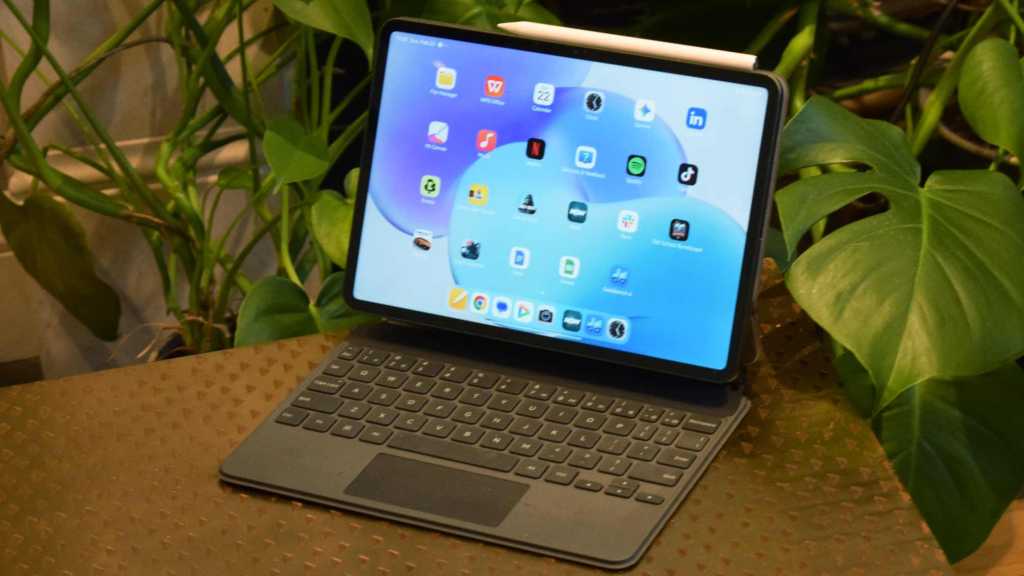
Introducing the Xiaomi Pad 8: A Comprehensive Review
At a glance
Expert’s Rating
Pros
- Plenty of power
- Very reasonable price
- Improved battery capacity
- Premium and portable design
Cons
- Few software improvements
- Some accessory bugs
Our Verdict
The Xiaomi Pad 8 is the best value Android tablet to beat (again), with specs that far exceed its reasonable price. It has a good-looking screen, plenty of processing power, and a nice compact build, making it easy to carry around. A few rough edges and some areas that don’t show improvements from the Pad 7 should do little to dissuade you if you’re interested in the slate.
Price When Reviewed
This value will show the geolocated pricing text for product undefined
Best Pricing Today
Price When Reviewed
Unavailable in the US
Best Prices Today: Xiaomi Pad 8

I’ve long recommended members of its line as the best Android tablet alternatives to iPads, and the Xiaomi Pad 8 is another solid slate from the Chinese brand – it updates the specs of the Xiaomi Pad 7 and makes a few other improvements.
Released alongside the Xiaomi Pad 8 Pro, this model has a larger battery, thinner frame, and more RAM than its predecessor, but the biggest upgrade is the use of the Snapdragon 8s Gen 4 chipset, which provides this entry-level model with near top-end processing.
Beyond the upgrades, it’s still the Xiaomi Pad 7 that we know and love – our favorite value tablet of last year. It offers a relatively compact and portable Android tablet that’ll be great for students, with a good-looking display and reasonable battery life. All for just £399, though you’ll often find it for less.
If any criticisms can be leveled, it’s in departments that haven’t seen wish-list upgrades, and I found the Smart Keyboard had a few problems.
Design & Build
- Compact yet premium
- Camera module protrudes
- Three color options: green, blue, grey
Xiaomi has kept the design language from its previous tablets in place with the Pad 8, but it’s made some small refinements that aren’t revealed at first glance.
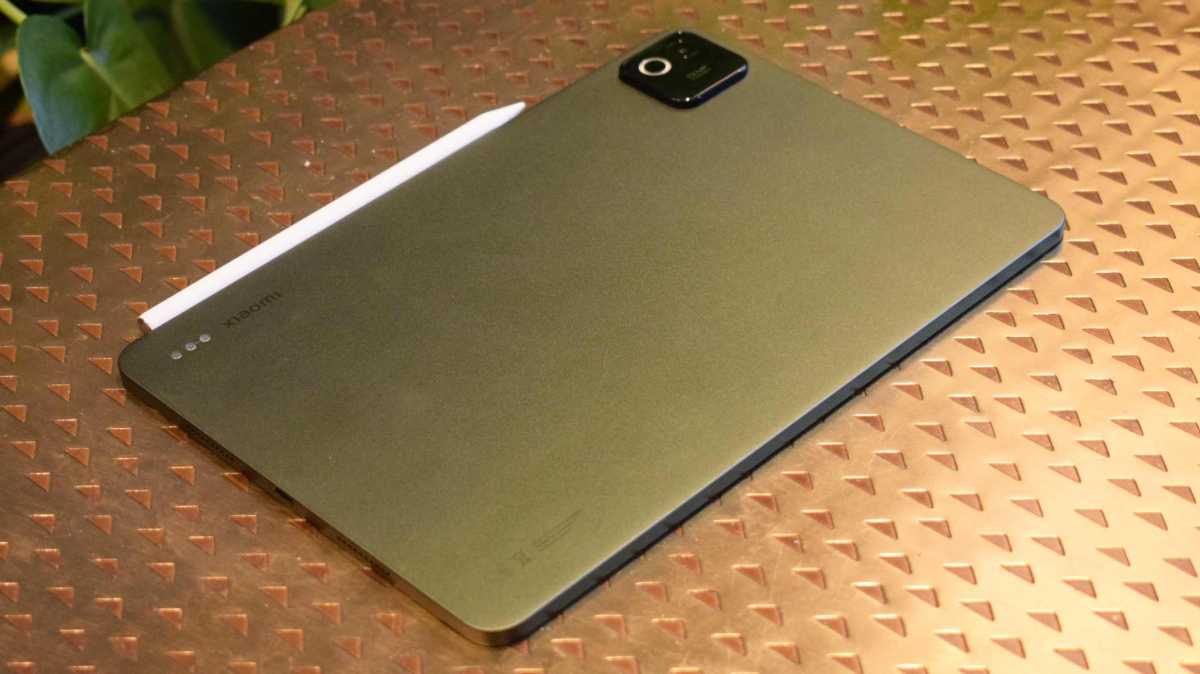
The gold rush on thin devices may not be as impassioned in 2026 as it was a year ago (Honor MagicPad 4 aside), but Xiaomi has managed to trim the width of the tablet down to 5.75 inches, and the weight down to 485g (admittedly only a saving of 5g, but better than nothing).
Tom Bedford / Foundry
Those all come together to create a slate that feels a little more compact than many other Androids on the market, and I’ve come to really like the company’s slates as they’ll fit in a bag or on a cramped desk much more readily than alternatives.
Like in its predecessor, Xiaomi hasn’t put a fingerprint scanner in the Pad 8, but having tested the Pro model’s implementation of the power button-mounted sensor, it’s no loss. This button, and the volume rocker, don’t stick out very far from the tablet – I can’t say the same about the giant camera bump, and the few times I didn’t use a case, this made the tablet rock when placed flat on a table.
The tablet comes in Pine Green, Blue, or Grey (tested) options, a buying decision which’ll amount to little if you choose to buy a case to clad the slate in.
Accessories
- Focus Pen stylus
- Two keyboard options, one stand
- All sold separately
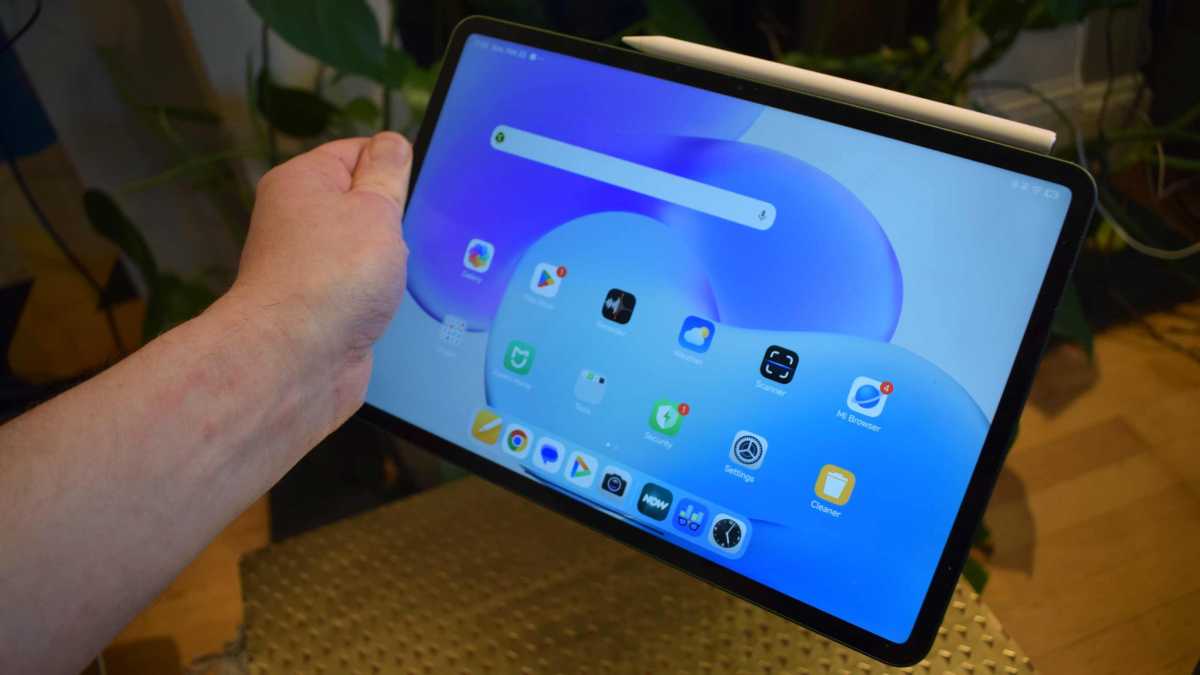
The Xiaomi Pad 8 sells alongside a few different accessories, all of which seem ‘inspired’ by Apple’s equivalents, but they are welcome options nonetheless. I tested them all alongside the tablet, and kept the Focus Pen and Focus Keyboard hooked up to the device for the entire testing period.
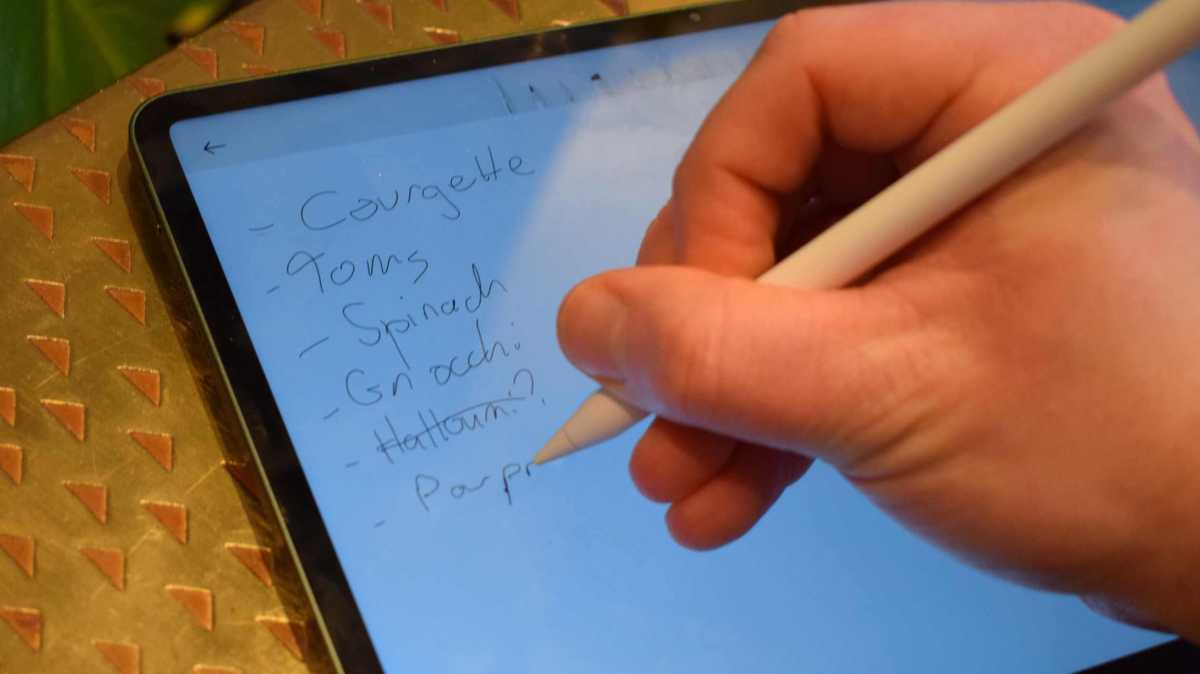
The first is a stylus. It connects to the tablet via a magnetic strip on a long side, and charges when it’s tethered like this – no separate USB charging required.
It connects automatically to the Pad 8, and is just as useful for navigating at a swipe as for drawing or jotting notes. It even has a few gestures, like squeezing to bring up a mini menu to change your pen type, and I prefer it as one of the best Apple Pencil rivals I’ve ever used.
Tom Bedford / Foundry
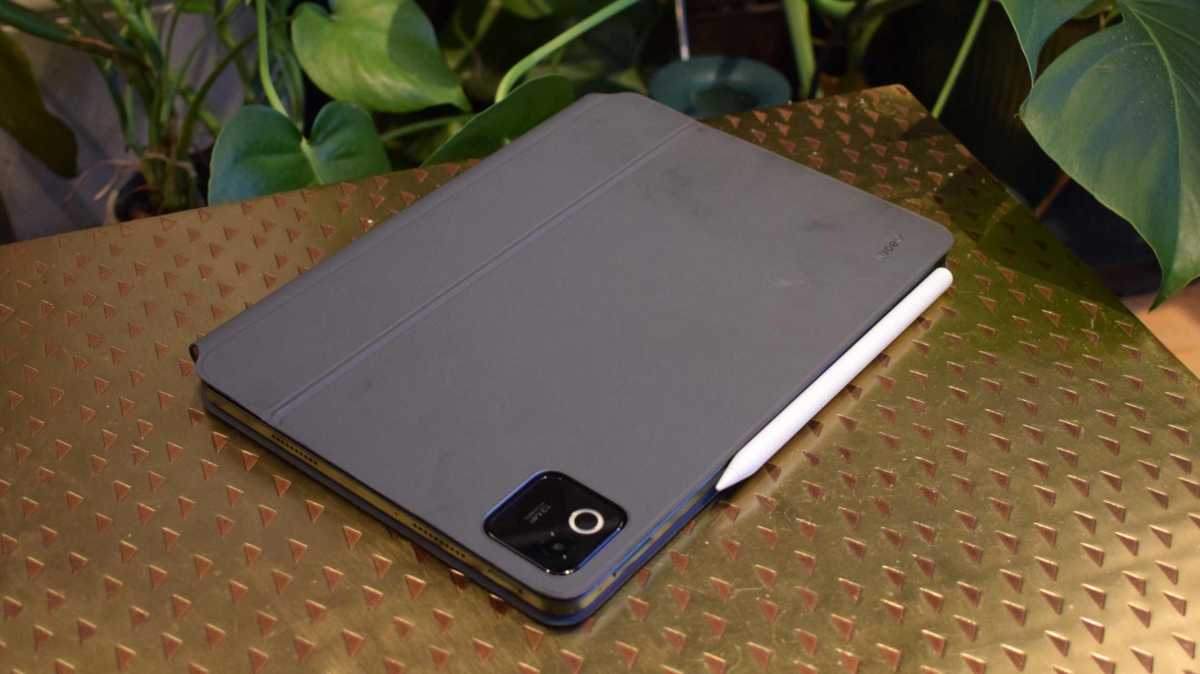
The Focus Keyboard has all the keys you need, as well as a trackpad – I personally don’t use trackpads much on touch-screen devices, but it was useful when I needed precision. The folio feels sturdy and didn’t pick up a mark or dent in many backpack ride-alongs.
One odd issue I found, though, is that when typing with the Keyboard and halfway through a word, the operating system would sometimes auto-complete the word and add in the finished article, yet not remove the half-written one. I’d have to backspace to remove the hanger-on. It didn’t happen all the time, but every few minutes, and it didn’t occur when I typed with the on-screen keyboard.
If you don’t need the trackpad, the Keyboard gives you more space for typing. Want to keep things simple? The Pad 8 cover does what it says on the tin: keeps the thing covered up when it’s in your bag. It can also hold the slate vertically or horizontally, with a little kick-stand-type folding mechanism.
All of these peripherals are designed for the Pad 8 and Pad 8 Pro, so you can use them if you’re on either device.
Tom Bedford / Foundry
Screen & Speakers
- 11.2-inch 3.2K display
- LCD, 144Hz
- Quad speakers and Dolby Atmos sound
Xiaomi has opted for the “if it ain’t broke” mantra when picking screen specs, as the Pad 8 display has seemingly no upgrades over its predecessor – and doesn’t really need it.
That means it’s an 11.2-inch display, the same as Apple’s entry-level iPad, but at a 3:2 aspect ratio, making it wider. The resolution is 3200 x 2136, or 3.2K, with a pixel-per-inch count of 345, and a refresh rate of 144Hz. Movies, shows, and games look great, and I don’t imagine a slate could look better without upgrading to OLED.
This is LCD, but one of the best you’ll find and a reason why Xiaomi is able to hit an affordable price.
The Xiaomi Pad 8 supports Dolby Vision, which boosts HDR in video. However, I often found that when using the tablet’s auto-brightness, it’d make content look way darker than I’d like (or than other slates do). I found myself manually changing brightness as a result, which made my shows look way better.












Samsung Drive: Unleashing Performance on PC

Honkai: Star Rail Version 4.1 Arrives on 25th March – All Aboard for New Adventures!

Navigating Interstate Drug Stops: The Importance of a Skilled Omaha Drug Attorney

Revolutionizing the Future: Apple’s MacBook Neo

Xiaomi Pad 8: A Versatile and Affordable Tech Gem

Amazon’s 4K Movies Now Available at $4.99 Tier

Oppo Find X3 Pro Review – wait WHAT!?

The Rise of AI-Enhanced Slopoly Malware: A New Threat in Ransomware Attacks

Limiting Your Power: The Latest Update to Slay The Spire 2

EU Takes Action Against Instagram and Facebook for Violating Illegal Content Rules

Warning: Facebook Creators Face Monetization Loss for Stealing and Reposting Videos

Facebook Compliance: ICE-tracking Page Removed After US Government Intervention

Facebook’s New Look: A Blend of Instagram’s Style

InstaDub: Meta’s AI Translation Tool for Instagram Videos

Facebook and Instagram to Reduce Personalized Ads for European Users

Reclaim Your Account: Facebook and Instagram Launch New Hub for Account Recovery

Meta discontinues Messenger apps for Windows and macOS

Breaking Updates: Meta Connect 2025 Unveils Latest Developments
Oppo Find X3 Pro Review – wait WHAT!?

if smartphone commercials were EXTREMELY honest.

OnePlus 9 & 9 Pro REVIEW

OnePlus 9 Pro vs Samsung S21 Ultra Camera Test Comparison.

Vivo X60 Pro Plus – This is getting Ridiculous! 😂

The Thinnest Smartphone in the World.

Mi 11 Ultra Review – Xiaomi just KILLED Samsung!?

15 Smartphone Gadgets that’ll SHOCK you! ⚠️

The $200,000 Smartphone Unboxing 💀
-
 Facebook5 months ago
EU Takes Action Against Instagram and Facebook for Violating Illegal Content Rules
-
 Facebook5 months ago
Warning: Facebook Creators Face Monetization Loss for Stealing and Reposting Videos
-
 Facebook5 months ago
Facebook Compliance: ICE-tracking Page Removed After US Government Intervention
-
 Facebook3 months ago
Facebook’s New Look: A Blend of Instagram’s Style
-
 Facebook5 months ago
InstaDub: Meta’s AI Translation Tool for Instagram Videos
-
 Facebook3 months ago
Facebook and Instagram to Reduce Personalized Ads for European Users
-
 Facebook3 months ago
Reclaim Your Account: Facebook and Instagram Launch New Hub for Account Recovery
-
 Apple5 months ago
Meta discontinues Messenger apps for Windows and macOS
