
Gadgets
EnGenius ECW515 Access Point: A Comprehensive Review

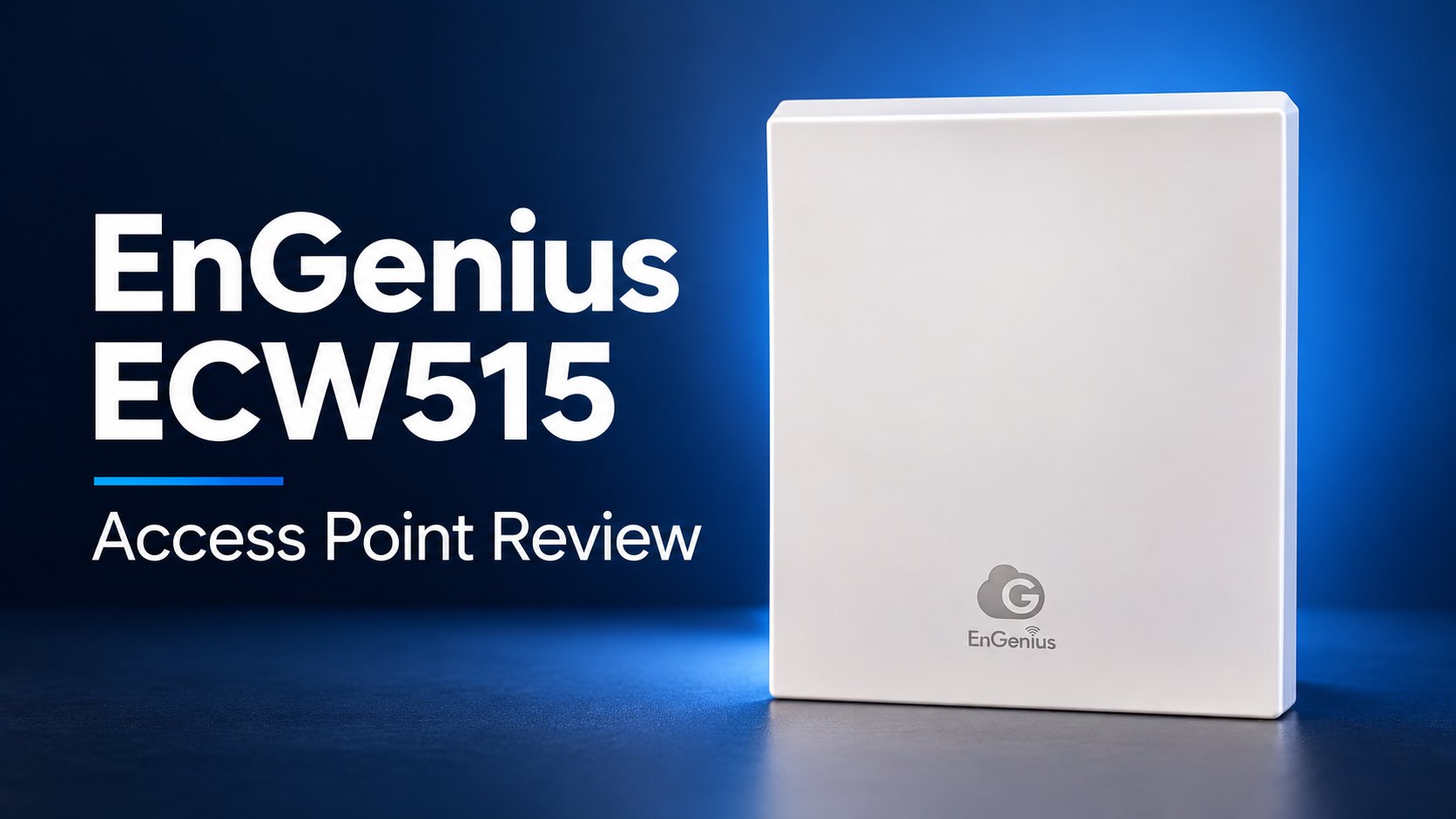
It has been a bit over a year since I reviewed an EnGenius networking product, with my last review being the EnGenius ECW520.
EnGenius has now sent me their new ECW515 in-wall access point, which, as the name suggests, mounts on the wall, with the uplink port connecting to the back of the AP.
Other than the alternative mounting location, the main benefit of this access point is the inclusion of additional Ethernet ports, allowing it to work as a small switch to extend the network. This also includes a PoE out port, so you can power an additional device.
It is a dual-band access point, so unlike the ECW520 there is no 6 GHz radio. It qualifies as Wi-Fi 7 because it supports 802.11be features such as 4096-QAM, Multi-Link Operation (MLO) and multi-RU on the 2.4 GHz and 5 GHz bands, rather than because of any extra spectrum. That makes it a very different proposition from the tri-band ceiling APs I normally test, and it is best judged as a utility device that adds Wi-Fi and wired ports to a room from a single cable run.
Specification
| Specification | ECW515 |
|---|---|
| Type | Cloud-managed indoor wireless access point |
| Wi-Fi standard | Wi-Fi 7 (IEEE 802.11be), backwards compatible with 802.11b/g/n/ac/ax |
| Wireless bands | Dual-band 2.4 GHz and 5 GHz; simultaneous operation |
| Maximum wireless data rates | 2.4 GHz: 700 Mbps; 5 GHz: 2,900 Mbps; combined: 3,600 Mbps |
| Spatial streams | 2×2 MIMO, two spatial streams per band |
| Maximum channel width | 2.4 GHz: 40 MHz; 5 GHz: 160 MHz |
| Wireless technologies | SU-MIMO, MU-MIMO, OFDMA, transmit beamforming and 4096-QAM |
| Processor | Qualcomm Networking Pro 1220 |
| Antennas | 2 x 5 dBi antennas per band |
| Maximum transmit power | 2.4 GHz: 21 dBm; 5 GHz: 22 dBm, subject to regional limits |
| Ethernet ports | 1 x 2.5GbE RJ45 with PoE input; 4 x Gigabit Ethernet RJ45 |
| PoE output | 802.3af on LAN5; 7 W when powered by PoE+, up to 15 W when powered by DC |
| Operating modes | Access point, Mesh and Mesh AP |
| Maximum concurrent clients | Up to 100 |
| SSIDs | 8 SSIDs for 2.4 GHz and 5 GHz |
| VLAN support | 802.1Q SSID-to-VLAN tagging, cross-band VLAN pass-through and management VLAN |
| Wireless security | WPA3 Enterprise, WPA3-Personal (SAE), WPA2 Enterprise, WPA2-Personal and WPA2/WPA3 mixed mode |
| Network isolation | Client isolation, Layer 2 isolation and MAC address filtering |
| Management protocols | SNMP v1, v2c and v3 |
| Quality of service | IEEE 802.11e / WMM |
| Power input | IEEE 802.3at PoE+ or 54 V DC, 1 A power adaptor |
| Maximum power consumption | 18 W via PoE; 26 W via DC |
| Power accessories | DC power adaptor and PoE+ injector not included |
| Operating temperature | 0°C to 40°C |
| Operating humidity | Up to 90%, non-condensing |
| Dimensions | 130 x 110 x 42 mm |
| Weight | 328 g |
| Included accessories | Ceiling/wall mounting screw kits, tall/short junction plates and quick installation guide |
| Warranty | 5 years |
Design
This is unlike the other EnGenius access points I have reviewed, which are all traditional ceiling-mounted APs.
With this, it is wall-mounted, with the uplink port in the back of the AP and Ethernet out of the wall into the back of the AP.
The other big difference here is that this includes four additional Ethernet ports on the bottom, including a 2nd uplink port, one gigabit PoE out port and two additional gigabit ports.
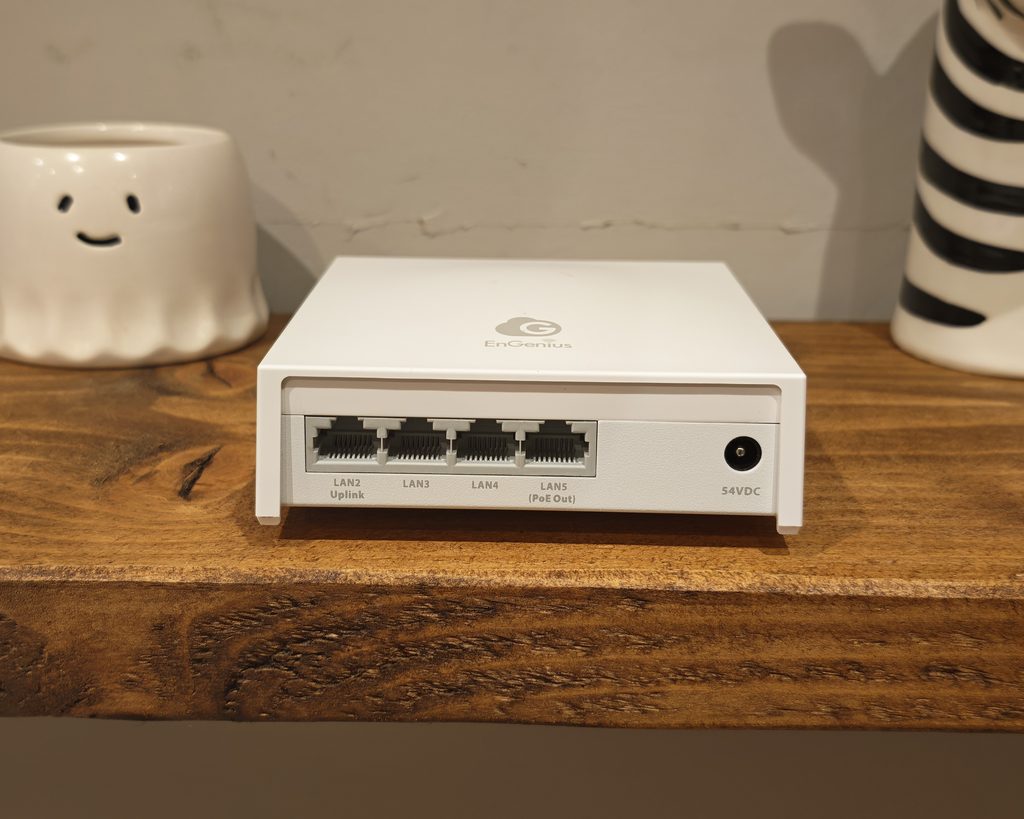
It is a bit disappointing that the main uplink port is 2.5GbE, but none of the additional ports is 2.5GbE.
Like most EnGenius APs, this also benefits from a DC port input, giving you some flexibility on how to power it, but no power adaptor is included.
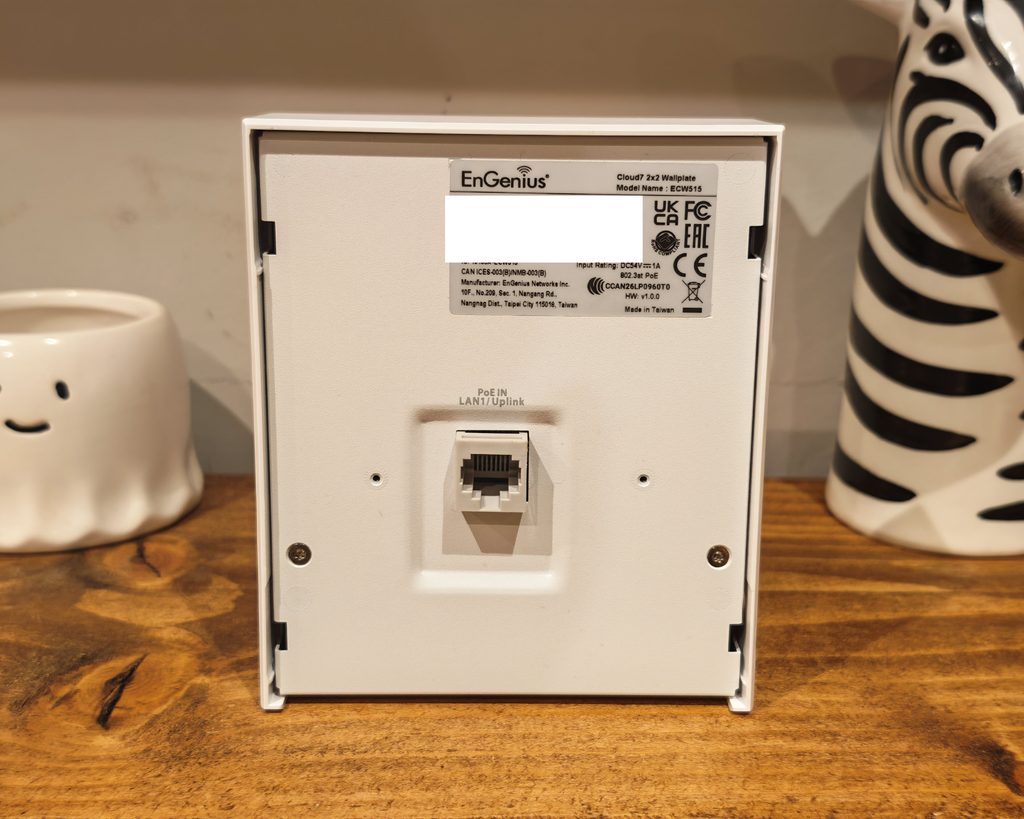
This makes it appealing for home users or small businesses where you may not have run lots of Ethernet cable for multiple ports per room. In a commercial environment, I would say this will likely be best suited as a utility AP to extend the network to less-used parts of an office/building.
Physically, it is a plain white box with a small EnGenius Cloud logo on the front. The front cover is plastic, while the rear is a metal plate that also acts as the heatsink. The PoE IN LAN1/Uplink port sits in a recessed well in the middle of the rear panel, so a cable coming out of a wall box or keystone jack plugs straight in behind the unit. The bottom edge has the four Gigabit ports, labelled LAN2 Uplink, LAN3, LAN4 and LAN5 (PoE Out), alongside the 54 V DC barrel input. The reset pinhole is on the side, and the label on the back marks it as indoor only.
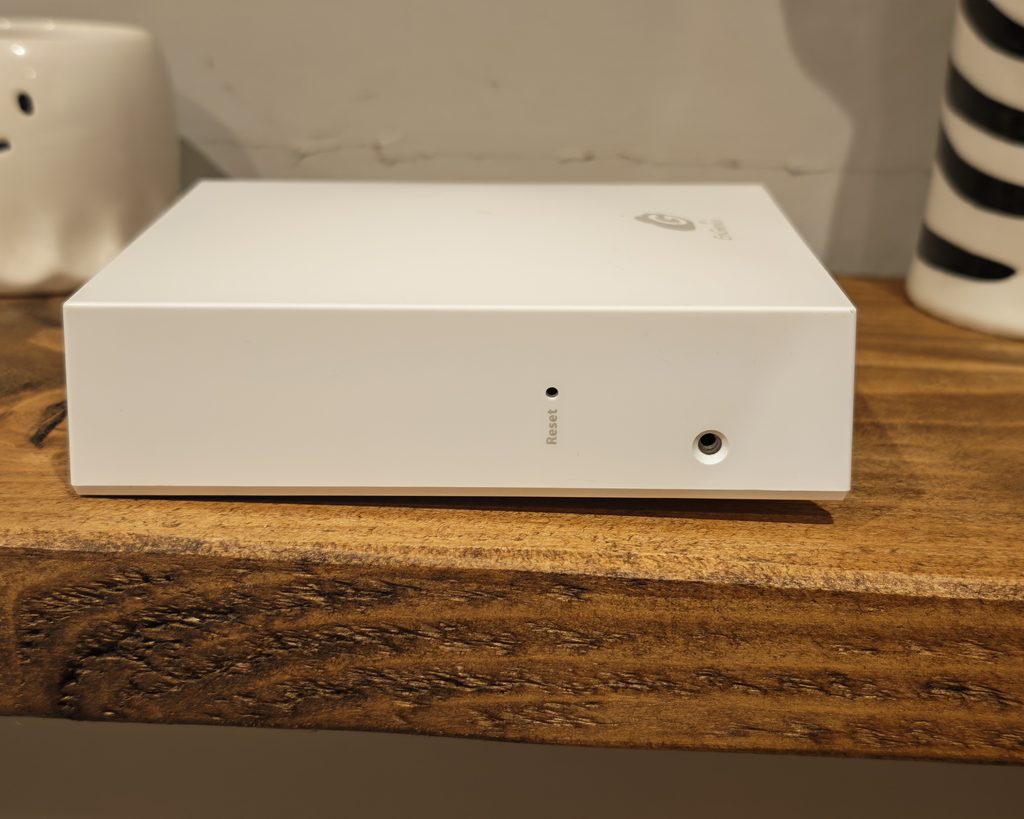
At 130 x 110 x 42 mm, it is compact for a device with five Ethernet ports, but it sits further off the wall than a flush wall plate and is a little larger than the UniFi U7 In-Wall. It is fanless, so it is silent in use. The metal rear gets warm to the touch after a few hours, which is expected as it is doing the job of a heatsink, but I did not see any instability or drop in performance that I could attribute to heat. If you are thinking of 3D printing your own mount rather than using the supplied plate, PETG would be a safer choice than PLA.
Set Up
If you are familiar with EnGenius products, then the set-up is a breeze. You can either scan the QR code on the back of the AP using the EnGenius Cloud app or manually add the serial number to the web-based interface.
To set up the network, simply assign it to the AP, and it will automatically detect and apply any existing WiFi settings that are already configured.
In my experience, after adopting the AP, it updated itself to firmware 1.9.106 and began broadcasting the SSIDs that were previously set up for my EnGenius test network, with the country settings configured for the United Kingdom. The entire process only took a few minutes, most of which was waiting for the firmware update to complete.
One important aspect to consider is power requirements. The AP does not come with a PoE injector or DC adaptor in the package, and it requires 802.3at PoE+ instead of the standard 802.3af PoE. Therefore, older PoE switches or inexpensive injectors may not provide sufficient power. EnGenius specifies a maximum power consumption of 18W over PoE, excluding any devices powered from the PoE out port. I powered mine using a PoE+ switch, which is likely the most common setup for deployment.
It’s essential to note that this is a cloud-managed access point, so having an EnGenius account is necessary. While there is a local web page available, it is limited to displaying status information and performing firmware updates. Configuration of SSIDs or ports cannot be done through the local web page, meaning there is no true standalone mode available.
The EnGenius ECW515 utilizes the same EnGenius Cloud interface as other products in the range, offering a familiar experience for users already accustomed to working with EnGenius cloud products. The dashboard provides a quick overview of network health, displaying channel utilization, AP and switch usage, client ratios across different frequencies, client counts, and throughput graphs. Additionally, there is a power status panel that is more beneficial for users with EnGenius PoE switches or PDUs integrated into the network.
Within the interface, users can access detailed system information, such as IP address, current channels, transmit power, and antenna gain. Tabs for Summary, Ports, Logs, and Historical Clients offer additional insights and customization options for the AP. The Ports tab allows users to enable or disable the four Gigabit ports, configure VLAN settings, and set up “SSID on LAN” to mirror wireless settings for wired devices. This feature is particularly useful for maintaining network security and segregating guest networks.
The SSID settings offer comprehensive options, including radio selection, security protocols, VLAN configurations, and advanced features like fast roaming and protected management frames. Captive portal options support various authentication methods, including click-through, guest access, custom RADIUS, and more. Hotspot 2.0 is also available but requires specific security protocols to be enabled. The inclusion of AVXpress in the application control feature is a sensible addition for a device aimed at meeting rooms, as it allows users to prioritize voice calls, video conferencing, streaming, and online gaming at different levels. However, application analysis may result in a slight performance cost.
The Radio Settings feature allows users to set defaults for the entire network, including indoor and outdoor profiles. Users can customize channel width, target transmit power, minimum bitrate, client limit, dynamic channel selection intervals, client balancing, mesh, zero-wait DFS, and fast handover RSSI thresholds per band. For a home network with one or two access points, the default settings are sufficient. For larger deployments, the level of control offered is comparable to UniFi and Omada.
The Basic tier of EnGenius includes most of the features that a home user or small business would need, making it a compelling choice over some competitors. The Pro license unlocks additional features such as longer log retention, detailed client troubleshooting, and directory-based captive portal options, but it comes at an additional cost. The interface may not always reflect changes instantly, which can be frustrating during troubleshooting.
The Ethernet and PoE passthrough capabilities of the ECW515 make it a versatile choice for users. The 2.5GbE uplink port and Gigabit ports operate as a small unmanaged switch with cloud control when powered by PoE+. Users can also power the AP with a DC adaptor to utilize LAN2 as a non-PoE uplink. LAN5 provides 802.3af PoE output, but the power budget is limited. Higher power devices may require the AP to be powered by a DC adaptor or a separate PoE source.
In terms of Wi-Fi performance, the ECW515 delivers decent speeds for its specifications. Close-range speeds of up to 915 Mbps were achieved on 5 GHz 80 MHz using WiFi 7, while 2.4 GHz 40 MHz reached speeds of 168 Mbps. Increasing the 5 GHz channel width to 160 MHz allowed for speeds of up to 1,208 Mbps at close range, but this may not be recommended in environments with multiple APs or neighboring networks. The 2.4 GHz performance is modest due to congestion in most UK homes. I would opt to keep the 2.4 GHz frequency at 20 MHz for IoT devices and long-range coverage instead of prioritizing speed.
During my testing, MLO was disabled. However, with MLO enabled, a compatible Wi-Fi 7 client can connect to both radios simultaneously. In practice, MLO on 2.4 GHz and 5 GHz focuses more on resilience and latency rather than just raw throughput, as the 2.4 GHz link only marginally increases bandwidth. The true advantage of MLO is seen when 5 GHz is paired with 6 GHz, a feature that this AP lacks.
The default transmit power settings are conservative, with the cloud dashboard displaying 11 dBm on 2.4 GHz and 17 dBm on 5 GHz, below the maximum levels allowed. Lower power levels are suitable for densely populated areas like hotels, where you want to avoid signal bleeding into neighboring rooms. For larger home areas, adjusting the transmit power settings may be necessary.
The range of the AP is typical for a 2×2 wall plate AP, covering a room or a small home area. Reviews suggest a realistic coverage of approximately 90 to 120 square meters. It is not intended to replace a centrally located ceiling AP in a larger residence.
Stability during testing was reliable, with no instances of disconnections reported.
In terms of pricing and alternatives, availability of the EnGenius ECW515 in the UK is limited. The US price is around $289, but stock availability is uncertain. Comparatively, other options like the UniFi U7 In-Wall and TP-Link Omada EAP775 offer similar features at slightly lower prices.
Overall, the EnGenius ECW515 is a solid choice for those already invested in the EnGenius ecosystem, especially for home or small office setups lacking multiple Ethernet ports in each room. While performance is satisfactory for most users, the absence of the 6 GHz band may limit the full potential of Wi-Fi 7 connectivity. For users open to other networking brands, alternatives like UniFi and TP-Link Omada may offer better value and specifications. EnGenius users will find the EnGenius EWS850AP a suitable choice due to its four Gigabit ports, a 2.5GbE PoE+ uplink, PoE passthrough capabilities, and the ability to apply wireless security policies to wired ports. Additionally, the quick QR code setup and free cloud tier, along with a fanless and silent operation, make it a convenient option. The device also comes with a five-year warranty for added peace of mind.
However, the EnGenius EWS850AP lacks certain features that may be important to some users. These include the absence of a 6 GHz band, Gigabit-only downstream ports, a 7 W PoE output limit when the AP is PoE powered, and the fact that no PoE injector or power adaptor is included. Furthermore, there is no standalone local management option available for this device, which may be a drawback for some users. Additionally, the high pricing and limited availability in the UK may deter potential buyers.
In conclusion, while the EnGenius EWS850AP offers several advantages for existing EnGenius users, such as its robust feature set and convenient setup process, it may not be the best choice for those looking for specific features or shopping on a budget. Transform the following text into a more formal tone:
Original text: Hey there! How are you doing today?
Formal text: Greetings. How are you faring this day?










Stockholm Slaughter: A Deliciously Disturbing Cannibal Dungeon Crawler

EnGenius ECW515 Access Point: A Comprehensive Review

The Entrepreneur’s Handbook to TechCrunch Disrupt 2026: A Comprehensive Guide for Success

Apple Opens Doors for iPhone Duo App Developers

Unveiling the Alfa Romeo Cuorerosso: A Glimpse into the Future of 4-Door GT Design

Blame Game: A Crimson Desert Exec Blames Critics for Low Review Scores

Unveiling Ecosia’s Shift: Embracing Open Models over China’s Influence

Unveiling the Anticipated Innovations at Apple’s ‘Welcome Home’ Event

Enhanced Features: macOS 27’s Three Key Upgrades to My Favorite Feature

EU Takes Action Against Instagram and Facebook for Violating Illegal Content Rules

Warning: Facebook Creators Face Monetization Loss for Stealing and Reposting Videos

Facebook’s New Look: A Blend of Instagram’s Style

Facebook Compliance: ICE-tracking Page Removed After US Government Intervention

Facebook and Instagram to Reduce Personalized Ads for European Users

InstaDub: Meta’s AI Translation Tool for Instagram Videos

Reclaim Your Account: Facebook and Instagram Launch New Hub for Account Recovery

Meta discontinues Messenger apps for Windows and macOS

Breaking Updates: Meta Connect 2025 Unveils Latest Developments

The Most Bizarre Smartphone we’ve seen all year.

Best Tech under $2000 – December 2017 / January 2018!

This could be your next Smartphone.

Top 10 most INSANE Limited Edition Smartphones!

How Smart is the AI-Powered Huawei Mate 10 – with EMUI 8.0?

I used a 2012 Smartphone in 2018 – Here’s what happened.

How to send ANY file Anywhere!

NEW Oneplus 5T Sandstone White Unboxing – The Ultimate Oneplus 5T?

HUAWEI P20 – THE SMARTPHONE REVOLUTION IS HERE?
-
 Facebook12 months ago
EU Takes Action Against Instagram and Facebook for Violating Illegal Content Rules
-
 Facebook12 months ago
Warning: Facebook Creators Face Monetization Loss for Stealing and Reposting Videos
-
 Facebook10 months ago
Facebook’s New Look: A Blend of Instagram’s Style
-
 Facebook12 months ago
Facebook Compliance: ICE-tracking Page Removed After US Government Intervention
-
 Facebook10 months ago
Facebook and Instagram to Reduce Personalized Ads for European Users
-
 Facebook12 months ago
InstaDub: Meta’s AI Translation Tool for Instagram Videos
-
 Facebook10 months ago
Reclaim Your Account: Facebook and Instagram Launch New Hub for Account Recovery
-
 Apple12 months ago
Meta discontinues Messenger apps for Windows and macOS
