
Mobile Tech
Enhanced Security: iOS 26.5 Introduces End-to-End Encryption for RCS Messaging

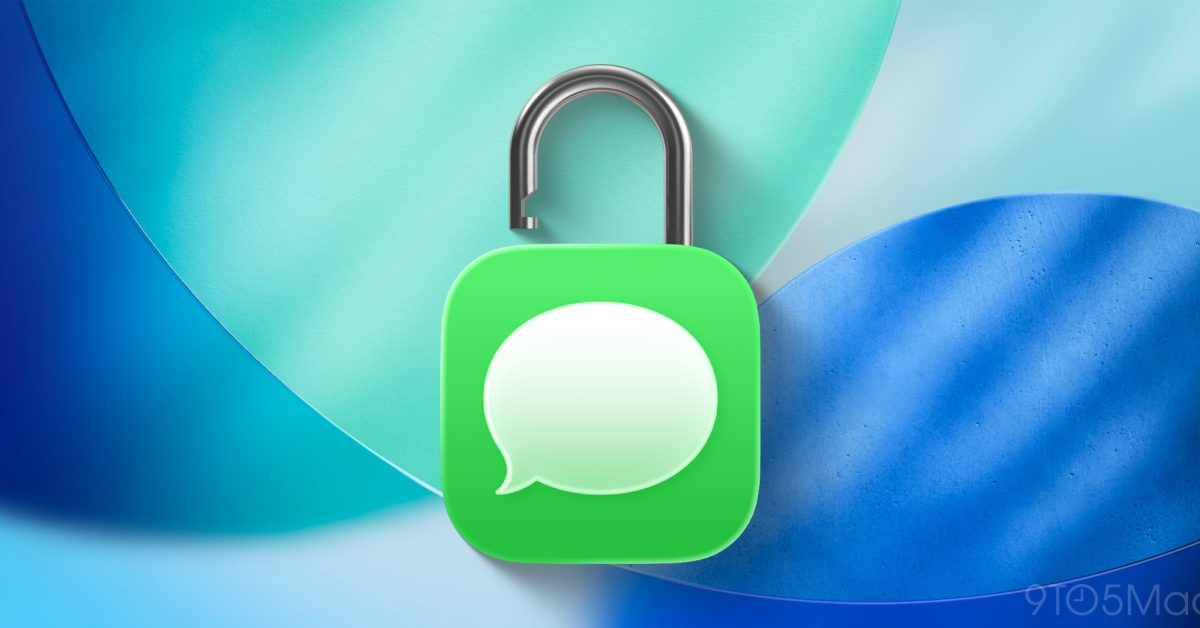
iOS 26.5 has been officially released to the public after a six-week beta testing period. This update introduces new wallpapers, enhancements to Apple Maps, and various other features.
One of the key additions in iOS 26.5 is the support for end-to-end encryption for RCS messaging. Apple has mentioned that this feature is currently in beta and will be gradually rolled out over the next few months.
Apple initially introduced RCS support for the iPhone with iOS 18.1, allowing for more advanced messaging capabilities between iPhone and Android users. This included features such as typing indicators, read receipts, and the ability to send high-resolution photos and videos.
In March, Apple revealed its intentions to implement end-to-end encryption for RCS messages. The beta testing for this feature began with iOS 26.4 earlier this year, and now it is being made available to all users as part of iOS 26.5.
While RCS encryption is still labeled as a beta feature in iOS 26.5, it is enabled by default. Users have the option to toggle it on or off by navigating to Settings > Messages > RCS Messaging and locating the new “End-to-End Encryption (Beta)” toggle.
According to Apple, end-to-end encryption with RCS is currently supported by specific carriers and will be extended to more carriers in the future. A list of carriers that support RCS end-to-end encryption can be found on a dedicated webpage.
Apple emphasizes that the rollout of this feature will be gradual over the upcoming months. Even if a carrier is listed as supporting RCS end-to-end encryption, the feature may not be immediately available to all users of that carrier. As the rollout progresses, Apple assures that it will automatically enable the feature for both new and existing conversations.
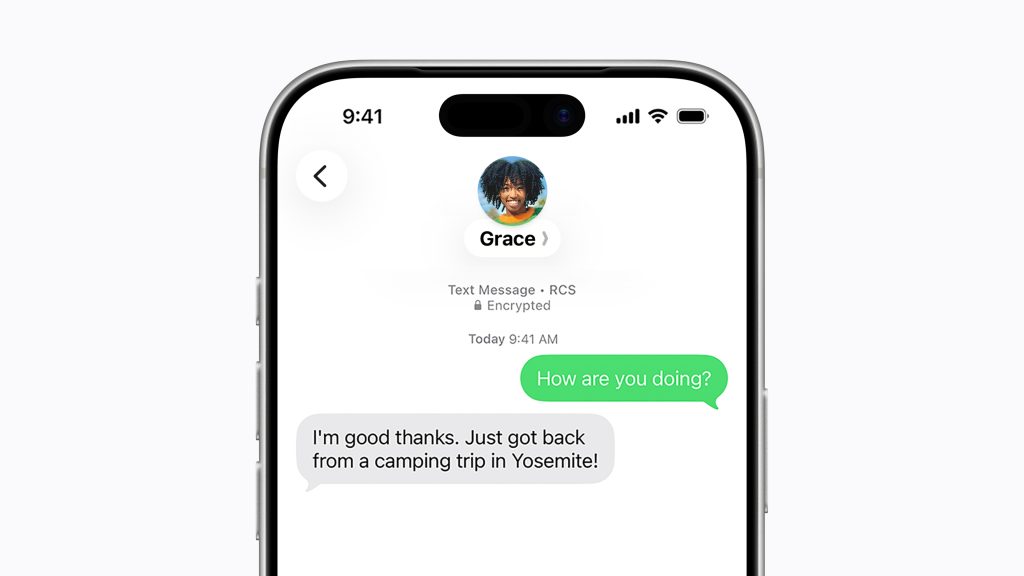
Apple has also updated the Messages app interface to accommodate support for RCS encryption. When messaging someone with RCS encryption enabled, a new lock icon will appear at the top of the thread. Android users will also see this lock icon in their message threads, confirming the availability of the feature for their carrier and device.
The lock icon is now present in all iMessage threads as well, as iMessage has supported end-to-end encryption since 2011.
Apple’s implementation of end-to-end encryption support marks a significant advancement in its RCS capabilities. Users can update to iOS 26.5 by accessing Settings, selecting General, and then choosing Software Update.
My preferred iPhone accessories:
Stay updated with Chance on: Threads, Bluesky, Instagram, and Mastodon.


FTC: We use income earning auto affiliate links. More.










Enter to Win a Cutting-Edge Apple MacBook Neo in Our Giveaway!

Breaking Barriers: Audi A6 E-Tron Shatters World Record with 831-Mile Range on a Single Charge

Microsoft’s Public Push: Nadella’s Communication Shake-Up

Amazon’s Multi-Platform Seller Dashboard: Streamlining Sales Across Walmart, eBay, Shopify, and TikTok

Secure Your Copy: GTA 6 Collectors Edition Now Available for Pre-Order

Oppo Find X10: Unveiling the Official Release Date

Pixel Watch 5 Receives Game-Changing Update: What’s New?

Duqu Secures €1.5 Million Funding to Revolutionize Invoice Financing in Amsterdam

Digital Duality: Google’s AI Gets a Human Touch in Gemini 3.8 Live

EU Takes Action Against Instagram and Facebook for Violating Illegal Content Rules

Warning: Facebook Creators Face Monetization Loss for Stealing and Reposting Videos

Facebook’s New Look: A Blend of Instagram’s Style

Facebook Compliance: ICE-tracking Page Removed After US Government Intervention

Facebook and Instagram to Reduce Personalized Ads for European Users

InstaDub: Meta’s AI Translation Tool for Instagram Videos

Reclaim Your Account: Facebook and Instagram Launch New Hub for Account Recovery

Meta discontinues Messenger apps for Windows and macOS

Breaking Updates: Meta Connect 2025 Unveils Latest Developments

The BEST $300 Phone (2018) ft. MKBHD, Technical Guruji, iJustine + More

Samsung Galaxy S9 Plus Gaming Review! (vs OnePlus 5T)

THE BEST PHONE HTC EVER MADE?

The Truth about Google?

Samsung S9/ S9+ vs iPhone X vs Galaxy Note 8 Battery Life DRAIN TEST

Samsung S9 / S9+ vs Mate 10 Pro vs iPhone X Charging SPEED Test

The BEST APPS in 2018 – ft. MKBHD, UrAvgConsumer, iJustine + More

The ULTIMATE Smartphone Unboxing!!

HOW GOOD can a $250 Smartphone Camera be!?
-
 Facebook11 months ago
EU Takes Action Against Instagram and Facebook for Violating Illegal Content Rules
-
 Facebook11 months ago
Warning: Facebook Creators Face Monetization Loss for Stealing and Reposting Videos
-
 Facebook10 months ago
Facebook’s New Look: A Blend of Instagram’s Style
-
 Facebook11 months ago
Facebook Compliance: ICE-tracking Page Removed After US Government Intervention
-
 Facebook10 months ago
Facebook and Instagram to Reduce Personalized Ads for European Users
-
 Facebook12 months ago
InstaDub: Meta’s AI Translation Tool for Instagram Videos
-
 Facebook10 months ago
Reclaim Your Account: Facebook and Instagram Launch New Hub for Account Recovery
-
 Apple11 months ago
Meta discontinues Messenger apps for Windows and macOS
