
Mobile Tech
Apple’s AI: The Ultimate Smart Assistant in iOS 27

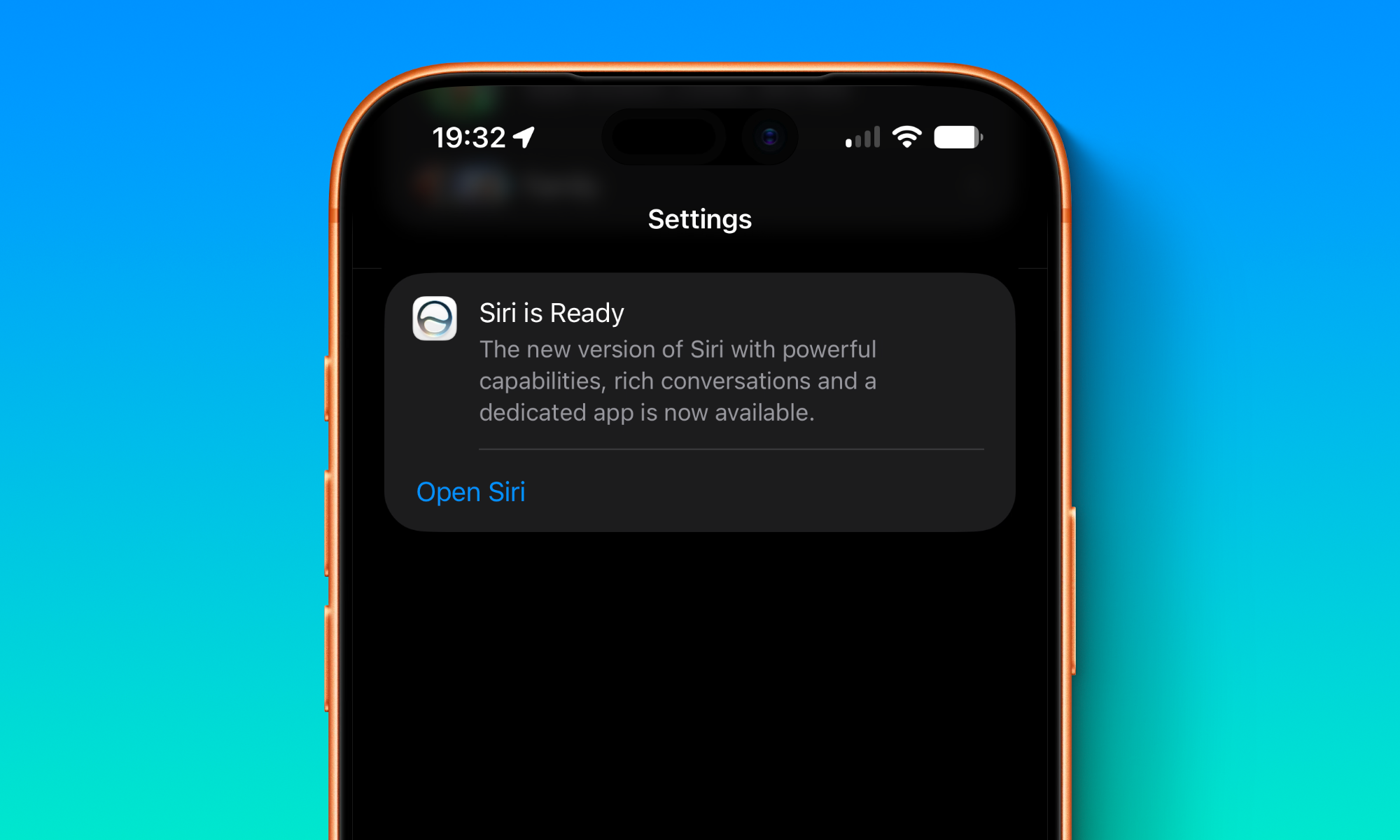
This week’s Worldwide Developers Conference (WWDC) was a surprising mix of fundamental changes and small enhancements. While Apple didn’t unveil the usual laundry list of new features for its operating systems, it did announce a watershed moment in the company’s history: the maturing of its 15-year-old Siri voice assistant into a full-fledged AI chatbot.
Siri AI was arguably the biggest news during the WWDC keynote, although its significance was undoubtedly magnified by the fact that we’ve also been waiting almost two years for this to actually arrive. After years of disappointments, Apple’s promise of a newer and smarter Siri at WWDC24 got people’s hopes up in a big way — and then dashed them when it was revealed to be borderline vaporware the following spring.
Undaunted by its very public failure to deliver on its Siri promises, Apple doubled-down in a really big way, to the point of making a tectonic shift in its organizational structure and quietly showing the door to its senior vice president of AI — an incredibly rare shift in Apple’s upper echelons that makes it clear just how serious the company was about righting the ship.
Still, as Gemini and ChatGPT surged ahead in capabilities, many were despairing of Apple ever getting its act together with Siri. Even after it signed a landmark partnership with Google, we remained only cautiously optimistic that groundbreaking improvements were coming. An improved Siri? Sure, that had to happen sooner or later. But a fully capable chatbot? That seemed too good to be true and we didn’t want to get our hopes up too quickly. Sure, Apple might get there eventually, but how soon?
Well, this week gave us the answer to that, and proved our optimism wasn’t entirely misplaced. Apple has not only delivered on its promised 2024 Siri improvements, but Siri AI has taken the voice assistant to the next level — and it’s done so in all the right ways.
From ‘Vaporware’ to the Fall Roadmap
The most delightfully surprising part of all this is that Siri AI isn’t some far-off feature like it was presented two years ago. Back then, the most basic Apple Intelligence features didn’t even show up until iOS 18.1, and nobody expected the Siri improvements to come until iOS 18.4.
However, determined to avoid even the appearance of hesitancy, Apple has gone into Siri AI this year with all cylinders firing at max. The promised Siri improvements are not only coming in iOS 27.0 this fall; Siri AI is already live in the very first developer beta.
Apple has placed these behind a waitlist, presumably so it can let people in slowly and avoid overwhelming its Private Cloud Compute servers, but perhaps also because Siri relies heavily on a whole new semantic indexing system in iOS 27, which means some of its features won’t work until those indexes are at least partially complete. However, that waitlist isn’t indefinite; Apple promised on Monday that “New Siri AI features are available for developer testing starting today,” and many who jumped into developer beta 1 have begun passing the velvet rope.
Experiencing Siri AI
If you’re like me, the first thing you’ll likely do after installing iOS 27 is call for Siri, only to be confused when it looks and acts exactly like it did in iOS 26. Instead of the new Dynamic Island user interface that Apple showed off, Siri still responds with a glowing, colorful ring. That’s because until you opt into “New Siri” and pass the waitlist, you’re still using “Siri Classic.”
For the first developer beta, you’ll have to join the waitlist manually by taking a trip into Settings > Siri. While we suspect this will remain opt-in even in the final release, it’s likely Apple will prompt users to do so during the setup assistant that typically runs after any major iOS update. By all accounts, the waitlist will likely remain in place, however.
Once you’re on the waitlist, you’ll get a notification when Siri AI is ready, but even if you miss that, the transition should be obvious. Mine did so last night when I was out shopping, and my first indication was when I swiped down on the screen to bring up the Spotlight search field (which I often do simply to load less-frequently used apps by typing their names), only to discover the Dynamic Island Siri interface popping up.
Needless to say, I took Siri AI for a spin as soon as I got home — and the results are, to put it mildly, very impressive for a developer beta 1 implementation.
Putting Siri AI to the Test
There’s not much to say about how the Siri AI interface works. There’s a new Siri app with a design that will be instantly familiar to anyone who has ever used ChatGPT, Gemini, or even a traditional messaging app. You type or speak something in, and Siri responds.
What’s clever about the implementation in iOS 27 is that this is also baked in at the operating system level. As noted earlier, Siri now lives in the Dynamic Island. It will respond there when called up by voice, but it’s also merged into the traditional Spotlight search; swiping down to bring that up actually brings up a combo text entry field that can be used to either perform a traditional search or “Ask Siri” a question (in this sense, the new iOS 27 Spotlight search gets much closer to how it has worked on macOS for years).
However, the notable thing about Siri AI isn’t how it works on a technical level. There’s no real magic there. What’s impressive is how well it can actually respond to questions, both in terms of its ability to gather information and the way it comports itself.
I began by lobbing Siri AI a few softballs.
The author compared Google’s Gemini and Apple’s Siri in terms of providing accurate and concise answers to various questions. Gemini was praised for its deep dives into topics, while Siri was commended for its factual accuracy and source links. However, Siri did make some mistakes, such as providing information about the wrong library’s rules on food and drink. The author also highlighted the limitations of Siri in terms of personalization and conversation history, noting that Siri starts each conversation fresh with no memory of past interactions. Despite these limitations, Siri’s ability to access data stored on iPhones allows for personalization in certain queries. Overall, the author concluded that Siri functions more as a personal assistant than a chatbot, capable of answering questions about the user’s life and surroundings effectively.










Exclusive Look: Mercedes-AMG GT Black Series Unveiled with High-Performance Aero Enhancements

Navigating the Future: Microsoft’s AI Regulations in a Changing Industry Landscape

Blizzard’s Battle.net: A Unique Player in the Gaming Storefront Landscape
The Ultimate Durability: Redmi Note 17 Pro Max Review

Mastering the Art of Creating Long-Term AI Defenses: A Guide from Disrupt 2026

Insights from Microsoft AI on the Humanist AI Code of Conduct

Revolutionizing Group Travel: Vox Group’s AI-Powered Translation Technology

Unusual Sight: Quadruple Pipes Spotted in Munich

Wolverine: A Divisive Marvel Adventure

EU Takes Action Against Instagram and Facebook for Violating Illegal Content Rules

Warning: Facebook Creators Face Monetization Loss for Stealing and Reposting Videos

Facebook Compliance: ICE-tracking Page Removed After US Government Intervention

Facebook’s New Look: A Blend of Instagram’s Style

Facebook and Instagram to Reduce Personalized Ads for European Users

InstaDub: Meta’s AI Translation Tool for Instagram Videos

Reclaim Your Account: Facebook and Instagram Launch New Hub for Account Recovery

Meta discontinues Messenger apps for Windows and macOS

Breaking Updates: Meta Connect 2025 Unveils Latest Developments

The LG G7 has a Big Problem.

The most Beautiful Android Games you’ve never played.

Charge your Smartphone in 5 Minutes – How Batteries are about to Change!

10 CHEAP Smartphone Gadgets that Change Everything.

Huawei Mobile Cloud – The Huawei P20 Feature you didn’t know about!

PUBG MOBILE on Android – Disastrous or Revolutionary?

Why you should buy the Galaxy S8 right now.

Customize your Android Smartphone!

Xiaomi Mi Mix 2S Review – Beauty and the BEAST.
-
 Facebook11 months ago
EU Takes Action Against Instagram and Facebook for Violating Illegal Content Rules
-
 Facebook11 months ago
Warning: Facebook Creators Face Monetization Loss for Stealing and Reposting Videos
-
 Facebook11 months ago
Facebook Compliance: ICE-tracking Page Removed After US Government Intervention
-
 Facebook9 months ago
Facebook’s New Look: A Blend of Instagram’s Style
-
 Facebook9 months ago
Facebook and Instagram to Reduce Personalized Ads for European Users
-
 Facebook11 months ago
InstaDub: Meta’s AI Translation Tool for Instagram Videos
-
 Facebook9 months ago
Reclaim Your Account: Facebook and Instagram Launch New Hub for Account Recovery
-
 Apple11 months ago
Meta discontinues Messenger apps for Windows and macOS
