
Mobile Tech
Avoid These Common Password Mistakes for Better Security

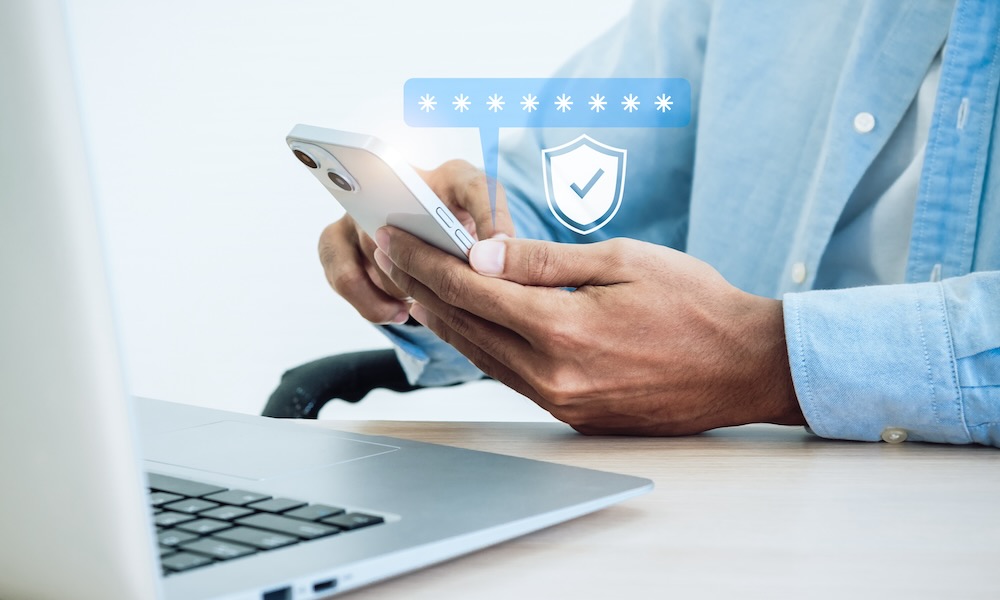
Passwords have been around for decades, but they’re still one of the biggest weaknesses in online security.
What’s worse, nowadays, the problem isn’t always that people choose passwords like 123456; you can create an extremely strong password and still put several accounts at risk just by making a couple of mistakes that many people don’t even know they’re making.
Online security has also changed considerably over the years. Now there are many ways to make your accounts safer besides having a strong password. Things like multi-factor authentication and password managers make things easier for us, but that doesn’t mean you should let technology handle everything for you. If you want to make your accounts extremely safe, here are some of the worst mistakes you need to avoid.
You’re Reusing the Same Password Everywhere
We get it: having multiple passwords can be challenging. After all, how are you supposed to remember every password you use? Instead, using one really strong password for every account may seem reasonable. If nobody can guess it, why bother creating another one?
The problem begins when someone does guess your password — or more likely gets a hold of it in some other way. Data breaches are sadly more common than you might think, but you may also accidentally share your credentials in the wrong place at the wrong time. When hackers get that data, they’ll use your combination of email and password on other websites until they hit a possible match.
Your original password could be extremely long and impossible to guess, but that strength won’t help once someone already knows it. Reusing it can turn one company’s security failure into a problem for all your online accounts.
Of course, it is pretty tough to memorize all your passwords, which is why it’s best to use a password manager. Your iPhone already comes with a remarkably powerful one for free, but there are plenty of other options if you want more advanced features.
If you don’t want to use a password manager or have a completely different password for every website, at least use a unique password for your most important accounts. Your personal email, banking accounts, and the platform where you store your data in the cloud should all have strong and unique passwords. That way, it’ll be harder for criminals to hack into other accounts if they manage to get into one of your accounts.
You Keep Using Short Passwords
It’s basically a joke at this point, so we know we should never use “password” as our actual password, but that’s just the tip of the iceberg. Using a password such as “Blue21!” might look good enough because it contains several types of characters. However, it’s still extremely short, which limits the number of possible combinations an attacker needs to consider.
Yes, size matters — at least when it comes to your passwords. has become an important part of modern password guidance. The National Institute of Standards and Technology (NIST) requirements call for a minimum of 15 characters when a password is used as the only authentication factor. The longer the password, the harder it is to crack.
You don’t need to create something impossible to type. A passphrase made from several unrelated words can give you the right length without becoming difficult to remember. And of course, avoid famous quotes or predictable expressions that someone else might think of too. So no using favorite songs, speeches, or poems. If someone knows you a bit too well, they might try using that first.
Ignoring Compromised Password Warnings
This is a huge mistake that many of us are guilty of. An account may look completely normal even after its password has leaked, but that doesn’t mean you can safely ignore the warning.
Leaked credentials can circulate across the web long before someone uses them against your particular account. Attackers may also save large collections and test them automatically across different services.
The worst part about this is that your iPhone alerts you of these issues. When you use a password, you might get an alert saying that those credentials have been compromised and that you should change them as soon as possible. Additionally, if you go to the Passwords app and tap on the Security section, you’ll see a message with a list of all the passwords that have been leaked.
However, most of us just ignore it because we have other things to do or just don’t feel like doing it at the moment. But if you ignore it for too long, you might regret it in the future. Instead, try to find the time to update all your leaked passwords so you aren’t a target. Your future self will thank you for it.
You’re Still Relying Only on Your Password
It doesn’t matter how long or difficult your password is; it can still be stolen by anyone. And that’s where multi-factor authentication comes in, as it gives an attacker another obstacle to overcome. And this one might be a bit harder.
MFA requires another form of verification in addition to the password. Depending on the platform or service, this might come from an authenticator app, a text message, or a hardware security key.
This makes it way harder for anyone to access your account, as you’ll be alerted when they use your credentials.
There are plenty of multi-factor authenticators, and the most popular websites all offer them in some form. Sending a code to your email or phone via SMS are the most popular methods, although they have their drawbacks — a hacker who already has your credentials could be in your email account, and SIM swapping scams are still a problem. For the best security, we recommend using a two-factor authentication app such as Google Authenticator.
Still, any type of MFA is better than none at all, as these provide a stronger wall of security that’s harder to crack. So go to all your accounts and turn on MFA on every account you have.
Start with your most important accounts, like your email and financial accounts.
Protecting your digital assets, such as cloud storage and social media accounts, is crucial in today’s digital age. It’s important to secure your passwords in a safe and reliable manner to prevent unauthorized access to your personal information.
One common mistake people make is saving passwords in notes or screenshots on their devices, such as iPhones. While it may seem convenient to have all your passwords in one place, it’s actually a risky practice. Text and images can easily be shared, putting your sensitive information at risk of being exposed to others.
Instead of storing passwords in notes or screenshots, consider using a password manager. Apple’s Passwords app is a great option that works seamlessly across all Apple devices. There are also reputable third-party password managers available for various operating systems like Android and Windows.
Another important security measure is to utilize passkeys when available. Passkeys use your device, such as Face ID on an iPhone, to authenticate yourself without the need to enter a password. This adds an extra layer of security and helps protect against phishing attacks.
In order to keep your accounts secure, it’s important to avoid common password mistakes and create strong, unique passwords. By implementing these security measures, you can better protect your digital assets and reduce the risk of unauthorized access to your accounts. Remember, while no system is completely unhackable, taking steps to enhance your security can significantly reduce the likelihood of security breaches.










GrayKey Tool Outsmarts iPhone’s 72-Hour Inactivity Reboot

Unleashing Power: The Mercedes-AMG GT 63 Pro Hits Malaysian Roads at RM 2.09 million

Revised Game++: Conquering Bugs and Keeping Pants Intact

Power Players: Europe’s Top AI Influencers

Beware: The Secret iOS 27 Setting That’s Sapping Your Battery Life

Concept Smartphones that are better than Real Smartphones

Unwrapping the Power: A Digital Look at BMW’s Electric M3 Body Wrap

Shadow Ops: Covert Extraction

Mastering the Fundamentals of Business Auditing

EU Takes Action Against Instagram and Facebook for Violating Illegal Content Rules

Warning: Facebook Creators Face Monetization Loss for Stealing and Reposting Videos

Facebook’s New Look: A Blend of Instagram’s Style

Facebook Compliance: ICE-tracking Page Removed After US Government Intervention

Facebook and Instagram to Reduce Personalized Ads for European Users

InstaDub: Meta’s AI Translation Tool for Instagram Videos

Reclaim Your Account: Facebook and Instagram Launch New Hub for Account Recovery

Meta discontinues Messenger apps for Windows and macOS

Breaking Updates: Meta Connect 2025 Unveils Latest Developments
Concept Smartphones that are better than Real Smartphones

Samsung Galaxy SII Unboxing!

The SECRET to Maximise Smartphone Battery Life?

We Designed the Ultimate Gaming Smartphone of 2018!

Using the Cheapest Smartphone in the World.

Samsung Galaxy S9+ Unboxing! (Clone)

Unboxing the First Ever Samsung Galaxy S!!

Huawei P Smart – Huawei’s new Killer Budget Smartphone!

MYSTERY Package from Xiaomi – HUGE UNBOXING!
-
 Facebook11 months ago
EU Takes Action Against Instagram and Facebook for Violating Illegal Content Rules
-
 Facebook12 months ago
Warning: Facebook Creators Face Monetization Loss for Stealing and Reposting Videos
-
 Facebook10 months ago
Facebook’s New Look: A Blend of Instagram’s Style
-
 Facebook12 months ago
Facebook Compliance: ICE-tracking Page Removed After US Government Intervention
-
 Facebook10 months ago
Facebook and Instagram to Reduce Personalized Ads for European Users
-
 Facebook12 months ago
InstaDub: Meta’s AI Translation Tool for Instagram Videos
-
 Facebook10 months ago
Reclaim Your Account: Facebook and Instagram Launch New Hub for Account Recovery
-
 Apple12 months ago
Meta discontinues Messenger apps for Windows and macOS
