
Gadgets
Exciting News for Samsung Galaxy Users: Googlebook Access Now Available – with a Catch!

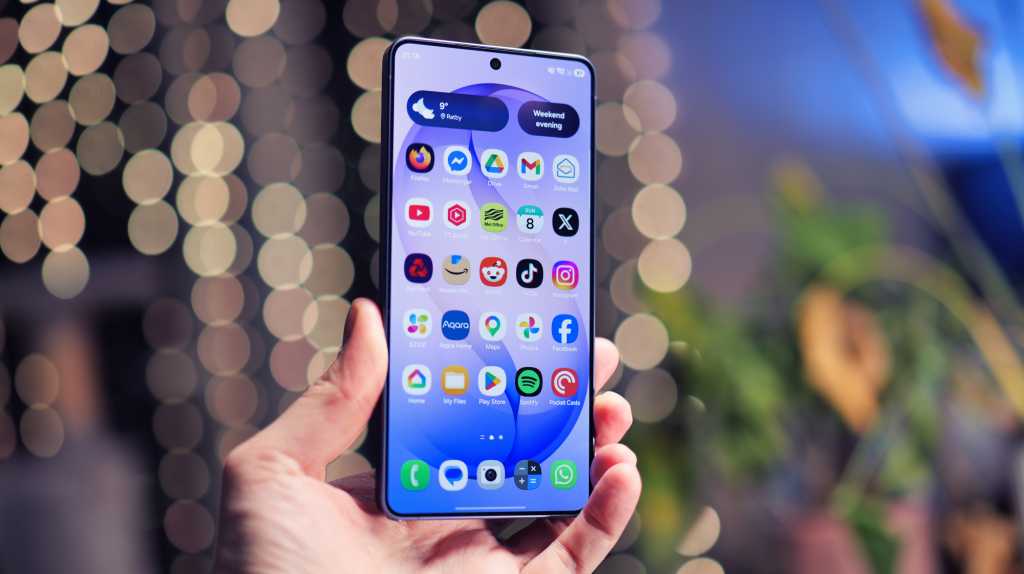
Google has announced that the ‘Better Together’ features will soon be available to all Samsung Galaxy phones running One UI 9. Android Community Engagement Manager Mishaal Rahman confirmed this in a Reddit post, stating that the features would be rolled out over the next few days following the announcement on 10 October.
According to user replies, the features are already accessible on some devices, such as the Galaxy S26 Ultra, after the October security update. However, a Galaxy Z Flip 8 owner reported that the features are not yet available on their device, so availability may vary.
The integration will include key smartphone features such as ‘Continue On’, ‘Cast My Apps’, ‘Quick Access’, and ‘Notification Sync’ on Samsung Galaxy phones.
To prepare for Googlebook-Samsung compatibility, Rahman suggests following these seven steps:
1. Ensure your phone is running Android 17 (equivalent to Samsung’s One UI 9).
2. Ensure both devices are connected to the same private home Wi-Fi network.
3. Turn on Bluetooth on both devices.
4. Update Google Play Services.
5. Update Cross-device services.
6. Enable ‘Continue activity’ sub-toggles.
7. Restart both devices.
Once these steps are completed, users will be fully prepared for the integration once it becomes available.
Google is not only working on expanding compatibility but also addressing bugs that have affected early Googlebook adopters.
Overall, the introduction of the ‘Better Together’ features is a welcome development, but further improvements are still needed for a seamless user experience.












Alien Appetite: Conquer the Cosmos with a Human-Eating Katamari in Planet Zoo 2 and Valor Mortis

Navigating Multi-Tenant RAG in SaaS: An Essential Handbook

Funding the Future: US Invests $159m in Groundbreaking Super Intelligence Research Initiatives

Exciting News for Samsung Galaxy Users: Googlebook Access Now Available – with a Catch!

Unraveling Conspiracy Cases: From Agreement to Criminal Charges

Unlocking the Future: Apple’s Blueprint for Smart Home Domination

Clearing Apple Intelligence: A Guide to Freeing Up SSD Space on Your Mac

10 Android Apps you NEED to try in 2017 / 2018

Reviving the Classic: The Citroen 2CV E-Nostalgia Budget EV

EU Takes Action Against Instagram and Facebook for Violating Illegal Content Rules

Warning: Facebook Creators Face Monetization Loss for Stealing and Reposting Videos

Facebook’s New Look: A Blend of Instagram’s Style

Facebook Compliance: ICE-tracking Page Removed After US Government Intervention

Facebook and Instagram to Reduce Personalized Ads for European Users

InstaDub: Meta’s AI Translation Tool for Instagram Videos

Reclaim Your Account: Facebook and Instagram Launch New Hub for Account Recovery

Meta discontinues Messenger apps for Windows and macOS

Breaking Updates: Meta Connect 2025 Unveils Latest Developments
10 Android Apps you NEED to try in 2017 / 2018

The Most Bizarre Smartphone we’ve seen all year.

Best Tech under $2000 – December 2017 / January 2018!

This could be your next Smartphone.

Top 10 most INSANE Limited Edition Smartphones!

How Smart is the AI-Powered Huawei Mate 10 – with EMUI 8.0?

I used a 2012 Smartphone in 2018 – Here’s what happened.

How to send ANY file Anywhere!

NEW Oneplus 5T Sandstone White Unboxing – The Ultimate Oneplus 5T?
-
 Facebook12 months ago
EU Takes Action Against Instagram and Facebook for Violating Illegal Content Rules
-
 Facebook12 months ago
Warning: Facebook Creators Face Monetization Loss for Stealing and Reposting Videos
-
 Facebook10 months ago
Facebook’s New Look: A Blend of Instagram’s Style
-
 Facebook12 months ago
Facebook Compliance: ICE-tracking Page Removed After US Government Intervention
-
 Facebook10 months ago
Facebook and Instagram to Reduce Personalized Ads for European Users
-
 Facebook12 months ago
InstaDub: Meta’s AI Translation Tool for Instagram Videos
-
 Facebook10 months ago
Reclaim Your Account: Facebook and Instagram Launch New Hub for Account Recovery
-
 Apple12 months ago
Meta discontinues Messenger apps for Windows and macOS
