
Mobile Tech
Knowing When to Level Up Your Apple Watch

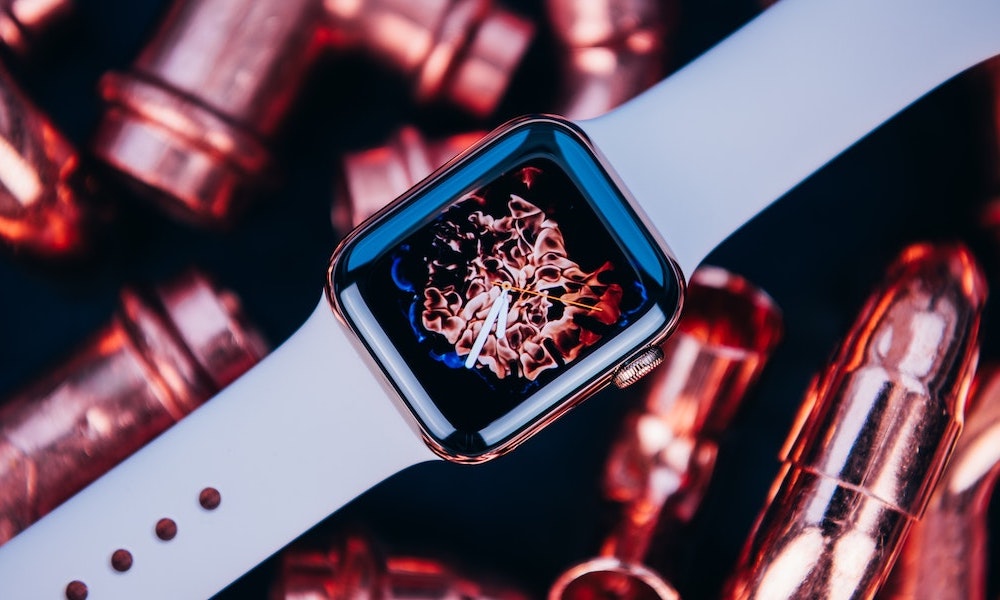
Signs it’s Time to Upgrade Your Apple Watch
One of the benefits of the Apple Watch is that it can last for years. Since every new model only comes with a few minor upgrades, you can keep your older model until there’s something you actually want.
But how long should you actually be waiting? Well, most people don’t wake up one day, look at their watch, and suddenly realize it’s completely stopped being worth wearing. What usually happens instead is a slow build of smaller frustrations.
That’s why deciding when to upgrade an Apple Watch is a little different from deciding when to replace something like a pair of headphones or even an iPhone. Age matters, of course, but it’s not the whole story.
If you’re not sure whether you should buy a new Apple Watch yet, here are some signs it’s time to upgrade.
Your Apple Watch No Longer Supports the Latest Updates
One of the clearest signs it’s time to upgrade is when your Apple Watch can no longer support the latest version of watchOS, especially since Apple rarely cuts older models off until at least four or five updates have passed.
Once you stop receiving the annual software overhaul, you’re not just missing features — you’re missing out on the performance optimizations that keep the ecosystem feeling fluid. That’s typically the point at which it starts feeling old even faster, even if it still looks fine physically. You stop getting the latest software features, and the Apple Watch begins to feel more like a forgotten device than part of Apple’s current ecosystem.
Your Apple Watch no Longer Works Well With Your Current iPhone
Your Apple Watch and iPhone are supposed to feel like they belong together. When they stop feeling compatible, that’s a huge problem. Of course, we don’t mean that every time you upgrade your iPhone, you should also upgrade your Apple Watch (or vice versa).
But even when an older Apple Watch can still work properly, the software separation gets far enough apart that pairing requirements, update requirements, or feature support can start to feel a little awkward.
The Battery no Longer Gets You Through a Normal Day
This is a clear sign that your Apple Watch (or any other rechargeable device, for that matter) is too old for you.
If your Apple Watch used to make it through the day comfortably but now feels like it’s constantly fighting for its life before the day ends, that changes the entire experience. You stop trusting it. You start thinking about charging it earlier than you want. You may even think of stopping the use of specific features, or of stopping using the Apple Watch altogether, because you can’t keep charging it during the day.
Charging Your Apple Watch Feels Painfully Slow
Even if the battery still technically lasts long enough, slow charging can be its own kind of frustration. Older Apple Watch models take long enough to recharge that it changes how you plan your day or night around them. That gets especially annoying if you use your Apple Watch for sleep tracking, workouts, or all-day wear and don’t have much patience for long charging windows.
Newer Apple Watch models make this easier with much faster charging support. Once you’ve seen how quickly newer models charge up, older ones can feel oddly outdated.
Your Apple Watch Is Starting to Slow Down
You usually don’t need benchmarks to know when your Apple Watch feels old. If apps take too long to launch, scrolling stutters, complications are, well, complicated, or simple tasks feel laggy, you can tell almost instantly. Your Apple Watch may still technically work, but the experience becomes just annoying enough that you start avoiding parts of it, or just stop using it completely.
And that’s the real problem. A slow watch doesn’t just feel old; it changes your behavior. You stop opening apps because it takes too long, or you stop checking certain features because the delay makes it feel pointless. Once a smartwatch starts discouraging you from using the things it was made to do, upgrading is the only thing you can do.
You Want Newer Health Features Your Watch Can’t Get
Health tracking is one of the biggest reasons people buy an Apple Watch in the first place, so it’s not surprising that missing health features is one of the easiest ways to feel left behind. Even if your Apple Watch is still newish, you might want to upgrade just to help you keep your health in check.
This is even more relevant now that Apple keeps pushing the watch further as a health device, not just a notification accessory for your iPhone.
If you value features like sleep score, hypertension notifications, and other newer health features, not having them on your Apple Watch can make it feel outdated. The display may start to feel too small or dim by today’s standards, affecting the overall user experience. Apple has improved the displays on newer models, making them larger and easier to read, which can make a big difference in daily use.
If you find yourself using your iPhone more often because the Apple Watch screen feels limited, it may be time to consider upgrading to a model with a better display. Visible wear and tear on the body of your Apple Watch can also be a sign that it’s time for a replacement. If the watch is heavily scratched, difficult to read, or damaged in a way that affects its functionality, upgrading to a newer, more durable model could be a smart decision.
When faced with a costly repair for your older Apple Watch, it’s worth considering whether investing in a new model would be a better long-term solution. While some repairs may be necessary, there comes a point where the cost of maintaining an older model outweighs the benefits. Additionally, older Apple Watch models may not support future software updates, making it more practical to upgrade to a newer version.
Even if your Apple Watch is still functional, there are signs that it may be time for an upgrade. Shorter battery life, slower performance, and outdated hardware can impact the overall usability of the device. If you find yourself constantly charging the watch, experiencing lag with apps, or missing out on desired features, it may be time to consider getting a more capable model.
In conclusion, it’s important to recognize when your older Apple Watch is no longer meeting your needs and consider upgrading to a newer model. Whether it’s for improved features, a better display, or overall performance, knowing when to make the switch can enhance your wearable technology experience.








Apocalyptic Realism: The New Real Earth Map Update for Civilization 7

Tech Savvy: Expert Advice for a Smarter and Sharper Future

Enhanced User Experience: Google Introduces Android 17 Motion Assist for Pixel & Galaxy Devices

Exein’s Rise to Unicorn Status: Defending Against 5,000 New Attacks Weekly with €234 Million in Funding for Physical AI Cybersecurity

Revolutionizing Virtual Assistance: Apple Unveils iOS 27 with Enhanced Siri AI Technology

The Changing Landscape of AI Talent in Britain: A Future Recalculated

Sweating the Details: How Apple is Raising the Bar with iOS 27

The Truth about Huawei P20 Pro – REAL Review

Speeding Through 749 Kilometers at 90 Kilometers per Hour

EU Takes Action Against Instagram and Facebook for Violating Illegal Content Rules

Warning: Facebook Creators Face Monetization Loss for Stealing and Reposting Videos

Facebook Compliance: ICE-tracking Page Removed After US Government Intervention

Facebook’s New Look: A Blend of Instagram’s Style

Facebook and Instagram to Reduce Personalized Ads for European Users

InstaDub: Meta’s AI Translation Tool for Instagram Videos

Reclaim Your Account: Facebook and Instagram Launch New Hub for Account Recovery

Meta discontinues Messenger apps for Windows and macOS

Breaking Updates: Meta Connect 2025 Unveils Latest Developments
The Truth about Huawei P20 Pro – REAL Review

How to Love your Android Phone again.

The LG G7 has a Big Problem.

The most Beautiful Android Games you’ve never played.

Charge your Smartphone in 5 Minutes – How Batteries are about to Change!

10 CHEAP Smartphone Gadgets that Change Everything.

Huawei Mobile Cloud – The Huawei P20 Feature you didn’t know about!

PUBG MOBILE on Android – Disastrous or Revolutionary?

Why you should buy the Galaxy S8 right now.
-
 Facebook11 months ago
EU Takes Action Against Instagram and Facebook for Violating Illegal Content Rules
-
 Facebook11 months ago
Warning: Facebook Creators Face Monetization Loss for Stealing and Reposting Videos
-
 Facebook11 months ago
Facebook Compliance: ICE-tracking Page Removed After US Government Intervention
-
 Facebook9 months ago
Facebook’s New Look: A Blend of Instagram’s Style
-
 Facebook9 months ago
Facebook and Instagram to Reduce Personalized Ads for European Users
-
 Facebook11 months ago
InstaDub: Meta’s AI Translation Tool for Instagram Videos
-
 Facebook9 months ago
Reclaim Your Account: Facebook and Instagram Launch New Hub for Account Recovery
-
 Apple11 months ago
Meta discontinues Messenger apps for Windows and macOS
