
Microsoft
Microsoft Introduces ‘Vibe Working’ Integration in Word, Excel, and PowerPoint

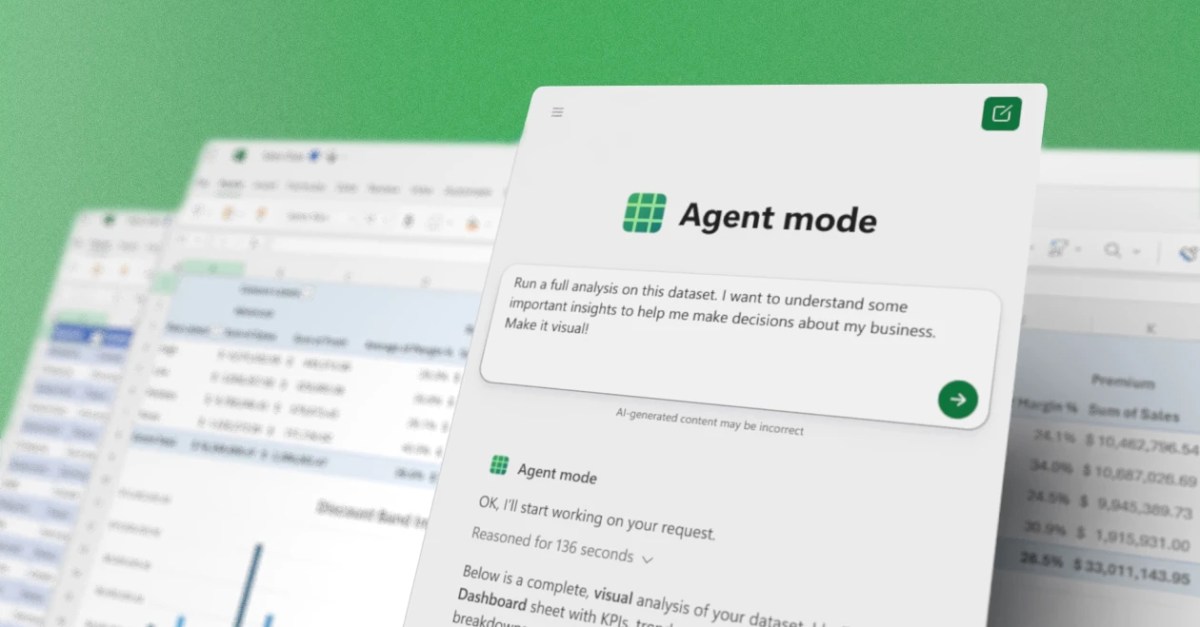
Microsoft Introduces Agent Mode in Office Apps
This week, Microsoft is unveiling a new Agent Mode feature in popular Office applications such as Word, Excel, and PowerPoint. Previously referred to as “vibe working,” Agent Mode enhances the existing Copilot experience within Office, catering to the needs of businesses.
Sumit Chauhan, corporate vice president of Microsoft’s Office Product Group, acknowledges the initial limitations of Copilot. He explains, “When we first introduced Copilot, the foundation models lacked the power to execute commands within applications. As a result, Copilot functioned as a passive partner in documents, only capable of answering questions rather than taking direct action on the canvas.”
The newly integrated Agent Mode is specifically designed to seamlessly follow commands and edits across documents, spreadsheets, and presentations. Chauhan highlights the significant advancements in instruction following, reasoning, and overall quality of the models over the past year, enabling multi-step edits without losing the user’s intent.
Users can now observe the Copilot AI agent at work in real-time through a sidebar that displays each action taken on a document. In Excel, the agent can directly make changes to workbooks by adding formulas or tables. Similarly, in PowerPoint, Agent Mode can update existing presentations with fresh content while maintaining the template styling preferred by businesses.
Microsoft is making these new Copilot features the default experience for Microsoft 365 Copilot and Microsoft 365 Premium subscribers. Additionally, they are accessible to users with Microsoft 365 Personal and Family plans.









Unleashing the Beast: A Closer Look at the 2022 Lamborghini Countach LPI 800-4

Microsoft Unveils Exciting Updates at Windows and Surface Event on October 7th

Alien Surgery Showdown: A Four-Player Chaos Experience

Essential Tips for Traveling to Japan: A Tech Advisor’s Guide

Oppo Find X10 Pro Max: Making a Bold Statement in the Global Market

Understanding the Impact of Comparative Fault Laws on Your Injury Compensation

The Value of Connection: How Meta’s Subscription Model is Revolutionizing Social Media and AI

Revamped Apple Stores: The Return of the Genius Bar

MYSTERY UNBOXING FROM SAMSUNG!

EU Takes Action Against Instagram and Facebook for Violating Illegal Content Rules

Warning: Facebook Creators Face Monetization Loss for Stealing and Reposting Videos

Facebook Compliance: ICE-tracking Page Removed After US Government Intervention

Facebook’s New Look: A Blend of Instagram’s Style

Facebook and Instagram to Reduce Personalized Ads for European Users

InstaDub: Meta’s AI Translation Tool for Instagram Videos

Reclaim Your Account: Facebook and Instagram Launch New Hub for Account Recovery

Meta discontinues Messenger apps for Windows and macOS

Breaking Updates: Meta Connect 2025 Unveils Latest Developments
MYSTERY UNBOXING FROM SAMSUNG!

The Truth about Huawei P20 Pro – REAL Review

How to Love your Android Phone again.

The LG G7 has a Big Problem.

The most Beautiful Android Games you’ve never played.

Charge your Smartphone in 5 Minutes – How Batteries are about to Change!

10 CHEAP Smartphone Gadgets that Change Everything.

Huawei Mobile Cloud – The Huawei P20 Feature you didn’t know about!

PUBG MOBILE on Android – Disastrous or Revolutionary?
-
 Facebook11 months ago
EU Takes Action Against Instagram and Facebook for Violating Illegal Content Rules
-
 Facebook11 months ago
Warning: Facebook Creators Face Monetization Loss for Stealing and Reposting Videos
-
 Facebook11 months ago
Facebook Compliance: ICE-tracking Page Removed After US Government Intervention
-
 Facebook9 months ago
Facebook’s New Look: A Blend of Instagram’s Style
-
 Facebook9 months ago
Facebook and Instagram to Reduce Personalized Ads for European Users
-
 Facebook11 months ago
InstaDub: Meta’s AI Translation Tool for Instagram Videos
-
 Facebook9 months ago
Reclaim Your Account: Facebook and Instagram Launch New Hub for Account Recovery
-
 Apple11 months ago
Meta discontinues Messenger apps for Windows and macOS
