
Gadgets
7 Tips for Maximizing Your Phone’s Battery Life

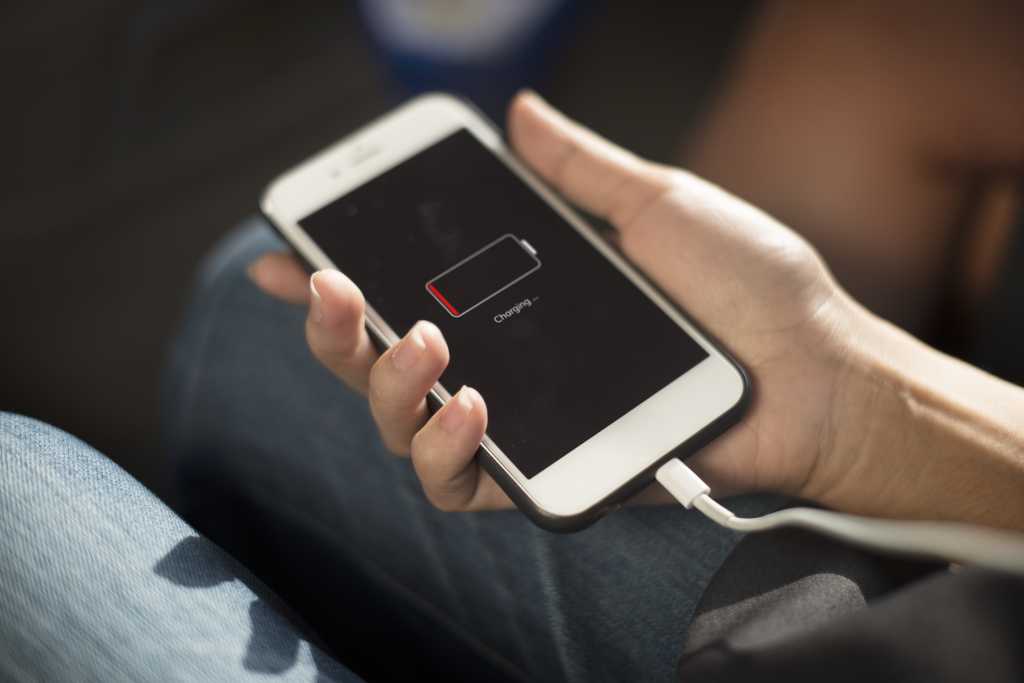
One of the most common complaints people have about their mobile phones is poor battery life. Whether it’s the duration of a single charge or the gradual degradation of the battery over time, many users struggle with this issue. However, there are ways to extend your phone’s battery life by adjusting a few settings.
Instructions on how to access these settings may vary depending on the make and model of your phone. In this guide, we will be using a Google Pixel running Android 16 as an example, but the layout of your phone’s settings may differ. Most phones have a search bar at the top of the Settings menu that you can use to find specific options.
Here are seven tips to help you improve your phone’s battery life:
1. Adjust your screen settings:
– Lower the screen brightness or enable Auto-brightness to adjust it automatically based on ambient lighting.
– Shorten the screen timeout duration to reduce power consumption.
– Disable Always-on Display and screen saver to save power.
2. Switch to night mode:
– Use dark mode to reduce power consumption, especially at night.
– Access this feature in the Display & Touch settings under Dark Theme.
3. Lower the screen refresh rate:
– Turn off Smooth Display in the Display & Touch settings to save power.
4. Disconnect from wireless features:
– Disable Bluetooth, GPS, and NFC when not in use to conserve battery life.
– Access these options in the Connected devices settings under Connection options.
5. Keep an eye on your apps:
– Monitor battery usage in the Battery settings to identify power-hungry apps.
– Disable Allow background use for apps that drain battery in the background.
– Uninstall unused apps to free up resources.
6. Find your battery-saving mode:
– Enable battery-saving mode in the Battery settings to extend battery life.
– Choose between standard and super-efficient modes, and set automatic activation based on battery level.
7. Keep your phone updated:
– Regularly update your phone’s software to improve performance and security.
– Restart your phone weekly and install updates promptly when available.
By following these tips and making simple adjustments to your phone’s settings, you can significantly improve your device’s battery longevity. Remember to check for updates regularly and maintain good battery-saving habits to optimize your phone’s performance.










Rare Sighting: Eight Ferrari F40 Supercars Converge in Paris

Saudi Investors Eye Formation of Gaming Giant with EA and Savvy Games Merger

Furo Secures €3.44 Million Funding to Revolutionize Industrial Battery Storage

Apple’s Latest Innovation: iPhone Game Controllers in the Works

Apple Strengthens Sensor Technology with Acquisition of Sonera

The most Beautiful Android Games you’ve never played.

Exploring the Future: A Sneak Peek at the 2027 BMW i3 and the Evolution of the 3 Series

Polyarc’s Closure: A Bittersweet Farewell to Moss

Strategic Planning for Sustainable Farm Growth: A Comprehensive Guide to Financing, Weather Resilience, and Seasonal Cash Flow Management

EU Takes Action Against Instagram and Facebook for Violating Illegal Content Rules

Warning: Facebook Creators Face Monetization Loss for Stealing and Reposting Videos

Facebook’s New Look: A Blend of Instagram’s Style

Facebook Compliance: ICE-tracking Page Removed After US Government Intervention

Facebook and Instagram to Reduce Personalized Ads for European Users

InstaDub: Meta’s AI Translation Tool for Instagram Videos

Reclaim Your Account: Facebook and Instagram Launch New Hub for Account Recovery

Meta discontinues Messenger apps for Windows and macOS

Breaking Updates: Meta Connect 2025 Unveils Latest Developments
The most Beautiful Android Games you’ve never played.

Charge your Smartphone in 5 Minutes – How Batteries are about to Change!

10 CHEAP Smartphone Gadgets that Change Everything.

Huawei Mobile Cloud – The Huawei P20 Feature you didn’t know about!

PUBG MOBILE on Android – Disastrous or Revolutionary?

Why you should buy the Galaxy S8 right now.

Customize your Android Smartphone!

Xiaomi Mi Mix 2S Review – Beauty and the BEAST.

Samsung Galaxy X – New Info!
-
 Facebook11 months ago
EU Takes Action Against Instagram and Facebook for Violating Illegal Content Rules
-
 Facebook11 months ago
Warning: Facebook Creators Face Monetization Loss for Stealing and Reposting Videos
-
 Facebook9 months ago
Facebook’s New Look: A Blend of Instagram’s Style
-
 Facebook11 months ago
Facebook Compliance: ICE-tracking Page Removed After US Government Intervention
-
 Facebook9 months ago
Facebook and Instagram to Reduce Personalized Ads for European Users
-
 Facebook11 months ago
InstaDub: Meta’s AI Translation Tool for Instagram Videos
-
 Facebook9 months ago
Reclaim Your Account: Facebook and Instagram Launch New Hub for Account Recovery
-
 Apple11 months ago
Meta discontinues Messenger apps for Windows and macOS
