
Tech News
Mastering AI for Seamless UI/UX Design: An In-Depth Tutorial

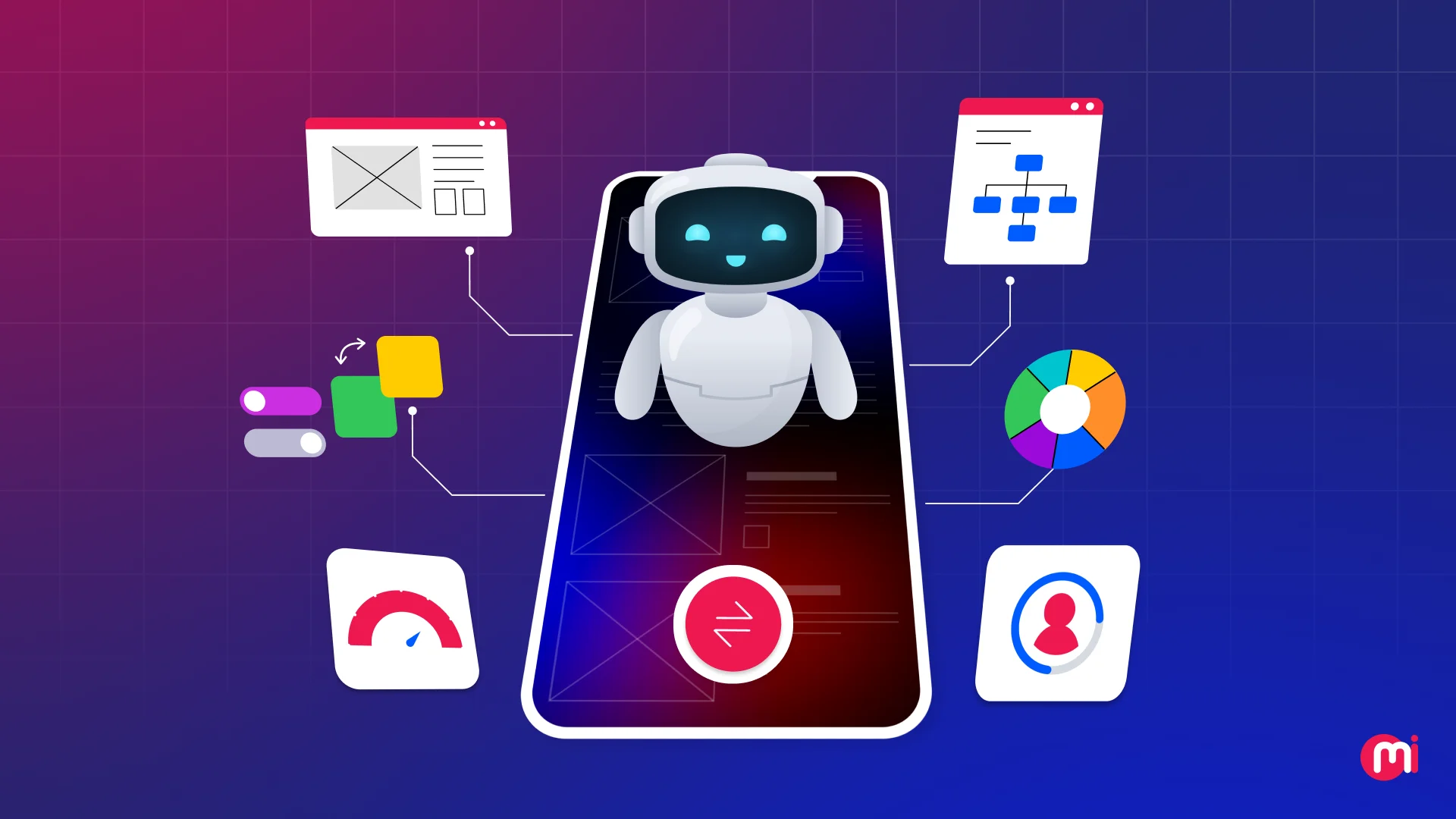
The Impact of Artificial Intelligence on UI/UX Design
In a recent survey conducted by ResearchGate, it was found that 74% of respondents believed that AI would have a significant impact on the efficiency of the UI/UX design process. This belief is supported by the fact that AI is no longer limited to just automation or experimentation; it has now become a practical tool for understanding users, speeding up design workflows, and creating more personalized experiences.
From the initial stages of research and ideation to usability testing and continuous optimization, AI enables designers to make more informed decisions based on real user behavior, ultimately resulting in faster UI/UX design processes. This allows UI/UX designers to focus more on creativity, empathy, and strategic thinking, while AI takes care of data-heavy and repetitive design tasks.
This blog delves into the role of artificial intelligence in UI/UX design, exploring its use cases, benefits, the tools that support modern design needs, how to apply AI in the design lifecycle, as well as the challenges and future trends in this field. By understanding how AI improves UI/UX design, you can better assess the expertise of the UI/UX design company you choose for your next project.
Key Takeaways
– AI plays a key role in UI/UX design by generating layouts and UI components, customizing user experiences, providing predictive analytics, and enhancing user testing.
– AI is used in UI/UX design for various use cases, such as user research, rapid prototyping, personalization, creating adaptive interfaces, and more.
– The benefits of AI for UI/UX design include faster design, data-driven decision-making, enhanced personalization, reduced repetitive tasks, and more.
– Some popular AI tools and plugins for UI/UX design include UX Pilot, Claude, Fronty, Uizard, Galileo AI, Magician (Figma Plugin), and more.
– Designers use AI in UI/UX design for problem definition, strategy development, research and data analysis, ideation, automation, and testing.
Role of AI in UI/UX Design
AI plays a crucial role in UI/UX design by generating layouts and UI components, personalizing user experiences based on behavioral data, providing predictive analytics, and enhancing user testing through heatmap analysis. By automating repetitive tasks, accelerating prototyping, and enabling data-driven decision-making, AI empowers UI/UX designers to focus on creativity, empathy, and strategy for better outcomes.
Key Use Cases of AI for UI/UX Design
UI/UX designers leverage AI for various use cases, including user research, gaining insights, rapid prototyping, personalization, creating adaptive interfaces, and more. When strategically applied, AI keeps the UI/UX design lifecycle seamless, from initial discovery to post-launch enhancements.
Some impactful use cases of AI in modern UI/UX design include:
User Research & Insights
AI helps UI/UX designers with user research and gaining insights to improve project speed and accuracy. By processing large volumes of data, AI uncovers patterns that inform UI/UX design strategies, moving from assumptions to evidence-based decision-making.
AI-Powered Decision Making
AI supports data-driven design decisions by prioritizing improvements and aligning UX choices with business goals. AI enhances personalization, layout optimization, and prototyping, enabling designers to make informed decisions based on user insights.
Rapid Prototyping & Concept Generation
AI accelerates early design stages by generating ideas, layouts, and prototypes quickly. This allows designers to experiment, validate ideas, and refine concepts before development begins, using tools like Uizard and Figma AI.
Personalization & Adaptive Interfaces
AI helps create user-centered design through personalized and adaptive interfaces that dynamically adapt based on user behavior, preferences, and context. This results in interfaces that offer personalized experiences, increased engagement, and improved retention.
Design Automation & Workflow Optimization
AI automates repetitive design tasks, such as generating and organizing design components, maintaining consistency across design systems, adjusting responsive layouts automatically, and automating content variations. This improves efficiency and collaboration across design teams.
Usability Testing and Optimization
AI enhances usability testing by automating data analysis, predicting user behavior, and providing scalable insights. It enables continuous experience optimization, leading to faster, more efficient, and personalized user experiences.
Accessibility Enhancement & Inclusive Design
AI helps with accessibility enhancement and inclusive design by automatically checking contrast and readability, generating alt-text for images, supporting voice-based interactions, and ensuring accessibility compliance.
Top Benefits of AI in UI/UX Design
The benefits of AI for UI/UX design include faster design and development cycles, data-driven decision-making, enhanced personalization, improved efficiency and productivity, stronger accessibility, and inclusive design. AI streamlines tasks, improves decision-making, and enhances user experiences, making UI/UX design more effective and user-friendly.
Popular AI Tools and Plugins for UI/UX Designers
Some popular AI tools and plugins for UI/UX design include UX Pilot, Claude, Fronty, Uizard, Galileo AI, Magician (Figma Plugin), and more. These tools automate wireframing, generate UI components, and assist with design-to-code workflows, enabling designers to create innovative and efficient designs.
How to Use Artificial Intelligence in UI/UX Design
Using AI in UI/UX design requires a strategic approach, starting from defining the problem to using AI in research and data analysis, applying it during ideation, automating design and testing tasks, and optimizing workflows. By following these steps, designers can leverage AI to enhance user experiences and create innovative designs.
Challenges & Solutions of Using AI for UI/UX Design
AI in UI/UX design presents challenges such as algorithmic bias, lack of human creativity, over-reliance on automation, and ethical concerns. These challenges can be addressed by using diverse datasets, treating AI as a support tool, refining AI outputs with empathy, and ensuring ethical and transparent practices in AI-driven design.
What Does the Future of AI and UX Design Look Like?
The future of AI in UI/UX design will see trends such as hyper-personalization, predictive UI, spatial and immersive computing, generative AI in design workflows, voice and gesture interaction, AI-driven accessibility and testing, and ethical design practices. These trends will shape the future of UI/UX design, making experiences more adaptive, intuitive, and user-centric.
Wrapping Up
Artificial Intelligence is transforming UI/UX design by making experiences more personalized, data-driven, and efficient. By leveraging AI tools and techniques, designers can create innovative and user-friendly designs that meet the needs of modern users. With the right approach and tools, AI can enhance UI/UX design and create engaging and effective user experiences.












Freelander Sets Sights on 25 Dealers for 2027 Launch in Australia

Global Crackdown: Taking Down a Multimillion-Dollar Phishing Network

Visa Troubles: Umamusume Live Concert Amid US Regulations

Exciting News: iPad Mini OLED Release Imminent, Price Concerns Loom

Revamping Android: Why Samsung Isn’t the Solution – Tech Advisor

Quantum Leap: Enhancing Collaboration in Quantum Technology between Japan and Finland

Empowering Underrepresented Entrepreneurs: EIF Invests €20 Million in Swedish VC BackingMinds

Google Home Speakers Accused of Secretly Downloading Massive Amounts of Data

Is Siri AI Supported on My iPhone in iOS 27?

EU Takes Action Against Instagram and Facebook for Violating Illegal Content Rules

Warning: Facebook Creators Face Monetization Loss for Stealing and Reposting Videos

Facebook’s New Look: A Blend of Instagram’s Style

Facebook Compliance: ICE-tracking Page Removed After US Government Intervention

Facebook and Instagram to Reduce Personalized Ads for European Users

InstaDub: Meta’s AI Translation Tool for Instagram Videos

Reclaim Your Account: Facebook and Instagram Launch New Hub for Account Recovery

Meta discontinues Messenger apps for Windows and macOS

Breaking Updates: Meta Connect 2025 Unveils Latest Developments

Oneplus 5T vs Oneplus 1 – 3 Years Later.

Top 20 BEST Smartphones of 2017!

5 Amazing Upcoming Smartphone Features – 2018 / 2019

ULTIMATE Power Banks / The Best Power Banks (2017-2018)

TOP 5 BEST UPCOMING SMARTPHONES – 2018!!

How to Apply a Screen Protector

The Flagship Samsung Smartphone you Never Considered.

Finally Fixing my Wi-Fi – Zyxel Multy X!

$25,000 Gaming Setup – EVOLUTION!
-
 Facebook12 months ago
EU Takes Action Against Instagram and Facebook for Violating Illegal Content Rules
-
 Facebook1 year ago
Warning: Facebook Creators Face Monetization Loss for Stealing and Reposting Videos
-
 Facebook10 months ago
Facebook’s New Look: A Blend of Instagram’s Style
-
 Facebook1 year ago
Facebook Compliance: ICE-tracking Page Removed After US Government Intervention
-
 Facebook11 months ago
Facebook and Instagram to Reduce Personalized Ads for European Users
-
 Facebook1 year ago
InstaDub: Meta’s AI Translation Tool for Instagram Videos
-
 Facebook11 months ago
Reclaim Your Account: Facebook and Instagram Launch New Hub for Account Recovery
-
 Apple12 months ago
Meta discontinues Messenger apps for Windows and macOS
