
Mobile Tech
Is Siri AI Supported on My iPhone in iOS 27?

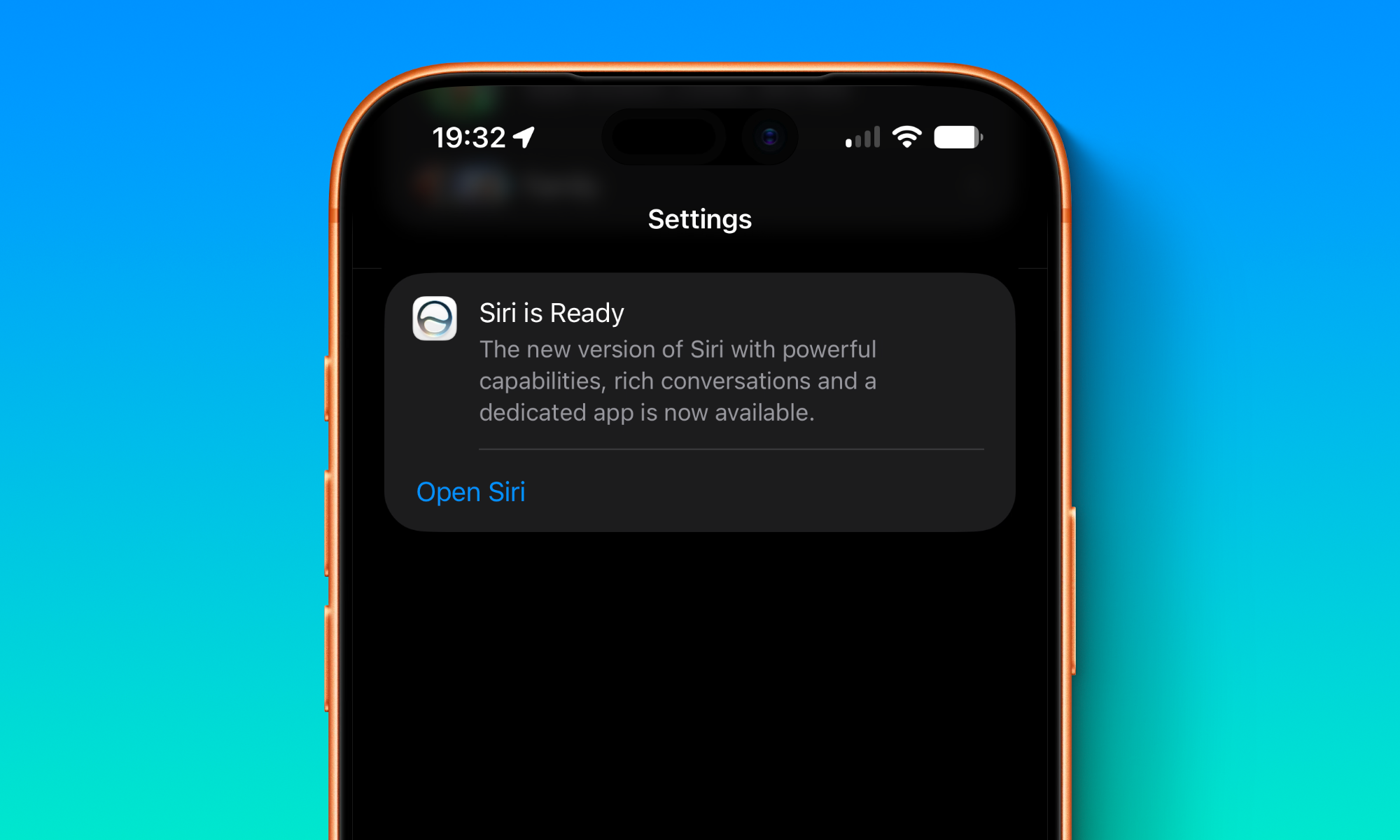
Apple’s latest iOS 27 update introduced a standout feature: Siri AI. This revamped Siri is smarter and more capable than ever before, with improved personal context understanding, personalized suggestions, enhanced photo searches, and the ability to answer questions.
Despite being 15 years old, Siri is not flawless but remains a valuable tool. To utilize Siri AI, ensure that your iPhone supports it and enable the feature.
Is Siri AI Supported on My iPhone?
If your iPhone supports Apple Intelligence, you have access to Siri AI. The confirmed compatible models include:
- iPhone 15 Pro and Pro Max
- All iPhone 16 models
- All iPhone 17 models
- iPhone Air
- iPhone 18 Pro and Pro Max
- iPhone Duo
Some advanced features, like expressive voices, require an iPhone 17 Pro or later, or an iPhone Air, equipped with 12 GB of RAM.
How to Activate Siri AI
Enabling Siri AI is straightforward, but you may need to join a waitlist as Apple gradually rolls out the feature. Currently in beta, Siri AI is not yet available in all regions, with plans to expand language support in future updates.
To activate Siri AI on your iPhone:
- Open the Settings app.
- Go to Siri.
- If Siri is off, turn it on.
- Select Try Siri AI (Beta).
- Tap Continue.
- Follow on-screen instructions.
Maximizing Siri AI
While Siri is not perfect, Siri AI represents a significant improvement. Once you have access, your iPhone will become more intelligent, and a dedicated Siri app will help you track interactions with Siri.
global $wp;
. ‘/’;
??>











Is Siri AI Supported on My iPhone in iOS 27?

Oneplus 5T vs Oneplus 1 – 3 Years Later.

Unleashing the Beast: Aston Martin’s Aerodynamic Single-Seater Track Car

The Rising Tide of CoreWeave’s Debt: The AI Industry’s Collective Challenge

Tech Talk for Everyone: A Guide to Making the Non-Technical Understand and Succeed

.

Samsung Health Sleep Upgrade Revolutionizes Galaxy Watch and Ring Owners’ Health Monitoring

Top 15 Tech Companies Scaling with New COO Hires in 2026

Apple Unveils iOS 27.2 RC in Preparation for October Release

EU Takes Action Against Instagram and Facebook for Violating Illegal Content Rules

Warning: Facebook Creators Face Monetization Loss for Stealing and Reposting Videos

Facebook’s New Look: A Blend of Instagram’s Style

Facebook Compliance: ICE-tracking Page Removed After US Government Intervention

Facebook and Instagram to Reduce Personalized Ads for European Users

InstaDub: Meta’s AI Translation Tool for Instagram Videos

Reclaim Your Account: Facebook and Instagram Launch New Hub for Account Recovery

Meta discontinues Messenger apps for Windows and macOS

Breaking Updates: Meta Connect 2025 Unveils Latest Developments
Oneplus 5T vs Oneplus 1 – 3 Years Later.

Top 20 BEST Smartphones of 2017!

5 Amazing Upcoming Smartphone Features – 2018 / 2019

ULTIMATE Power Banks / The Best Power Banks (2017-2018)

TOP 5 BEST UPCOMING SMARTPHONES – 2018!!

How to Apply a Screen Protector

The Flagship Samsung Smartphone you Never Considered.

Finally Fixing my Wi-Fi – Zyxel Multy X!

$25,000 Gaming Setup – EVOLUTION!
-
 Facebook12 months ago
EU Takes Action Against Instagram and Facebook for Violating Illegal Content Rules
-
 Facebook1 year ago
Warning: Facebook Creators Face Monetization Loss for Stealing and Reposting Videos
-
 Facebook10 months ago
Facebook’s New Look: A Blend of Instagram’s Style
-
 Facebook1 year ago
Facebook Compliance: ICE-tracking Page Removed After US Government Intervention
-
 Facebook11 months ago
Facebook and Instagram to Reduce Personalized Ads for European Users
-
 Facebook1 year ago
InstaDub: Meta’s AI Translation Tool for Instagram Videos
-
 Facebook11 months ago
Reclaim Your Account: Facebook and Instagram Launch New Hub for Account Recovery
-
 Apple12 months ago
Meta discontinues Messenger apps for Windows and macOS
