Microsoft Defender for Endpoint Introduces Automatic Device Isolation Feature
Microsoft has announced the testing of a new capability for Defender for Endpoint that automatically isolates compromised endpoints to prevent attackers from moving laterally across the network.
The feature, currently in preview mode, is part of automatic attack disruption, which aims to contain attacks, minimize their impact, and give security teams more time for remediation.
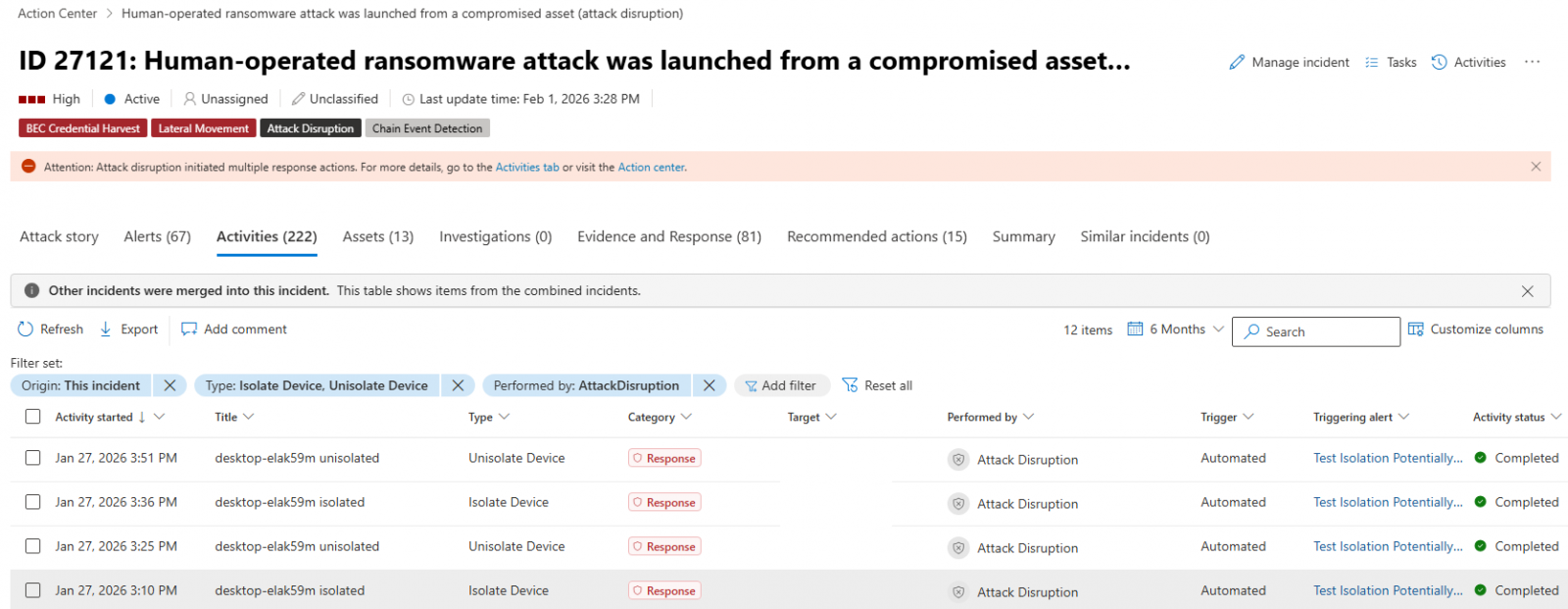
When an endpoint is suspected of being compromised, Microsoft Defender for Endpoint can automatically isolate the device to reduce the risk of further impact on the organization. This isolation helps limit lateral movement by attackers and prevents actions such as data exfiltration and ransomware propagation.
The isolated endpoints remain connected to the Microsoft Defender for Endpoint service for continuous monitoring even while disconnected from the network.
Device isolation is applicable only to end-user workstations managed by Microsoft Defender for Endpoint and can be released from containment by security operators after completing incident investigations and mitigating risks.
To release a device from isolation, security operators can select the device from the “Device inventory” or open the device page and choose “Release from isolation” from the action menu.
Defender for Endpoint automatic device isolation (Microsoft)
In June 2022, Microsoft introduced manual containment for compromised, unmanaged Windows devices by blocking incoming and outgoing communication with onboarded Defender for Endpoint endpoints.
Testing for device isolation support on onboarded Linux devices began in January 2023, with the capability becoming generally available in October 2023. Defender for Endpoint also has the ability to isolate compromised user accounts to prevent lateral movement in ransomware attacks.
Microsoft recently introduced a feature that automatically blocks traffic to and from undiscovered Windows endpoints to prevent attackers from breaching other non-compromised devices on the network.
Another new feature in testing allows admins to schedule antivirus scans on onboarded Linux systems using the Microsoft Defender portal, mdatp managed JSON configuration, or the mdatp command-line tool. Scheduled scans include daily quick scans, interval-based quick scans, and weekly full scans with various execution options.
Automated pentesting tools provide value by testing whether an attacker can move through the network, but they may not assess whether your controls effectively block threats, detection rules function, or cloud configurations are secure.
This guide outlines the six essential surfaces that you need to validate for robust security.