
Gadgets
Uncovering the Best “Hidden” Features of Google Pixel: A Reddit Experiment

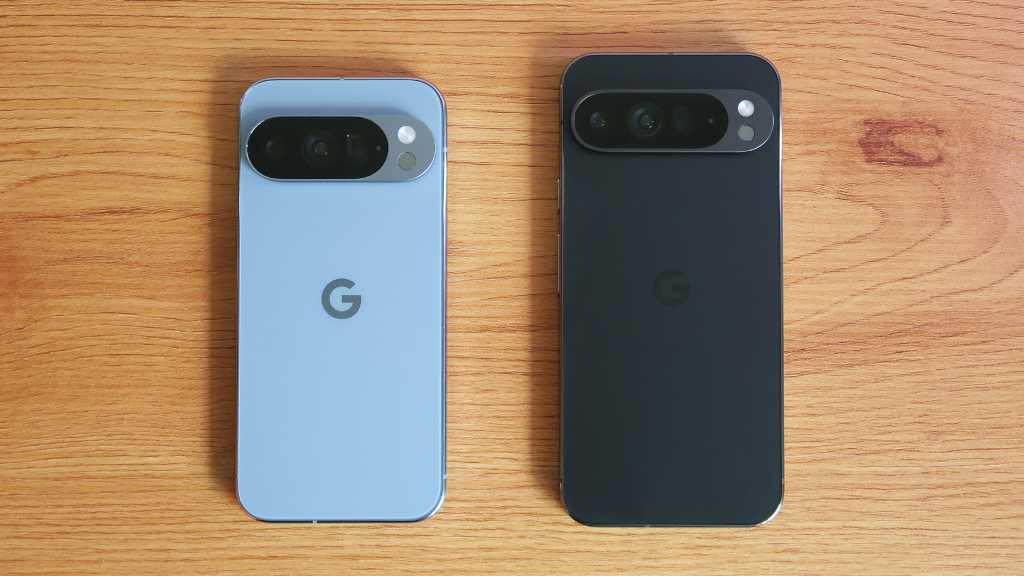
Article created with insights from Smart Answers AI
Key Takeaways:
- A recent test by Tech Advisor explored hidden Google Pixel features on a Pixel 10 Pro XL, such as Call Screen, Now Playing, Quick Tap, and Flip to Shh.
- These exclusive Pixel features offer offline music identification, hands-free call screening, gesture controls, and distraction management capabilities.
- Despite recent Android 17 issues and negative online feedback, the Pixel 10 Pro XL is still highly recommended for its innovative hidden features.
Google’s Pixel phones have been facing challenges recently, especially with the rollout of Android 17 causing connectivity issues and touchscreen malfunctions.
Rumors of price increases for the upcoming Pixel 11 series have also added to the negative sentiment surrounding the Pixel phones.
To find some positivity, Reddit discussions were explored, where users shared their favorite hidden features of Google Pixel phones. The Pixel subreddit is known for its honest opinions on hardware and software.
One user asked, “What’s your favorite hidden feature in Google Pixel?” The thread received 247 replies, with some claiming life-changing effects.
After extensive use of the last three generations of Pixel flagships, the 10 most popular hidden features were tested on the Pixel 10 Pro XL.
1. Live Weather Display:
A unique feature that allows the home screen to match the current weather conditions using custom wallpapers. While visually appealing, the display lasts only a few seconds upon unlocking the phone.
Live Weather Display: A temporary visual treat
Although visually appealing, the feature may drain battery life and is more of a novelty than a practical function.
Verdict: A fun but short-lived visual gimmick.
2. Clipboard in Gboard:
A useful feature available on Gboard that allows users to store a history of copied text and images for easy access. It automatically deletes items not pinned within an hour to avoid clutter.
Clipboard: Efficient and helpful
While not exclusive to Pixel, the Clipboard feature is a valuable addition for quick access to copied content.
Verdict: A handy feature available on most Android devices.
3. Call Screen:
A well-known feature that helps users screen unknown callers by using AI to ask for caller information before deciding to accept or reject the call.
In the US, Call Screen automatically declines suspected spam calls, offering added convenience. Similar features are available on other Android devices like Samsung’s Call Screening.
Verdict: A widely known but practical feature for call management.
4. Quick Phrases:
A feature that allows quick responses to calls, alarms, and timers by setting up predefined actions for double-tapping the back of the phone. While versatile, the feature requires adjustment for optimal use.
Quick Phrases: A convenient shortcut
Although not exclusive to Pixel, Quick Phrases offer a quick and efficient way to handle phone functions.
Verdict: A useful feature for hands-free phone operation.
5. Flip to Shh:
An existing feature on Pixel phones that activates Do Not Disturb mode when the phone is placed face down. While seemingly simple, it proves to be effective in silencing notifications and calls.
Flip to Shh: A convenient silence
Despite requiring haptic feedback and a case-free phone, Flip to Shh offers a subtle way to manage distractions effectively.
Verdict: An exclusive and practical Pixel feature.
6. Now Playing:
An automatic song identification feature that works offline and displays recognized songs on the lock screen for easy access. While not hidden, Now Playing is a valuable addition to the Pixel experience.
Compared to apps like Shazam, Now Playing offers seamless song recognition without the need for a strong internet connection.
Verdict: A standout Pixel feature for music enthusiasts.
7. Quick Tap:
A feature that allows users to perform quick actions by double-tapping the back of the phone. While similar features exist on other devices, Quick Tap offers versatility in customizing actions for different taps.
Quick Tap: Versatile and efficient
Despite some challenges in location accuracy, Quick Tap proves to be a game-changer for quick phone operations.
Verdict: A hidden gem with practical applications.
8. Overview Select:
A feature that simplifies text copying from apps by overriding app restrictions and allowing text selection in the app switcher mode. While limited to Pixel devices, Overview Select is a valuable tool for text extraction.
Verdict: A Pixel-exclusive feature for enhanced text copying.
9. Take a Message:
An innovative voicemail feature that provides real-time transcriptions and audio recordings within the Google Phone app. While not hidden, Take a Message offers a convenient alternative to traditional voicemail systems.
Take a Message: Voicemail reimagined
Although limited to certain regions, Take a Message proves to be a time-saving addition for Pixel users.
Verdict: A practical Pixel-exclusive voicemail solution.
10. Direct My Call:
A feature designed to simplify navigating through automated phone menus by generating buttons for easy selection. While limited to specific regions and languages, Direct My Call aims to streamline call management.
Verdict: A promising but region-specific feature for improved call handling.
An Optimistic Outlook:
Despite mixed reviews, Pixel phones continue to offer innovative features and functionalities that set them apart from other devices. While not without flaws, the Pixel series remains a top choice for users seeking unique and practical features.










Unbeatable Deals on Australia’s Most Affordable Seven-Seat Diesel SUV

Forza Horizon 6: Revving Up for a 2027 Release on PS5

Embracing Success: A Geek’s Guide to Conquering the Stereotypes of Villainy

Uncovering the Bronze Age Influence in Paradox’s Afterworld: A Deeper Dive Beyond the Top Five Reference Points

iPhone Duo: The Future of Mobile Dominance

Tech Advisor: The Delayed Android 17 QPR1 Update for Pixel 11

Venture Capital Firm Monte Carlo Capital Secures €13 Million for Fund II to Back Early-Stage DeepTech, AI, and SpaceTech Startups

The Battle Over iPhone Driver’s Licenses: Florida and Rhode Island Stand Firm

How Smart is the AI-Powered Huawei Mate 10 – with EMUI 8.0?

EU Takes Action Against Instagram and Facebook for Violating Illegal Content Rules

Warning: Facebook Creators Face Monetization Loss for Stealing and Reposting Videos

Facebook’s New Look: A Blend of Instagram’s Style

Facebook Compliance: ICE-tracking Page Removed After US Government Intervention

Facebook and Instagram to Reduce Personalized Ads for European Users

InstaDub: Meta’s AI Translation Tool for Instagram Videos

Reclaim Your Account: Facebook and Instagram Launch New Hub for Account Recovery

Meta discontinues Messenger apps for Windows and macOS

Breaking Updates: Meta Connect 2025 Unveils Latest Developments
How Smart is the AI-Powered Huawei Mate 10 – with EMUI 8.0?

I used a 2012 Smartphone in 2018 – Here’s what happened.

How to send ANY file Anywhere!

NEW Oneplus 5T Sandstone White Unboxing – The Ultimate Oneplus 5T?

HUAWEI P20 – THE SMARTPHONE REVOLUTION IS HERE?

How OnePlus succeeded when they should have failed.

Samsung sent us THIS! #AD

Ulefone Power 3 – Quad Camera Smartphone that last 2 weeks!

EPIC Smartphone FAILS that people will never forget.
-
 Facebook12 months ago
EU Takes Action Against Instagram and Facebook for Violating Illegal Content Rules
-
 Facebook12 months ago
Warning: Facebook Creators Face Monetization Loss for Stealing and Reposting Videos
-
 Facebook10 months ago
Facebook’s New Look: A Blend of Instagram’s Style
-
 Facebook12 months ago
Facebook Compliance: ICE-tracking Page Removed After US Government Intervention
-
 Facebook10 months ago
Facebook and Instagram to Reduce Personalized Ads for European Users
-
 Facebook12 months ago
InstaDub: Meta’s AI Translation Tool for Instagram Videos
-
 Facebook10 months ago
Reclaim Your Account: Facebook and Instagram Launch New Hub for Account Recovery
-
 Apple12 months ago
Meta discontinues Messenger apps for Windows and macOS
