
Mobile Tech
Unveiling the Latest Features in iOS 27 Public Beta 2: Siri AI Enhancements, Faster iPhone Speeds, and Beyond

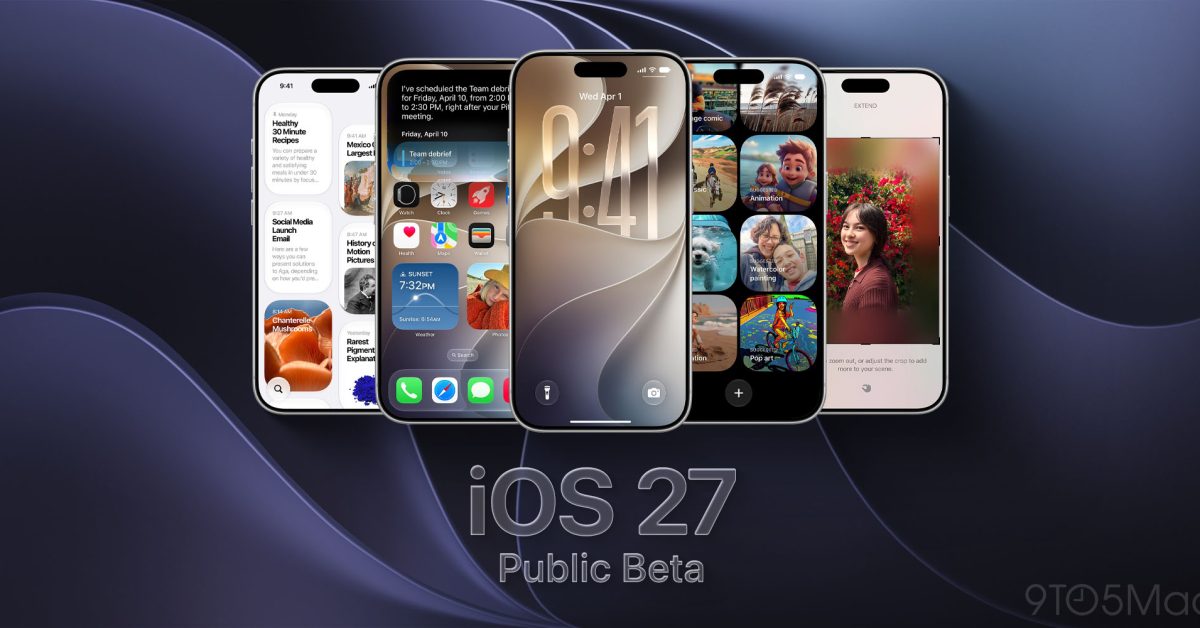
The second iOS 27 public beta is now available for iPhone. It gives users an early chance to try Apple’s biggest software update of the year.
Siri AI is the headline feature. The release also includes a redesigned Screen Time experience, Liquid Glass refinements, performance upgrades, and dozens of quality-of-life changes.
Here’s how to install the beta, what’s new, and which features you should try first.
How to join the iOS 27 public beta
The Apple Beta Software Program is free, and you don’t need a developer account.
Before you begin, back up your iPhone to iCloud or a computer. Beta software can include bugs, reduced battery life, and third-party app compatibility problems.
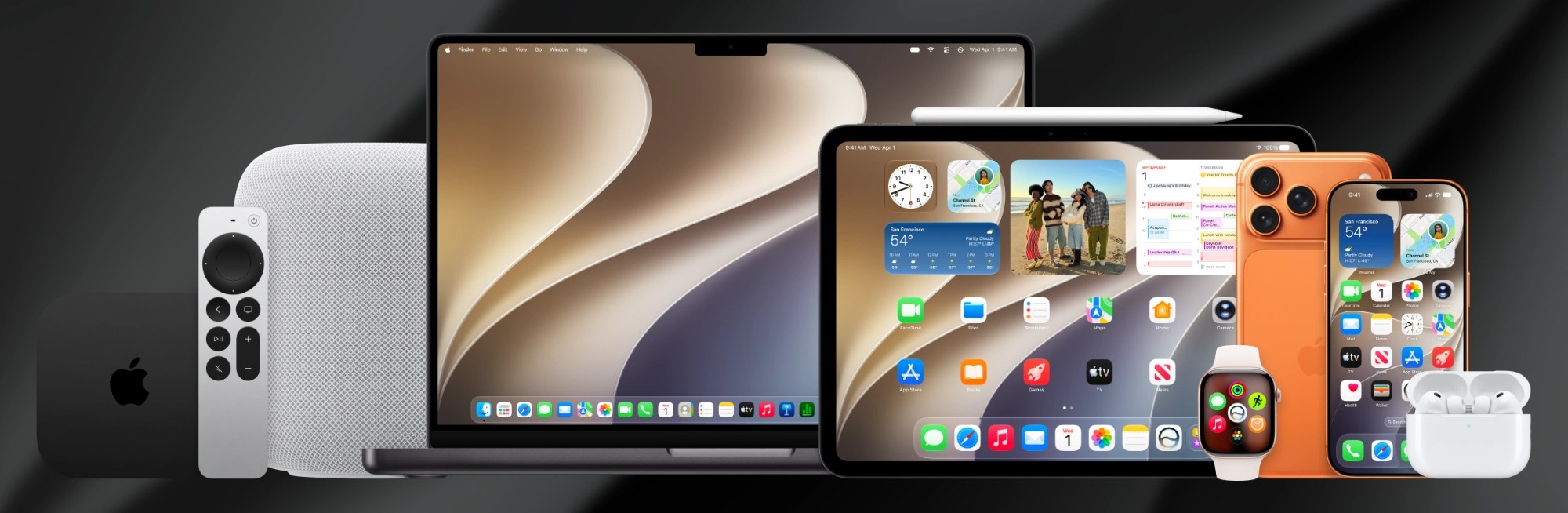
To join and install the beta:
- Visit the Apple Beta Software Program website and choose Sign Up or Sign In.
- Sign in with the same Apple Account you use on your iPhone. Then accept the program terms and enroll your account.
- Open Settings on your iPhone.
- Go to General > Software Update > Beta Updates.
- Select iOS 27 Public Beta.
- Return to the Software Update screen, then tap Update Now when the beta appears.
Apple recommends installing beta software on a secondary device. If you use your primary iPhone, make sure you have a recent backup first.
iOS 27 supports every iPhone that runs iOS 26. That includes iPhone 11 and newer, plus iPhone SE (2nd generation and later).
However, Apple Intelligence requires iPhone 15 Pro or newer. Apple’s most powerful new on-device model has an even shorter compatibility list, but Siri AI only requires Apple Intelligence compatibility to work.
Siri AI is the biggest iOS 27 feature
Once the iOS 27 public beta is installed, Siri AI is the best place to start.
Apple has rebuilt Siri around its next-generation Apple Intelligence system. The assistant can now hold an ongoing conversation and search your personal information. It can also understand onscreen content, take actions in apps, and answer broader questions.
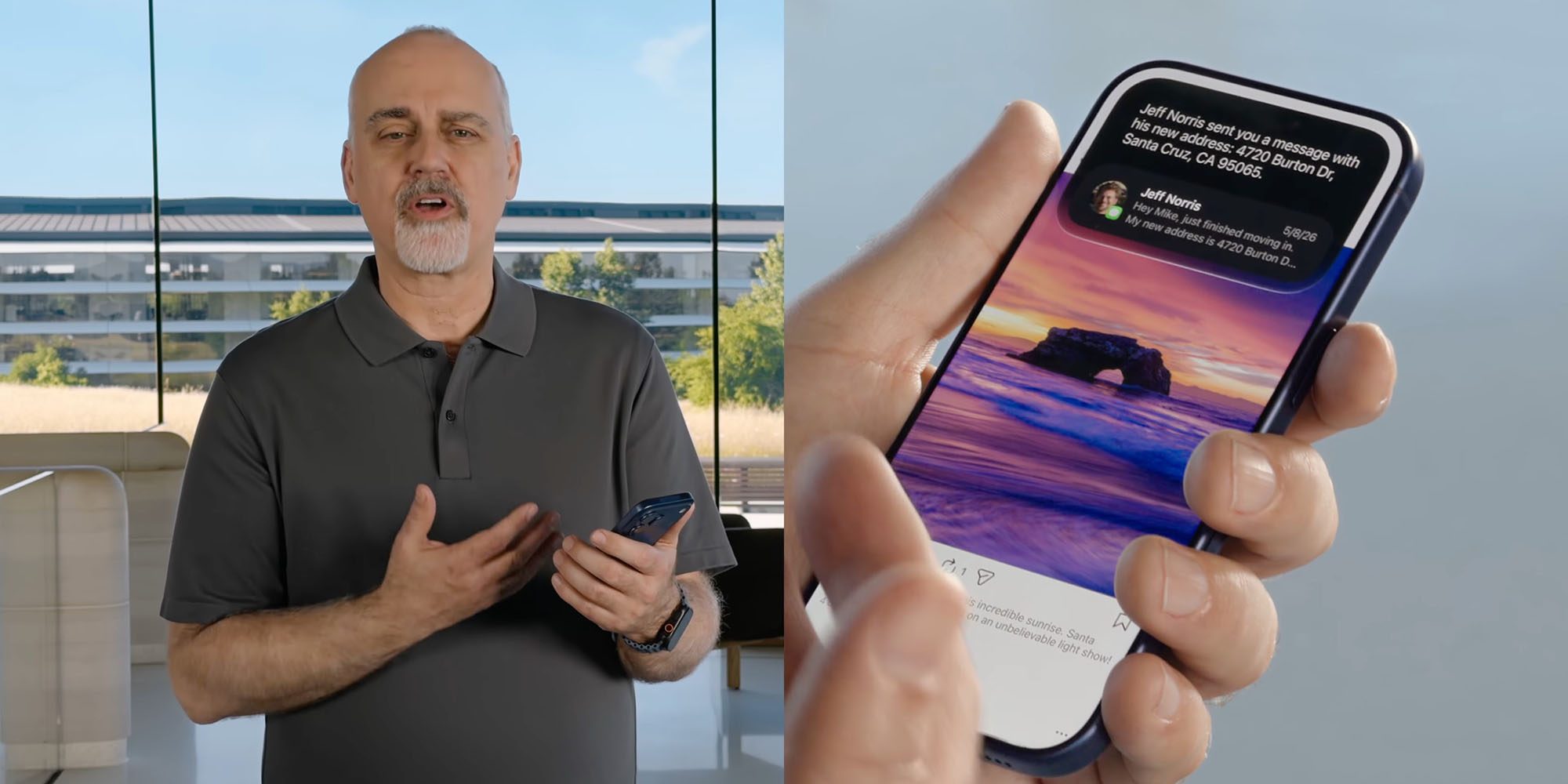
Siri responses emerge from the Dynamic Island. Pull down on a response to open the full conversation. Meanwhile, a standalone Siri app keeps your history in one place. It syncs that history privately through iCloud.
After installing the public beta, ask Siri to find a detail buried in Mail, Messages, Notes, Reminders, or Calendar. Then ask a follow-up without repeating the original context. In iOS 27 beta 3, Siri also gained early access to information from some third-party apps.
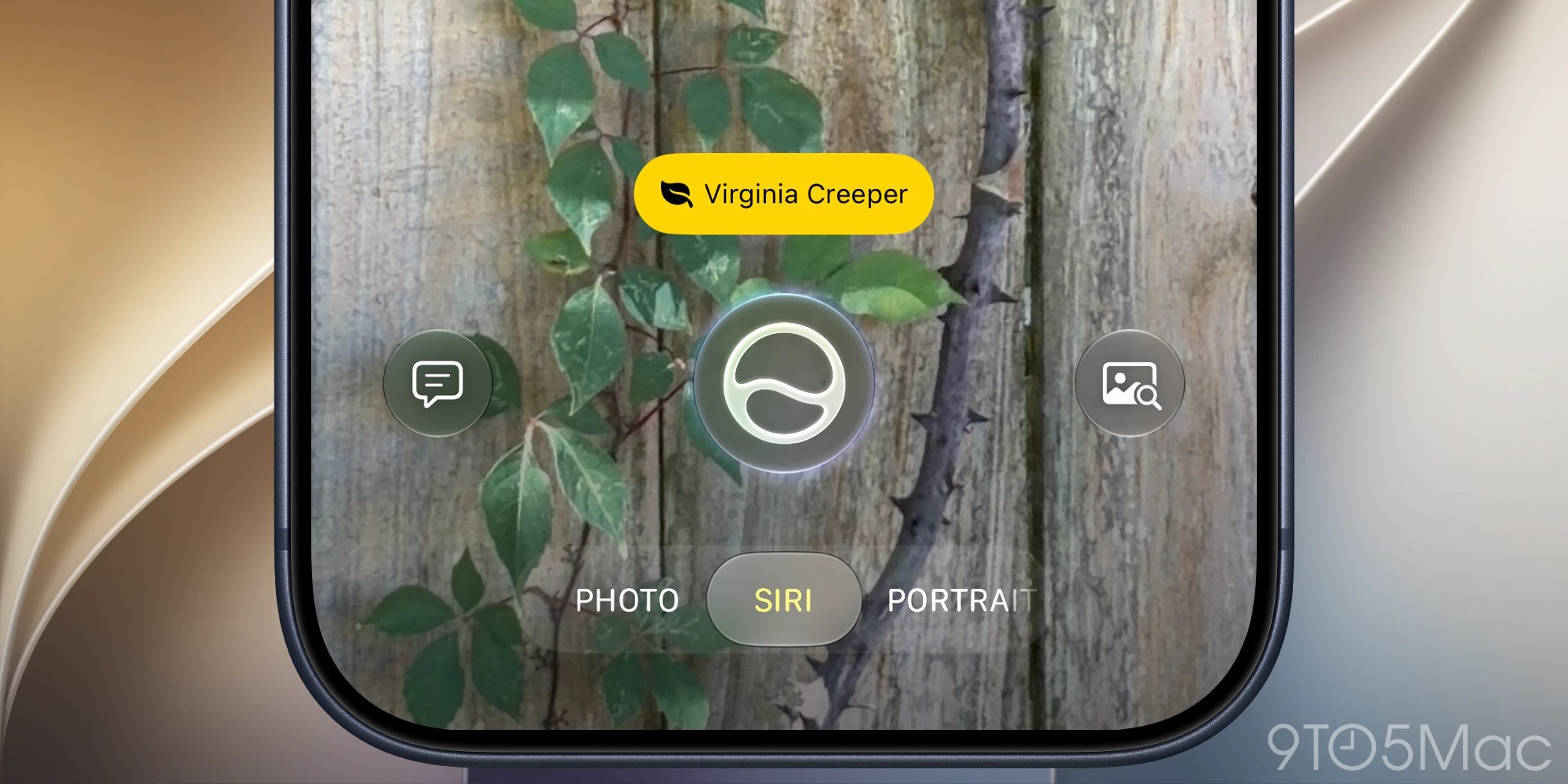
The Camera app adds a Siri mode for Visual Intelligence. For example, you can photograph a membership barcode and turn it into a Wallet pass. Siri can also import events from a flyer.
In addition, Apple has added controls for Siri’s pace and expressivity. You’ll find them under Settings > Siri > Voice. These settings also affect spoken output in Maps and Safari.
Siri AI initially supports select English variants, and it won’t launch in the EU right away. It also requires an Apple Intelligence-compatible iPhone. Some advanced on-device features require iPhone 17 Pro, iPhone 17 Pro Max, or iPhone Air.
Apple Intelligence upgrades more iPhone apps
The iOS 27 public beta spreads some of its best AI features beyond Siri.
Safari can automatically organize tabs by topic. It also groups bookmarks and Reading List items while surfacing recently closed topics on the Start Page. In addition, Notify Me can watch a webpage for a change, such as an item coming back in stock. Safari can even create a specialized extension from a natural-language description.
Photos adds three powerful editing tools. Clean Up handles larger and more complex distractions. Extend generates content beyond the existing frame. Finally, Spatial Reframing lets you adjust the apparent camera position after taking a picture.
Try Extend on a photo with a crooked horizon. After that, test Spatial Reframing on a portrait with an awkward composition.
The Passwords app can automatically replace eligible weak or compromised passwords. It handles verification codes and shows its progress in a Live Activity. Shortcuts can now build an automation from a plain-language request. You can continue describing changes to refine the result.
Other Apple Intelligence additions include:
- Call Context in Phone, which surfaces details such as reservation numbers when you call a business.
- Photorealistic generation and natural-language editing in Image Playground.
- Natural-language event creation and editing in Calendar.
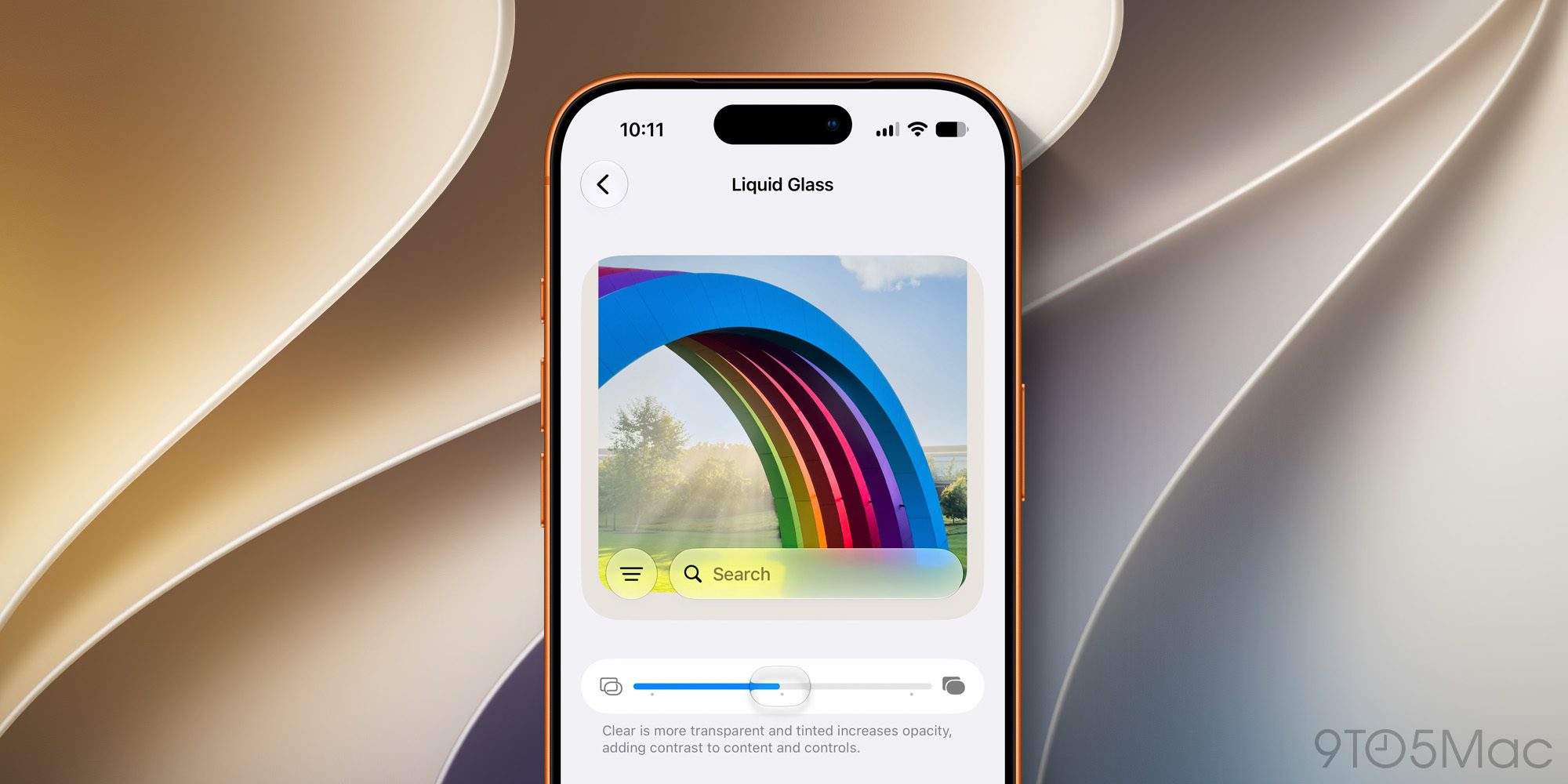
iOS 27 makes Liquid Glass more customizable
iOS 27 doesn’t replace the Liquid Glass design introduced last year. Instead, Apple has focused on clarity and flexibility.
Controls now diffuse complicated background content more effectively. Darker edges and brighter highlights also create better separation. As a result, buttons and text should remain easier to read. App icons have more layers and definition, too.
The feature to try first is the new Liquid Glass customization slider. You’ll find it under Settings > Appearance. It ranges from ultra-clear to fully tinted and applies across iOS and third-party apps.







Microsoft’s Breakthrough in Medical Superintelligence: The Diagnostic Orchestrator Revolution

Virtue and a Sledgehammer: The Cathartic Prelude

EdTech Intuitivo secures €1.35 million funding to streamline teachers’ tasks and enter Brazilian market

Score a Deal on Apple’s Magic Keyboards for iPad – but There’s a Catch

Unfolding Innovation: Coolpad’s $150 Android Phone with iPhone Duo-like Widescreen Display

iPhone Duo Production Surges by 44% to Meet High Demand

Pushing the Limits: Customizing Our Ultimate 2027 BMW 3 Series

AMD’s FSR 4.1 Enhancements Coming to Xbox Consoles and Handhelds

Introducing Kindle Plus: Your All-in-One Reading and Listening Experience

EU Takes Action Against Instagram and Facebook for Violating Illegal Content Rules

Warning: Facebook Creators Face Monetization Loss for Stealing and Reposting Videos

Facebook’s New Look: A Blend of Instagram’s Style

Facebook Compliance: ICE-tracking Page Removed After US Government Intervention

Facebook and Instagram to Reduce Personalized Ads for European Users

InstaDub: Meta’s AI Translation Tool for Instagram Videos

Reclaim Your Account: Facebook and Instagram Launch New Hub for Account Recovery

Meta discontinues Messenger apps for Windows and macOS

Breaking Updates: Meta Connect 2025 Unveils Latest Developments

Should you buy your Smartphones Refurbished!?

6 Amazing SECRET Android Launchers (2017 / 2018)

6 Value for Money Tech Products you NEED to try!

iPhone X Helicopter 1200ft Drop Test!! + Mous Case Review

7 UNBELIEVABLE Smartphone Magic Tricks!

Oneplus 5T vs Oneplus 1 – 3 Years Later.

Top 20 BEST Smartphones of 2017!

5 Amazing Upcoming Smartphone Features – 2018 / 2019

ULTIMATE Power Banks / The Best Power Banks (2017-2018)
-
 Facebook12 months ago
EU Takes Action Against Instagram and Facebook for Violating Illegal Content Rules
-
 Facebook1 year ago
Warning: Facebook Creators Face Monetization Loss for Stealing and Reposting Videos
-
 Facebook11 months ago
Facebook’s New Look: A Blend of Instagram’s Style
-
 Facebook1 year ago
Facebook Compliance: ICE-tracking Page Removed After US Government Intervention
-
 Facebook11 months ago
Facebook and Instagram to Reduce Personalized Ads for European Users
-
 Facebook1 year ago
InstaDub: Meta’s AI Translation Tool for Instagram Videos
-
 Facebook11 months ago
Reclaim Your Account: Facebook and Instagram Launch New Hub for Account Recovery
-
 Apple1 year ago
Meta discontinues Messenger apps for Windows and macOS
