
Tech News
The Surprising Dangers of Refrigerating Your Phone – A Warning from Tech Advisor

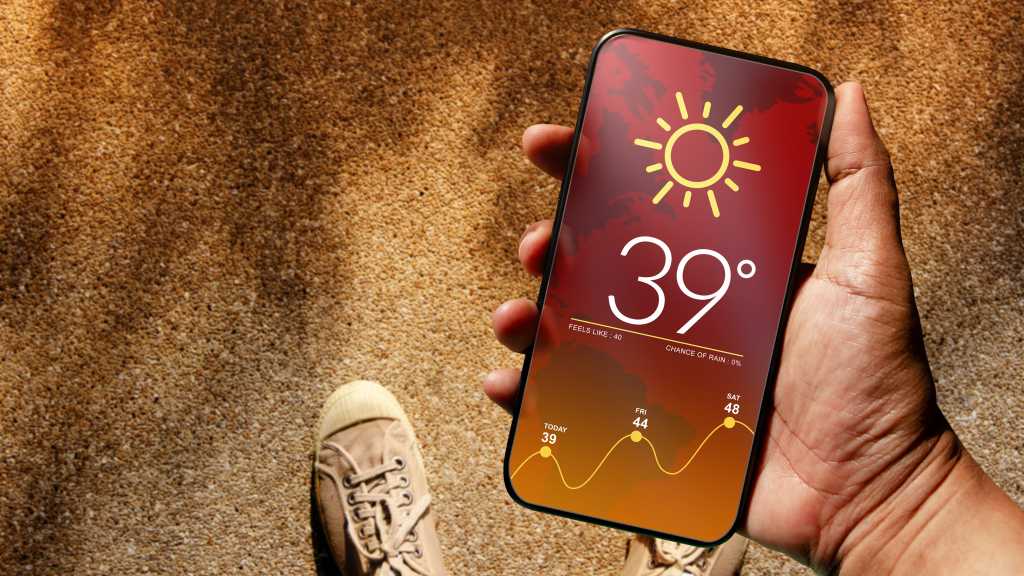
When it comes to cooling down an overheated smartphone, there are various factors to consider. The rapid cooling process of warm air inside the device can lead to condensation, which may settle in crevices or vital components. Reverting back to normal temperatures after removing the phone from a refrigerator can exacerbate moisture build-up, posing a risk even for devices with high IP ratings.
Discover 7 effective methods to prevent your phone from overheating.
Credits: Foundry
Additionally, lithium-ion batteries in smartphones are not built to handle sudden temperature changes, whether from hot to cold or vice versa. Therefore, it’s crucial not to leave your device exposed to extreme temperatures for extended periods, regardless of the season.
In the worst-case scenario, abrupt temperature fluctuations can lead to battery damage, ranging from increased wear and tear to swelling or even catching fire. Repairing such hardware damage can be costly, even if the battery hasn’t malfunctioned yet.
A More Effective Strategy
If you observe your smartphone overheating, it’s essential not to act hastily. Disconnect it from any chargers or power banks and place it in a shaded area to allow for gradual and safe cooling.
Close any resource-intensive apps or background processes that may strain the device’s RAM. Consider enabling airplane mode to reduce heat generation. Removing protective cases, especially those made of silicone or leather, can aid in heat dissipation.
If the phone continues to overheat, activate power-saving mode or power it off completely to prevent further battery stress. While mobile phone coolers are available for purchase online, their effectiveness remains unproven.












10 Best Android Apps – October 2017

Making the iPhone 8 INVINCIBLE (and Modular)

Google Pixel 2 XL vs Galaxy Note 8 vs iPhone 8 Plus- Battery Life Drain Test

Insane Holographic AND Transparent Wallpapers for Android!

Best Tech – October 2017!

TOP 5 MOST UNUSUAL SMARTPHONES

Umidigi S2 – Flagship Smartphone for $199??

Mystery Unboxing from Logitech!

7 Smartphone Life Hacks YOU SHOULD KNOW!

EU Takes Action Against Instagram and Facebook for Violating Illegal Content Rules

Warning: Facebook Creators Face Monetization Loss for Stealing and Reposting Videos

Facebook’s New Look: A Blend of Instagram’s Style

Facebook Compliance: ICE-tracking Page Removed After US Government Intervention

Facebook and Instagram to Reduce Personalized Ads for European Users

InstaDub: Meta’s AI Translation Tool for Instagram Videos

Reclaim Your Account: Facebook and Instagram Launch New Hub for Account Recovery

Meta discontinues Messenger apps for Windows and macOS

Breaking Updates: Meta Connect 2025 Unveils Latest Developments
10 Best Android Apps – October 2017
Making the iPhone 8 INVINCIBLE (and Modular)
Google Pixel 2 XL vs Galaxy Note 8 vs iPhone 8 Plus- Battery Life Drain Test
Insane Holographic AND Transparent Wallpapers for Android!
Best Tech – October 2017!
TOP 5 MOST UNUSUAL SMARTPHONES
Umidigi S2 – Flagship Smartphone for $199??
Mystery Unboxing from Logitech!
7 Smartphone Life Hacks YOU SHOULD KNOW!
-
 Facebook1 year ago
EU Takes Action Against Instagram and Facebook for Violating Illegal Content Rules
-
 Facebook1 year ago
Warning: Facebook Creators Face Monetization Loss for Stealing and Reposting Videos
-
 Facebook11 months ago
Facebook’s New Look: A Blend of Instagram’s Style
-
 Facebook1 year ago
Facebook Compliance: ICE-tracking Page Removed After US Government Intervention
-
 Facebook11 months ago
Facebook and Instagram to Reduce Personalized Ads for European Users
-
 Facebook1 year ago
InstaDub: Meta’s AI Translation Tool for Instagram Videos
-
 Facebook11 months ago
Reclaim Your Account: Facebook and Instagram Launch New Hub for Account Recovery
-
 Apple1 year ago
Meta discontinues Messenger apps for Windows and macOS
