
Gadgets
Maximizing Your Android Phone Battery Life: 7 Proven Strategies

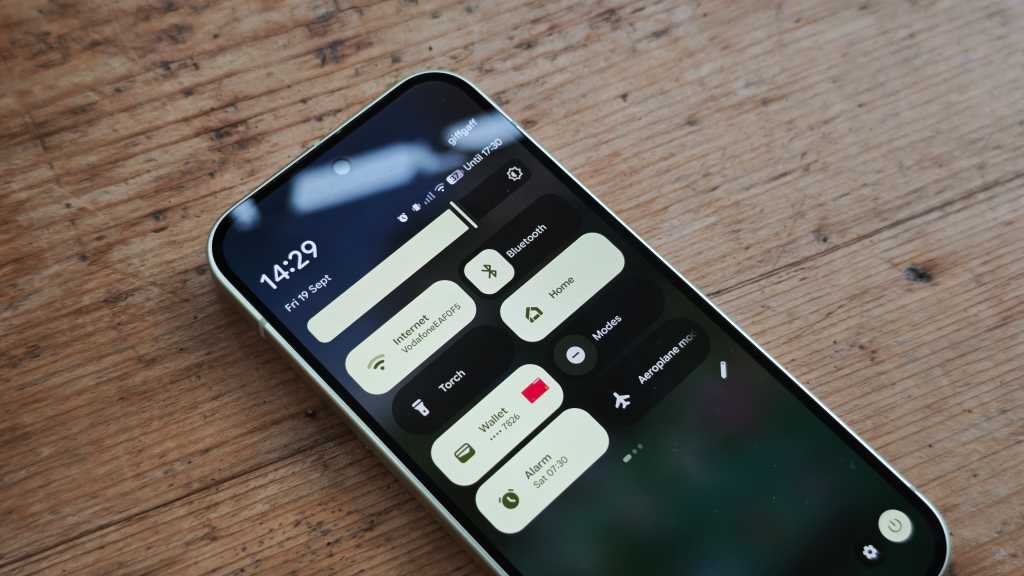
7 Tips to Improve Battery Life on Your Android Phone
Ensuring that your Android phone lasts longer is essential for making the most out of it. From streaming apps to games and productivity tools, none of these are of any use if your phone is constantly running out of battery. Here are some tips and tricks that can help improve your Android phone’s battery life by up to 25%, all of which are easily accessible and configurable within the standard Android operating system.
1. Disable the Always-On Display
The always-on display feature on Android devices can be convenient for checking notifications and messages, but it can drain your battery quickly. Disabling this feature in the Settings can help conserve battery power. Additionally, dimming the screen and turning off adaptive brightness can further extend your phone’s battery life.
Image Credit: Foundry
In the Settings menu, look for “Display & touch” and ensure that the Always-On Display option is turned off. Adjusting the brightness level and disabling adaptive brightness can also help save battery power.
2. Turn Off GPS When Not in Use
Location Services on Android devices constantly use the GPS chip to provide location information for apps like Google Maps and Waze. Disabling Location Services when not needed can significantly reduce battery consumption. Simply navigate to the Location Services option in Settings to turn it off when not in use.
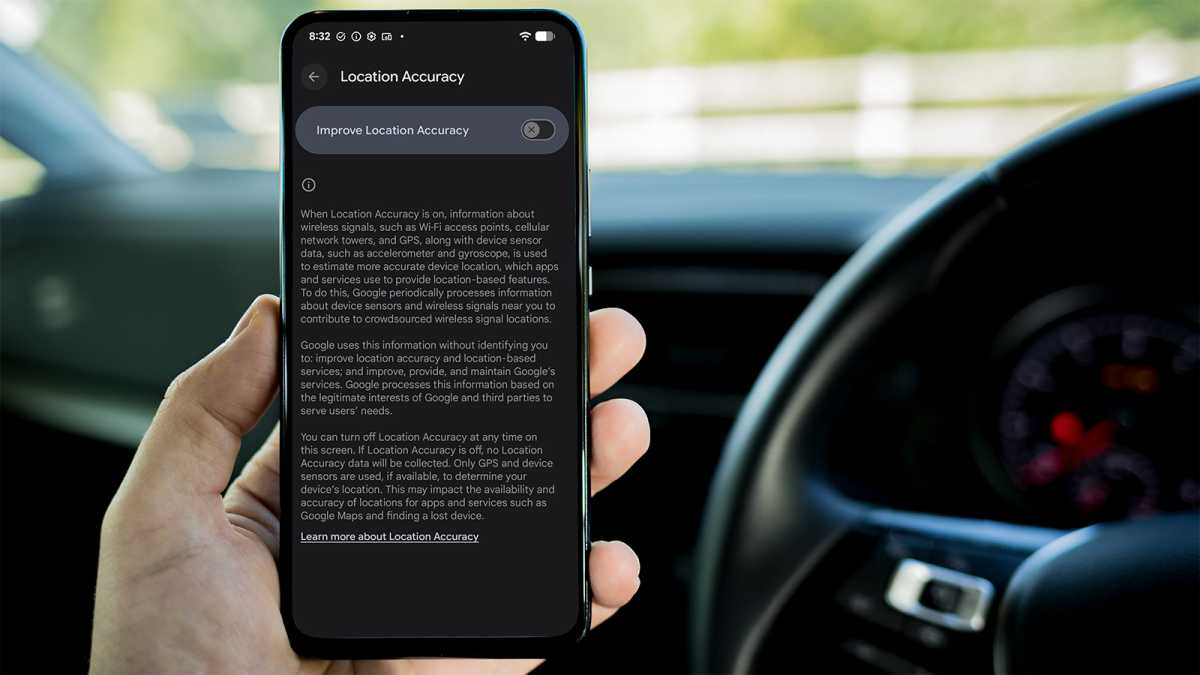
Image Credit: Foundry
By disabling Location Services, you can prolong your phone’s battery life and only enable it when necessary for navigation.
3. Remove Resource-Intensive Apps Like Facebook
Apps like Facebook can be resource-intensive and drain your phone’s battery quickly. Consider removing or disabling apps that you don’t use frequently to save power. By uninstalling social media apps and only using them when needed, you can reduce background processes and conserve battery life.
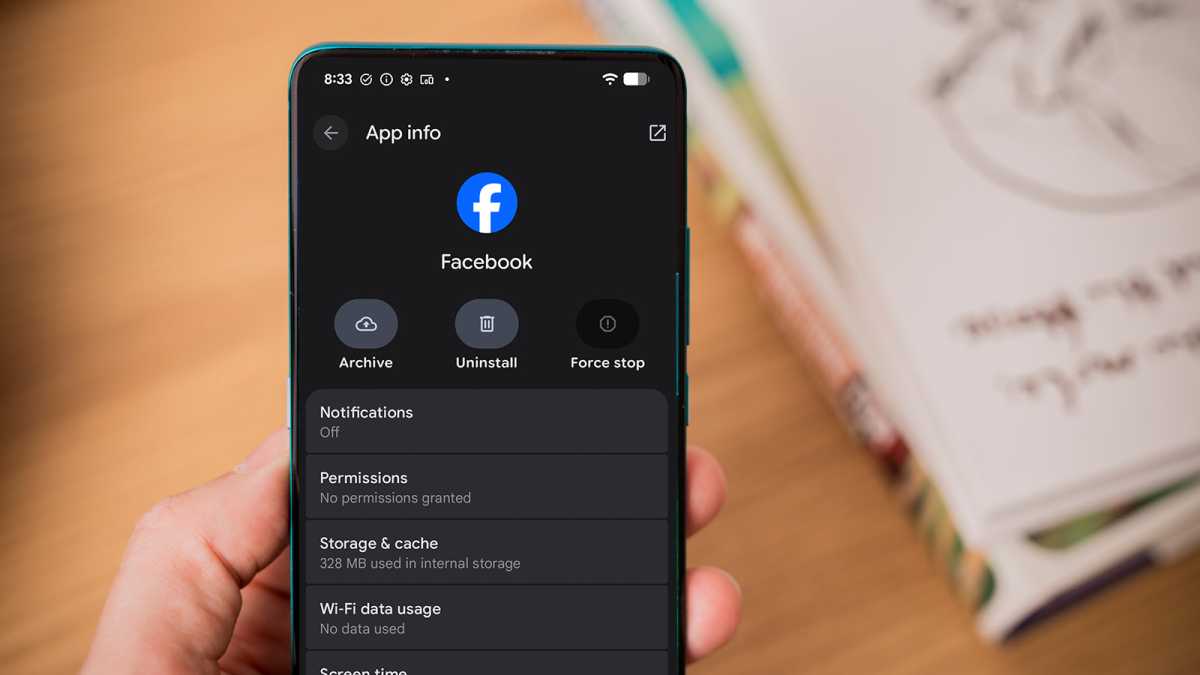
Image Credit: Foundry
Limiting the use of social media apps can also help reduce screen time and improve battery efficiency.
4. Try Bedtime Mode to Reduce Phone Usage
Utilize features like Bedtime Mode on Android devices to reduce phone usage and conserve battery. Bedtime Mode makes the phone less appealing by dimming the screen and displaying content in black and white. This feature can be found in the Digital Wellbeing section of the Settings menu and can be scheduled to activate during specific hours.
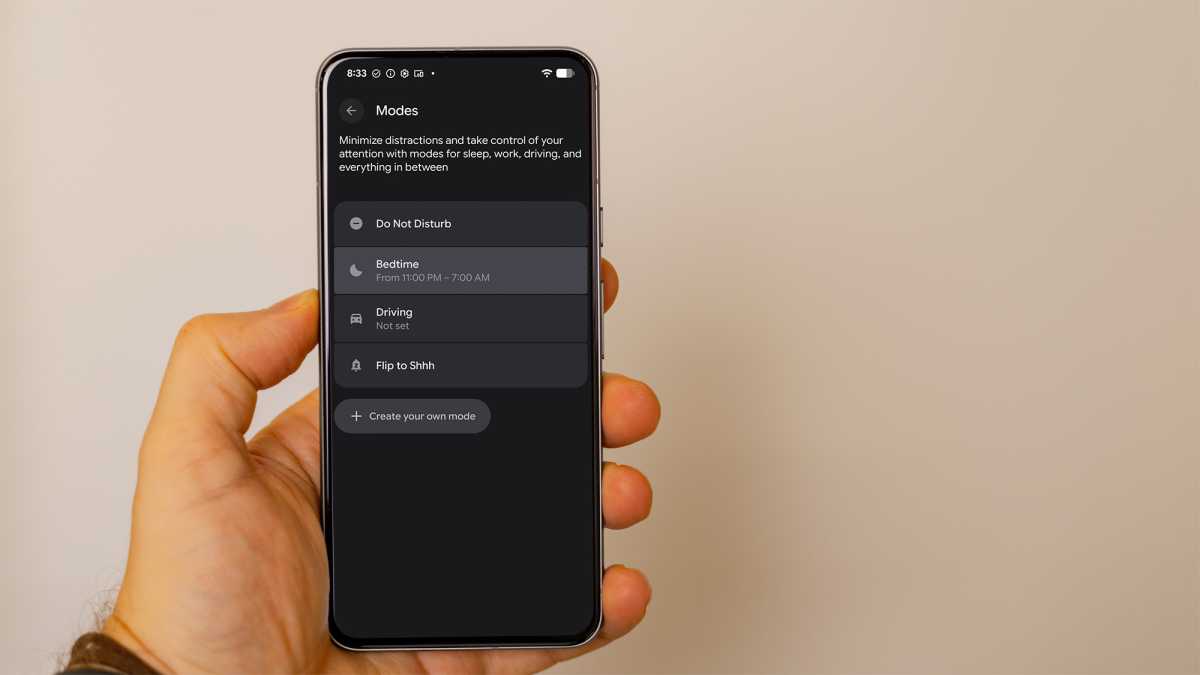
Image Credit: Foundry
Bedtime Mode not only reduces phone usage but also disables notifications to help you wind down for the day and save battery power.
5. Place Your Phone Face Down
Another simple yet effective tip to extend your phone’s battery life is to place it face down. By enabling the “Flip to Shh” option in Settings, you can block notifications and calls unless they are from your favorite contacts. This action can trigger the phone to enter Do Not Disturb mode, reducing distractions and conserving battery.
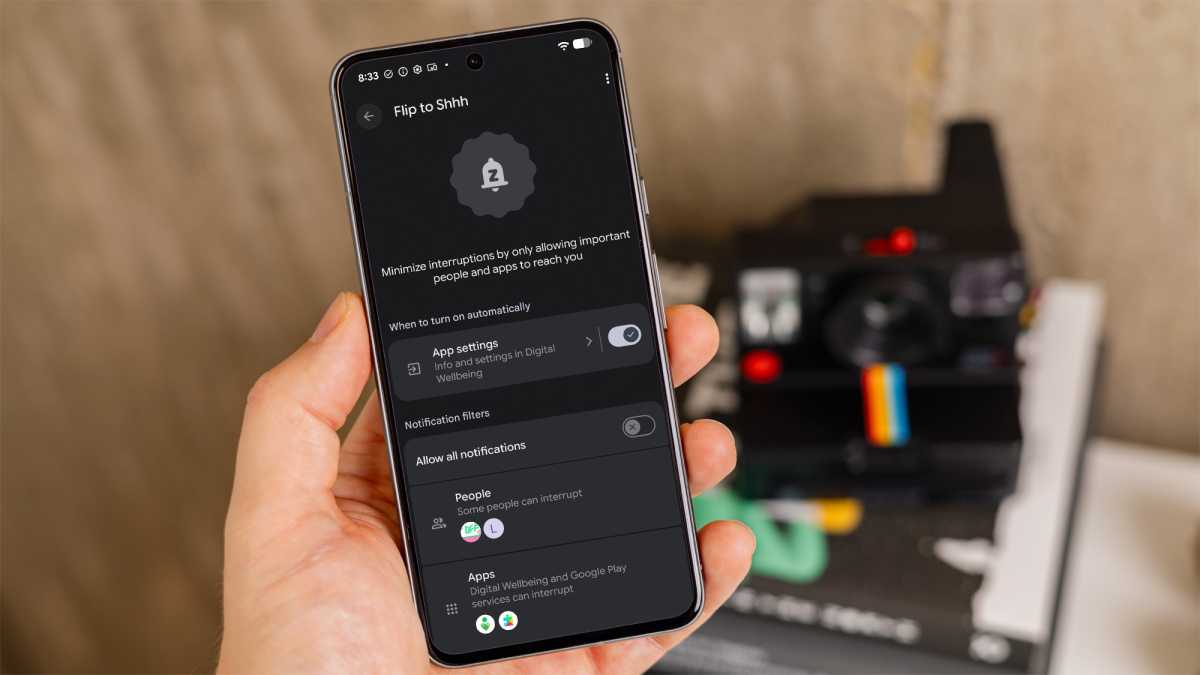
Image Credit: Foundry
Placing your phone face down can also help you use it less, leading to improved battery efficiency.
6. Check Your Usage Score
Monitor your Digital Wellbeing usage to identify apps that consume the most battery on your Android phone. By reviewing your daily usage and identifying apps that contribute to high usage times, you can take steps to limit or remove those apps. Setting goals to reduce usage time can help improve battery life significantly.
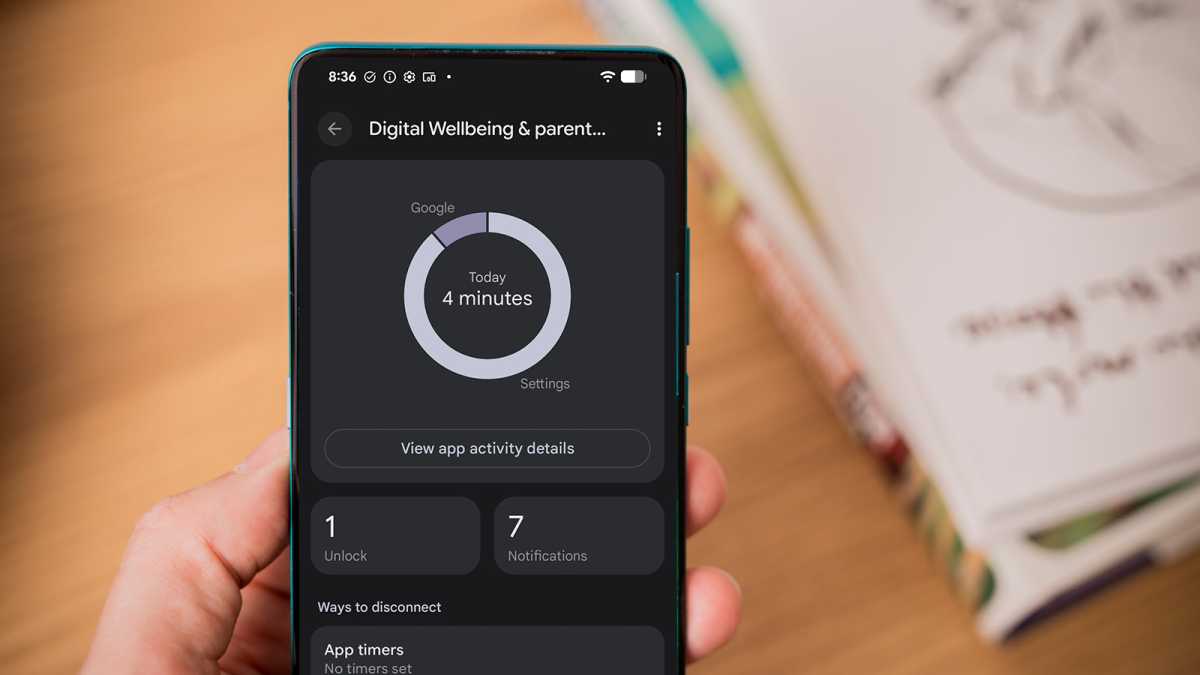
By managing your app usage and aiming to reduce screen time, you can extend your phone’s battery life and optimize performance.
7. Reduce the Screen Timeout Time
Adjusting the screen timeout time can also help save battery power on your Android phone. By reducing the amount of time before the screen turns off automatically, you can minimize unnecessary battery consumption. Setting a shorter screen timeout duration, such as one or two minutes, can contribute to improved battery efficiency.
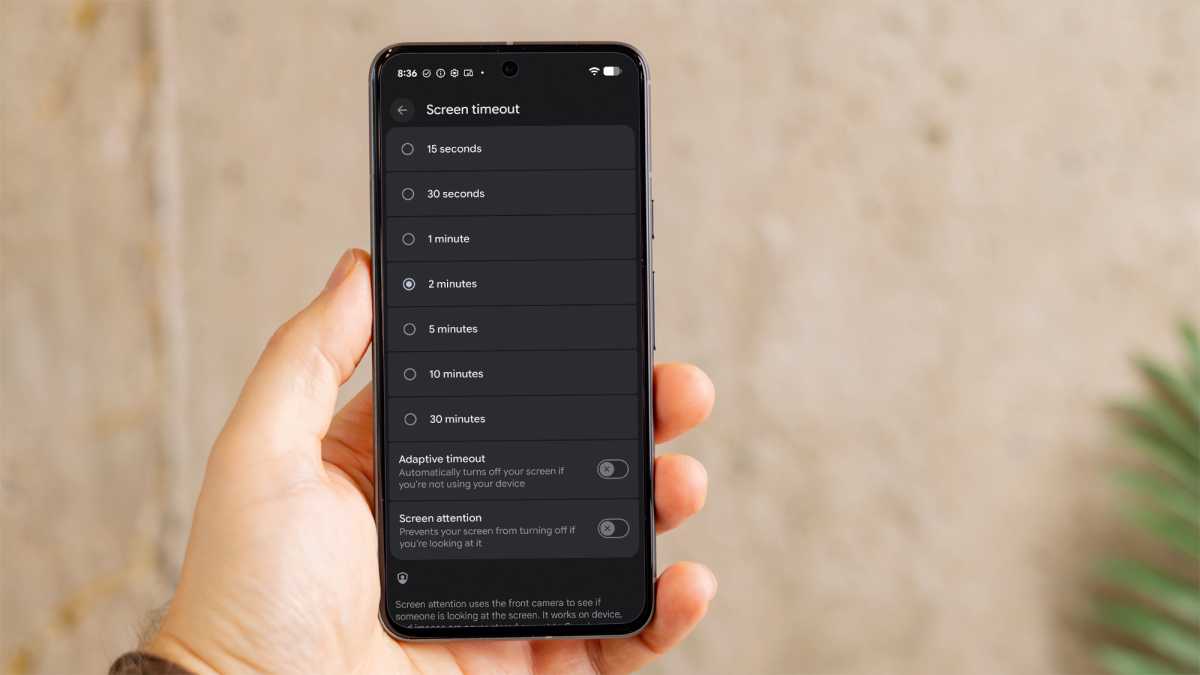
Image Credit: Foundry
While adjusting the screen timeout may require some getting used to, the battery-saving benefits can outweigh the minor inconvenience.
By implementing these tips and tricks, you can enhance your Android phone’s battery life and ensure that it lasts longer throughout the day. Experiment with different settings and strategies to find the combination that works best for your usage habits and maximize your phone’s performance.












Siri Home Hub: Apple’s Latest Smart Assistant Set to Debut on October 13

Revolutionizing the Road: BMW i3 Series Unleashes Impressive Performance and Extended Driving Range in 2027

Sneak Peek: Vibrant New Shades Unveiled for Amazon’s Latest Budget-Friendly Kindle

Catapulting the UK Semiconductor Industry: Building Resilient Supply Chains

Baldur’s Gate 3: The Unnatural Detour – A Modder’s Tale of Seamlessly Integrating a New Adventure into the RPG’s Plot

Exclusive: Motorola Razr Flex Wide Foldable Specs Revealed

Samsung Galaxy Phones Welcoming One UI 9 to Millions of Users

Revolutionizing Industrial Robotics: Inbolt Secures €11 Million for Cutting-Edge Vision and Intelligence Technology

Apple’s HomePad Set to Debut on October 13th: A Smart Home Revolution

EU Takes Action Against Instagram and Facebook for Violating Illegal Content Rules

Warning: Facebook Creators Face Monetization Loss for Stealing and Reposting Videos

Facebook’s New Look: A Blend of Instagram’s Style

Facebook Compliance: ICE-tracking Page Removed After US Government Intervention

Facebook and Instagram to Reduce Personalized Ads for European Users

InstaDub: Meta’s AI Translation Tool for Instagram Videos

Reclaim Your Account: Facebook and Instagram Launch New Hub for Account Recovery

Meta discontinues Messenger apps for Windows and macOS

Breaking Updates: Meta Connect 2025 Unveils Latest Developments

Huawei P Smart – Huawei’s new Killer Budget Smartphone!

MYSTERY Package from Xiaomi – HUGE UNBOXING!

5 ways you’re using your Smartphone wrong.

THE INSANE DUAL BATTERY SMARTPHONE!

ELEPHONE U PRO UNBOXING AND REVIEW!

Mrwhosetheboss – 1 Million Subscribers

The Surprising TRUTH about Samsung – 15 things you did not know.

10 Incredible Android DIY Hacks!

Does a Cheap 2018 Smartphone beat a 2013 Flagship?
-
 Facebook11 months ago
EU Takes Action Against Instagram and Facebook for Violating Illegal Content Rules
-
 Facebook12 months ago
Warning: Facebook Creators Face Monetization Loss for Stealing and Reposting Videos
-
 Facebook10 months ago
Facebook’s New Look: A Blend of Instagram’s Style
-
 Facebook12 months ago
Facebook Compliance: ICE-tracking Page Removed After US Government Intervention
-
 Facebook10 months ago
Facebook and Instagram to Reduce Personalized Ads for European Users
-
 Facebook12 months ago
InstaDub: Meta’s AI Translation Tool for Instagram Videos
-
 Facebook10 months ago
Reclaim Your Account: Facebook and Instagram Launch New Hub for Account Recovery
-
 Apple11 months ago
Meta discontinues Messenger apps for Windows and macOS
