
Tech News
How To Access BBC iPlayer Anywhere: Watch From Any Location

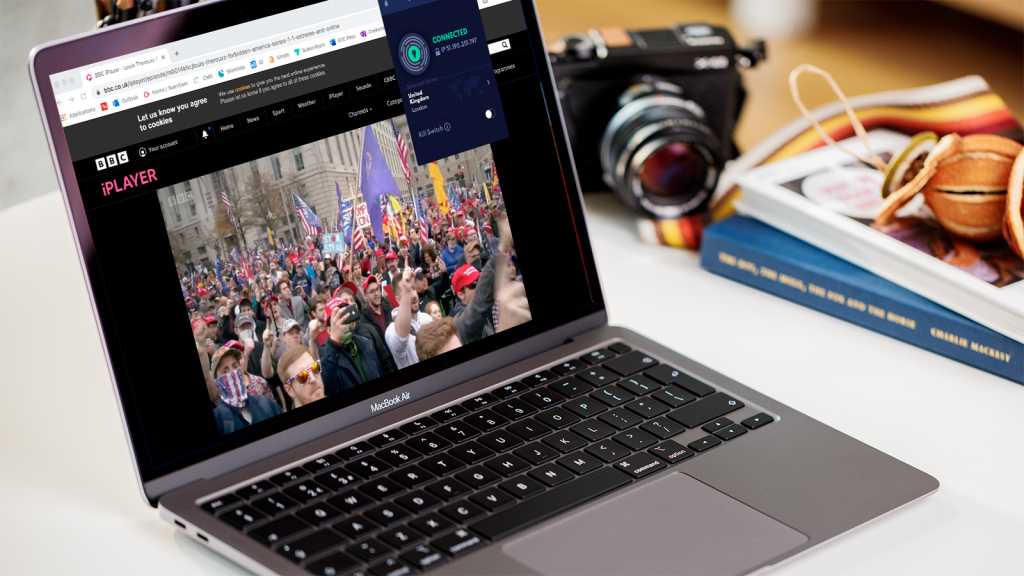
How to Watch BBC iPlayer Abroad
Summary created by Smart Answers AI
In summary:
- Tech Advisor explains how to access BBC iPlayer from outside the UK, which is normally blocked due to licensing restrictions and geo-blocking technology.
- This matters for UK residents traveling abroad or expats wanting to watch BBC content, though using VPNs violates BBC’s terms of service.
- The guide recommends NordVPN as the most reliable solution, requiring a UK server connection and BBC account with valid UK postcode. Detailed instructions are provided below.
If you want to stream TV shows that air on BBC One, BBC Two and other BBC channels, BBC iPlayer is the platform you need.
This streaming service doesn’t require a subscription like Netflix does, but you can watch only if you pay a licence fee. Strangely enough, anyone can create a free iPlayer account without needing to prove you’ve paid for a licence – you just need a UK address.
For paid-up viewers, watching within the UK’s shores is a breeze. They can also download shows to watch offline anywhere in the world.
But if you’re abroad and want to watch the best the Beeb has to offer in the coming weeks, such as The Night Manager and The Traitors series 4, you’ll find yourself faced with a message saying that you can’t. The short answer is that you need a VPN. Our top pick is NordVPN, but we’d recommend reading on for more information about using a VPN.
Dominik Tomaszewski / Foundry
The Beeb says the correct way to watch iPlayer content abroad is to “download a programme on BBC iPlayer when you’re in the UK, you can watch it anywhere in the world.”
That’s all well and good, but what if you’re abroad before the next episode of your favourite show is aired? You can’t download it, so you’ll have to wait until you return home.
Maybe the UK isn’t your home, but you still want to watch. We’re not going to get into the rights and wrongs: we’ll simply explain how you can do it if you so decide.
And the solution is simple: use a VPN.
For the uninitiated, a VPN is an app which routes your internet connection through a server somewhere on the internet before it goes to the website or service you want to use.
In this case, that server needs to be in the UK, and BBC iPlayer in the service. Using a VPN means your real location is hidden from the BBC, which sees that it’s streaming EastEnders to a viewer in the UK. In reality you could be in Australia, Spain or anywhere.
It’s important to know that steaming services, including the BBC, work hard to block VPNs. It doesn’t want people watching outside the UK, which is why the Beeb and VPN services play a cat-and-mouse game of blocking and evading those blocks.
Not all VPN apps will unblock iPlayer, which is why it’s a good idea to use one that has a good track record of being able to do so.
The bottom line is that if you want to watch from abroad, you need to install a VPN on your device (that could be a TV, Firestick, phone, laptop, tablet, Mac or PC), connect to a UK server. You may need to choose a specific server from the list that’s optimised for iPlayer.
Once connected, you then open the iPlayer app or website, sign in, and you can watch shows as if you were in the UK.
Which VPN services unblock iPlayer?
Lots of VPNs can unblock iPlayer. You can find out more in our guide to the best VPNs for iPlayer.
One VPN that has reliably unblocked BBC in the past (and still does) is NordVPN, which also tops our best VPN roundup.
It will unblock it if you use its apps for Windows, iPhone, Android and macOS, but you can also watch on an Android TV or using an Amazon Fire TV Stick as it also has apps for those too.
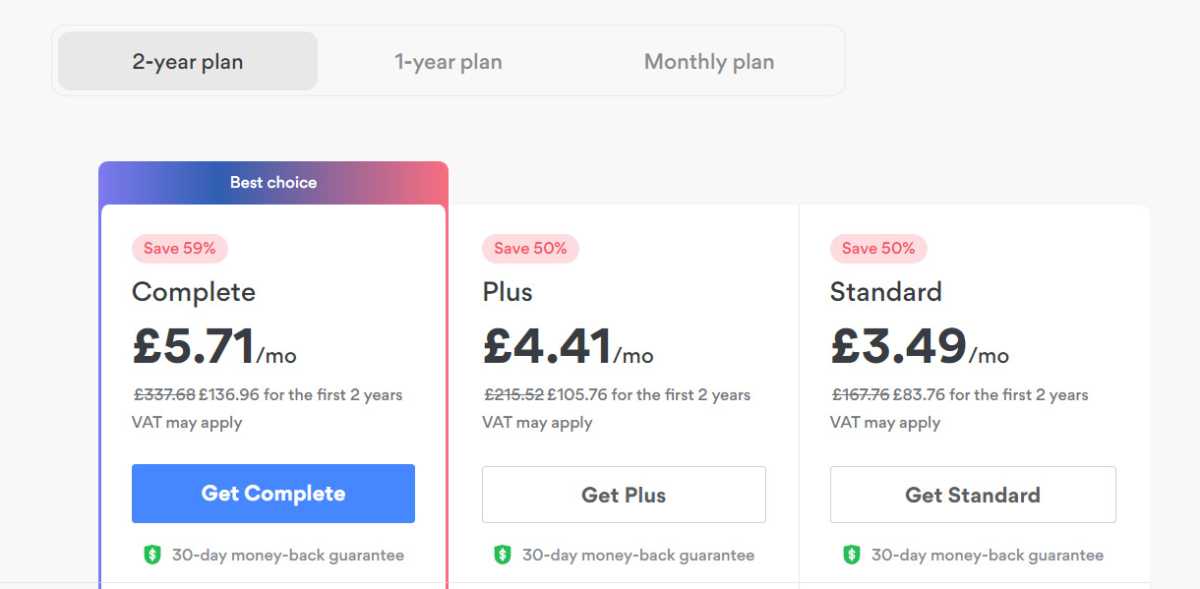
Whatever you’re using, the process is the same. First, go to NordVPN and sign up for the service. You can subscribe for one month at a time, but the best value is if you subscribe for two years. And NordVPN is useful for more than just iPlayer. To find out why, read what is a VPN and why would I want one.
Sign up for NordVPN
Jim Martin / Foundry
You can sign up here. By default, the Complete plan is selected, but if you only need the VPN, click on Get Standard. At the top, choose between a two-year, one-year and one-month plan.
Follow the prompts to create your account and pay.
Install the NordVPN app
Jim Martin / Foundry
If you’re using a phone or tablet, just head to its app store and search for NordVPN, then install it.
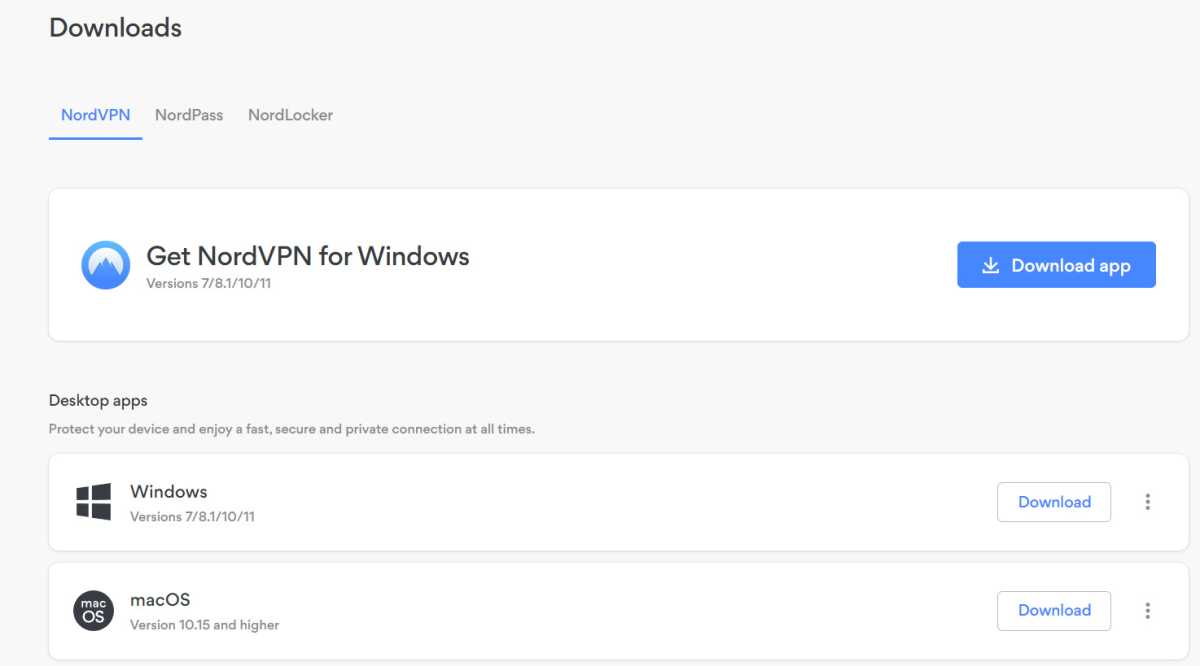
If you’re on Windows, then log into your NordVPN account in a web browser, go to the Downloads section and click Download app next to Get NordVPN for Windows. Run the downloaded file to install it.
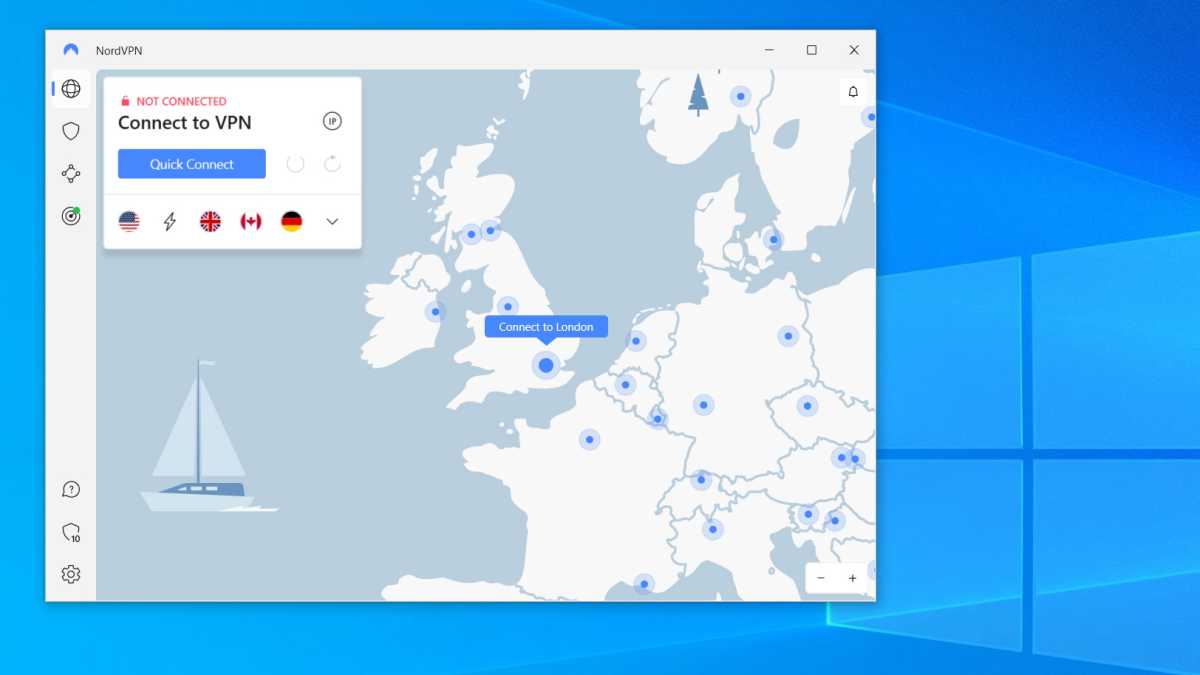
Launch NordVPN
Jim Martin / Foundry









GrayKey Tool Outsmarts iPhone’s 72-Hour Inactivity Reboot

Unleashing Power: The Mercedes-AMG GT 63 Pro Hits Malaysian Roads at RM 2.09 million

Revised Game++: Conquering Bugs and Keeping Pants Intact

Power Players: Europe’s Top AI Influencers

Beware: The Secret iOS 27 Setting That’s Sapping Your Battery Life

Concept Smartphones that are better than Real Smartphones

Unwrapping the Power: A Digital Look at BMW’s Electric M3 Body Wrap

Shadow Ops: Covert Extraction

Mastering the Fundamentals of Business Auditing

EU Takes Action Against Instagram and Facebook for Violating Illegal Content Rules

Warning: Facebook Creators Face Monetization Loss for Stealing and Reposting Videos

Facebook’s New Look: A Blend of Instagram’s Style

Facebook Compliance: ICE-tracking Page Removed After US Government Intervention

Facebook and Instagram to Reduce Personalized Ads for European Users

InstaDub: Meta’s AI Translation Tool for Instagram Videos

Reclaim Your Account: Facebook and Instagram Launch New Hub for Account Recovery

Meta discontinues Messenger apps for Windows and macOS

Breaking Updates: Meta Connect 2025 Unveils Latest Developments
Concept Smartphones that are better than Real Smartphones

Samsung Galaxy SII Unboxing!

The SECRET to Maximise Smartphone Battery Life?

We Designed the Ultimate Gaming Smartphone of 2018!

Using the Cheapest Smartphone in the World.

Samsung Galaxy S9+ Unboxing! (Clone)

Unboxing the First Ever Samsung Galaxy S!!

Huawei P Smart – Huawei’s new Killer Budget Smartphone!

MYSTERY Package from Xiaomi – HUGE UNBOXING!
-
 Facebook11 months ago
EU Takes Action Against Instagram and Facebook for Violating Illegal Content Rules
-
 Facebook12 months ago
Warning: Facebook Creators Face Monetization Loss for Stealing and Reposting Videos
-
 Facebook10 months ago
Facebook’s New Look: A Blend of Instagram’s Style
-
 Facebook12 months ago
Facebook Compliance: ICE-tracking Page Removed After US Government Intervention
-
 Facebook10 months ago
Facebook and Instagram to Reduce Personalized Ads for European Users
-
 Facebook12 months ago
InstaDub: Meta’s AI Translation Tool for Instagram Videos
-
 Facebook10 months ago
Reclaim Your Account: Facebook and Instagram Launch New Hub for Account Recovery
-
 Apple12 months ago
Meta discontinues Messenger apps for Windows and macOS

Newsletter Signup
Subscribe to our weekly newsletter below and never miss the latest News or an exclusive offer.