
Mobile Tech
Apple Watch vs WHOOP: An In-Depth Analysis

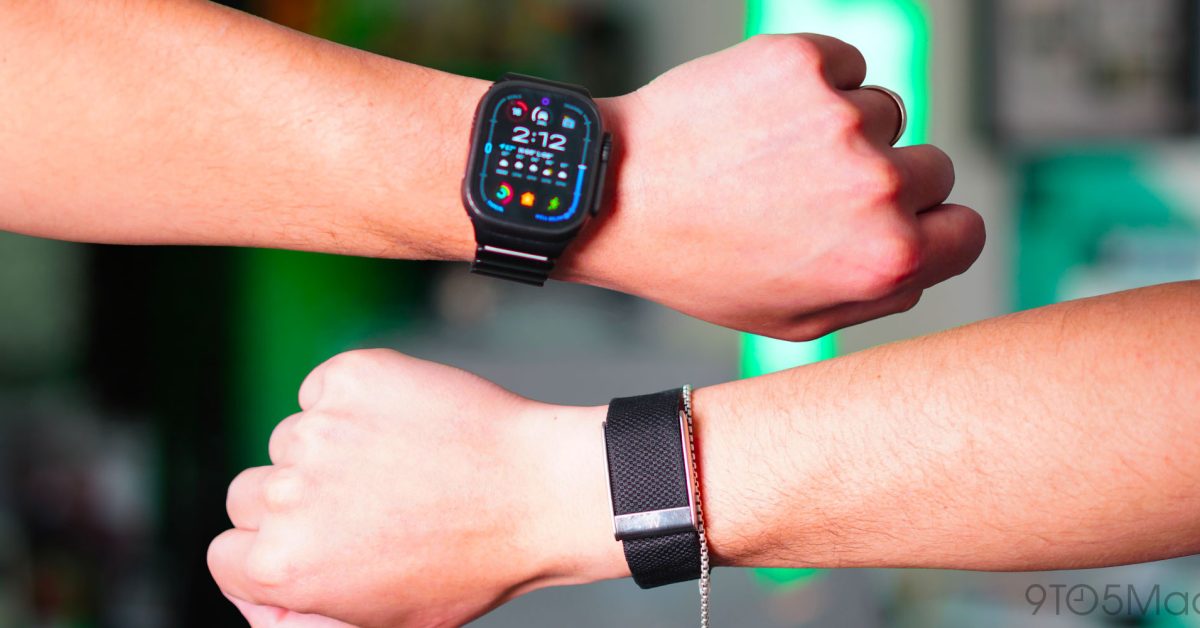
For the last 60 days, I have been wearing an Apple Watch Ultra 2 and the latest WHOOP MG. I wanted to better understand the hype surrounding WHOOP. If you spend enough time online, you can see that WHOOP users are loud and proud. It’s marketed as a serious wellness and fitness tracker that high-profile athletes and Silicon Valley tech founders wear. So, as someone who cares about their fitness, wellness, sleep, and overall health, I felt like I had to experience this for myself and, of course, compare it to the fitness tracker that I have been wearing for well over a decade: the Apple Watch. This is what I learned after 60 days.
Be sure to watch our in-depth video review below. We go hands-on with both of them for over 60 days and learn a lot about what they each can and cannot do.
Completely different design philosophies
The first thing I noticed when I finally got my WHOOP set up is that these fitness trackers are built around completely different ideas. The WHOOP has no screen. It’s lightweight at just 26.5g, low-profile, and designed to disappear on your body. I wore it on my right wrist, but you can wear it on your bicep or even on your waistband with the correct accessory. There is nearly nothing to interact with. You put it on and let it collect your data in the background. And that is the point, it’s meant to feel passive.
Then you have the Apple Watch, and it’s the complete opposite. In my testing, I used the Apple Watch Ultra 2, but everything I mention applies to any Apple Watch. The Apple Watch is a smartwatch first; an extension of your iPhone on your wrist. It has a bright display, tactile buttons, apps, notifications, and can make phone calls, doing pretty much everything your iPhone does at a smaller scale.
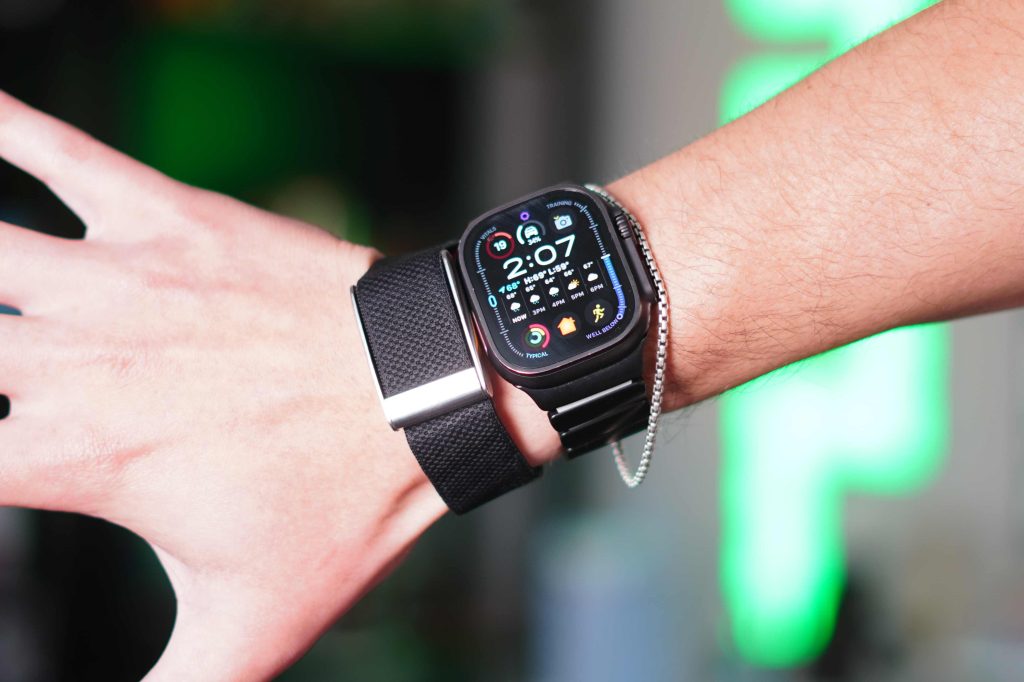
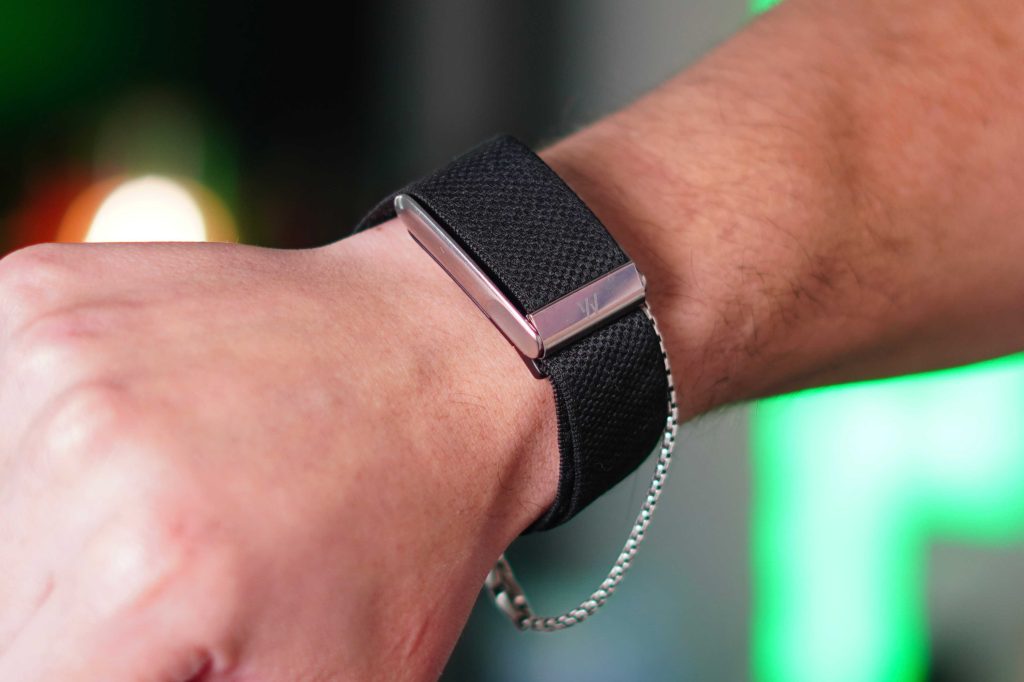
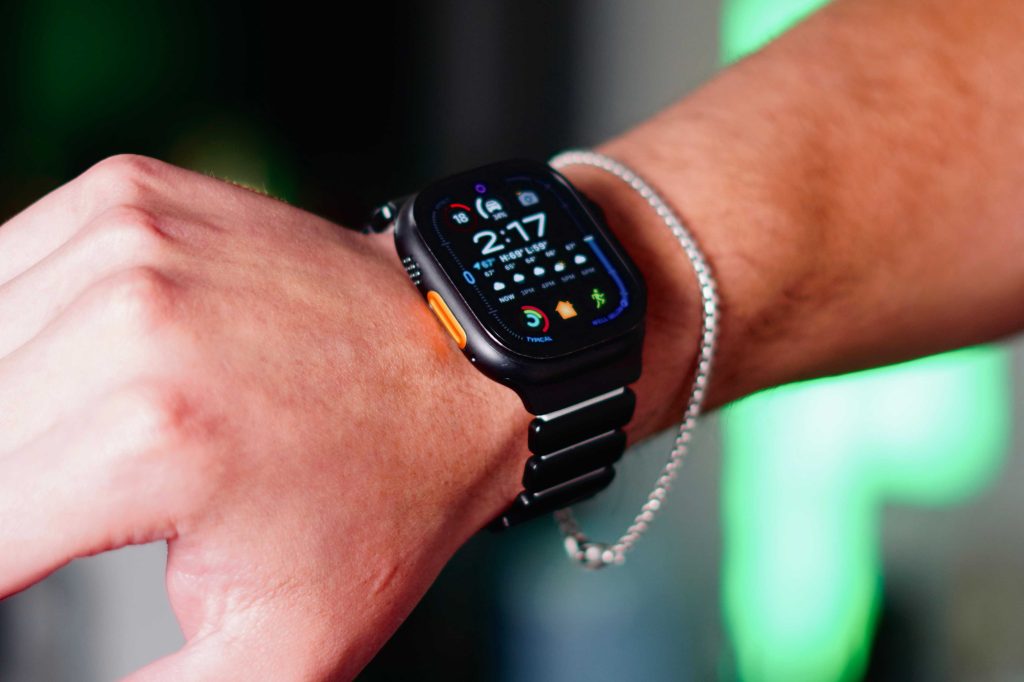
Even though I’m comparing these from a health and fitness perspective, the Apple Watch still feels like a tool you actively use throughout the day, while the WHOOP feels more like something you forget is even there. I understand the appeal of an accessory that is intentional, hyper-focused on one thing, and also distraction-free. I did enjoy that aspect of it. The only time I physically interacted with the WHOOP was to charge it. So if you are deciding between the two and want to be dead set on it being a fitness tracker, then the WHOOP will do that for you.
Battery life
The WHOOP’s distraction-free nature results in amazing battery life. It is rated for about 14 days of battery life, and I consistently got around 10–12 days with the WHOOP MG before needing to charge it. The charging system is also pretty clever because, in a perfect world, WHOOP does not want you to take the device off at all. So the charger is actually a battery pack that can be slipped onto the WHOOP to charge it, even while you are wearing it. I personally did not do that; I preferred to take it off while charging, but it is a nice aspect of the charging system.
The WHOOP philosophy heavily emphasizes constant data collection. This philosophy is a significant aspect of WHOOP’s approach.
Then there is the Apple Watch, which, despite having more sensors than the WHOOP MG, only provides about 30-32 hours of battery life due to its age. This contrasts with WHOOP, which prioritizes uninterrupted 24/7 tracking.
In terms of health sensors, the Apple Watch offers a wider range, including optical and electrical heart rate sensors, blood oxygen sensors, and more. On the other hand, the WHOOP MG focuses on heart rate variability tracking, skin temperature tracking, and accelerometer data.
Despite the differences in sensor capabilities, both devices offer comparable fitness and recovery data. The key distinction lies in how this data is presented and interpreted.
The WHOOP app experience stands out for its focus on proactivity, offering recovery scores, strain targets, sleep coaching, and an AI assistant to guide users in making informed decisions based on their health data.
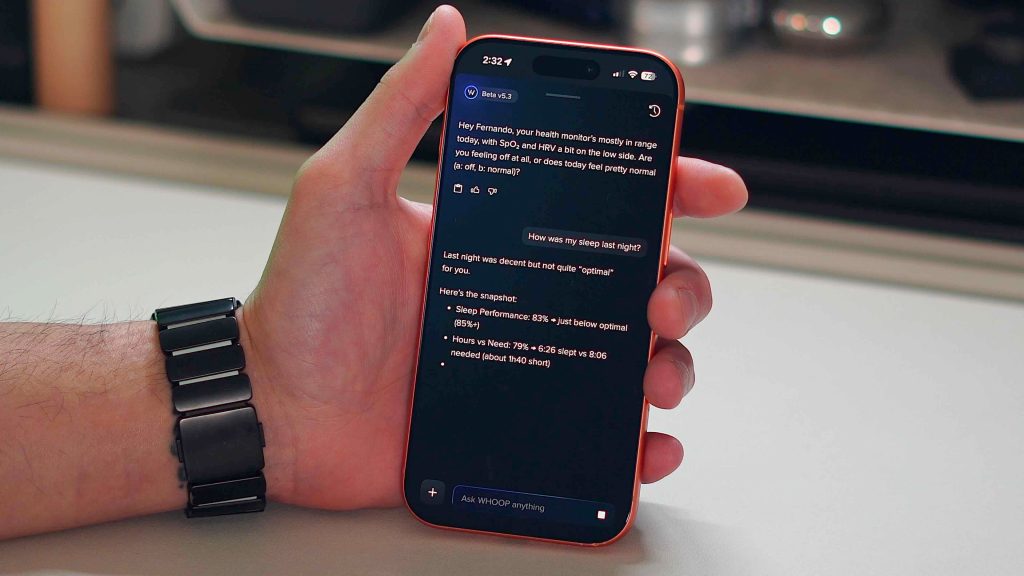
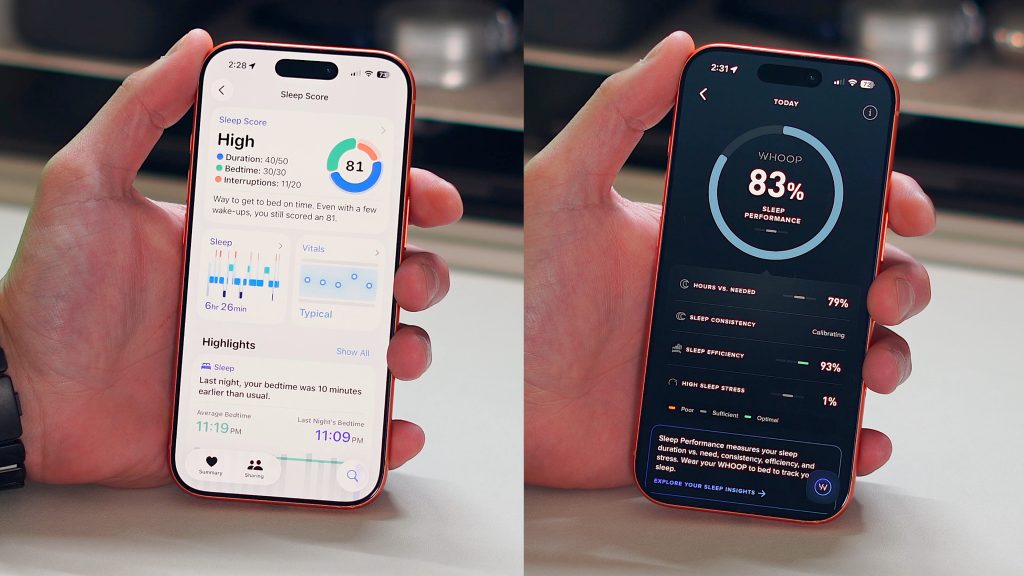
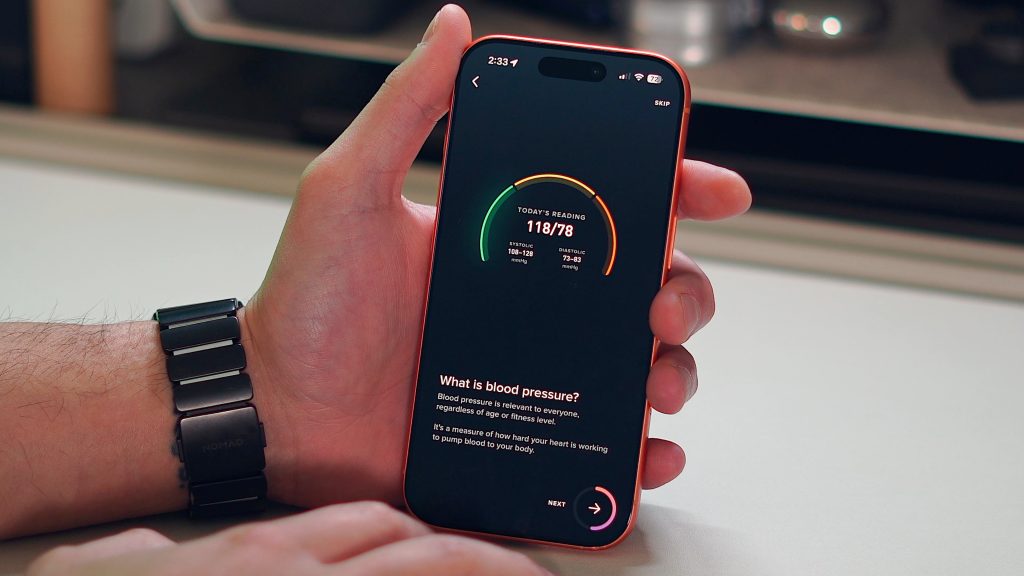
The Apple Health app is the opposite. Apple gives you all the raw data, but it’s mostly up to you to interpret what that all means. You can view a lot of the same metrics like HRV, VO2 Max, resting heart rate, and everything else, but Apple doesn’t help you put an action plan together to help you improve it. There are some explanations and blurbs that tell you what HRV is and what it means to have it high or low, but it won’t take your HRV data and tell you how to improve it.
Personally, I think that when it comes to tracking all of your health and fitness metrics, most people want guidance on what to do with this data. So, because of that, I would give the edge to the WHOOP app. It’s clean, easy to navigate, and helps you proactively make tangible improvements to your health, while the Apple Watch takes a more “figure it out yourself” approach.
WHOOP’s issue
Coming into this experience, I thought the hardware was what set the WHOOP apart from the rest. But I quickly learned that the Apple Watch offers far more sensors and health-related hardware. Then I started playing with the WHOOP app, and it seemed the app was the actual differentiator for them. The software layer on top of the WHOOP was what really set them apart, so I thought.
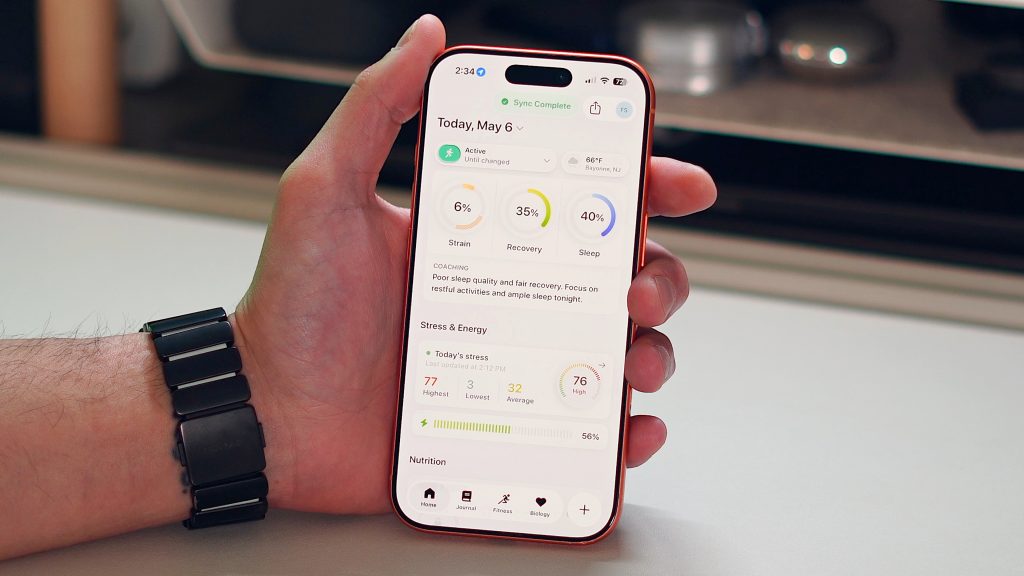
Then I found the app called Bevel. This app essentially turns any modern Apple Watch into a WHOOP. Bevel has everything WHOOP has: recovery scores, sleep analysis, strain tracking, and AI-based insights. It even has a similar conversational AI layer that helps interpret your data just as WHOOP does. When I found the Bevel app, things just clicked in my mind. I realized I did not need the WHOOP hardware at all.







Navigating the Agent-Driven Customer Relationship Ecosystem

Rebel Wolves Unleashed: The Blood of Dawnwalker’s Big Patch Update – New Difficulty Mode and More!

Upgrade Your Samsung Galaxy Phone with One UI 9 Update

Essential AI Safety Training for Founders: Key Sessions for Disrupt 2026

Revolutionizing Warehouse Management: AutoScheduler’s New App Builder for Logistics Teams

The Case of the Vanishing Stylus: The Mystery of the Short Apple Pencil

Revolutionizing Automotive Technology: The BMW Tech License 2027 Delivery

Uncovering Amazon’s Impact on the Colorado River: A Closer Look at Water Usage

AI Takeover: The Vulnerability in Meta’s Muse Patches Allows Hackers to Control the Agent

EU Takes Action Against Instagram and Facebook for Violating Illegal Content Rules

Warning: Facebook Creators Face Monetization Loss for Stealing and Reposting Videos

Facebook’s New Look: A Blend of Instagram’s Style

Facebook Compliance: ICE-tracking Page Removed After US Government Intervention

Facebook and Instagram to Reduce Personalized Ads for European Users

InstaDub: Meta’s AI Translation Tool for Instagram Videos

Reclaim Your Account: Facebook and Instagram Launch New Hub for Account Recovery

Meta discontinues Messenger apps for Windows and macOS

Breaking Updates: Meta Connect 2025 Unveils Latest Developments

Samsung S9 / S9+ vs Mate 10 Pro vs iPhone X Charging SPEED Test

The BEST APPS in 2018 – ft. MKBHD, UrAvgConsumer, iJustine + More

The ULTIMATE Smartphone Unboxing!!

HOW GOOD can a $250 Smartphone Camera be!?

10 Android Apps you NEED to try in 2018

They could not believe how cheap this Phone is

A $50,000 Smartphone for $400?

Huawei P20 Pro Unboxing!

Huawei P20 Pro vs Samsung S9 Plus!
-
 Facebook11 months ago
EU Takes Action Against Instagram and Facebook for Violating Illegal Content Rules
-
 Facebook11 months ago
Warning: Facebook Creators Face Monetization Loss for Stealing and Reposting Videos
-
 Facebook10 months ago
Facebook’s New Look: A Blend of Instagram’s Style
-
 Facebook11 months ago
Facebook Compliance: ICE-tracking Page Removed After US Government Intervention
-
 Facebook10 months ago
Facebook and Instagram to Reduce Personalized Ads for European Users
-
 Facebook11 months ago
InstaDub: Meta’s AI Translation Tool for Instagram Videos
-
 Facebook10 months ago
Reclaim Your Account: Facebook and Instagram Launch New Hub for Account Recovery
-
 Apple11 months ago
Meta discontinues Messenger apps for Windows and macOS
