
Mobile Tech
iOS 26.5.1 Update: Resolves iPhone 17 Wired Charging Issue

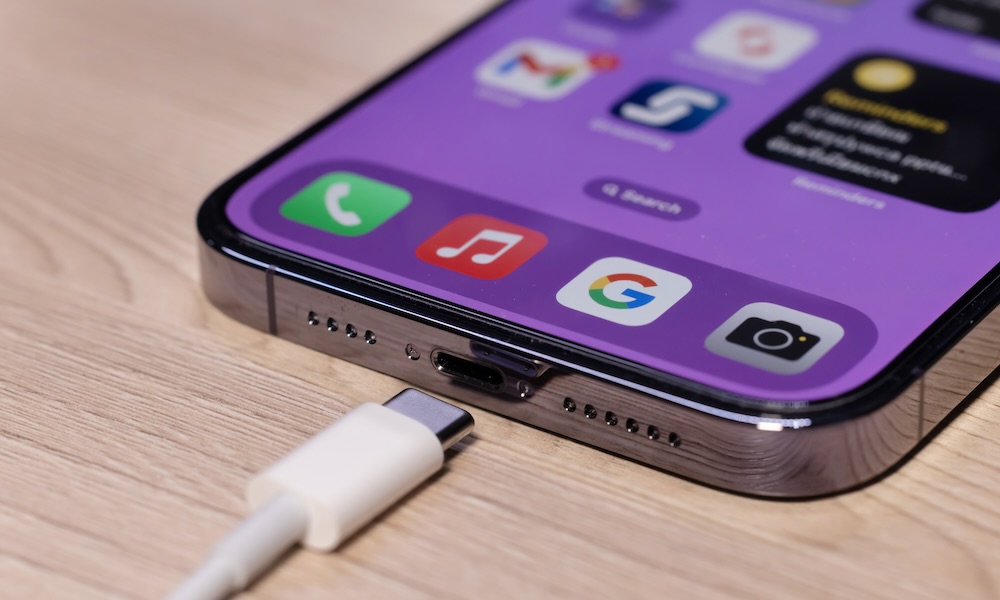
Apple has recently rolled out iOS 26.5.1, and unlike most minor updates, this one actually addresses a specific issue that some users of the latest iPhone models have been facing.
Reports from iPhone 17 and iPhone Air owners have surfaced in recent months, highlighting a problem where a device with a low battery fails to power back on when connected to a wired charger. Instead, users have seen their iPhones remain unresponsive, giving the impression that the device is completely dead.
Various suggestions on Reddit have been made to work around this issue, such as placing the iPhone on a MagSafe charger, connecting it to a MacBook, or using a wired charger without a MagSafe case.
Some users have speculated that the magnets in the MagSafe case may have caused confusion, preventing the iPhone from charging over USB-C. However, these are anecdotal accounts, and it’s unclear if the problem occurred without a MagSafe case.
The extent of this issue is uncertain, as it only affected users of the iPhone 17 or iPhone Air who allowed their battery to fully drain and used a wired charger (possibly with a MagSafe case). While it may not have been widespread, it was more than just isolated incidents on Reddit. In April, 9to5Mac reported a similar experience. The recommended workaround was using a MagSafe charger, which an Apple Store Genius would also suggest.
Despite reports dating back to November, the problem persisted through several iOS 26 updates, including the recent iOS 26.5 release. Fortunately, Apple has now addressed the issue in iOS 26.5.1:
This update resolves an issue for a small group of users that could prevent wired charging on iPhone Air and iPhone 17 models when the battery is almost empty.
Even if you haven’t encountered this issue, it’s advisable to update to iOS 26.5.1 as a precaution. While this update doesn’t address any security vulnerabilities, as noted by Mayo in April, not being able to recharge a dead iPhone could pose problems in various scenarios.
Imagine if this occurred while I was driving and needed CarPlay to navigate home? I don’t always carry a MagSafe puck with me. Perhaps I should now, just in case.
Benjamin Mayo
While some commenters suggested that this issue is typical of lithium-ion batteries, this specific bug was more complex than a simple voltage threshold. It’s normal for an iPhone to take some time to power up from a dead battery, but users with this problem were waiting for hours, not minutes. One user even monitored the voltage with a USB amp meter, indicating that the device was attempting to charge but encountering obstacles.
If you’re facing this issue and haven’t updated to iOS 26.5.1 yet, or if the problem persists after the update, simply placing your iPhone on a MagSafe charger for about 15 minutes seems to resolve it. It’s uncertain if MagSafe battery packs can revive a dead iPhone, so it’s advisable to update to iOS 26.5.1 and have a MagSafe puck handy or avoid letting your iPhone fully discharge until the issue is definitively resolved.
global $wp;
. ‘/’;
??>












International Collaboration: Surrey, Sheffield, and Melbourne Join Forces on £3.2m Project to Create Provably Secure Sandbox for AI Agents

Tech Advisor Announces Samsung Galaxy Phones Now Available on Google Play Store

Exploring the Boundaries of Physical AI: Insights from an Nvidia Veteran Turned Investor

The Latest Updates on Apple’s iPhone Duo

Google Unveils Revolutionary ‘Universal’ Online Shopping Cart for Seamless Shopping Experience

Upgrade Alert: HomePod Mini 2 and HomePod 2 Set to Become Default Mac Speakers

Finally Fixing my Wi-Fi – Zyxel Multy X!

Lost in the Living Maze: Unraveling Hidden Terrain Magic Through Copy-Paste

Samsung Unveils Exclusive Galaxy Z Fold 8 BTS Edition

EU Takes Action Against Instagram and Facebook for Violating Illegal Content Rules

Warning: Facebook Creators Face Monetization Loss for Stealing and Reposting Videos

Facebook’s New Look: A Blend of Instagram’s Style

Facebook Compliance: ICE-tracking Page Removed After US Government Intervention

Facebook and Instagram to Reduce Personalized Ads for European Users

InstaDub: Meta’s AI Translation Tool for Instagram Videos

Reclaim Your Account: Facebook and Instagram Launch New Hub for Account Recovery

Meta discontinues Messenger apps for Windows and macOS

Breaking Updates: Meta Connect 2025 Unveils Latest Developments
Finally Fixing my Wi-Fi – Zyxel Multy X!

$25,000 Gaming Setup – EVOLUTION!

The Maze Alpha X is HERE!

Cool Tech under $100 – December!

MYSTERY UNBOXING FROM GOOGLE!

TOP 6 Smartphones from Companies you NEVER Expected!

A Surprise Smartphone from EE!

DOOGEE MIX 2 VS DOOGEE MIX 1!

INCREDIBLE Smartphone Gadgets on Amazon!
-
 Facebook12 months ago
EU Takes Action Against Instagram and Facebook for Violating Illegal Content Rules
-
 Facebook1 year ago
Warning: Facebook Creators Face Monetization Loss for Stealing and Reposting Videos
-
 Facebook10 months ago
Facebook’s New Look: A Blend of Instagram’s Style
-
 Facebook1 year ago
Facebook Compliance: ICE-tracking Page Removed After US Government Intervention
-
 Facebook10 months ago
Facebook and Instagram to Reduce Personalized Ads for European Users
-
 Facebook1 year ago
InstaDub: Meta’s AI Translation Tool for Instagram Videos
-
 Facebook11 months ago
Reclaim Your Account: Facebook and Instagram Launch New Hub for Account Recovery
-
 Apple12 months ago
Meta discontinues Messenger apps for Windows and macOS
