
Apple
Exploring the Exciting Liquid Glass Tweaks in macOS 27 Public Beta

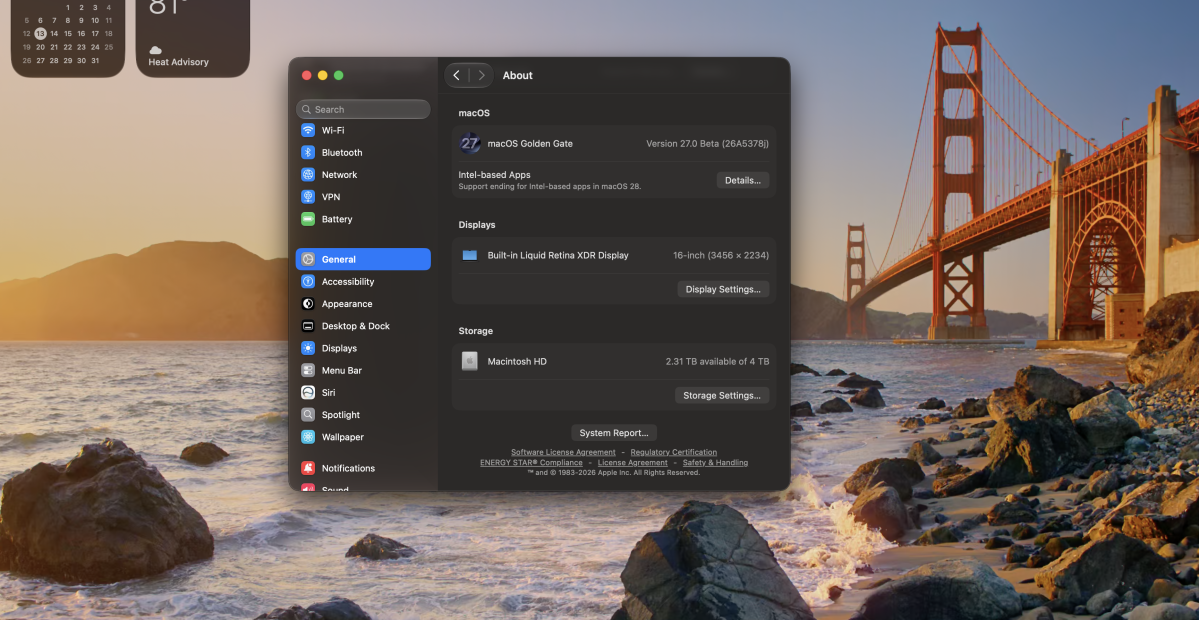
The macOS 27 Golden Gate public beta has been released, giving M-series Mac users easier access to test Apple’s latest changes, including a more subtle Liquid Glass aesthetic. While this may excite those who are not fans of the transparency in Tahoe, there are other compelling reasons to try out this beta.
Rumors earlier this year suggested that macOS 27 would focus on performance optimizations, bug fixes, and small quality-of-life improvements rather than a major overhaul. Golden Gate seems to follow this trend, with Apple highlighting practical tweaks like an optimized CPU scheduler and support for Mac mirroring in 5K resolution during its WWDC keynote.
The stability of the Golden Gate developer beta on M5 MacBook Air and M5 Max MacBook Pro has been noteworthy, as dev betas often come with side effects like reduced battery life or increased heat generation. If you’re interested in trying the public beta yourself, and are comfortable with the potential for bugs, here are some new features to look out for.
The new dialed-down Liquid Glass design, unified corner window radii, and visual enhancements to File Explorer and app sidebars are considered wins for Golden Gate. While some may still prefer the flatter design of macOS Sequoia, the improved Liquid Glass is more tolerable and less distracting. When the full Golden Gate release arrives in the fall, upgrading from Tahoe will be recommended.
Siri’s new Expressive Voices feature, available in preview as of dev beta 3, allows users to customize the pacing and expressiveness of Siri’s speech. With options for a female and male American accent with five levels of pace and expressivity each, this feature adds a new dimension to interacting with Siri.
Another noteworthy addition is the overflow button in the Menu Bar, which addresses the issue of hidden menu bar items when there are too many. Golden Gate now hides items to the left of the notch and provides a double-arrow button to expand them temporarily.
The Photos app in Golden Gate introduces features like Clean Up, which resembles Google’s Magic Eraser and does a commendable job of removing unwanted elements from photos. Reframe and Extend features allow users to adjust the composition and framing of their pictures, although results may vary based on the complexity of the image.
While some users may not find the new Photos app features compelling, overall, Golden Gate offers several improvements over Tahoe. Despite personal preferences for certain features, the enhancements in Golden Gate make it a worthwhile upgrade for users already accustomed to the glassy interface on their Mac.
Some minor annoyances, like the Ask




![Apple releases fourth iOS 27.2 developer beta for iPhone [U: Public]](https://bennetttechinnovation.com/wp-content/uploads/2026/10/Apple-unveils-latest-iOS-272-developer-beta-for-iPhone-Now-400x240.jpg)
![Apple releases fourth iOS 27.2 developer beta for iPhone [U: Public]](https://bennetttechinnovation.com/wp-content/uploads/2026/10/Apple-unveils-latest-iOS-272-developer-beta-for-iPhone-Now-80x80.jpg)







Google Unveils Revolutionary ‘Universal’ Online Shopping Cart for Seamless Shopping Experience

Upgrade Alert: HomePod Mini 2 and HomePod 2 Set to Become Default Mac Speakers

Finally Fixing my Wi-Fi – Zyxel Multy X!

Lost in the Living Maze: Unraveling Hidden Terrain Magic Through Copy-Paste

Samsung Unveils Exclusive Galaxy Z Fold 8 BTS Edition

Navigating the Digital World: Expert Tech Advice for Everyman

OMass Therapeutics Secures €275 Million Funding to Advance Innovative Small-Molecule Therapies

The Evolution of Apple’s Smart Home Strategy: A Closer Look at Their Own Devices

Unveiling the Imposter: The Truth Behind the Fake WhatsApp Clone on the Play Store

EU Takes Action Against Instagram and Facebook for Violating Illegal Content Rules

Warning: Facebook Creators Face Monetization Loss for Stealing and Reposting Videos

Facebook’s New Look: A Blend of Instagram’s Style

Facebook Compliance: ICE-tracking Page Removed After US Government Intervention

Facebook and Instagram to Reduce Personalized Ads for European Users

InstaDub: Meta’s AI Translation Tool for Instagram Videos

Reclaim Your Account: Facebook and Instagram Launch New Hub for Account Recovery

Meta discontinues Messenger apps for Windows and macOS

Breaking Updates: Meta Connect 2025 Unveils Latest Developments
Finally Fixing my Wi-Fi – Zyxel Multy X!

$25,000 Gaming Setup – EVOLUTION!

The Maze Alpha X is HERE!

Cool Tech under $100 – December!

MYSTERY UNBOXING FROM GOOGLE!

TOP 6 Smartphones from Companies you NEVER Expected!

A Surprise Smartphone from EE!

DOOGEE MIX 2 VS DOOGEE MIX 1!

INCREDIBLE Smartphone Gadgets on Amazon!
-
 Facebook12 months ago
EU Takes Action Against Instagram and Facebook for Violating Illegal Content Rules
-
 Facebook1 year ago
Warning: Facebook Creators Face Monetization Loss for Stealing and Reposting Videos
-
 Facebook10 months ago
Facebook’s New Look: A Blend of Instagram’s Style
-
 Facebook1 year ago
Facebook Compliance: ICE-tracking Page Removed After US Government Intervention
-
 Facebook10 months ago
Facebook and Instagram to Reduce Personalized Ads for European Users
-
 Facebook1 year ago
InstaDub: Meta’s AI Translation Tool for Instagram Videos
-
 Facebook11 months ago
Reclaim Your Account: Facebook and Instagram Launch New Hub for Account Recovery
-
 Apple12 months ago
Meta discontinues Messenger apps for Windows and macOS
