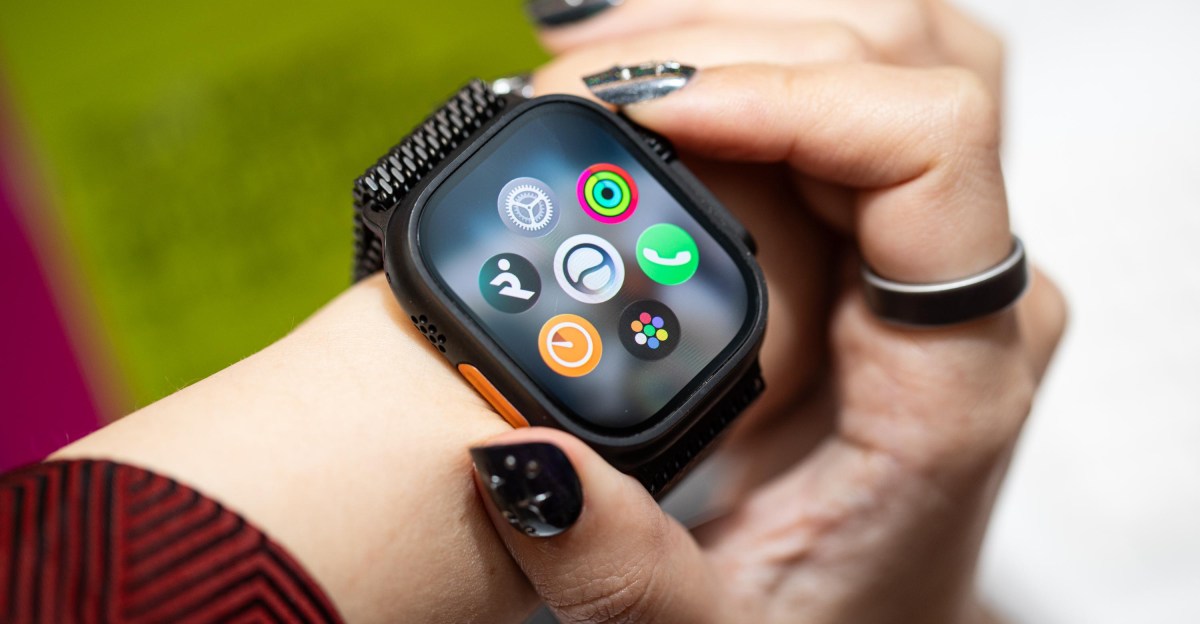
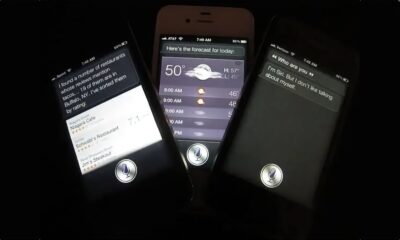
Siri has been on the Apple Watch since day one, though I’m usually hard-pressed to find people who actually make good use of it. It’s kind of just… been there — mostly as a way to set timers when my hands are full. But after playing around with the watchOS 27 developer beta, I get the sense that’ll start to change. Not for everyone, and definitely not overnight, but the upgrade from plain ol’ Siri to Siri AI feels like a significant shift in how Apple — and other tech companies — think we ought to be using our smartwatches.
To be clear: If all you want Siri on the wrist to do is set an alarm or get the weather forecast, by golly, it’s still good at that. But whereas I previously found the Apple Watch to be useful for health and fitness tracking with a side of notification triage, Siri AI lets me do more actual computing from the wrist. A big reason for that is it doesn’t feel like there are two separate Siri experiences on your phone and watch.
“Our main goal with the integration with Watch is to make sure that that experience was consistent. What we don’t want is the user having this experience where they ask Siri in one place, and they get a different answer if they ask [in] another,” says David Clark, Apple’s senior director of software engineering for watchOS. “By having the watch tightly connected with the phone, having that personal context drive the whole experience, we can start setting the expectation that it’s one Siri AI.”
One quirk: if you have whimsically named reminder lists, Siri AI can get tripped up in adding tasks. Unfortunately, it pays to have boring list names.
The disconnect between phone and watch was an issue I had last year while testing Gemini on the Pixel Watch 4 and Samsung Galaxy Watch 8. I often struggled to gauge when it made sense to experiment with Gemini on the wrist versus pulling out my phone. The use cases suggested to me were either to answer random questions, which the phone was still faster at, or to complete complex queries that spanned multiple apps. Prompts like “Remember to remind me to bring an umbrella when it rains” or “Create a K-pop-inspired playlist in YouTube Music.” Gemini on the wrist stank at the former, and while it could generate a playlist, it wasn’t an organic request I’d ever really make. When I asked it to recommend a local coffee shop and text the location to a coworker, I got one 40 blocks away. I got better results on my phone, even if I had to manually text the location.
I haven’t really had this issue with Siri AI on watchOS 27. Partly because Siri AI is very upfront about what prompts it can’t do and will suggest alternatives. For example, it can’t do reminders based on weather forecasts, but it can set reminders based on when I leave a location. As for the phone versus wrist search results, I haven’t noticed any wide discrepancies. In fact, the queries you make on the wrist are stored in the same app as on your phone.
Thanks to often-annoying ecosystem lock-in, the Apple Watch is a nifty note-taking device on-the-go. Siri AI makes referencing notes and reminder lists on my phone or MacBook easier because I can just ask it to bring up the contents. At Michael’s buying embroidery floss I was able to ask Siri to bring up the list of thread colors I’d stuck in the Reminders app, and then check them off on the wrist as I hunted through the haphazardly stocked bins. Likewise, it’s easy to start looking something up while you’re out and continue later on your phone or MacBook’s Siri AI app.
The main drawback of Siri AI is it’s a new habit you have to build. When I had to think fast, I often didn’t remember my watch’s upgrades. You still have to deal with latency while Siri AI thinks, and even if Big Tech says LLMs understand naturally worded prompts, it always works better the more specifically you word your requests. As an AI assistant, it’s prone to goofs. If you’re an impatient person, chances are Siri AI on the wrist will irk you from time to time.
Workout Buddy — the AI-powered motivational fitness “coach” — is getting a few upgrades. In watchOS 26, Workout Buddy mostly surfaced milestones. This year, it’s expanding what insights get surfaced and now works in Spanish.
“This year we’ve added facts that look even deeper at your trends, not just based on today’s workout versus historic [ones],” says Clark.
If you’ve just conquered a hill, push yourself a little harder, knowing that your pace was achieved despite the elevation. The watch will acknowledge your effort in reaching the top of that hill and encourage you to keep going. The excitement is palpable as progress is being made towards a goal, even though it’s not fully achieved yet. The anticipation is building, and the feeling of excitement is hard to contain.
If you want to stay updated on similar topics and authors related to this story, you can follow them to receive email updates and see more content like this on your personalized homepage feed.
Topics and authors you can follow include:
– Victoria Song, Senior Reviewer, Wearable Tech
– Apple
– Fitness
– Gadgets
– Hands-on
– Reviews
– Smartwatch
– Tech
– Wearable
By following these topics and authors, you can delve deeper into the content that interests you and stay informed about the latest developments in these areas. Stay tuned for more updates and engaging articles on these topics!
Welcome to Our Unique Content Transformation Service!
Are you looking to enhance your website with fresh, engaging, and SEO-friendly content? Look no further! Our team specializes in creatively rephrasing sentences and phrases to ensure your content is not only unique but also optimized for search engines.
With our services, you can expect every sentence and phrase to be expertly rewritten to maintain all original facts and core messages while incorporating relevant SEO keywords seamlessly. The result? Content that stands out and drives traffic to your website.
Our priority is delivering error-free, engaging, and informative content that is ready for immediate integration into your WordPress website. Say goodbye to duplicate content and hello to a website that ranks higher in search engine results!
Transform the following:
Before: The weather was nice, so we decided to go for a walk in the park.
After: Since the weather was pleasant, we opted to take a stroll in the park. Transform the following sentence:
“The cat lazily stretched out on the windowsill and basked in the warm sunlight.”
into:
“Lazily stretching out on the windowsill, the cat basked in the warm sunlight.”