
Mastering Your Mobile: Gemini’s Guide to Phone Control

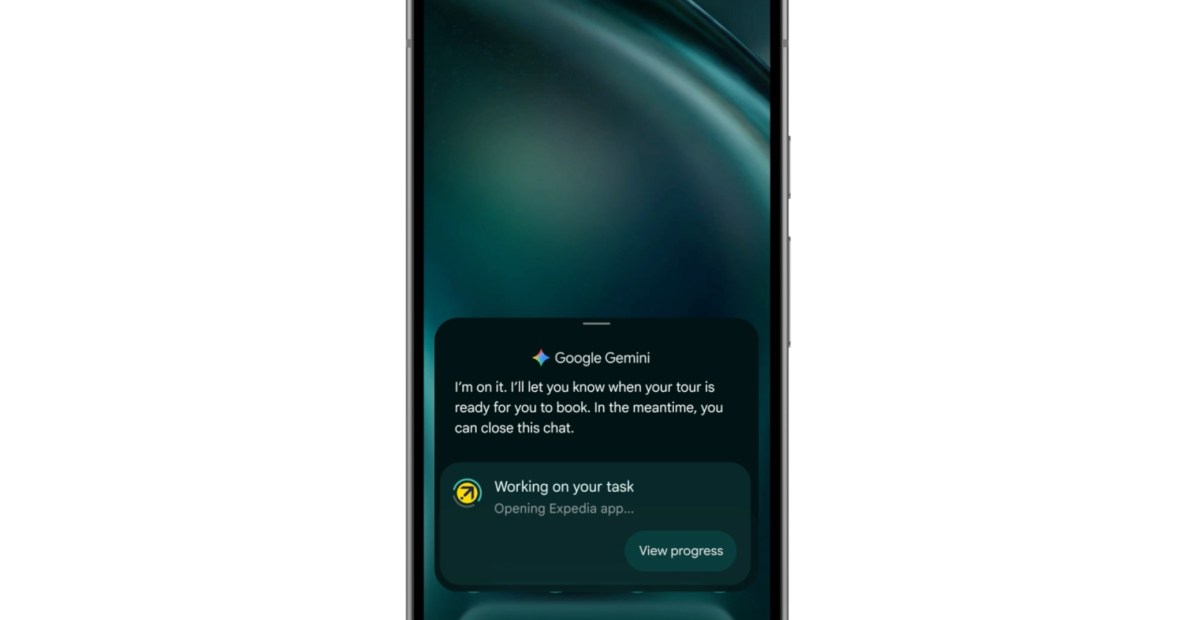
Google Unveils New Gemini Features for Android Devices
Google is once again making headlines as it introduces a slew of new Gemini features during its pre-I/O Android showcase. These features are designed to enhance the user experience on your phone, making it more intuitive and efficient.
Introducing Gemini Intelligence
One of the key announcements is the launch of Gemini Intelligence, a new name coined by Google to signify the pinnacle of Gemini features on advanced Android devices. According to Ben Greenwood, Google’s director of Android experiences, Gemini Intelligence will bring a host of existing and new features under its umbrella, catering primarily to premium Android phones like the Galaxy S26 series.
Task Automation and Multimodality
Task automation, a standout feature of Gemini, is set to expand its capabilities to a wider range of apps, allowing users to automate certain actions within apps. Additionally, Gemini will now support multimodality, enabling users to interact with it through voice, text, screenshots, and photos. This feature opens up new possibilities, such as creating a grocery list in your notes app and seamlessly adding items to your cart.
Create My Widget
Another exciting feature under Gemini Intelligence is Create My Widget, which allows users to describe the functionality they desire in natural language and let AI generate a custom widget. This innovative approach to widget creation will offer personalized solutions for tasks like weather tracking and recipe suggestions, extending to Wear OS for compatibility with smartwatches.
Gemini on Chrome and Autofill
Google is also integrating Gemini features from the desktop version of Chrome into its Android app. Users can now access a Gemini button in Chrome to share webpage content and ask Gemini questions directly within the browser. Additionally, Gemini will be available for autofill on Android, leveraging Personal Intelligence connections to streamline form filling by retrieving information from sources like Google Photos and Gmail.
These Gemini Intelligence features will be rolled out gradually throughout the year, with Galaxy and Pixel phones being the first in line to receive updates starting this summer. Keep an eye out for these enhancements as they become available to enhance your Android experience.













Reimagining the Next Generation: A Closer Look at the Apple TV 4K and HomePod Mini

Samsung Galaxy S9 & S9+ UNBOXING!

Revolutionary Safety Feature: Tesla Roadster with Retractable Movable Wing

Microsoft Announces Discontinuation of Copilot Plus PC Brand

Goblin Invasion: Hytale’s Chapter 1 Update Introduces Epic Boss Battles and Intricate Dungeons

Samsung Galaxy S27 Pro and Ultra: Enhanced with Larger Batteries

Innovative Health Benefits for Emerging Businesses

Comparing Apple Home’s AI Camera to Amazon and Google: A Test of Smart Home Technology

AirPods Enhancements: The Long-Awaited Update

EU Takes Action Against Instagram and Facebook for Violating Illegal Content Rules

Warning: Facebook Creators Face Monetization Loss for Stealing and Reposting Videos

Facebook’s New Look: A Blend of Instagram’s Style

Facebook Compliance: ICE-tracking Page Removed After US Government Intervention

Facebook and Instagram to Reduce Personalized Ads for European Users

InstaDub: Meta’s AI Translation Tool for Instagram Videos

Reclaim Your Account: Facebook and Instagram Launch New Hub for Account Recovery

Meta discontinues Messenger apps for Windows and macOS

Breaking Updates: Meta Connect 2025 Unveils Latest Developments
Samsung Galaxy S9 & S9+ UNBOXING!

Samsung Galaxy S9 Plus vs iPhone X

The BEST $300 Phone (2018) ft. MKBHD, Technical Guruji, iJustine + More

Samsung Galaxy S9 Plus Gaming Review! (vs OnePlus 5T)

THE BEST PHONE HTC EVER MADE?

The Truth about Google?

Samsung S9/ S9+ vs iPhone X vs Galaxy Note 8 Battery Life DRAIN TEST

Samsung S9 / S9+ vs Mate 10 Pro vs iPhone X Charging SPEED Test

The BEST APPS in 2018 – ft. MKBHD, UrAvgConsumer, iJustine + More
-
 Facebook11 months ago
EU Takes Action Against Instagram and Facebook for Violating Illegal Content Rules
-
 Facebook12 months ago
Warning: Facebook Creators Face Monetization Loss for Stealing and Reposting Videos
-
 Facebook10 months ago
Facebook’s New Look: A Blend of Instagram’s Style
-
 Facebook12 months ago
Facebook Compliance: ICE-tracking Page Removed After US Government Intervention
-
 Facebook10 months ago
Facebook and Instagram to Reduce Personalized Ads for European Users
-
 Facebook12 months ago
InstaDub: Meta’s AI Translation Tool for Instagram Videos
-
 Facebook10 months ago
Reclaim Your Account: Facebook and Instagram Launch New Hub for Account Recovery
-
 Apple11 months ago
Meta discontinues Messenger apps for Windows and macOS
