
Tech News
Samsung Gallery App Now Syncing with Google Photos: A Seamless Integration for Users

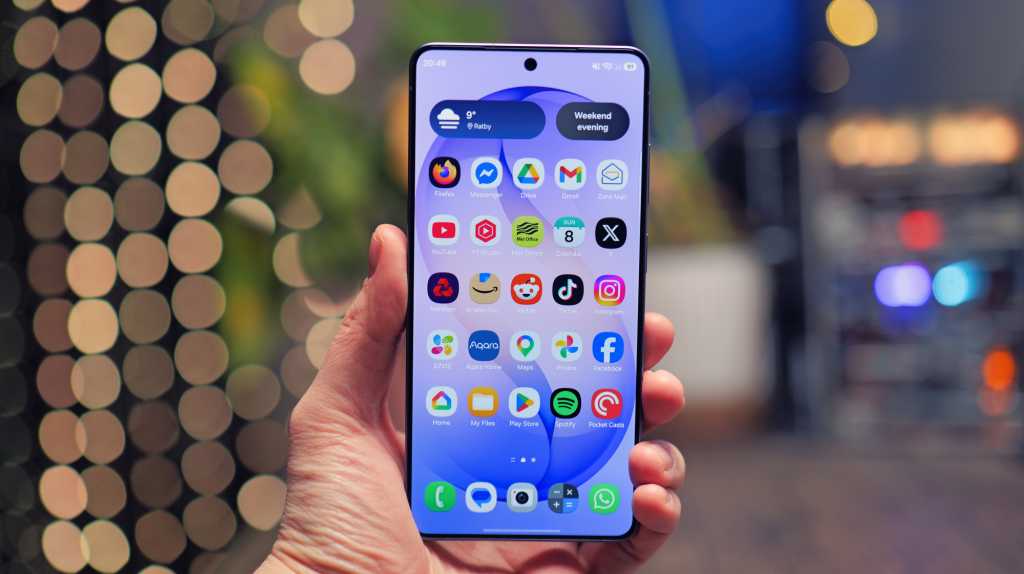
The latest update is now being rolled out through updates to the Gallery Sync, Samsung Cloud, and Samsung Gallery apps.
A few days ago, renowned Samsung leaker Ice Universe confirmed this development with screenshot evidence.
This enhancement allows you to link your Samsung Gallery to your Google account, facilitating smooth cloud backups of your photos and videos. Additionally, you can view photos captured on your Samsung device via the Google Photos app.
How to utilize the Samsung-Google sync up
Google has created a support page detailing the new integration. You only require a Samsung device running Android 13 or later to benefit from this feature.
Simply access the Samsung Gallery app, tap the Menu icon at the bottom right, select Settings > Sync Photos and videos, and then follow the prompts to connect a Google Account.
It is important to note that photos synced through Samsung will not be visible in Memories and highlights, live albums, or search. Moreover, this feature is not compatible with Google Workspace accounts.











10 Best Android Apps – October 2017

Making the iPhone 8 INVINCIBLE (and Modular)

Google Pixel 2 XL vs Galaxy Note 8 vs iPhone 8 Plus- Battery Life Drain Test

Insane Holographic AND Transparent Wallpapers for Android!

Best Tech – October 2017!

TOP 5 MOST UNUSUAL SMARTPHONES

Umidigi S2 – Flagship Smartphone for $199??

Mystery Unboxing from Logitech!

7 Smartphone Life Hacks YOU SHOULD KNOW!

EU Takes Action Against Instagram and Facebook for Violating Illegal Content Rules

Warning: Facebook Creators Face Monetization Loss for Stealing and Reposting Videos

Facebook’s New Look: A Blend of Instagram’s Style

Facebook Compliance: ICE-tracking Page Removed After US Government Intervention

Facebook and Instagram to Reduce Personalized Ads for European Users

InstaDub: Meta’s AI Translation Tool for Instagram Videos

Reclaim Your Account: Facebook and Instagram Launch New Hub for Account Recovery

Meta discontinues Messenger apps for Windows and macOS

Breaking Updates: Meta Connect 2025 Unveils Latest Developments
10 Best Android Apps – October 2017
Making the iPhone 8 INVINCIBLE (and Modular)
Google Pixel 2 XL vs Galaxy Note 8 vs iPhone 8 Plus- Battery Life Drain Test
Insane Holographic AND Transparent Wallpapers for Android!
Best Tech – October 2017!
TOP 5 MOST UNUSUAL SMARTPHONES
Umidigi S2 – Flagship Smartphone for $199??
Mystery Unboxing from Logitech!
7 Smartphone Life Hacks YOU SHOULD KNOW!
-
 Facebook1 year ago
EU Takes Action Against Instagram and Facebook for Violating Illegal Content Rules
-
 Facebook1 year ago
Warning: Facebook Creators Face Monetization Loss for Stealing and Reposting Videos
-
 Facebook11 months ago
Facebook’s New Look: A Blend of Instagram’s Style
-
 Facebook1 year ago
Facebook Compliance: ICE-tracking Page Removed After US Government Intervention
-
 Facebook11 months ago
Facebook and Instagram to Reduce Personalized Ads for European Users
-
 Facebook1 year ago
InstaDub: Meta’s AI Translation Tool for Instagram Videos
-
 Facebook11 months ago
Reclaim Your Account: Facebook and Instagram Launch New Hub for Account Recovery
-
 Apple1 year ago
Meta discontinues Messenger apps for Windows and macOS
