
Tech News
Samsung Gallery App Now Syncs with Google Photos – Stay Organized Across Platforms!

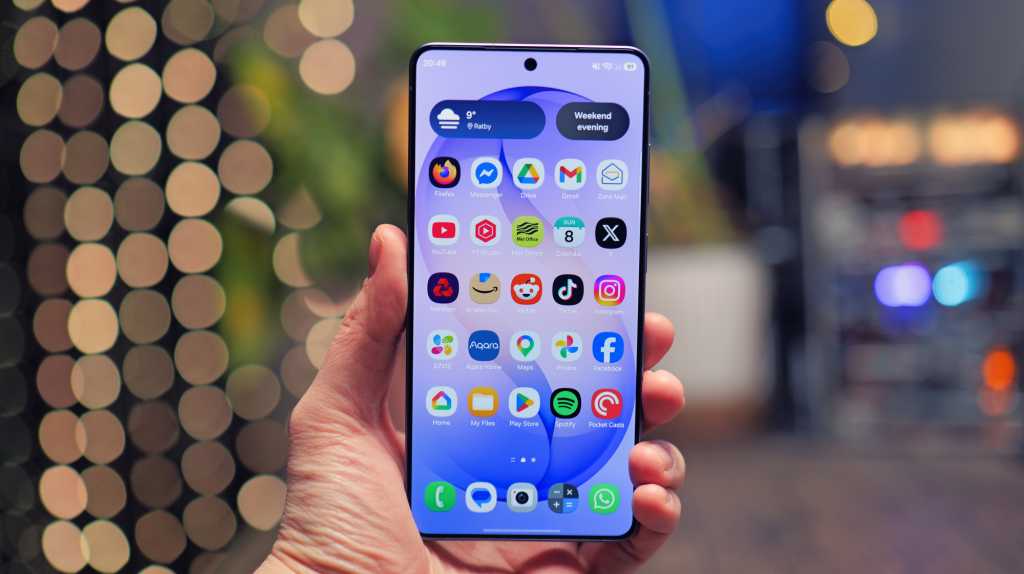
The latest update has commenced its rollout through updates to the Gallery Sync, Samsung Cloud, and Samsung Gallery apps.
A few days ago, renowned Samsung leaker Ice Universe confirmed this development with screenshot evidence.
This integration enables users to link their Samsung Gallery to their Google account, facilitating seamless cloud backups of photos and videos. Additionally, users can access photos captured on their Samsung device via the Google Photos app.
How to Utilize the Samsung-Google Sync Feature
Google has provided a support page on the new integration. A Samsung device running Android 13 or higher is all that is required.
Navigate to the Samsung Gallery app, tap the Menu icon at the bottom right, then proceed to Settings > Sync Photos and videos, and follow the prompts to select a Google Account.
It should be noted that photos synced through Samsung will not be visible in Memories and highlights, live albums, or search. Furthermore, the integration does not support Google Workspace accounts.










Revolutionizing Chip Design: The SPRIND and NADI €40m AI-Native Challenge

Experience the Power of Dynasty Warriors 3 Remastered: Join Forces in Online Co-op Today!

Samsung Gallery App Now Syncs with Google Photos – Stay Organized Across Platforms!

Xiaomi 18 Pro: Conquering the Global Market in 2026

Insurtechs Embrace a New Approach: Finding Customers Instead of Chasing Them

Google DeepMind’s Gemini 4: A Launch on the Horizon

Apple Enhances Camera Compatibility with RAW Support for 11 Models

Samsung Galaxy S9 Plus Gaming Review! (vs OnePlus 5T)

Revolutionary Performance: The Bentley Torcal Electric SUV’s V8-Inspired Soundtrack

EU Takes Action Against Instagram and Facebook for Violating Illegal Content Rules

Warning: Facebook Creators Face Monetization Loss for Stealing and Reposting Videos

Facebook’s New Look: A Blend of Instagram’s Style

Facebook Compliance: ICE-tracking Page Removed After US Government Intervention

Facebook and Instagram to Reduce Personalized Ads for European Users

InstaDub: Meta’s AI Translation Tool for Instagram Videos

Reclaim Your Account: Facebook and Instagram Launch New Hub for Account Recovery

Meta discontinues Messenger apps for Windows and macOS

Breaking Updates: Meta Connect 2025 Unveils Latest Developments
Samsung Galaxy S9 Plus Gaming Review! (vs OnePlus 5T)

THE BEST PHONE HTC EVER MADE?

The Truth about Google?

Samsung S9/ S9+ vs iPhone X vs Galaxy Note 8 Battery Life DRAIN TEST

Samsung S9 / S9+ vs Mate 10 Pro vs iPhone X Charging SPEED Test

The BEST APPS in 2018 – ft. MKBHD, UrAvgConsumer, iJustine + More

The ULTIMATE Smartphone Unboxing!!

HOW GOOD can a $250 Smartphone Camera be!?

10 Android Apps you NEED to try in 2018
-
 Facebook11 months ago
EU Takes Action Against Instagram and Facebook for Violating Illegal Content Rules
-
 Facebook11 months ago
Warning: Facebook Creators Face Monetization Loss for Stealing and Reposting Videos
-
 Facebook10 months ago
Facebook’s New Look: A Blend of Instagram’s Style
-
 Facebook11 months ago
Facebook Compliance: ICE-tracking Page Removed After US Government Intervention
-
 Facebook10 months ago
Facebook and Instagram to Reduce Personalized Ads for European Users
-
 Facebook11 months ago
InstaDub: Meta’s AI Translation Tool for Instagram Videos
-
 Facebook10 months ago
Reclaim Your Account: Facebook and Instagram Launch New Hub for Account Recovery
-
 Apple11 months ago
Meta discontinues Messenger apps for Windows and macOS
