
Mobile Tech
Unveiling the Unexpected: 5 Surprising Features of Apple’s M6 Mac mini & Mac Studio

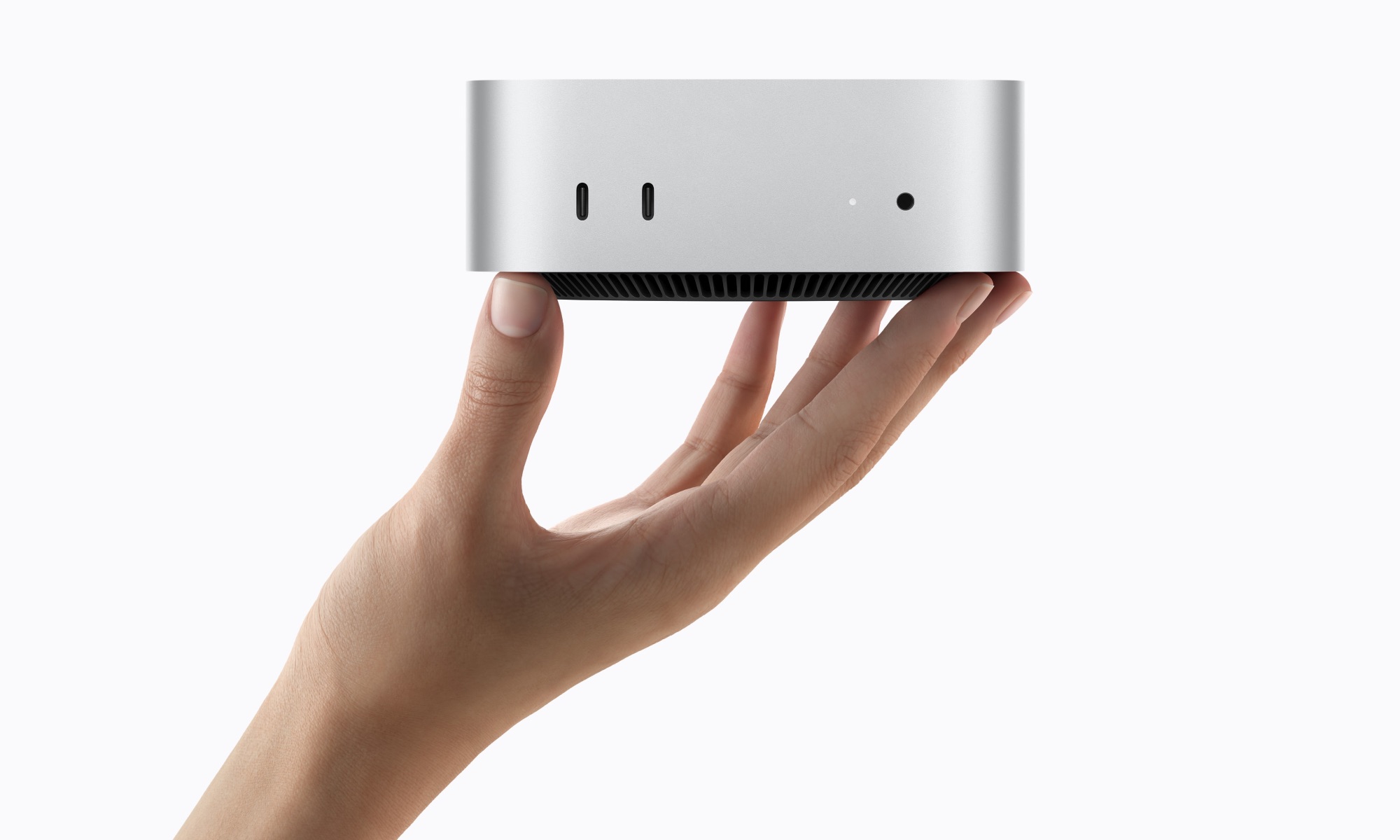
The fact that Apple unveiled new Macs in August was already a pretty big surprise, but this week’s new Mac mini and Mac Studio models have a few other interesting tricks up their sleeve beyond simply the new M6 and M5 Ultra chips inside — and a few gotchas, too.
Perhaps chief among these are the price increases. Of course, nobody was really expecting these to be any cheaper than the models they replaced — Apple made a round of massive price hikes in June, after all — but it’s actually snuck them up even more with the new models.
The M4 Mac mini arrived in 2024 at $599 for the base configuration with 16 GB of RAM and a 256 GB SSD. In May, Apple killed the 256 GB model, bringing the entry-level price up to $799 for the 512 GB configuration. That wasn’t technically a price increase, as the 512 GB price didn’t change; but Apple still forced many customers to pay more if they wanted a Mac mini.
However, the move to M6 is a nasty stealth price increase, because Apple has reintroduced the 256 GB configuration at $899. In other words, this isn’t just a $100 bump — it’s a $300 increase over the model that disappeared from the lineup three months ago. Meanwhile, if you want the equivalent of the old $799 M4 model, you’ll be paying $1,099 now to get it.
On the other hand, the Mac Studio starts at $2,499 for the M5 Max version with an 18-core CPU and 32-core GPU, 36 GB of unified memory, and a 512 GB SSD. That’s not technically a price increase from the M4 Max version, but only because Apple already bumped the price by $500 in June; the base model — with a 14-core CPU, 32-core GPU, 36 GB of unified memory, and a 512 GB SSD — initially launched at $1,999 in early 2025.
Tricky Pricing Configurations
While it’s not the first time Apple’s way of building its M-series chips has resulted in some oddball memory configurations, Apple is repeating this trend with the latest Mac mini and Mac Studio models, where not every RAM configuration is available with every M-series chip.
Specifically, if you want more than 32 GB of RAM on the Mac mini, you’ll need to opt for the pricier M5 Pro. The M6 is available with 16 GB, 24 GB, or 32 GB, while the M5 Pro offers 24 GB, 48 GB, and 64 GB configurations. The same goes for storage; configurations with SSDs larger than 2 TB will require the M5 Pro. The good news here is that these RAM restrictions apply regardless of whether you pick the 15-core CPU / 16-core GPU configuration or the top-tier 18-core CPU / 20-core GPU model.
However, things get a bit weird with the Mac Studio, where the two M5 Max chip variations have significantly different RAM options. Go with the base M5 Max with an 18-core CPU and 32-core GPU and you’ll be able to choose exactly one RAM configuration: 36 GB. Anything else requires paying $300 more for the 18/40-core M5 Max chip, which unlocks 48 GB, 64 GB, and 128 GB.
Meanwhile, the M5 Ultra, in both of its forms, offers 96 GB and 256 GB of RAM. A 512 GB version is coming in October, so it’s not yet clear if that will be available on the lower-end M5 Ultra chip. Similarly, the 16 TB SSD option is only available with the M5 Ultra, not the M5 Max, which tops out at 8 TB.
What’s Improved in this Year’s Mac mini and Mac Studio?
The new models pack in a few other interesting changes beyond the new chips inside. None of these are likely enough to justify an upgrade by themselves, but they’re nice bonuses if you’re already in the market for a new desktop Mac.
- Wi-Fi 7 and Bluetooth 6.0. Apple has switched to its in-house N1 chip, which not only introduces the new connectivity standards, but should improve performance and power-efficiency, much like it has in the iPhone 17.
- 165 Hz Display Support. The M6 Mac mini can run two displays in 4K resolution at up to 165 Hz, while the M5 Pro version can do that with all three. That’s a bump from the 144 Hz that the M4 and M4 Pro models were capable of.
- 2.5 Gigabit Ethernet. The Mac mini now comes with 2.5 Gigabit Ethernet ports standard — an improvement from the Gigabit ports on the M4 models. A 10 GbE upgrade is still available as an option on the Mac mini, and standard on the Mac Studio.
- Genlock Support. Both the Mac mini and Mac Studio can handle Genlock over USB-C, providing direct timing sync for sophisticated studio camera workflows without the need for separate hardware.
- SSD Speeds. The Mac Studio now uses PCIe Gen 6 for its SSDs, which should double transfer rates.
While the new Macs are available for pre-order now, they aren’t going to ship until late next month — arriving in stores on September 22. That means they’ll come with macOS 27 Golden Gate preloaded.
The Mac mini with M6 starts at $899 for the M6 model with 16 GB of RAM and a 256 GB SSD. The M5 Pro version, which starts at 24 GB of RAM and a 512 GB SSD, costs $1,699. To max that out with a full 18-core CPU and 20-core GPU, 64 GB of RAM, and an 8TB SSD will set you back $6,799.
The Mac Studio with M5 Max starts at $2,499, while the M5 Ultra version starts at $5,499. However, that’s just for the “base” model. If you want to max one out with 256 GB of RAM and a 16 TB SSD, you’ll be paying a whopping $18,299, although Apple will happily lease you one for only $398.91 per month over 36 months.













Infernal Hand Drawn: A Demon Card Game with a Fiery Twist

Fitbit Edge: The Next Generation of Fitness Tracking – Tech Advisor

Revolutionizing Rice Farming: CarbonFarm Secures €7 Million to Combat Methane Emissions

Revolutionary Upgrades: The Future of iPad Technology in 2026

Toyota Settles $750 Million Class Action Lawsuit Over HiLux and Prado DPF Issues

Microsoft’s AI Chip Reduces Dependence on Nvidia GPUs

The Rise of AI: Epic’s New Disney Shooter with Marvel and Star Wars Characters

Samsung Unveils Exclusive Galaxy Z Fold 8 Limited Edition Model

Say Goodbye to Samsung Headaches with the Galaxy S27: A Tech Advisor Review

EU Takes Action Against Instagram and Facebook for Violating Illegal Content Rules

Warning: Facebook Creators Face Monetization Loss for Stealing and Reposting Videos

Facebook’s New Look: A Blend of Instagram’s Style

Facebook Compliance: ICE-tracking Page Removed After US Government Intervention

Facebook and Instagram to Reduce Personalized Ads for European Users

InstaDub: Meta’s AI Translation Tool for Instagram Videos

Reclaim Your Account: Facebook and Instagram Launch New Hub for Account Recovery

Meta discontinues Messenger apps for Windows and macOS

Breaking Updates: Meta Connect 2025 Unveils Latest Developments

INCREDIBLE Smartphone Gadgets on Amazon!

10 Android Apps you NEED to try in 2017 / 2018

The Most Bizarre Smartphone we’ve seen all year.

Best Tech under $2000 – December 2017 / January 2018!

This could be your next Smartphone.

Top 10 most INSANE Limited Edition Smartphones!

How Smart is the AI-Powered Huawei Mate 10 – with EMUI 8.0?

I used a 2012 Smartphone in 2018 – Here’s what happened.

How to send ANY file Anywhere!
-
 Facebook12 months ago
EU Takes Action Against Instagram and Facebook for Violating Illegal Content Rules
-
 Facebook12 months ago
Warning: Facebook Creators Face Monetization Loss for Stealing and Reposting Videos
-
 Facebook10 months ago
Facebook’s New Look: A Blend of Instagram’s Style
-
 Facebook12 months ago
Facebook Compliance: ICE-tracking Page Removed After US Government Intervention
-
 Facebook10 months ago
Facebook and Instagram to Reduce Personalized Ads for European Users
-
 Facebook12 months ago
InstaDub: Meta’s AI Translation Tool for Instagram Videos
-
 Facebook10 months ago
Reclaim Your Account: Facebook and Instagram Launch New Hub for Account Recovery
-
 Apple12 months ago
Meta discontinues Messenger apps for Windows and macOS
