
Mobile Tech
Exploring the Latest Apple Music Features: Playlist Playground and Beyond

Apple recently rolled out the latest iOS 26.4 update, packed with a variety of new features. While some updates focus on enhancing security settings and introducing fun emojis, others offer advanced functionalities like easier customization of subtitles and captions.
Among the array of new features, Apple Music has been upgraded to be smarter and more entertaining. If you’ve already updated to the latest version, here are some exciting features to explore in Apple Music.
Apple Music’s Playlist Creation with a Single Prompt
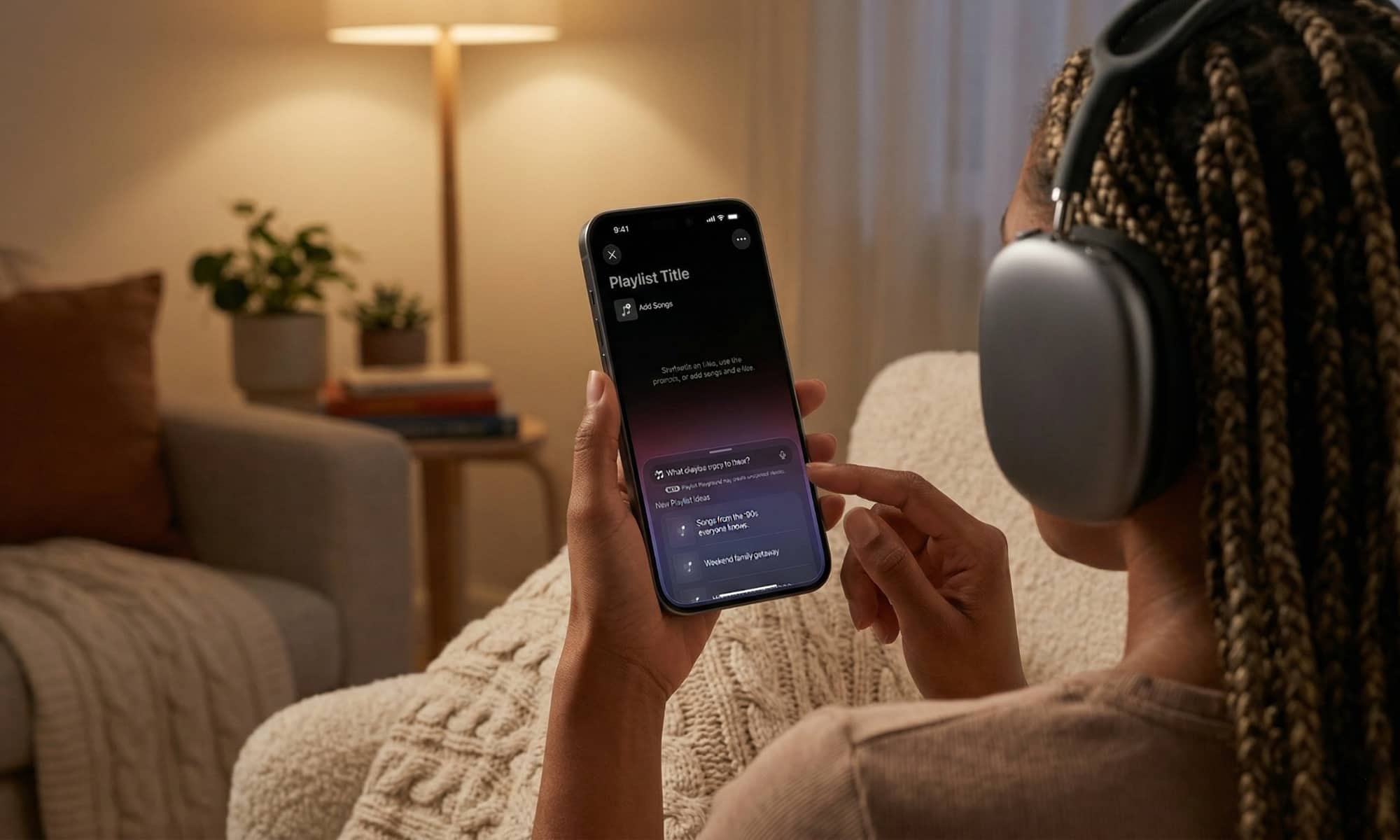
One standout feature is Apple Music’s ability to create playlists with just a single prompt, showcasing the power of AI. Through the Playlist Playground feature, users can simply type a sentence to generate a personalized playlist.
The process is straightforward – navigate to your playlists, click on the option to create a new playlist, and type in your preferences, such as “80s most popular rock songs” or “romantic music for my partner.” Apple Music will curate a list based on your input and music preferences.
While Playlist Playground is still in beta and limited to U.S.-based Apple Music accounts, it demonstrates the platform’s AI capabilities across various devices.
Other Exciting Apple Music Features
In addition to Playlist Playground, iOS 26.4 introduces “Concerts Near You” in Apple Music, allowing users to discover upcoming shows and events. Another handy feature is the ability to add a song to multiple playlists simultaneously, saving time for users.
Furthermore, the offline song recognition feature enables users to identify songs even without an internet connection. By tapping the Music Recognition icon in the Control Center, users can capture a snippet of a song and receive its details once back online.
Time to Update Your Device
These additions are just a glimpse of the numerous enhancements in iOS 26.4. Updating your device not only ensures you have the latest features but also unlocks a host of functionalities worth exploring.
When the opportunity arises, head to Settings > General > Software Update to install the newest iOS update and enjoy all the exciting additions.












Unboxing the First Ever Samsung Galaxy S!!

Explore the Luxury Options with the New BMW i3 Configurator, Reaching a Price of $78,650

Microsoft Executive’s Warning: The Decline of App Pricing Power

Football Manager 27: Get Ready for Kickoff with the Ultimate Match Day Experience Trailer!

Google Pixel 11a: A Closer Look at the Familiar Design

Cerebras Systems’ Andrew Feldman: A Disruptive Force in 2026

The Halide Camera App Revolutionizes iPhone 18 Pro Photography with Full Aperture Control

Google Explores Paid Partnerships with Publishers for AI-Driven Search Results

Siri Home Hub: Apple’s Latest Smart Assistant Set to Debut on October 13

EU Takes Action Against Instagram and Facebook for Violating Illegal Content Rules

Warning: Facebook Creators Face Monetization Loss for Stealing and Reposting Videos

Facebook’s New Look: A Blend of Instagram’s Style

Facebook Compliance: ICE-tracking Page Removed After US Government Intervention

Facebook and Instagram to Reduce Personalized Ads for European Users

InstaDub: Meta’s AI Translation Tool for Instagram Videos

Reclaim Your Account: Facebook and Instagram Launch New Hub for Account Recovery

Meta discontinues Messenger apps for Windows and macOS

Breaking Updates: Meta Connect 2025 Unveils Latest Developments
Unboxing the First Ever Samsung Galaxy S!!

Huawei P Smart – Huawei’s new Killer Budget Smartphone!

MYSTERY Package from Xiaomi – HUGE UNBOXING!

5 ways you’re using your Smartphone wrong.

THE INSANE DUAL BATTERY SMARTPHONE!

ELEPHONE U PRO UNBOXING AND REVIEW!

Mrwhosetheboss – 1 Million Subscribers

The Surprising TRUTH about Samsung – 15 things you did not know.

10 Incredible Android DIY Hacks!
-
 Facebook11 months ago
EU Takes Action Against Instagram and Facebook for Violating Illegal Content Rules
-
 Facebook12 months ago
Warning: Facebook Creators Face Monetization Loss for Stealing and Reposting Videos
-
 Facebook10 months ago
Facebook’s New Look: A Blend of Instagram’s Style
-
 Facebook12 months ago
Facebook Compliance: ICE-tracking Page Removed After US Government Intervention
-
 Facebook10 months ago
Facebook and Instagram to Reduce Personalized Ads for European Users
-
 Facebook12 months ago
InstaDub: Meta’s AI Translation Tool for Instagram Videos
-
 Facebook10 months ago
Reclaim Your Account: Facebook and Instagram Launch New Hub for Account Recovery
-
 Apple11 months ago
Meta discontinues Messenger apps for Windows and macOS
