
Tech News
Improving Communication: How Wi-Fi Calling Enhances Connectivity Despite Weak Phone Signals

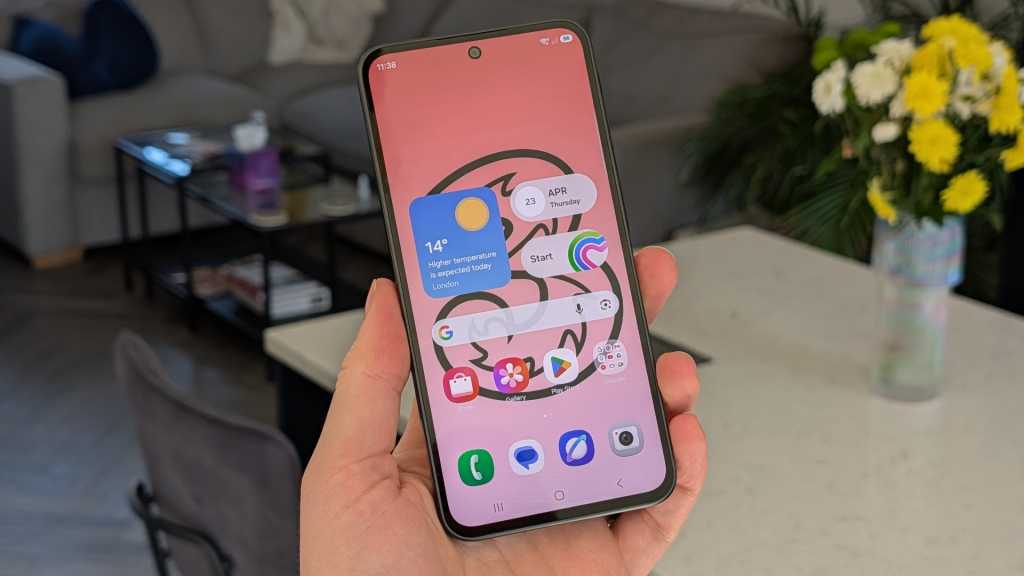
The Advantages of Wi-Fi Calling: A Comprehensive Guide
Wi-Fi Calling is not just another app-based service like WhatsApp or FaceTime. It is a technical standard that has been jointly agreed upon by smartphone manufacturers and mobile network operators. One of the key benefits of Wi-Fi Calling is its compatibility across all operating systems and networks, making it a convenient feature for users regardless of their device or network provider.
Exploring the Main Benefits of Wi-Fi Calling
One of the most significant advantages of Wi-Fi Calling is the ability to make calls even in areas with poor mobile signal coverage, as long as you are connected to a Wi-Fi network. This feature comes in handy in locations like basements, modern office buildings with insulated windows, or remote areas with limited mobile reception. Additionally, with a stable Wi-Fi connection, the call quality is often superior to that of a weak mobile signal.
When traveling abroad, Wi-Fi Calling can be particularly useful. By connecting to a hotel Wi-Fi network overseas, you can make calls back home without incurring international call charges. This is especially beneficial for users with flat-rate plans, as it allows them to stay connected without worrying about expensive roaming fees. Moreover, incoming calls to your mobile device can seamlessly transition from Wi-Fi to LTE or 5G networks as you move out of Wi-Fi range, ensuring uninterrupted communication.
Beware of Hidden Costs: Understanding Wi-Fi Calling Charges Abroad
It is essential to note that unstable or slow Wi-Fi connections can impact call quality negatively. When using Wi-Fi Calling to dial local numbers while abroad, such calls may be billed as international calls from your home country, even within the EU where roaming charges do not apply to Wi-Fi Calling. To avoid unexpected charges, it is advisable to disable Wi-Fi Calling and switch to the standard mobile network for local calls while traveling internationally.
Pro Tip: If you need to make local calls while abroad, consider switching off Wi-Fi Calling and using the standard mobile network for cost-effective communication.
How to Activate Wi-Fi Calling on an iPhone
Image Credit: Dominik Tomaszewski / Foundry
- Open the Settings app on your iPhone and select ‘Mobile Service’.
- Locate the ‘Wi-Fi Calling’ option and enable ‘Wi-Fi Calling on this iPhone’.
- If you have a dual-SIM model, choose the desired line under ‘Mobile’ before enabling Wi-Fi Calling. Note that this feature may not be available if your current plan does not support it.
Enabling Wi-Fi Calling on Android Devices
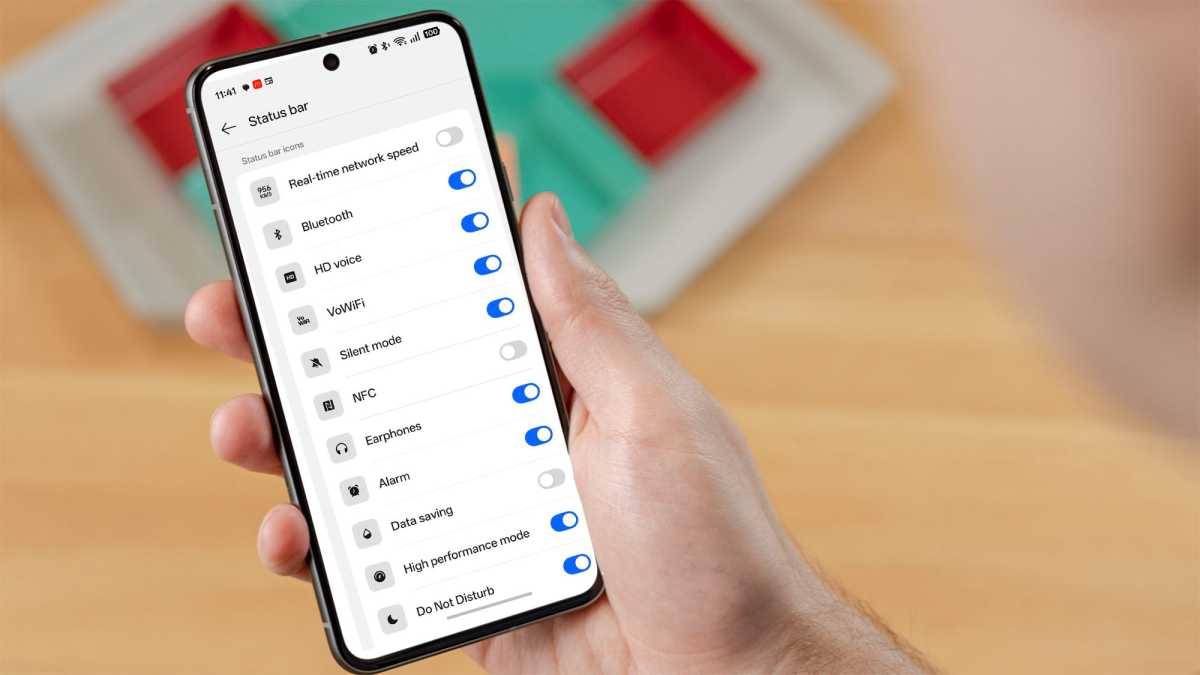
Image Credit: Dominik Tomaszewski / Foundry
Activating Wi-Fi Calling on Android phones may vary based on the operating system, with some devices labeling it as VoWiFi (Voice Over Wi-Fi). Regardless of the terminology, the process remains similar across Android devices.












iPhone 18 Pro Face ID Freezing Bug: Update on Fix Release Date

Affordable Electric Vehicle Now Available in Australia: Leapmotor B03 Approved for Sale

Reborn in Ashes: The Shattered Faith Saga – Coming to Consoles Soon

Save Big on Xiaomi 17T: £200 Discount on Amazon – Tech Advisor

NUSX and UnternehmerTUM Join Forces to Expand Presence in Munich

Streaming Wars: Disney+ and Hulu Increase Subscription Fees in 2026

The Surprising TRUTH about Samsung – 15 things you did not know.

McLaren’s Legacy: The Remuera and Muriwai Trademarks

Cloudscape Chronicles: A Fumito Ueda-inspired Parkour Adventure

EU Takes Action Against Instagram and Facebook for Violating Illegal Content Rules

Warning: Facebook Creators Face Monetization Loss for Stealing and Reposting Videos

Facebook’s New Look: A Blend of Instagram’s Style

Facebook Compliance: ICE-tracking Page Removed After US Government Intervention

Facebook and Instagram to Reduce Personalized Ads for European Users

InstaDub: Meta’s AI Translation Tool for Instagram Videos

Reclaim Your Account: Facebook and Instagram Launch New Hub for Account Recovery

Meta discontinues Messenger apps for Windows and macOS

Breaking Updates: Meta Connect 2025 Unveils Latest Developments
The Surprising TRUTH about Samsung – 15 things you did not know.

10 Incredible Android DIY Hacks!

Does a Cheap 2018 Smartphone beat a 2013 Flagship?

Samsung Galaxy S9 & S9+ UNBOXING!

Samsung Galaxy S9 Plus vs iPhone X

The BEST $300 Phone (2018) ft. MKBHD, Technical Guruji, iJustine + More

Samsung Galaxy S9 Plus Gaming Review! (vs OnePlus 5T)

THE BEST PHONE HTC EVER MADE?

The Truth about Google?
-
 Facebook11 months ago
EU Takes Action Against Instagram and Facebook for Violating Illegal Content Rules
-
 Facebook12 months ago
Warning: Facebook Creators Face Monetization Loss for Stealing and Reposting Videos
-
 Facebook10 months ago
Facebook’s New Look: A Blend of Instagram’s Style
-
 Facebook12 months ago
Facebook Compliance: ICE-tracking Page Removed After US Government Intervention
-
 Facebook10 months ago
Facebook and Instagram to Reduce Personalized Ads for European Users
-
 Facebook12 months ago
InstaDub: Meta’s AI Translation Tool for Instagram Videos
-
 Facebook10 months ago
Reclaim Your Account: Facebook and Instagram Launch New Hub for Account Recovery
-
 Apple11 months ago
Meta discontinues Messenger apps for Windows and macOS
