
Mobile Tech
Maximizing MacBook Battery Life: Avoid These 8 Draining Habits


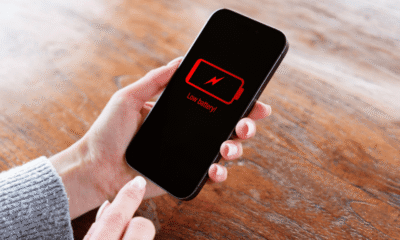
Maximizing Your MacBook Battery Life
MacBooks are renowned for their exceptional battery life, particularly the latest Apple silicon models. With these laptops, you can breeze through a full workday without constantly scrambling for your charger, a key reason why they are favored by many users.
However, even the most robust MacBook battery can drain quicker than expected if your daily habits are not in sync with its optimal performance. Certain behaviors can deplete the battery during the day, while others may gradually impact the long-term health of your MacBook’s battery. Interestingly, most of these issues may not appear significant initially.
An overly bright screen, excessive app usage, and heat can collectively contribute to battery drain. While the effects may not be immediately noticeable, over time, your MacBook could exhibit signs of decreased battery life, increased temperature, or an earlier need for servicing.
Thankfully, many of these concerns can be addressed easily. You do not have to overly coddle your MacBook or fret over every percentage point. Below are 8 straightforward adjustments that can enhance your battery’s longevity between charges and promote its overall health over time.












Upgrade Alert: HomePod Mini 2 and HomePod 2 Set to Become Default Mac Speakers

Finally Fixing my Wi-Fi – Zyxel Multy X!

Lost in the Living Maze: Unraveling Hidden Terrain Magic Through Copy-Paste

Samsung Unveils Exclusive Galaxy Z Fold 8 BTS Edition

Navigating the Digital World: Expert Tech Advice for Everyman

OMass Therapeutics Secures €275 Million Funding to Advance Innovative Small-Molecule Therapies

The Evolution of Apple’s Smart Home Strategy: A Closer Look at Their Own Devices

Unveiling the Imposter: The Truth Behind the Fake WhatsApp Clone on the Play Store

Digital Protection: How a 1988 Law Could Safeguard Your Online Viewing Experience

EU Takes Action Against Instagram and Facebook for Violating Illegal Content Rules

Warning: Facebook Creators Face Monetization Loss for Stealing and Reposting Videos

Facebook’s New Look: A Blend of Instagram’s Style

Facebook Compliance: ICE-tracking Page Removed After US Government Intervention

Facebook and Instagram to Reduce Personalized Ads for European Users

InstaDub: Meta’s AI Translation Tool for Instagram Videos

Reclaim Your Account: Facebook and Instagram Launch New Hub for Account Recovery

Meta discontinues Messenger apps for Windows and macOS

Breaking Updates: Meta Connect 2025 Unveils Latest Developments
Finally Fixing my Wi-Fi – Zyxel Multy X!

$25,000 Gaming Setup – EVOLUTION!

The Maze Alpha X is HERE!

Cool Tech under $100 – December!

MYSTERY UNBOXING FROM GOOGLE!

TOP 6 Smartphones from Companies you NEVER Expected!

A Surprise Smartphone from EE!

DOOGEE MIX 2 VS DOOGEE MIX 1!

INCREDIBLE Smartphone Gadgets on Amazon!
-
 Facebook12 months ago
EU Takes Action Against Instagram and Facebook for Violating Illegal Content Rules
-
 Facebook1 year ago
Warning: Facebook Creators Face Monetization Loss for Stealing and Reposting Videos
-
 Facebook10 months ago
Facebook’s New Look: A Blend of Instagram’s Style
-
 Facebook1 year ago
Facebook Compliance: ICE-tracking Page Removed After US Government Intervention
-
 Facebook10 months ago
Facebook and Instagram to Reduce Personalized Ads for European Users
-
 Facebook1 year ago
InstaDub: Meta’s AI Translation Tool for Instagram Videos
-
 Facebook11 months ago
Reclaim Your Account: Facebook and Instagram Launch New Hub for Account Recovery
-
 Apple12 months ago
Meta discontinues Messenger apps for Windows and macOS
