
Mobile Tech
Preventing iPhone Password Reset Attacks: A Step-by-Step Guide

Protect Against iPhone Password Reset Attacks: How to Stay Safe
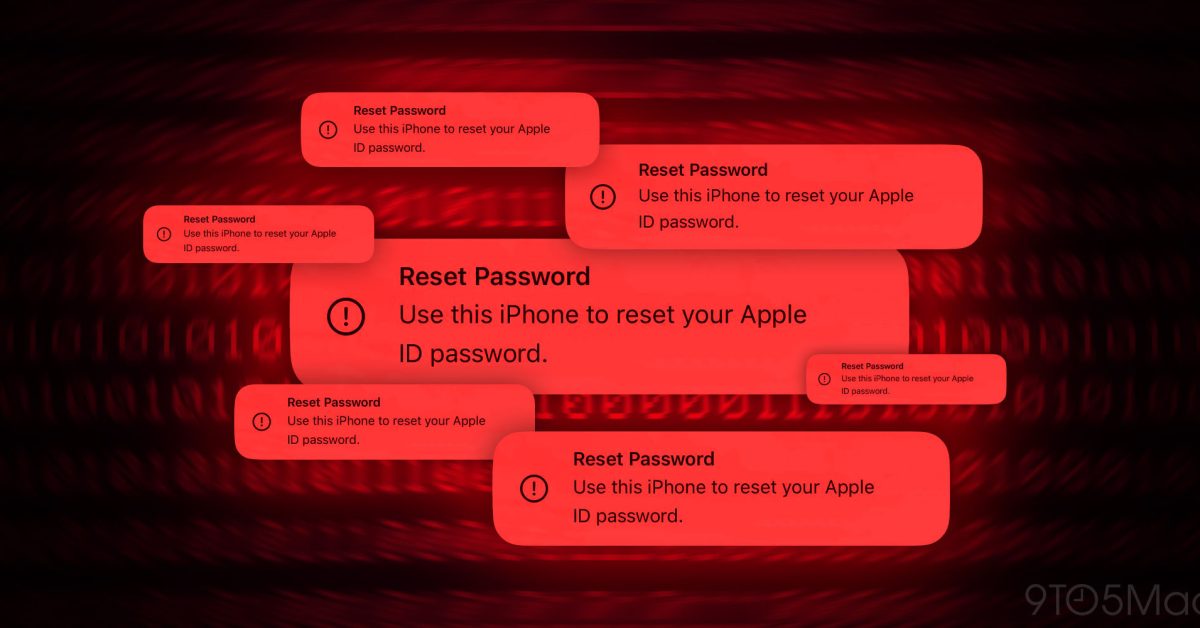
Recently, iPhone users have been facing a new form of attack where malicious individuals exploit the Apple ID password reset system to flood users with iOS prompts, attempting to take over their accounts. This article will guide you on how to protect yourself against these iPhone password reset attacks, also known as “MFA bombing.”
Reports have emerged about a technique called MFA bombing, also referred to as MFA fatigue or push bombing, which involves sending official iOS password reset prompts to victims in a scam attempt.
According to findings shared by Krebs on Security (via Parth Patel), attackers are leveraging an Apple user’s phone number to bombard their iPhone and other Apple devices with over 100 multi-factor authentication (MFA) system prompts in an effort to reset the Apple ID password.
Update 4/21/24: Although Apple released a fix at the end of March to address this issue, some users, including a member of the 9to5Mac team, experienced the password reset attack on their Apple devices over the weekend.
In one instance, a user received the password reset prompt on both their iPhone and Mac, with the prompt being declined quickly. Meanwhile, another user encountered five such prompts. It’s crucial to remain vigilant and cautious in such situations.
Update 3/28/24 2:40 pm PT: Following reports of phishing attacks, Apple has taken steps to address the issue and investigate recent cases of these attacks.
How to Safeguard Against iPhone Password Reset Attacks
- Decline, decline, decline
- As the reset password requests simulate system-level alerts, they can appear convincing. Always select “Don’t Allow” for each prompt.
- Attackers may bombard victims with numerous prompts over several days. Persist in choosing “Don’t Allow” and consider implementing step 3 below.
- Should you encounter a password reset prompt on a website, it could be a different phishing scam. Close the page immediately as either button could lead to a malicious link.
- Avoid answering phone calls
- Even if the caller ID displays “Apple Support” or a similar label, refrain from answering.
- Attackers may engage in call spoofing to make the incoming number resemble the official Apple Support contact. They might attempt to extract a one-time passcode from you to compromise your Apple account.
- If uncertain, reject the call and independently contact Apple (800.275.2273 in the US) to verify any communication. Call spoofing should not interfere with your outgoing call to the authentic Apple support line.
- Apple emphasizes that they do not initiate outbound calls unless requested by the customer and advises against sharing one-time codes with anyone.
- Consider changing the phone number linked to your Apple ID
- If you persistently receive prompts, updating the phone number associated with your Apple ID can halt the onslaught.
- However, be aware that altering your Apple ID’s phone number may affect iMessage and FaceTime functionality.
Further Insights

As highlighted in an article by Krebs on Security, there seems to be a rate limit issue with the Apple ID password reset mechanism.
What sanely designed authentication system would send dozens of requests for a password change in the span of a few moments, when the first requests haven’t even been acted on by the user? Could this be the result of a bug in Apple’s systems?
It is hoped that Apple is actively working on a solution to prevent malicious entities from exploiting this system. Unfortunately, users have reported the password reset scam for at least two years, if not longer.
One user shared that an Apple senior engineer suggested enabling the Recovery Key feature for the Apple ID to counter the password reset notifications. However, further testing revealed that the Apple Recovery Key does not stop reset password prompts, as confirmed by Krebs on Security.
Related:
Images by 9to5Mac


FTC: We use income earning auto affiliate links. More.














Cloudscape Chronicles: A Fumito Ueda-inspired Parkour Adventure

Rising Prices: Samsung Galaxy Tab S12 and Xiaomi Pad 9 Series

Uncovering the Hidden Profit Potential: Startup Lessons from Healthy Averages

Apple’s Costly Conundrum: $5.7 Billion Damages for Haptic Patent Infringement

Snack Time and Screen Time: Free Peanuts and Fresh Shows

The Ultimate BMW N62 V8 Engine Handbook: Troubleshooting, Performance Upgrades, and Durability

Black Salt Games Launches Team Trifold Studio, Unveiling Nothing Lost

Unlocking Your Phone Made Easy: How Android Users Can Use Their Google Account

Bixdo Glossonic Brush Pro: The Ultimate Electric Toothbrush for Whiter Teeth – A Tech Advisor Review

EU Takes Action Against Instagram and Facebook for Violating Illegal Content Rules

Warning: Facebook Creators Face Monetization Loss for Stealing and Reposting Videos

Facebook’s New Look: A Blend of Instagram’s Style

Facebook Compliance: ICE-tracking Page Removed After US Government Intervention

Facebook and Instagram to Reduce Personalized Ads for European Users

InstaDub: Meta’s AI Translation Tool for Instagram Videos

Reclaim Your Account: Facebook and Instagram Launch New Hub for Account Recovery

Meta discontinues Messenger apps for Windows and macOS

Breaking Updates: Meta Connect 2025 Unveils Latest Developments

10 Incredible Android DIY Hacks!

Does a Cheap 2018 Smartphone beat a 2013 Flagship?

Samsung Galaxy S9 & S9+ UNBOXING!

Samsung Galaxy S9 Plus vs iPhone X

The BEST $300 Phone (2018) ft. MKBHD, Technical Guruji, iJustine + More

Samsung Galaxy S9 Plus Gaming Review! (vs OnePlus 5T)

THE BEST PHONE HTC EVER MADE?

The Truth about Google?

Samsung S9/ S9+ vs iPhone X vs Galaxy Note 8 Battery Life DRAIN TEST
-
 Facebook11 months ago
EU Takes Action Against Instagram and Facebook for Violating Illegal Content Rules
-
 Facebook12 months ago
Warning: Facebook Creators Face Monetization Loss for Stealing and Reposting Videos
-
 Facebook10 months ago
Facebook’s New Look: A Blend of Instagram’s Style
-
 Facebook12 months ago
Facebook Compliance: ICE-tracking Page Removed After US Government Intervention
-
 Facebook10 months ago
Facebook and Instagram to Reduce Personalized Ads for European Users
-
 Facebook12 months ago
InstaDub: Meta’s AI Translation Tool for Instagram Videos
-
 Facebook10 months ago
Reclaim Your Account: Facebook and Instagram Launch New Hub for Account Recovery
-
 Apple11 months ago
Meta discontinues Messenger apps for Windows and macOS
