
Future Forecast: Android’s AI Predicts Your Next Move

Google Introduces AI-Powered Contextual Suggestions Feature for Android Users
Google has unveiled a new feature called “contextual suggestions” for Android users, as reported by Android Authority. This AI-powered feature is designed to provide personalized recommendations based on the user’s daily habits and location. For instance, it can suggest your favorite music playlist when you arrive at the gym for your regular workout.
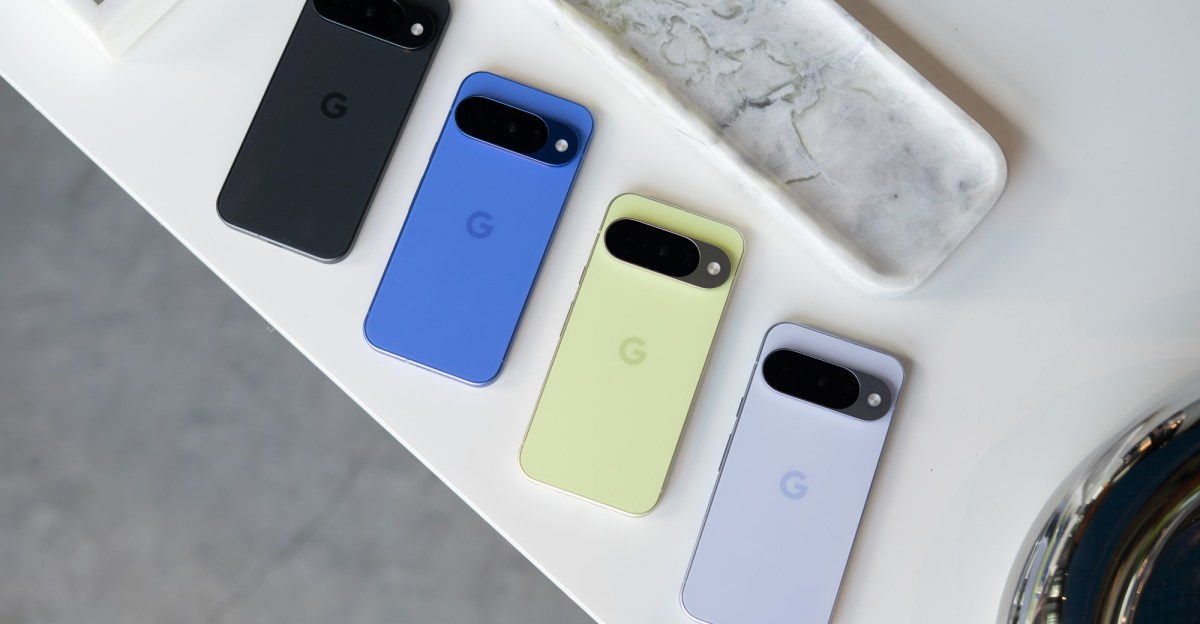
Previously available in the Play Services beta, contextual suggestions have now been expanded to the stable channel by Google. Although the official launch of the feature has not been announced, reports from Android Authority and 9to5Google indicate that it is already accessible on Pixel 10 series devices running Android 16 and is enabled by default.
The appearance of the notifications generated by the feature remains unknown. Users can customize the data accessed by the feature, including the option to disable location tracking. Google assures users that the feature operates in an encrypted space on the device, with no data being shared with Google, apps, or third-party services.
According to Google, AI learns from the user’s data to make predictions that are beneficial. For example, if a user frequently casts sports games to their living room TV on Saturdays, the feature can suggest the casting at the appropriate time.
Android Authority points out similarities between contextual suggestions and the Magic Cue feature found on Google’s Pixel 10 series, which offers proactive suggestions for contextual information. While Google has not confirmed wider availability on non-Pixel Android phones, a support page indicates that the feature requires Android 14 or newer to support audio and video casting.
For further information on the launch timeline and supported devices, users are advised to reach out to Google. To check if contextual suggestions are available on your Android device, navigate to Settings > Google Services > All services > Other.













McLaren’s Legacy: The Remuera and Muriwai Trademarks

Cloudscape Chronicles: A Fumito Ueda-inspired Parkour Adventure

Rising Prices: Samsung Galaxy Tab S12 and Xiaomi Pad 9 Series

Uncovering the Hidden Profit Potential: Startup Lessons from Healthy Averages

Apple’s Costly Conundrum: $5.7 Billion Damages for Haptic Patent Infringement

Snack Time and Screen Time: Free Peanuts and Fresh Shows

The Ultimate BMW N62 V8 Engine Handbook: Troubleshooting, Performance Upgrades, and Durability

Black Salt Games Launches Team Trifold Studio, Unveiling Nothing Lost

Unlocking Your Phone Made Easy: How Android Users Can Use Their Google Account

EU Takes Action Against Instagram and Facebook for Violating Illegal Content Rules

Warning: Facebook Creators Face Monetization Loss for Stealing and Reposting Videos

Facebook’s New Look: A Blend of Instagram’s Style

Facebook Compliance: ICE-tracking Page Removed After US Government Intervention

Facebook and Instagram to Reduce Personalized Ads for European Users

InstaDub: Meta’s AI Translation Tool for Instagram Videos

Reclaim Your Account: Facebook and Instagram Launch New Hub for Account Recovery

Meta discontinues Messenger apps for Windows and macOS

Breaking Updates: Meta Connect 2025 Unveils Latest Developments

10 Incredible Android DIY Hacks!

Does a Cheap 2018 Smartphone beat a 2013 Flagship?

Samsung Galaxy S9 & S9+ UNBOXING!

Samsung Galaxy S9 Plus vs iPhone X

The BEST $300 Phone (2018) ft. MKBHD, Technical Guruji, iJustine + More

Samsung Galaxy S9 Plus Gaming Review! (vs OnePlus 5T)

THE BEST PHONE HTC EVER MADE?

The Truth about Google?

Samsung S9/ S9+ vs iPhone X vs Galaxy Note 8 Battery Life DRAIN TEST
-
 Facebook11 months ago
EU Takes Action Against Instagram and Facebook for Violating Illegal Content Rules
-
 Facebook12 months ago
Warning: Facebook Creators Face Monetization Loss for Stealing and Reposting Videos
-
 Facebook10 months ago
Facebook’s New Look: A Blend of Instagram’s Style
-
 Facebook12 months ago
Facebook Compliance: ICE-tracking Page Removed After US Government Intervention
-
 Facebook10 months ago
Facebook and Instagram to Reduce Personalized Ads for European Users
-
 Facebook12 months ago
InstaDub: Meta’s AI Translation Tool for Instagram Videos
-
 Facebook10 months ago
Reclaim Your Account: Facebook and Instagram Launch New Hub for Account Recovery
-
 Apple11 months ago
Meta discontinues Messenger apps for Windows and macOS
