
Mobile Tech
Exploring the Exciting Updates of iOS 27: A Look Beyond Artificial Intelligence


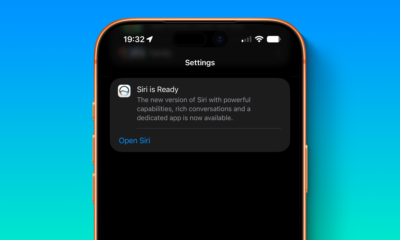
Apple recently rolled out iOS 27 to the public, bringing with it a slew of new features and updates. While the spotlight has been on the Siri AI and Apple Intelligence enhancements, there are plenty of other noteworthy changes worth mentioning.
One of the standout additions in iOS 27 is the revamped Music app, which now includes updated AutoMix with new transitions. Users who enjoyed the previous version of AutoMix in iOS 26 will appreciate the improved transitions that offer a more immersive experience.
In the Photos app, iCloud Shared Albums now support full-resolution sharing, making it easier to share high-quality photos and videos with others without compromising on image quality.
Another handy feature in iOS 27 is the ability to set independent volume levels for alarms in the Clock app. This means you can now adjust the alarm volume separately from your ringtone volume, providing more customization options.
iOS 27 also introduces a new extra-large widget size for the Home Screen, offering full-screen widgets for apps like Music, Photos, Weather, and Calendar.
Users will also appreciate the ability to swipe away the Now Playing widget from the Lock Screen in iOS 27, providing a cleaner and more streamlined interface.
Additionally, iOS 27 allows users to move the clock to the top widget row on the Lock Screen, eliminating any interference with the wallpaper. In the Photos app, users can now save a specific video frame as a separate photo, eliminating the need to take a screenshot of a video to capture a specific frame.
The Apple Pay checkout flow has been overhauled in iOS 27, making it easier to switch between payment cards. The update also brings landscape support to more apps, including Music, Reminders, Weather, and others, catering to users who keep their iPhone docked at their desk.
The Find My app has received a new design in iOS 27, along with more flexible sharing options. Users will now see more specific location information without having to tap on a specific person.
Other notable features in iOS 27 include a built-in paste shortcut above the keyboard when copying something to the iPhone’s clipboard, an audio scrubber in CarPlay for skipping to different parts of a song or podcast, and more.
What are your favorite non-AI features in iOS 27? Let us know in the comments section below.












TOP 5 MOST UNUSUAL SMARTPHONES

Umidigi S2 – Flagship Smartphone for $199??

Mystery Unboxing from Logitech!

7 Smartphone Life Hacks YOU SHOULD KNOW!

The Oneplus 5T has been LEAKED!

iPhone X – ULTIMATE PACKAGE UNBOXING!

iPhone X vs Galaxy Note 8 vs iPhone 8 Plus- Battery Life Drain Test

iPhone X vs Galaxy Note 8 vs iPhone 8 Plus – Battery Charging Speed Test

$1200 iPhone X vs INSANE $80 iPhone X Fake!

EU Takes Action Against Instagram and Facebook for Violating Illegal Content Rules

Warning: Facebook Creators Face Monetization Loss for Stealing and Reposting Videos

Facebook’s New Look: A Blend of Instagram’s Style

Facebook Compliance: ICE-tracking Page Removed After US Government Intervention

Facebook and Instagram to Reduce Personalized Ads for European Users

InstaDub: Meta’s AI Translation Tool for Instagram Videos

Reclaim Your Account: Facebook and Instagram Launch New Hub for Account Recovery

Meta discontinues Messenger apps for Windows and macOS

Breaking Updates: Meta Connect 2025 Unveils Latest Developments
TOP 5 MOST UNUSUAL SMARTPHONES
Umidigi S2 – Flagship Smartphone for $199??
Mystery Unboxing from Logitech!
7 Smartphone Life Hacks YOU SHOULD KNOW!
The Oneplus 5T has been LEAKED!
iPhone X – ULTIMATE PACKAGE UNBOXING!
iPhone X vs Galaxy Note 8 vs iPhone 8 Plus- Battery Life Drain Test
iPhone X vs Galaxy Note 8 vs iPhone 8 Plus – Battery Charging Speed Test
$1200 iPhone X vs INSANE $80 iPhone X Fake!
-
 Facebook1 year ago
EU Takes Action Against Instagram and Facebook for Violating Illegal Content Rules
-
 Facebook1 year ago
Warning: Facebook Creators Face Monetization Loss for Stealing and Reposting Videos
-
 Facebook11 months ago
Facebook’s New Look: A Blend of Instagram’s Style
-
 Facebook1 year ago
Facebook Compliance: ICE-tracking Page Removed After US Government Intervention
-
 Facebook11 months ago
Facebook and Instagram to Reduce Personalized Ads for European Users
-
 Facebook1 year ago
InstaDub: Meta’s AI Translation Tool for Instagram Videos
-
 Facebook11 months ago
Reclaim Your Account: Facebook and Instagram Launch New Hub for Account Recovery
-
 Apple1 year ago
Meta discontinues Messenger apps for Windows and macOS
