
Mobile Tech
Exploring the Latest Features of iOS 27 Developer Beta 2

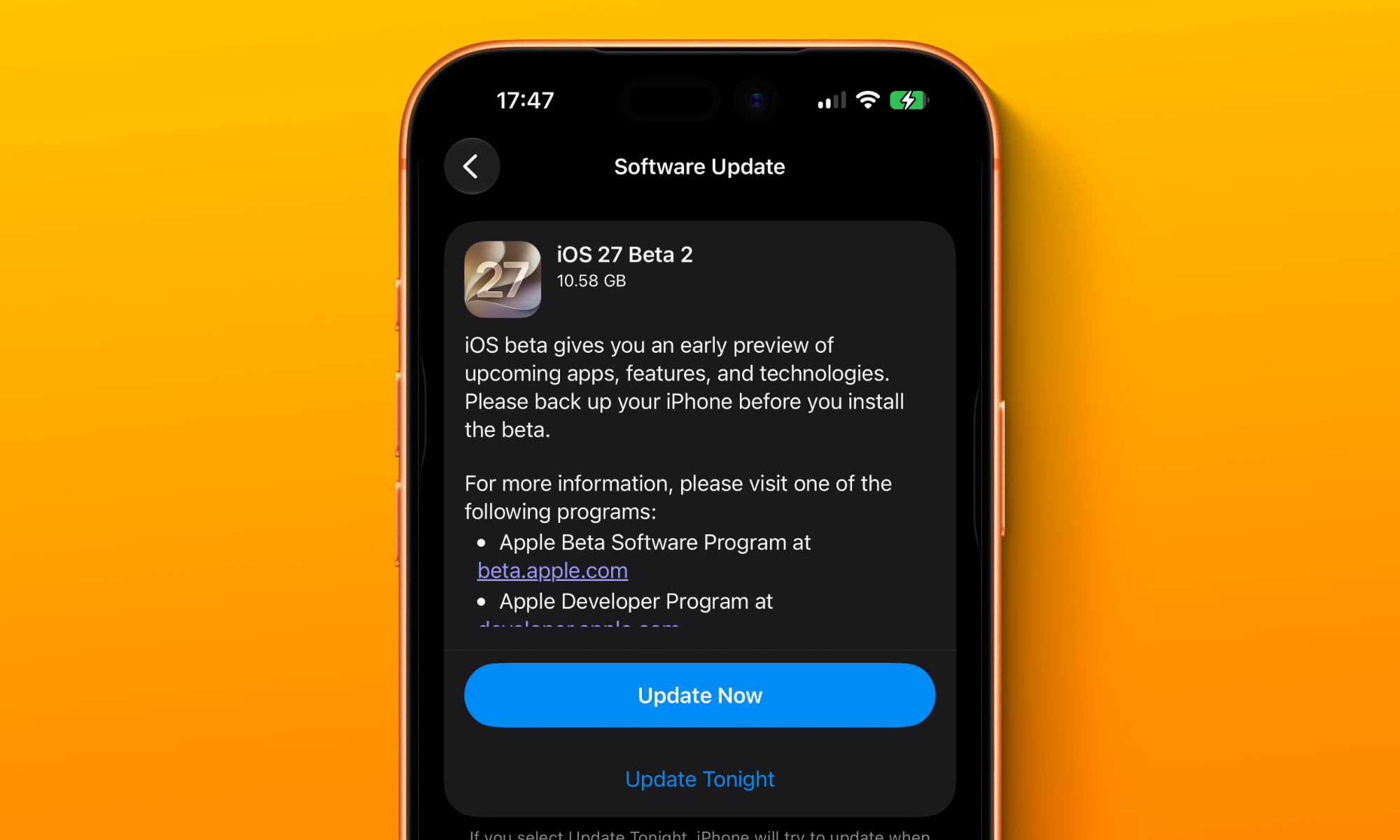
It’s been two weeks since Apple’s Worldwide Developers Conference (WWDC) and the release of the first iOS 27 developer beta. That means it’s time for Apple to follow that up with a second beta — and it has, right on schedule.
While the first developer beta of iOS 27 brought nearly everything Apple showed us during its WWDC keynote and more, there are a few nice surprises lurking in today’s beta, suggesting that Apple isn’t quite finished rolling out smaller new features.
Write with Siri
The first iOS 27 beta was conspicuously missing the Apple Intelligence Writing Tools that have been present since iOS 18.1. That’s because Apple is replacing these with a new Siri AI-powered version called “Write with Siri,” but that presumably wasn’t ready for prime time when the first beta came out.
The good news is that it’s here now. The concept is similar to the old Writing Tools, although there are some new user interface elements for triggering it.
Most significant is a new “Write with Siri” prompt in the keyboard suggestions bar. Tapping that will let you ask Siri a natural language request to create text from scratch, proofread existing text, or do rewrites.
The new interface is also a simplified version of Writing Tools, with old presets like “Friendly” and “Professional” now removed in favor of having you describe your changes to Siri. This can also be done with your voice, as the new Siri’s onscreen awareness will see what you’re working on and take it from there.
RCS Messages Get Reactions and Threaded Replies
When Apple added end-to-end encryption (E2EE) earlier this year, many feared that would be the only part of the RCS Universal Profile 3.0 the company planned to embrace. The theory was that since E2EE is an important security feature, Apple’s privacy stance meant it had to get on board, but that it might decline to add any other features that would compete with its own iMessage service.
Thankfully, the cynics were at least partly wrong, as Apple is finally bringing proper emoji reactions and in-line replies to RCS in iOS 27. To be fair, these features are actually part of UP 2.7, so Apple has still been dragging its heels. But, better late than never.
This works exactly like it sounds. When you tap on a message in an RCS chat with an Android user and add a reaction, they’ll actually see the thumbs-up, heart, or whatnot, rather than just getting a text that says you “Liked” or “Loved” the message.
Apple Wallet Gains ‘Insights’
It looks like this year’s iOS 27 may expand another Apple-exclusive feature in the Wallet app, bringing spending insights and other connected financial data to more than just Apple’s own credit card.
The ability to manage everything in the Wallet app and get detailed transaction information and spending graphs was one of the selling points of the Apple Card when it launched in 2019. Apple partially expanded this with a Connected Cards feature in iOS 17.1 that promised more integration, but it ended up being mostly limited to the UK due to its reliance on the Open Banking API, which has seen little adoption in other countries. Discover initially supported it in the US, but pulled out earlier this year, likely as a result of its 2025 acquisition by Capital One.
The second beta of iOS 27 includes a new “Spending Insights” splash screen that says you’ll be able to “Connect accounts to Wallet to see spending insights, recurring transactions, account balances, and more.” However, the feature doesn’t appear to be fully functional yet, and it’s not entirely clear when or where it will show up.
It’s telling that many folks in the UK saw this option appear in the first beta. Connected Accounts have been available for nearly three years, and Spending Insights would be a logical expansion of that feature, since that’s the only way to get the data. Its appearance for folks in the US could be a mistake, but here’s hoping that Apple has something else up its sleeve for expanding connectivity with banks in the US and elsewhere.
Install tvOS Updates From Your iPhone
Thanks to a small but handy change in iOS 27 and its accompanying tvOS betas, you can now trigger updates for your Apple TV directly from the Home app on your iPhone, much the same way HomePod updates are installed.
This will be particularly convenient for anyone with multiple set-top boxes, and it’s often still quicker than using the Siri Remote to dig down through the settings menus.
This feature appears to have been added in the first betas, but simply didn’t show up until today when a new tvOS 27 beta was ready to be installed, as it requires both the iPhone and Apple TV to be running the OS 27 betas in the first place.
When Will iOS 27 Be More Widely Available?
Today is only the second developer beta of iOS 27, so it’s still very much in the “install at your own risk” stage of release. While anyone can sign up as a registered developer and access the betas for free, we don’t recommend you do so unless you’re willing to live a bit dangerously or have a spare iPhone to dedicate to testing.
Apple is expected to release the first public beta of iOS 27 sometime in July. That’s the stage at which it will be more appropriate for consumption by early adopters, but even so it’s best for anyone who doesn’t like living on the edge to wait until the public release, which will almost certainly come in September, to ensure Apple has ironed out all the major bugs.












Revolutionizing Automotive Technology: The BMW Tech License 2027 Delivery

Uncovering Amazon’s Impact on the Colorado River: A Closer Look at Water Usage

Green Data: A Guide to Sustainable Operations in European Data Centers

Belmont’s Curse: A Spooky Demo Arrives in October

Samsung Gallery App Now Syncing with Google Photos: A Seamless Integration for Users

Xiaomi 18 Pro Camera: Specs, Samples, and Impressions Unveiled by Tech Advisor

Verda: The Rise of Europe’s Newest Unicorn in AI Cloud Technology

Apple Underground: An Exclusive Live Music Experience at the UK Headquarters

Unveiling Toyota’s $6.4bn Investment in Robotics: The Future of Physical AI

EU Takes Action Against Instagram and Facebook for Violating Illegal Content Rules

Warning: Facebook Creators Face Monetization Loss for Stealing and Reposting Videos

Facebook’s New Look: A Blend of Instagram’s Style

Facebook Compliance: ICE-tracking Page Removed After US Government Intervention

Facebook and Instagram to Reduce Personalized Ads for European Users

InstaDub: Meta’s AI Translation Tool for Instagram Videos

Reclaim Your Account: Facebook and Instagram Launch New Hub for Account Recovery

Meta discontinues Messenger apps for Windows and macOS

Breaking Updates: Meta Connect 2025 Unveils Latest Developments

Samsung S9 / S9+ vs Mate 10 Pro vs iPhone X Charging SPEED Test

The BEST APPS in 2018 – ft. MKBHD, UrAvgConsumer, iJustine + More

The ULTIMATE Smartphone Unboxing!!

HOW GOOD can a $250 Smartphone Camera be!?

10 Android Apps you NEED to try in 2018

They could not believe how cheap this Phone is

A $50,000 Smartphone for $400?

Huawei P20 Pro Unboxing!

Huawei P20 Pro vs Samsung S9 Plus!
-
 Facebook11 months ago
EU Takes Action Against Instagram and Facebook for Violating Illegal Content Rules
-
 Facebook11 months ago
Warning: Facebook Creators Face Monetization Loss for Stealing and Reposting Videos
-
 Facebook10 months ago
Facebook’s New Look: A Blend of Instagram’s Style
-
 Facebook11 months ago
Facebook Compliance: ICE-tracking Page Removed After US Government Intervention
-
 Facebook10 months ago
Facebook and Instagram to Reduce Personalized Ads for European Users
-
 Facebook11 months ago
InstaDub: Meta’s AI Translation Tool for Instagram Videos
-
 Facebook10 months ago
Reclaim Your Account: Facebook and Instagram Launch New Hub for Account Recovery
-
 Apple11 months ago
Meta discontinues Messenger apps for Windows and macOS
